Free tools Windows power users keep installed
One-click scans. No signup required.
Gearbox acknowledged reports of worse performance after the September 25, 2025 Borderlands 4 update and said its stuttering could come from shaders compiling in the background. Its first recommendation was to play continuously for at least 15 minutes; if stutter persisted, clear the shader cache using the graphics-card maker’s approved method. That is useful first-line advice, not a guarantee that every later performance problem has the same cause.
What happened after the September 25 update?
The update aimed to improve stability and performance, listing fixes for hitching, low frame rates and crashes. At the same time, Gearbox acknowledged reports that some players saw reduced performance after installing it and said further stability and performance work remained under investigation. The dated patch notes are reproduced by SteamDB.
| # | Preview | Product | Price | |
|---|---|---|---|---|
| 1 |
![Borderlands 3 Ultimate Edition (PS5) [video game]](https://m.media-amazon.com/images/I/510vIObt2KL._SL160_.jpg)
|
Borderlands 3 Ultimate Edition (PS5) [video game] | $34.01 | Buy on Amazon |
| 2 |

|
PRAGMATA - PlayStation 5 | $59.88 | Buy on Amazon |
| 3 |
|
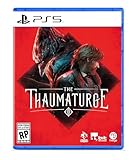
The Thaumaturge PS5 | $29.98 | Buy on Amazon |
| 4 |

|
Borderlands 4 - PlayStation 5 | $27.99 | Buy on Amazon |
| 5 |

|
Marvel's Wolverine PS5 | $69.00 | Buy on Amazon |
Gearbox’s explanation for the stuttering reports it addressed was background shader compilation. Its notes said: “Stuttering issues should resolve over time as the shaders continue to compile in the background while playing.” Treat this as the developer’s explanation for that post-update issue, not proof that all stuttering—especially persistent or later cases—is caused by shaders.
First, give shader compilation time to finish
Gearbox’s PC troubleshooting guide says shader compilation usually takes about 10 minutes on most PCs. The guide also advises allowing at least 15 minutes before evaluating performance, and Gearbox’s separate September 13 update says graphics-setting changes can require up to 15 minutes of shader recompilation.
Recommended Free Tools
#1 Best Overall
- After a game update or graphics-setting change, stop adjusting settings while you test.
- Play continuously for at least 15 minutes, then check whether the hitching has eased.
- If the stutter remains, move on to the cache and system checks below rather than assuming it will eventually disappear.
Repeatedly changing graphics options during this test can trigger recompilation again, making it harder to tell whether the original shader work has finished.
If stuttering continues, try these checks
Clear the shader cache using the GPU maker’s method
Gearbox’s PC guide gives vendor-specific cache-clearing directions for NVIDIA and AMD. For NVIDIA, it identifies the DXCache location; for AMD, it points to the Reset Shader Cache option in AMD Software: Adrenalin Edition. Follow the guide and current instructions from your GPU vendor rather than using a third-party cleaner. Cache clearing can affect shaders used by other programs, too.
Rank #2
- Out-of-This-World Adventure – Stranded on a lunar space station, Hugh encounters Diana, a mysterious android resembling a young girl. While searching for a way back to Earth, they fight to survive against Bots directed to “neutralize” intruders.
- Hack & Shoot – Use each character’s distinct abilities to take down enemies. In combat, Diana can hack foes to expose weaknesses so Hugh can blast them with weapons. This unique fusion of gameplay offers an action-packed experience like no other.
- Space Exploration – Teamwork also extends to traversing the station. Utilize the thrusters in Hugh’s futuristic suit to dash and hover around while Diana hacks security systems to solve puzzles. Only together can they overcome all obstacles.
- Collect and Customize – Gather materials while exploring the station to unlock upgrades, build out a diverse arsenal of weapons, obtain new outfits, and more. Once you’re ready, use the new gear in battle and take on even greater challenges!
Check drivers and graphics settings
Install a current graphics driver, then use Gearbox’s guide to review GPU and resolution settings appropriate to your system. The guide dates from September 2025, so its specific driver-version references should not be treated as current recommendations.
Verify the game and narrow down software conflicts
Gearbox also recommends verifying the game files and disabling overlays as troubleshooting steps. If those checks do not help, consult the Borderlands support site for the issue tracker or submit a support ticket with your system information.
The Tool Desk
Outbyte PC Repair FREERepair Windows errors before they cause bigger problemsFix Now →Outbyte Driver Updater FREEFix the driver behind crashes, sound loss and screen glitchesFind Drivers →Rank #3
- Shape your story – as a full-fledged RPG, it allows you to alternate your choices and make you deal with the aftermath
- Develop your character – creating your own version of the Thaumaturge will allow you to approach situations in different ways
- Experience unique turn-based combat and defeat your foes using human attacks and skills as well as psychic strikes delivered by Salutors
- Influence and manipulate the temperaments of other characters to bend their will to your liking
- Tame the power of Salutors – use the unique set of their skills to gain an advantage while exploring the world
Shader stutter is not the only reported performance issue
Timing and scope can help distinguish temporary shader compilation from another problem. Stutter that starts after an update or settings change and improves during the first 15 minutes fits Gearbox’s shader-compilation explanation. Performance that remains poor afterward needs further troubleshooting; the explanation alone does not identify its cause.
There was also a separate, character-build-specific issue: an October 2025 update addressed reports that some Harlowe/Gravitar builds caused slowdowns. That is distinct from the general post-update shader stutter and may be relevant if the slowdown is tied to those builds.
Rank #4
- BE A BADASS: Become an unstoppable force of battle, blasting through enemies with an all-new arsenal of outrageous weaponry. Move across the Borderlands like never before—double jumping, gliding, dodging, grappling, and more—dealing death from every direction. Explode each encounter with devastating Action Skills that unleash your Vault Hunter's unique abilities. Craft your perfect build with branching skill trees and a deep, rewarding loot chase full of wild weapons and powerful gear.
- FIGHT SOLO OR CO-OP: Wreaking havoc across Kairos is awesome alone and even better with friends in 2-player splitscreen or up to 4-player online co-op.* Borderlands 4 is designed for co-op from the ground up; whether you're hunting for loot, tackling missions, or wandering freely, level scaling and individual difficulty keeps the party together and having fun.
- LESS BORDERS, MORE LANDS: Freely explore a vast and dangerous world rife with warring factions. Hop on your hover bike and ride through lush fields, towering peaks, and deadly deserts full of fearsome enemies, dynamic events, and engaging quests with unforgettable characters. Unite the people of Kairos and ignite a revolution, tackling this adventure however you see fit in a seamless Borderlands experience.
Later optimization work did not establish a universal fix
In its December 11, 2025 major update notes, Gearbox described ongoing performance optimization and reported measured frame-rate improvements of 9%–20% on minimum- and recommended-spec PC hardware. Those are Gearbox’s reported results, not an independent benchmark of the September 25 regression or evidence that every affected player’s stutter was resolved. The notes were updated July 2, 2026, and Gearbox wrote: “However, we still have much more to do here.” See the December performance update.
Players continued discussing stutter in 2026, but individual posts cannot show how widespread the problem is or establish that every report has the same cause. No reliable affected-player percentage or controlled platform-by-platform before-and-after benchmark for the September 25 issue is established by these sources.
Quick Recap
Best Value
- Marvel’s Wolverine is a new action-packed adventure from Insomniac Games
- Play as Wolverine and Ravage enemies with explosive brutality and unleash razor-sharp adamantium claws to deploy fast, fluid attacks and overcome impossible odds
- An Original, Emotionally Charged Story. Beneath Wolverine’s gruff exterior and violent temperament is a man fighting for a cause greater than himself
- A Global, Adrenaline-Fueled Journey where you slice into enemies across detailed locales such as the frosted Canadian Wilderness, the narrow streets of Tokyo, and the high and low districts of the island nation of Madripoor
Product prices and availability are accurate as of the date/time indicated and are subject to change. Any price and availability information displayed on Amazon at the time of purchase will apply.



