To add a game code, sign in to Ubisoft Connect PC, open Key/Code Activation from your profile menu or the in-game overlay, enter the code, then select Activate. Ubisoft may ask you to choose the product and platform. The code attaches the game or content to the Ubisoft account currently signed in, so check the account before activating.
Redeem a game code in Ubisoft Connect PC
-
Open Ubisoft Connect PC and sign in to the Ubisoft account where you want the game or content linked.
-
Select your profile in the top-left corner, or open the Ubisoft Connect overlay.
-
Choose Key/Code Activation.
-
Enter the code in the Activate Product field and select Activate.
Special offer. See more information about Outbyte and uninstall instructions. Please review EULA and Privacy policy.#1 Best Overall
![Tom Clancy’s Rainbow Six Siege 2,670 R6 Credits | PC | Ubisoft Connect [Online Game Code]](https://m.media-amazon.com/images/I/51tsk1SwE7L._SL160_.jpg) Tom Clancy’s Rainbow Six Siege 2,670 R6 Credits | PC | Ubisoft Connect [Online Game Code]
Tom Clancy’s Rainbow Six Siege 2,670 R6 Credits | PC | Ubisoft Connect [Online Game Code]- 2,670 in-game credits for Tom Clancy’s Rainbow Six Siege.
- Use these credits in-game to purchase the newest Operators, uniforms, weapon skins, charms, and more!
- R6 Credit code will be delivered via email from Amazon and redeemed in the Ubisoft Connect launcher
-
If Ubisoft prompts you, select the product and platform that match the code.
-
For a game, open its entry in your library and download and install it. Activated downloadable or unlockable content should be available in-game.
Rank #2
 Ubisoft Anno 1404 History Edition | PC Code - Ubisoft Connect
- Expand your empire with the Venice expansion, including co-op and competitive multiplayer, as well as new features, ships, quests, and items
- Experience updated and expanded multiplayer functionality
- Take advantage of improvements like borderless window mode and multi-screen support
- How to Claim: Open Ubisoft Connect (PC), select three lines icon in top left corner, choose “Activate a Key,” enter key in “Activation Code” field, select “Activate,” and your game will be available on the “Games” tab
![Tom Clancy's Rainbow Six Siege - Ruby Weapon Skin [Online Game Code]](https://m.media-amazon.com/images/I/410m6eKNWRL._SL160_.jpg)
Ubisoft’s instructions cover game keys and content keys in Ubisoft Connect PC; the game or content is linked to the Ubisoft account used for activation. Ubisoft Help: Activating a key in Ubisoft Connect PC (updated 24 September 2026).
If the code will not activate
Ubisoft lists distinct help paths for codes that are invalid, already in use, banned, or invalid in your region. Follow the relevant option in its activation guidance rather than treating these errors as interchangeable.
Recommended Free Tools
Rank #3
![Tom Clancy’s Rainbow Six Siege 4,920 R6 Credits | PC | Ubisoft Connect [Online Game Code]](https://m.media-amazon.com/images/I/51Xlv61AfyL._SL160_.jpg)
- 4,920 in-game credits for Tom Clancy’s Rainbow Six Siege.
- Use these credits in-game to purchase the newest Operators, uniforms, weapon skins, charms, and more!
- R6 Credit code will be delivered via email from Amazon and redeemed in the Ubisoft Connect launcher
Avoid repeated guesses
Multiple failed activation attempts can temporarily block further attempts. If you are unsure whether the code was entered correctly, check it carefully before trying again instead of repeatedly submitting guesses.
If Ubisoft says the code is banned
Ubisoft says a banned code may have been obtained through an irregular selling process, such as from an unapproved retailer. Its advice is to contact the retailer for a replacement or refund. Ubisoft recommends buying games and content from the Ubisoft Store or an approved retailer.
Rank #4
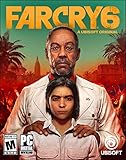
- Welcome to Yara, a tropical paradise frozen in time.
- Play as Dani Rojas, a local Yaran, as you fight alongside a modern-day guerrilla revolution.
- Explore jungles, beaches, and cities on foot, horseback, or in a wide variety of vehicles.
- Feel the thrill of combat with an arsenal of hundreds of weapons alongside helpful amigos.
- Ubisoft Connect account required to download and install.
If the activated game is missing from your library
-
Check that you are signed in to the Ubisoft account used to activate or redeem the game. A game redeemed on another account will not appear in the current account’s library.
-
If the account is correct, empty the Ubisoft Connect PC cache and restart the app.
Free tools Windows power users keep installed
One-click scans. No signup required.
Special offer. See more information about Outbyte and uninstall instructions. Please review EULA and Privacy policy. -
If the game still does not appear, contact Ubisoft Support and attach proof of purchase.
These library troubleshooting steps are in Ubisoft Help’s guidance for a game missing from the Ubisoft Connect PC library.
Scope: PC activation versus console codes
These steps apply to Ubisoft Connect PC. They do not describe redemption in a console storefront or on a campaign-specific website; use the instructions for the platform or promotion that issued your code if it directs you elsewhere. Ubisoft describes Connect as a free service that requires a Ubisoft account: Ubisoft Help: Ubisoft Connect.
Quick Recap
Product prices and availability are accurate as of the date/time indicated and are subject to change. Any price and availability information displayed on Amazon at the time of purchase will apply.
What’s actually slowing this PC down?
Pick the symptom - the matching free tool is one click away.



