The Tool Desk
Outbyte PC Repair FREEClear out junk files and repair common Windows errorsFree Scan →Outbyte Driver Updater FREEFix the driver behind crashes, sound loss and screen glitchesFind Drivers →If your Apex Legends friends list is empty, a friend cannot find you, or an invite never appears, check cross-play, the EA Public ID and privacy settings, request status, and the invite’s location—in that order. EA’s instructions explain how these features should work, but they do not promise a local fix for intermittent friends-list or synchronization problems.
First, identify where the friends-list problem happens
“Apex friends list not showing” can mean several different things. Work out which stage is failing before changing settings:
- Friend cannot be found: the search identifier, privacy setting, or block status may be the issue.
- Request does not arrive: check that it was sent to the right account, look for request notifications, and check blocking.
- Friend is added but absent or appears offline: check cross-play and the Friends menu.
- Invite was sent but is missing: check the lobby for a cross-platform invite or the platform’s notifications for a same-platform invite.
Check cross-play settings
EA says cross-play is enabled automatically. Its current help page lists PC (EA app and Steam), Xbox, PlayStation, and Nintendo Switch 2 as supported platforms. On PlayStation, Xbox, or Switch, open the lobby’s Game Menu → Settings → Cross Platform Play and confirm it is set to Enabled. PC players cannot disable cross-play in Apex.
Xbox players should also check the Xbox system-level cross-play setting: EA’s FAQ identifies it as a separate requirement. Platform menus can vary with system software versions. Turning cross-play off is not a recommended friend-list fix; EA says it limits matchmaking to same-platform players who have also disabled it and may increase queue times. See EA’s Apex Legends cross-play help and Apex Legends FAQ.
Free tools Windows power users keep installed
One-click scans. No signup required.
#1 Best Overall

- Frequency response 15Hz–25,000 H.Headphones fit type:Over-Ear.The versatile Cloud Alpha is designed to work on PC, PS4, Xbox, Nintendo Switch, and other platforms with a 3.5mm port.
- HyperX Dual Chamber Drivers for more distinction and less distortion
- Signature award winning HyperX comfort
- Durable aluminum frame with expanded headband
- Detachable braided cable with convenient in line audio control
Find and add the friend with the right identifier
- From the lobby, open Friends, then choose Find Friend.
- Search using the other player’s EA Public ID, checking the spelling and that it belongs to the correct account. EA’s instruction is: “Type in their EA Public ID.”
- If the search still fails, review the searchable identifiers in EA Account Privacy Settings. Under Allow users to search for me by, enable an identifier the other player can use. EA lists email, PSN Online ID, Xbox Live gamertag, and Nintendo nickname.
EA’s cross-play help documents this search flow and the privacy options.
Check whether the request was accepted or blocked
Sending a request does not add someone until the recipient accepts it. Have both players check their request notifications and confirm the request went to the intended account. If either player previously blocked the other, search for that player in Find Friend and unblock them there before trying again. EA says blocking a cross-play request also prevents further cross-play requests or invitations from that person until they are unblocked. Check block status before sending repeated requests; EA documents the request and blocking behavior in its Apex Legends FAQ.
Rank #2
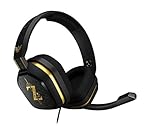
- The A10’s durable aluminum headband with damage-resistant rubberized cover and detachable cable system is designed to withstand wins, losses, and everything in between.
- Tuned for Gaming, ASTRO Audio was developed with pro gamers and game designers to deliver clarity and detail at every frequency and volume level.
- Featuring over-the-ear construction with premium ear cushions and headband, these lightweight ASTROs lower fatigue and extend the duration of any gaming session.
- Crystal clear communication and easy flip-to-mute action puts you in control of your voice com.
- The A10 connects to any audio source with a 3.5 millimeter jack – perfect for console controllers and most PCs and Macs.
Look in the right place for the friend or invitation
Once added, check the Friends menu; the icon beside a name indicates the friend’s platform. For a cross-platform party invitation, check the lobby screen. Same-platform invitations may instead appear through the platform’s usual notification system, such as EA app or Xbox notifications. These locations are described in EA’s cross-play help and FAQ.
Independent reader supportYour contribution helps us test, update, and keep practical guides available for everyone.If the list still fails, check for a wider issue and escalate
If the settings and account details are right but one or several friends are still missing, the problem may not be something you can fix locally. Check EA’s official updates or support channels and see whether other players are reporting the same issue. EA’s documented steps do not establish a universal remedy for intermittent friends-list synchronization problems.
Recommended Free Tools
Rank #3

- Hybrid blue mechanical gaming switches – The tactile click of a blue mechanical switch plus a smooth membrane – guaranteed for 20 million keypresses
- OLED smart display – Customize with gifs, game info, discord messages, and more.
- Aircraft-grade aluminum alloy frame – Manufactured for unbreakable durability and sturdiness
- Dynamic per-key RGB illumination – Gorgeous color schemes and reactive effects for every key
- Premium magnetic wrist rest – Provides full palm support and comfort
For connection-related symptoms, use EA’s connection troubleshooting guide. If the issue remains, EA directs PC or game issues to EA, Xbox issues to Microsoft, and PlayStation issues to Sony. The Apex Legends support hub provides a contact-support route. Support availability and platform menus may vary by region and system version.
Quick Recap
Rank #4

- Up to 15m wireless range: Removing the boundaries of wires, the 2.4 GHz wireless signal provides a range of up to 15m
- Cross-platform connectivity: With our new USB transmitter, you can easily connect cross-platform between console and PC; separately sold console-specific USB transmitters allow for cross-console compatibility using the same headset
- 15+ hours battery life: Enjoy anxiety-free marathon gaming sessions with more than 15 hours of battery life; recharge the headset using the included USB-C to USB-A cable
- Flip-to-mute microphone: Be in charge of your full audio experience with the flip-to-mute uni-directional microphone which delivers clear and accurate communication with easy mute functionality
- EQ presets: Choose between 3 different audio presets to make sure you have the best equalizer settings for the game you’re playing
Product prices and availability are accurate as of the date/time indicated and are subject to change. Any price and availability information displayed on Amazon at the time of purchase will apply.



