The Tool Desk
Outbyte Driver Updater FREEFix the driver behind crashes, sound loss and screen glitchesFind Drivers →Outbyte PC Repair FREEClear out junk files and repair common Windows errorsFree Scan →To make a private Fortnite match, an eligible creator or developer program member opens a supported Battle Royale mode, sets the same server region as the participants, creates a custom matchmaking key, and starts the match after everyone joins. Epic also requires hosts to complete account creator setup.
Who can host a private Fortnite match?
Custom-match hosting is not available to every player. Epic says, “Creating custom matches is only available for members of our creator and developer programs, at this moment it is not available for all players.” Existing program members must also complete account creator setup before hosting. See Epic’s custom-match eligibility guidance.
| # | Preview | Product | Price | |
|---|---|---|---|---|
| 1 |

|
Fortnite Physical Gift Card | $30.00 | Buy on Amazon |
| 2 |

|
Fortnite Physical Gift Card | $50.00 | Buy on Amazon |
| 3 |

|
FORTNITE - Darkfire & Ice Bundle - Nintendo Switch 2 (Code in Box) | $19.99 | Buy on Amazon |
| 4 |

|
Fortnite - PlayStation 4 | $193.06 | Buy on Amazon |
| 5 |
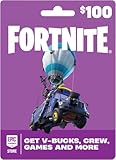
|
Fortnite Physical Gift Card | $100.00 | Buy on Amazon |
How to create and start the match
- Choose a supported mode. From the lobby, select an eligible Battle Royale mode. Custom matchmaking is not available in other game modes; Epic’s supported-mode guidance covers eligibility.
- Match the server region. In settings, select the region that every participant will use. A region mismatch can stop the match from starting.
- Open the custom-key option. On the mode-selection screen, scroll to Custom Key and select it.
- Set and share a key. Use 4–16 characters; special characters are not allowed. Keys are case-sensitive for joiners. If streaming, hide the key so uninvited viewers cannot use it.
- Queue the lobby. Select Accept, then Play, and wait for participants to enter the key and join.
- Start when ready. Select Start Match after the group is assembled. Players cannot join after the match begins.
Epic’s private-match instructions provide the host flow.
How to join someone else’s private match
- Set your server region to the same one as the host.
- Open mode selection and choose the same supported Battle Royale mode.
- Select Custom Matchmaking Key and enter the host’s key exactly, including capitalization.
- Select Accept, then Play. Join before the host starts the match.
If you are removed immediately after trying to join, the lobby may already be at its 100-player maximum.
#1 Best Overall
- An Epic Games account is required to redeem an Epic Games Store Card code
- If playing on a console platform (PlayStation Network, Xbox Live, Nintendo Switch or Mobile) you need to link your Epic Games account to that gaming platform (one time) to redeem your gift card code
- The 16 digit code on the back of the card WILL NOT work if redeemed directly through your gaming platform (PlayStation Network, Xbox Live, Nintendo Switch, Mobile, etc.)
- Note: Nintendo devices do not support Fortnite Shared Wallet, so V-Bucks purchased using your account balance will not show up on your Nintendo device. However, if you purchase items in the web Item Shop — or another platform where you play Fortnite — those items will be available in your Locker across all platforms.
- Redemption: Online
Player limit and host controls
Epic states that a custom match can have up to 100 players. If more than 100 players enter the key at once, Epic says 100 are selected randomly rather than in entry order.
In non-competitive Battle Royale custom matches, including Zero Build, the player who starts the match can use an Admin Panel, according to Epic’s Admin Panel help page. Its listed controls include God Mode; setting health and shield values for everyone; adjusting time of day and its progression speed; pausing or unpausing the storm; changing storm radius and timing; and sending disruptive players back to the lobby.
Rank #2
- An Epic Games account is required to redeem an Epic Games Store Card code
- If playing on a console platform (PlayStation Network, Xbox Live, Nintendo Switch or Mobile) you need to link your Epic Games account to that gaming platform (one time) to redeem your gift card code
- The 16 digit code on the back of the card WILL NOT work if redeemed directly through your gaming platform (PlayStation Network, Xbox Live, Nintendo Switch, Mobile, etc.)
- Note: Nintendo devices do not support Fortnite Shared Wallet, so V-Bucks purchased using your account balance will not show up on your Nintendo device. However, if you purchase items in the web Item Shop — or another platform where you play Fortnite — those items will be available in your Locker across all platforms.
- Redemption: Online
If you cannot create or join a custom match
- Custom Key is missing or hosting fails: Check that the host belongs to an eligible creator or developer program and has completed account creator setup.
- The match will not start: Confirm that the selected mode is an eligible Battle Royale mode and that host and participants use the same server region.
- Your key is rejected: Check its spelling and capitalization. The host key must be 4–16 characters and cannot include special characters.
- You cannot get in: Join before the host starts the match; if the match is full, entry may not be available.
Epic’s linked help pages do not display publication dates, so the dates these instructions and controls were introduced or last updated are not established there.
Quick Recap
Best Value
- An Epic Games account is required to redeem an Epic Games Store Card code
- If playing on a console platform (PlayStation Network, Xbox Live, Nintendo Switch or Mobile) you need to link your Epic Games account to that gaming platform (one time) to redeem your gift card code
- The 16 digit code on the back of the card WILL NOT work if redeemed directly through your gaming platform (PlayStation Network, Xbox Live, Nintendo Switch, Mobile, etc.)
- Note: Nintendo devices do not support Fortnite Shared Wallet, so V-Bucks purchased using your account balance will not show up on your Nintendo device. However, if you purchase items in the web Item Shop — or another platform where you play Fortnite — those items will be available in your Locker across all platforms.
- Redemption: Online
Rank #4
- Heroes - play as four hero classes, each with thousands of variations to recruit and unlock.
- Skill tree/RPG - points put into the skill tree allow you to unlock new hero abilities, upgrade weapons, Boost your team health, and more.
- Enemies - defend yourself against hordes of monsters that come from the mysterious Storm.
- Building System - The revolutionary building system allows you to quickly build structures while also juggling frenetic combat.
- Schematics/Crafting - Use the resources you find in the world to craft weapons, traps, health packs, and more.
Rank #3
- Darkfire Bundle: Including 3 outfits (with LEGO Styles) and back blings; Dark Power Chord, Dark Six String, Molten Omen, Molten Battle Shroud, Shadow Ark, Shadow Ark Wings, plus 3 wraps, 3 dual-wielding pickaxes, and an emote!
- Deep Freeze Bundle: Cool off with the Deep Freeze set and 1,000 V-Bucks. Includes the frostbite outfit (with LEGO Style), freezing point back bling, chill-axe pickaxe, and cold front glider.
- The Fortnite – Darkfire & Ice Bundle includes 10+ cosmetics and 1,000 V-Bucks!
Product prices and availability are accurate as of the date/time indicated and are subject to change. Any price and availability information displayed on Amazon at the time of purchase will apply.
Do these 3 things before closing this tab:
1Repair Windows errors before they cause bigger problems2Scan for outdated or missing drivers - takes under a minute3Clear out junk files and repair common Windows errors



