Recommended Free Tools
For most Fallout: New Vegas mods on Nexus Mods, install and launch the game once, set it up in Vortex, download the mod using its Vortex option, then install, enable, and deploy it. The main exception is xNVSE: it belongs in the game’s root folder, not the Data folder or a normal Vortex mod installation, and it requires the launcher specified by its instructions.
Before you start
This guide covers PC players using Vortex to manage mods from Nexus Mods. Vortex supports Fallout: New Vegas and connects to Nexus for mod downloads and management (Vortex on Nexus Mods). You will need an installed copy of the game and enough access to its installation folder to manage files.
| # | Preview | Product | Price | |
|---|---|---|---|---|
| 1 |
|
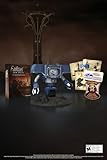
Fallout New Vegas: 15th Anniversary Bundle - PC | $135.78 | Buy on Amazon |
| 2 |

|
Fallout new vegas | $39.95 | Buy on Amazon |
| 3 |

|
Fallout: New Vegas Ultimate Edition | $40.30 | Buy on Amazon |
| 4 |
![Fallout New Vegas [DVD-ROM] [Windows Vista | Windows 7 | Windows XP]](https://m.media-amazon.com/images/I/519U+KAfbdL._SL160_.jpg)
|
Fallout New Vegas [DVD-ROM] [Windows Vista | Windows 7 | Windows XP] | $33.92 | Buy on Amazon |
| 5 |

|
Fallout 3 - PC Game of the Year Edition | $11.00 | Buy on Amazon |
Mods do not all install the same way. Before downloading one, read its description, requirements, compatibility notes, and installation instructions. In particular, check whether it needs xNVSE, has a plugin or load-order requirement, or installs files directly into the game root.
Set up Fallout: New Vegas in Vortex
- Install and run the game once. Start Fallout: New Vegas from the store where you own it. This helps initialize its folders and lets Vortex detect the installation. Nexus’s Vortex setup guide recommends launching games before managing them.
- Install Vortex. Get it from the Nexus Mods Vortex page or the Vortex GitHub project.
- Set the game up in Vortex. Open Vortex’s Games view, find Fallout: New Vegas, and choose it to begin management. If Vortex does not detect the game, use its manual selection flow and select the game’s top-level installation folder—the folder containing the game executable. See the Vortex setup guide for the setup flow.
- Sign in to Nexus Mods if you want integrated downloads. Vortex can detect games without a Nexus account, but signing in lets you use Nexus’s integrated download options.
Download, install, enable, and deploy a mod
- Choose a compatible mod. Read the mod page carefully. Confirm the author’s supported game version or edition, dependencies, conflicts, and any special installation or launch instructions.
- Use the Vortex download option when the mod page provides it. Vortex receives and manages the archive. If the author requires a different installation method, follow the mod’s instructions instead of assuming the Vortex option covers every file.
- Install the mod in Vortex. Review any installer prompts and choose options that match the mod’s requirements and your setup. Check its conflict rules if Vortex reports that files overlap with another mod.
- Enable the mod and deploy it. Enabling marks the managed mod for use; deployment links or places its managed files where the game can use them. Vortex’s deployment documentation explains the process. Let Vortex choose its deployment method: the documentation says Fallout: New Vegas is not compatible with symlink deployment and recommends against switching methods without a reason.
- Launch the game the way the mod requires. Ordinary mods may work through the usual game launch path. Mods that depend on xNVSE need the appropriate script-extender launch method described below.
Install xNVSE and root-folder utilities correctly
xNVSE is not a normal Vortex mod
xNVSE extends the game’s scripting capabilities, and some mods list it as a requirement. Its project instructions explicitly say not to put its files in the Data folder or install it through a mod manager as an ordinary mod. Follow the current xNVSE release instructions for placing its files in the game root.
#1 Best Overall
- Welcome back to New Vegas and enjoy your stay with this 15th Anniversary Bundle. A must-have for every Courier.
- The anniversary set combines iconic memorabilia from the Mojave Wasteland with the Ultimate Edition of the game.
- Explore vast expanses of desert wastelands from small towns to the New Vegas strip. Choose sides in the upcoming war and forever change lives of New Vegas inhabitants. Enjoy finely tuned real-time combat mechanics with the V.A.T.S. targeting system, Hardcore mode, and streamlined companion commands.
- In a huge, open world with unlimited options you can see the sights, choose sides, or go it alone.
- Joined by Victor the Securitron, the 15th Anniversary Bundle will bring the spirit of this desert oasis right to your home.
The xNVSE project says to launch the game with nvse_loader.exe, or with FalloutNV.exe if the FNV 4GB Patcher has patched the game. The Nexus xNVSE page identifies Steam and GOG compatibility; check its current instructions for details that apply to your installation.
Some patchers also go in the game root
Utilities and patchers may require files to be placed directly in the game’s top-level folder rather than managed as a regular mod. The Viva New Vegas utilities guide describes listed patchers that allow the game to use up to 4GB of RAM and automatically load xNVSE. That capability is a description of those utilities, not a guaranteed result for every setup. Follow the instructions for the specific patcher and game edition you use, and check whether it already handles a function before adding another patching method.
Rank #2
Check plugins and troubleshoot a mod that is not working
Use this order to narrow down common setup problems:
- Confirm installation and enablement. In Vortex, check that the mod is installed and enabled.
- Confirm deployment. Make sure Vortex has deployed the mod. If deployment reports a problem, use Vortex’s guidance rather than switching methods at random.
- Check file placement. Verify that an installer or manual step put files where the mod author requires. This matters especially for root-folder utilities and xNVSE.
- Check requirements and conflicts. Confirm that dependencies are installed and that the mod’s compatibility notes do not rule out another file or setup you are using.
- Check the plugin and load order. If the mod includes a plugin, make sure it is enabled and positioned according to the author’s instructions.
- Use the required launcher. For an xNVSE-dependent setup, start the game through the method appropriate to whether the FNV 4GB Patcher has patched it.
Vortex provides a Plugins view for Bethesda titles, including Fallout: New Vegas, through its Gamebryo plugin-management extension. If the Plugins view is missing, Vortex’s load-order troubleshooting documentation points to a disabled or failed extension initialization as one possible cause; check that the extension is enabled and that the required Visual C++ runtime is installed.
Rank #3
- Beyond the Wasteland: The world of New Vegas is more expansive than ever. Each new distinct area presents a fresh set of branching-quests, remarkable personalities and more chances to play the Savior or the Pariah to the natives of New Vegas.
- Dead Money: Lured into a trap masquerading as the Sierra Madre Casino, you are thrown into a high stakes game where you'll have to work with three other lost souls if you want to survive.
- Honest Hearts: An expedition into Utah's Zion National Park goes horribly wrong and you become embroiled in a war between tribes and put into a conflict between a New Canaanite missionary and the mysterious Burning Man.
- Old World Blues: Transported to the Big MT research crater, you are enlisted by the Think Tank to save them from their own science experiments that have gone horribly out of control.
- Lonesome Road: Ulysses, the original Courier Six, contacts you and promises to answer why he refused to deliver the Platinum Chip at the start of Fallout: New Vegas, but only if you make one last journey into the treacherous canyons of the Divide.
What to check before adding another mod
- Game version and edition: Match the author’s stated support, including any store-specific caveats.
- Dependencies: Note required files such as xNVSE and whether the mod needs a particular version.
- Installation location: Distinguish regular Vortex-managed files from files the author says belong in the game root.
- Plugins and conflicts: Follow plugin and load-order instructions, and look for overlap with mods already installed.
- Launch and patching requirements: Check whether the mod needs a particular executable or a game that has already been patched.
There is no universal compatibility rule for Nexus downloads: compatibility depends on each mod’s requirements and the game setup it supports. Use the mod author’s current page and instructions when deciding whether to install it.
Quick Recap
Best Value
- Fallout 3: Game of The Year Edition
Rank #4
- ESRB Rating: Mature 17+
Product prices and availability are accurate as of the date/time indicated and are subject to change. Any price and availability information displayed on Amazon at the time of purchase will apply.



