To get flair in Pokémon TCG Pocket, open My Cards, select a card, and tap Obtain Flair. To use flair you’ve obtained, edit a Binder, Display Board, or Deck and select it from the card’s flair button. Check the exchange requirements shown in-game before confirming: obtaining flair can use up copies of the card.
How to obtain flair
- Open My Cards.
- Select the card you want to customize.
- Tap Obtain Flair to see the available flair and the exchange requirements for that card.
- Review the displayed card and Shinedust requirements, then confirm only if you’re comfortable with the exchange.
The game’s displayed requirements are the best guide to the current cost. Pokémon’s official March 2025 trading update confirms that Shinedust is also required to obtain flair, but it does not provide a complete current price list. Read the official trading update.
How to equip flair
Obtaining flair and selecting it for use are separate steps. Pokémon Support notes that different flair types are set on different screens. See the official flair instructions.
Use cosmetic flair in a Binder or Display Board
- Open My Cards > Binders or My Cards > Display Boards.
- Open a Binder or Display Board you have created and choose Edit.
- Tap a card on the page or board, then tap the flair button at the card’s bottom-right to choose an available effect.
Use cosmetic flair in a Deck
- Open My Cards > Decks, select a created deck, and choose Edit.
- Tap a card in the deck, then use the flair button at its bottom-right to select cosmetic flair.
Select battle flair
Battle flair is selected from the Deck editing screen: open My Cards > Decks, edit a created deck, and use the card’s bottom-right flair button. The available choice depends on the card and the flair you have obtained.
#1 Best Overall

- You will receive, at random, a Pokémon TCG: First Partner Illustration Collection—Series that will contain 3 of 9 possible Promo Cards featuring beloved first partner Pokémon from the Johto, Unova, or Galar region.
- You will get 1 Pokémon TCG booster pack containing 3 of 9 promo cards
- This also comes with 2 Pokémon TCG booster packs and a sticker sheet.
Why your card count may go down
Exchanging cards for flair can reduce the number of copies shown in My Cards. Pokémon Support lists flair exchanges as one reason a card count may appear lower. Before confirming an exchange, check whether it uses copies you want to keep. If the displayed count seems wrong, Support recommends checking the relevant Obtain Flair screen and your Trade or Share histories. Read the card-count troubleshooting guidance.
What happens if you trade or share the card later?
If you trade or share away the last copy of a card, its flair does not disappear. However, you cannot view the effect again until you obtain that card again. See Pokémon Support’s explanation.
Rank #2

- 3 Pokemon booster packs from various sets
Costs and eligibility
There is no complete current flair cost table in the official guidance cited here. Requirements and availability can vary by card, so use Obtain Flair on the card you want rather than relying on older third-party price lists. The official March 2025 update establishes Shinedust as part of the exchange, not a fixed current amount for every card.
Quick Recap
Best Value
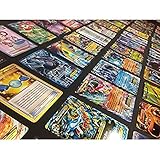
- Pokemon TCG : 100 CARD LOT RARE, COMMON, UNC, HOLO OR FULL ART
- AMAZING GIFT FOR KIDS! ULTRA RARE & HOLO RARES
- Each lot includes a great assortment cards from the Pokemon Trading Card Game
- Cards are Near Mint Mint condition and English!
Rank #4

- PACK CONTENTS: Contains 10 random Pokemon trading cards from the Scarlet & Violet Prismatic Evolutions expansion set per booster pack
- ARTWORK VARIETY: Each booster pack features randomly selected pack artwork from the available designs in this expansion
- CARD POTENTIAL: Possibility to pull rare, ultra-rare, and special variant cards featuring Pokemon from the Scarlet & Violet series
- GAME COMPATIBILITY: All cards are tournament-legal and can be used in official Pokemon Trading Card Game matches
- COLLECTION VALUE: Perfect for collectors and players alike, with cards featuring stunning illustrations and powerful game mechanics
Rank #3

- You will receive, at random, a Pokémon TCG: First Partner Illustration Collection—Series 3 that will contain 3 of 9 possible Promo Cards featuring beloved first partner Pokémon from the Hoenn, Kalos, or Paldea region.
- You will get 1 Pokémon TCG booster pack containing 3 of 9 promo cards
- This also comes with 2 Pokémon TCG booster packs and a sticker sheet.
Product prices and availability are accurate as of the date/time indicated and are subject to change. Any price and availability information displayed on Amazon at the time of purchase will apply.
What’s actually slowing this PC down?
Pick the symptom - the matching free tool is one click away.



