To install an update you already have, right-click the game in Ryujinx, select Manage Title Updates, add the update file, choose the version to use, and click Save. Ryujinx manages game updates separately from firmware.
Install an update for one game
-
Make sure the game appears in Ryujinx’s main game list. If it does not, set its game directory under Options > Settings.
-
Right-click the game, then choose Manage Title Updates.
-
Click Add, browse to the update file for that game, select it, and choose Open. You can add more than one update file.
Special offer. See more information about Outbyte and uninstall instructions. Please review EULA and Privacy policy.#1 Best Overall
 Nintendo Switch 2 System
- The next evolution of Nintendo Switch
- One system, three play modes: TV, Tabletop, and Handheld
- Larger, vivid, 7.9” LCD touch screen with support for HDR and up to 120 fps
- Dock that supports 4K when connected to a compatible TV*
- GameChat** lets you voice chat, share your game screen, and connect via video chat as you play
-
Select the version you want Ryujinx to use, then click Save. The official setup guide says the selected update should then be applied.
Use update folders for automatic discovery
If you keep updates in folders and want Ryujinx to find them automatically, open Options > Settings > Autoadd DLC/Game Updates and add the directories containing your update files. This folder-based add-and-assign feature has been supported since Ryujinx version 1.2.0, according to the official setup guide. When multiple updates are added at once this way, Ryujinx automatically chooses the highest version. Use the manual manager instead when you need to select a particular version yourself.
Rank #2

- 6.2” LCD screen
- Three play modes: TV, tabletop, and handheld
- Local co-op, online, and local wireless multiplayer
- Detachable Joy-Con controllers
- Nintendo Switch is the home of Mario & friends
Game updates are not firmware
A title update belongs to a specific game and is selected through Manage Title Updates. Firmware is a separate system component; its installation path is Tools > Install Firmware > Install from XCI/ZIP. The official guide describes firmware installation from dumped firmware or an untrimmed dumped game cartridge XCI. Do not use the firmware installer to select a game’s title update.
Use update files you are authorized to use
The setup guide explains how to add an update file, but it does not provide update files or identify a general retail source for them. Use files you are authorized to use; this walkthrough does not direct readers to unauthorized downloads.
Rank #3
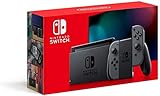
- Play your way with the Nintendo Switch gaming system. Whether you’re at home or on the go, solo or with friends, the Nintendo Switch system is designed to fit your life. Dock your Nintendo Switch to enjoy HD gaming on your TV. Heading out? Just undock your console and keep playing in handheld mode
- This model includes battery life of approximately 4.5 to 9 hours
- The battery life will depend on the games you play. For instance, the battery will last approximately 5.5 hours for The Legend of Zelda: Breath of the Wild (games sold separately)
- Model number HAC 001(01)
The official setup guide assumes users have dumped Nintendo Switch keys and firmware, as well as dumped games or homebrew. It also lists at least 8 GB of RAM and graphics support for OpenGL 4.5 or Vulkan 1.2 or higher. Those are requirements stated for the emulator in the guide, not separate requirements established specifically for installing a title update.
Independent reader supportYour contribution helps us test, update, and keep practical guides available for everyone.Ryujinx project status
Ryubing’s documentation says Ryujinx was discontinued on October 1, 2024, and describes Ryubing as a quality-of-life fork for existing users, not a revival project. For current project information, consult the Ryubing documentation. It distinguishes stable builds, intended to be more stable, from canary builds compiled for commits that may be unstable or broken. Availability and download destinations can change.
Quick Recap
Best Value

- This pre-owned product is not Apple certified, but has been professionally inspected, tested and cleaned by Amazon-qualified suppliers.
- 6.2” LCD screen.
- Three play modes: TV, tabletop, and handheld
- Local co-op, online, and local wireless multiplayer
- Detachable Joy-Con controllers
Rank #4

- Play your way with the Nintendo Switch gaming system. Whether you’re at home or on the go, solo or with friends, the Nintendo Switch system is designed to fit your life. Dock your Nintendo Switch to enjoy HD gaming on your TV. Heading out? Just undock your console and keep playing in handheld mode
- This model includes battery life of approximately 4.5 - 9 hours.
- The battery life will depend on the games you play. For instance, the battery will last approximately 5.5 hours for The Legend of Zelda: Breath of the Wild (games sold separately)
- Model number HAC 001( 01)
Product prices and availability are accurate as of the date/time indicated and are subject to change. Any price and availability information displayed on Amazon at the time of purchase will apply.



