Free tools Windows power users keep installed
One-click scans. No signup required.
To make third-person your default in The Outer Worlds 2, open Settings > Gameplay > Perspective and select Third-Person Near or Third-Person Far. During play, you can cycle camera views with a keyboard or controller shortcut.
Set third-person as your default view
- Pause the game or open its settings.
- Go to Gameplay and find Perspective.
- Select Third-Person Near or Third-Person Far. The selected option makes a third-person view the default, according to PC Gamer’s guide published October 29, 2025. Read the PC Gamer camera guide.
Switch perspective while playing
PC Gamer reports that keyboard users can press U to cycle perspectives. With a controller, hold the left menu button. Repeated activation cycles through near third-person, far third-person, and first-person. The guide does not identify a separate printed button name for each console, so check the game’s current control bindings if that controller input does not work on your platform.


Choose between Near and Far
Both options provide a third-person view; the named difference is camera distance. The available guide does not establish that one distance improves performance, accessibility, or combat, so choose based on which framing you prefer.
Optional: enable the idle camera
The guide also reports an Idle Camera setting. When enabled, the camera slowly circles your character while you are idle and stops when you resume input. It is separate from choosing the default perspective.
#1 Best Overall
Game and platform context
The Outer Worlds 2 launched on October 29, 2025. Obsidian’s support FAQ, last updated March 26, 2026, lists Xbox Series X|S, Xbox on PC, Battle.net, PlayStation 5, and Steam. Xbox Wire’s launch announcement also names ROG Xbox Ally handhelds. Availability may vary by storefront and region. Obsidian’s official FAQ · Obsidian’s game page · Xbox Wire launch announcement.
Quick Recap
Best Value
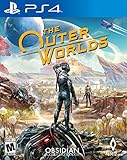
- The outer worlds is a new single-player first-person sci-fi rpg from obsidian entertainment and private division
- In the outer worlds, you awake from hibernation on a colonist ship that was lost in transit to halcyon, the furthest colony from earth located at the edge of the galaxy, only to find yourself in the midst of a deep conspiracy threatening to destroy it. As you explore the furthest reaches of space and encounter various factions, all-vying for power, the character you decide to become will determine how this player-driven story unfolds. In the corporate equation for the colony, you are the unplanned variable
Rank #4
![The Outer Worlds 2 – Premium Edition – PlayStation® 5 [Disc + Code in Box]](https://m.media-amazon.com/images/I/51m0DA7hhuL._SL160_.jpg)
- The Premium Edition includes: The Outer Worlds 2 base game, DLC Pass for 2 future story expansions*, Moon Man’s Corporate Appreciation Premium Prize Pack, and access to the Digital Artbook & Original Soundtrack. Content Download Required.
- The Outer Worlds 2 is the eagerly awaited sequel to the award-winning first-person sci-fi RPG from Obsidian Entertainment.
- Get ready for an action-packed adventure with a new crew, new weapons, and new enemies in a new colony! So much newness!
- As a daring Earth Directorate, the entire galaxy, rests on your decisions—your strengths, your flaws, your crew, and the factions you choose to trust.
- Build your character with the abilities and choices that reflect your playstyle. The colony reacts to your every move, crafting a narrative that’s yours to own.
Rank #3

- The Outer Worlds 2 is the eagerly awaited sequel to the award-winning first-person sci-fi RPG from Obsidian Entertainment.
- Get ready for an action-packed adventure with a new crew, new weapons, and new enemies in a new colony! So much newness!
- As a daring Earth Directorate, the entire galaxy, rests on your decisions—your strengths, your flaws, your crew, and the factions you choose to trust.
- Build your character with the abilities and choices that reflect your playstyle. The colony reacts to your every move, crafting a narrative that’s yours to own.
- Recruit companions with unique traits, backgrounds, and goals, making them an integral part of the immersive story you create together.
Product prices and availability are accurate as of the date/time indicated and are subject to change. Any price and availability information displayed on Amazon at the time of purchase will apply.
Independent reader supportYour contribution helps us test, update, and keep practical guides available for everyone.



