Quick wins for a faster PC:
Fix the driver behind crashes, sound loss and screen glitchesFind Drivers →Clear out junk files and repair common Windows errorsFree Scan →If God of War Ragnarök crashes on PC or opens to a black screen, start by updating the game and verifying its Steam files. Then update your graphics driver and check the game’s minimum requirements. These steps address issues identified in official support notes, but they cannot guarantee a fix: the cause depends on when the failure occurs and the PC configuration.
Try these steps first
- Install the latest game update. Santa Monica Studio advises keeping the game updated because patches may already resolve some issues. In Steam, open Library, right-click God of War Ragnarök, choose Properties, then Updates and set Always keep this game updated. You can also check the game’s official PC support page for listed patch notes. Its current list leads with v09.01, dated August 20, 2025; check Steam for the latest update available to you rather than assuming that version is still the newest.
- Verify the installation in Steam. Open Library, right-click the game, select Properties, then Installed Files and Verify integrity of game files. Steam will check the installation and replace files it identifies as missing or damaged.
- Update your graphics driver from its manufacturer. Use the official driver resources linked by Santa Monica Studio in its PC performance guide: NVIDIA, AMD or Intel. A dated NVIDIA advisory recommended driver 566.36 for reported freezing issues on December 5, 2024; that recommendation was specific to that advisory and should not be treated as the universal current driver for every PC.
- Restart Windows and try launching again. This is a simple way to retry after updates or file verification. If the game still fails, note exactly when it happens and follow the matching guidance below instead of changing unrelated settings.
If the game opens to a black screen
A black screen during startup may be related to damaged or missing game files, but it is not proof of a single cause. Santa Monica Studio’s February 13, 2025 Patch 8 Hotfix 3 note says it added checks for corrupt files and automatic file verification when corruption is found, describing this as a “possible fix for booting to black screen issues.” The studio’s wording is deliberately qualified: it is not a guarantee that file corruption explains every black screen.
| # | Preview | Product | Price | |
|---|---|---|---|---|
| 1 |

|
God of War Ragnarök - PlayStation 5 | $37.95 | Buy on Amazon |
| 2 |

|
God of War Ragnarök | $31.95 | Buy on Amazon |
| 3 |

|
God Of War Ragnarok | Launch Edition | PS5 Game (PlayStation 5) | Brand NEW | PS6 PS5 Upgrade Soon | $46.44 | Buy on Amazon |
| 4 |

|
God of War: Ragnarok for Playstation 5 | $35.88 | Buy on Amazon |
| 5 |
|
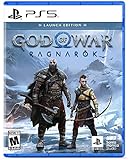
God of War Ragnarök Launch Edition - PlayStation 5 | $27.99 | Buy on Amazon |
Make sure the game is updated, then verify its Steam files using the steps above. If the screen remains black, record whether it appears before the game window, during the initial boot, or later, and whether an error message appears. That detail can help distinguish a startup failure from a crash during play.
If it crashes before or during startup
Official patch notes document fixes for particular launch and installation problems, rather than one cause that accounts for all crashes. Patch 8 Hotfix 2, dated February 6, 2025, added startup-failure reporting and fixed an issue that could crash the game on launch. Patch 5, dated October 4, 2024, addressed boot crashes caused by corrupt or missing files and prompted players to verify their installation. These notes are reasons to update and check the files—not evidence that every launch crash has the same fix.
Do these 3 things before closing this tab:
1Repair Windows errors before they cause bigger problems2Scan for outdated or missing drivers - takes under a minute3Clear out junk files and repair common Windows errors#1 Best Overall
- Feel your journey through the Norse realms, made possible by immersive haptic feedback and adaptive trigger functionality.
- Take advantage of multidirectional 3D Audio; hear enemies approaching from any direction. (3D audio with stereo headphones (analog or USB))
- Bask in the beautiful worlds you travel through, brought to life by precise art direction and arresting attention to detail.
- Switch between full 4K resolution at a targeted 30 frames per second, or dynamic resolution upscaled to 4K at a targeted 60fps. (4K resolution requires a compatible 4K TV or display)
“PlayStation SDK Runtime is missing”
If that exact error appears, Santa Monica Studio’s PC support instructions direct players to install PsPcSdkRuntimeInstaller.msi and PsPcSdkRuntimeManager.msi from the game’s Steam installation folder. Use this step for the named SDK-runtime error, not as a general remedy for unrelated crashes.
Crash on an Intel 13th- or 14th-generation CPU
Santa Monica Studio has a specific note for crashes involving Intel 13th- and 14th-generation processors. It says hardware configuration settings may be involved and points users to Intel CPU crash guidance. Follow guidance that matches your exact CPU and motherboard; do not apply a guessed BIOS setting as a blanket fix.
Rank #2
Check whether your PC meets the minimum requirements
PlayStation’s published minimum specifications target an average of 1080p at 30 fps. They are a useful compatibility check, not a diagnosis: being below a requirement can explain performance or compatibility trouble, while meeting it does not establish why a supported PC is crashing.
| Component | Minimum specification |
|---|---|
| Operating system | Windows 10 64-bit |
| Processor | Intel i5-4670K or AMD Ryzen 3 1200 |
| Memory | 8 GB RAM |
| Graphics card | NVIDIA GTX 1060 or AMD RX 5500 XT |
| Graphics memory | 6 GB VRAM required, according to the PlayStation support FAQ |
| Storage | 190 GB SSD |
| Stated minimum performance target | Average 1080p at 30 fps |
The figures are from PlayStation and Santa Monica Studio’s PC system requirements; the 6 GB VRAM threshold is also listed in the PC support FAQ. The published recommended memory is 16 GB RAM. Consider hardware changes only if your system falls below a stated requirement or you have another clear reason to upgrade. An SSD or graphics card purchase is not a general black-screen fix.
The Tool Desk
Outbyte Driver Updater FREEScan for outdated or missing drivers - takes under a minuteDriver Scan →Outbyte PC Repair FREEClear out junk files and repair common Windows errorsFree Scan →Rank #3
- Those who break fate: Atreus seeks knowledge to help him understand the prophecy of "Loki" and what role he is to play in Ragnarök. Kratos must decide whether he will be chained by the fear of repeating his mistakes or break free of his past to be the father Atreus needs.
- Weapons of war : The Leviathan Axe, Blades of Chaos and Guardian Shield return alongside a host of new abilities for both Kratos and Atreus. As they take on gods and monsters from across the Nine Realms, Kratos's deadly Spartan skills will be tested like never before as he fights to protect his family.
- Explore the realms :Journey to dangerous and stunning landscapes and face a wide variety of enemy creatures, monsters and Norse gods as Kratos and Atreus search for answers and allies.
- Please note that this item is not for sale to people under the age of 18. By placing an order for this product, you declare that you are 18 years of age or older. This item must be used responsibly and appropriately.
If none of the steps works
Report the issue through the PlayStation support route linked from Santa Monica Studio’s developer forum. Include details that make the failure reproducible and easier to assess:
- The exact error message, if any.
- Where the failure occurs: before the game window, during boot, or later in gameplay.
- Your CPU, GPU and VRAM, RAM, and whether the game is installed on an SSD.
- Your Windows version and graphics-driver version.
- Whether you updated the game, verified the Steam files, and tried the relevant issue-specific instructions.
Official notes establish that updates have addressed particular file-integrity and launch problems, but they do not identify a universal cause or provide crash-frequency statistics. If the usual checks do not resolve the problem, an exact error and system details are more useful than trying unofficial workarounds that alter game files or bypass platform checks.
Quick Recap
Best Value
- Launch Edition includes in-game downloadable content Kratos Risen Snow Armor & Atreus Risen Snow Tunic (Cosmetic)
- Feel your journey through the Norse realms, made possible by immersive haptic feedback and adaptive trigger functionality.
- Take advantage of multidirectional 3D Audio; hear enemies approaching from any direction. (3D audio with stereo headphones (analog or USB)
- Bask in the beautiful worlds you travel through, brought to life by precise art direction and arresting attention to detail.
- Switch between full 4K resolution at a targeted 30 frames per second, or dynamic resolution upscaled to 4K at a targeted 60fps. (4K resolution requires a compatible 4K TV or display)
Rank #4
- Feel your journey through the Nordic kingdoms, made possible by immersive haptic feedback and adaptive activation functionality.
- Take advantage of multi-directional 3D audio; hear enemies approaching from any direction. (3D audio with stereo headphones (analog or USB))
- Enjoy the beautiful worlds you travel through, brought to life by precise artistic direction and arresting attention to detail.
- Switch between full 4K resolution at 30 frames per second or enhanced dynamic resolution at 4K at 60 fps lens. (4K resolution requires a compatible 4K TV or display)
Product prices and availability are accurate as of the date/time indicated and are subject to change. Any price and availability information displayed on Amazon at the time of purchase will apply.



