Recommended Free Tools
If Overwatch League (OWL) tokens or a skin have not appeared in Overwatch 2, first check that you are signed into the Battle.net account that earned or owned the item, then confirm your console account’s link and merge status. Blizzard says OWL tokens are no longer available to buy or earn by watching Overwatch Esports, so past viewing-reward instructions and delivery estimates are not current guarantees.
Can you still earn OWL tokens by watching?
No. Blizzard Support states that “Overwatch League tokens are no longer available for purchase and are no longer offered for watching Overwatch Esports.” See How Do I Earn Overwatch League Tokens. Watching current streams is not a way to make a missing OWL balance arrive.
| # | Preview | Product | Price | |
|---|---|---|---|---|
| 1 |

|
Overwatch Legendary Edition - Xbox One | $16.82 | Buy on Amazon |
| 2 |

|
Overwatch - Origins Edition - PlayStation 4 | $34.99 | Buy on Amazon |
| 3 |
|
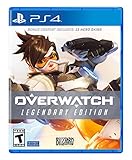
Overwatch Legendary Edition - PlayStation 4 | $27.92 | Buy on Amazon |
| 4 |

|
Overwatch - Origins Edition - Xbox One (Renewed) | $6.60 | Buy on Amazon |
Older viewing campaigns had their own eligibility and delivery rules. In particular, a 2022 forum response said those campaign rewards could take up to 48 hours; that was guidance for that event, not a standing delivery promise. Do not treat waiting 48 hours as a fix for a current missing balance or skin. See the historical 2022 playoff and finals rewards discussion.
Check the account and platform first
- Confirm the Battle.net account. Sign into the account you used when you watched the event or held the tokens or cosmetic. If you have more than one Battle.net account, check the BattleTag against the account associated with the reward.
- Check console linking and merge status. If you play on console, verify that the correct console profile is linked to the intended Battle.net account and that the required Overwatch account merge was completed. Blizzard’s Overwatch 2 account-merge FAQ says console tokens do not transfer into Overwatch 2 when accounts are not merged.
- Check the platform where the tokens were purchased. Blizzard’s merge FAQ says Nintendo Switch-purchased tokens are not merged and remain on that platform. A balance that does not appear on another platform may therefore be a platform-specific issue rather than a missing account-wide balance.
- For a skin, inspect the Hero Gallery. Blizzard says Hero Gallery cosmetics are included in the merged account. Check the Battle.net account that owns the reward and the relevant platform after confirming the merge.
Separate a missing earned skin from one you cannot buy
A cosmetic absent from the shop is not necessarily a lost reward. Blizzard notes that some cosmetics are not always available for purchase; its Can’t Buy Overwatch 2 In-Game Items page also lists parental controls, regional restrictions, and a pending console merge as possible purchase restrictions. Those purchase issues do not establish whether an earned event reward can be restored.
#1 Best Overall
- Experience the extraordinary
- Play as heroes, not classes
- Fight for the future together
- The world is your battlefield
- Overwatch legendary edition includes 5 Epic and 5 legendary skins; Entertainment Software Rating Board (ESRB) Content Description: Blood, violence, use of tobacco
If you believe a specific event skin was earned, check the account used for that event and the Hero Gallery rather than relying on whether the item is currently listed in the shop. Blizzard’s merge guidance covers cosmetics on merged accounts, but does not promise recovery of every unclaimed event reward.
If your token balance fell after a failed purchase
Blizzard has a support article for reports where a purchase error reduced the OWL token balance. Its status can change, so consult the live Lost Overwatch League Tokens Without Purchasing Anything page rather than assuming an old investigation notice still applies. Before contacting support, note the date and time, platform, item you attempted to buy, and the balance before and after the error.
Rank #2
- Experience the extraordinary
- Play as heroes, not classes
- Fight for the future... together
- The world is your battlefield
- Games requires PlayStation Plus to play
If the problem is an old viewing-promotion reward
Keep the event name and date, the viewing account, the Battle.net account, and any available evidence that the accounts were connected or the viewing was eligible. A 2020 technical-support reply suggested checking eligible-country status, account permissions, console links, and browser interference for that period’s campaign. Those were historical, campaign-specific checks—not a current way to earn OWL tokens. See the 2020 OWL viewing-reward support discussion.
Quick Recap
Rank #4
- Experience the extraordinary
- Play as heroes, not classes
- Fight for the future.together
- The world is your battlefield
- Game requires Xbox Live Gold to play
Rank #3
- Experience the extraordinary
- Play as heroes, not classes
- Fight for the future together
- The world is your battlefield
- Overwatch legendary edition includes 5 Epic and 5 legendary skins
Product prices and availability are accurate as of the date/time indicated and are subject to change. Any price and availability information displayed on Amazon at the time of purchase will apply.
Quick wins for a faster PC:
Repair Windows errors before they cause bigger problemsFix Now →Fix the driver behind crashes, sound loss and screen glitchesFind Drivers →Clear out junk files and repair common Windows errorsFree Scan →



