Free tools Windows power users keep installed
One-click scans. No signup required.
PS5 error CE-108255-1 means an error occurred with a game or application, but the code alone does not identify the cause. It does not prove that a particular game is broken, its installation is corrupted, or the console has a hardware fault. Start with low-risk checks, then work through game-specific and Safe Mode steps before considering a reset or system-software reinstall.
What CE-108255-1 means
PlayStation’s error-code directory describes CE-108255-1 as an error with a game or application. That broad message is useful for identifying the area to troubleshoot, but it is not a diagnosis. The code by itself cannot tell you whether the issue is with one game, its installation, system software, or the console.
Try the low-impact checks first
- Restart the PS5 and try again. If the game or console has a pending update, install it before testing the game again.
- Move the game to internal storage if it is on USB extended storage. PlayStation’s game-launch troubleshooting guide advises moving affected game data to the console’s internal storage.
- Restore licenses. Use the option in the PS5 settings, then retry the game.
- Check for a system-software update. Install an available update using PlayStation’s official instructions.
- Delete and download the game again if the error continues. A wired connection may be preferable when available, especially for a large download.
These are troubleshooting steps, not guaranteed fixes. If the error happens only in one title, check that game’s publisher support guidance before moving on.
Use the game publisher’s advice when one title keeps crashing
For 2K games
2K’s PS5 troubleshooting guidance suggests updating the affected game, deleting and reinstalling it, and rebuilding the console database. It also mentions testing the game on an SSD as a diagnostic option; that is a suggestion from 2K, not an established fix for CE-108255-1 across games. If you report a 2K crash, note the game mode, the patch version when the problem began, and what happened immediately before the crash.
PC Slower Than It Used to Be?
A free scan shows the junk files, broken settings and background clutter dragging Windows down - then fixes them in one click.Free scan · Windows 10 & 11Outdated Drivers Are Slowing You Down
One free scan finds every outdated or missing driver and matches the right update for your exact hardware.Free scan · exact hardware match#1 Best Overall
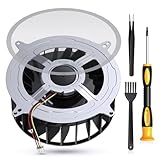
- 【PS5 Cooling Fan Replacement】Designed for optimal cooling performance, this fan features 23 blades and is compatible with both the original 23-blade and 17-blade fans found in the PS5
- 【Efficient Cooling】Upgrade your PS5's thermal performance with this high-quality cooling fan, ensuring optimal heat dissipation for smoother gameplay and extended hardware lifespan
- 【Dust Free】A specialized brush is provided to aid in removing accumulated dust, maintaining pristine airflow and preventing overheating issues
- 【Easy Installation】The kit includes all necessary tools, making fan replacement a straightforward process even for novice users
- 【High Quality】 this fan offers a perfect fit and reliable operation, restoring your PS5 to peak condition
For games with Performance and Fidelity modes
Insomniac’s frequent-crash guidance suggests trying the other graphics mode, temporarily disabling VRR or HDR, and—if the game remains playable—making and loading a manual save. These are optional checks for games and display settings where they apply, not universal PlayStation fixes.
For The Elder Scrolls Online
Bethesda’s ESO-specific guidance recommends updating and reinstalling ESO, then rebuilding the PS5 database. If the error returns, its sequence continues with resetting the PS5 and reinstalling ESO, followed by PlayStation Support if those steps fail. Follow Bethesda’s current instructions for the game; do not treat this title-specific sequence as a general recommendation to reset every PS5 with CE-108255-1.
Rank #2

- Perfect Fit for PS5 Standard Edition - Exclusively designed for PS5 original/standard console (NOT for Slim/Digital models), precise size matching, no modification required for direct replacement.
- Full Opening Tool Kit Included - Comes with T8 screwdriver, dust cleaning brush, pry bars, spudgers—no extra tools to buy, ideal for beginners to operate.
- 23-Blade High-Efficiency Cooling - 30% more airflow than 17-blade fans, effectively solves PS5 overheating, sudden shutdowns, and performance lag during long hours of gaming.
- Quiet & Durable Build - High-quality bearings reduce noise to ≤32dB (no distraction during use); heat-resistant ABS plastic + metal bracket ensures 5000+ hours of stable operation.
- Stable 12V Voltage Design - Optimized 12V safe voltage, avoids short circuits or overcurrent; 3-pin power connector enhances heat dissipation efficiency while protecting console hardware.
Clear the cache or rebuild the database in Safe Mode
If restarting, updates, and the relevant game-specific checks do not help, PlayStation’s game-launch guidance includes clearing the cache and rebuilding the database through Safe Mode. Use the current PlayStation Safe Mode instructions for the exact startup procedure and menu labels.
Before a step that might affect local data, back up anything important and follow the warnings in the official instructions. Insomniac advises contacting support before rebuilding the database because of possible local-data loss; PlayStation’s guidance also treats system-software reinstallation as a consequential step that requires backing up data first. Do not jump straight to resetting the console or reinstalling system software.
Recommended Free Tools
Rank #3

- Only Fit: Brand new and silent 23 blades PS5 fan for Sony Playstation 5 PS5 Console CFI-1015A CFI-1115A CFI-1118A CFI-1215A Series
- Compatible With: This 23 blades PS5 Fan compatible with Sony Playstation 5 PS5 Series Fan 12047GA-12M-WB-01 12V 2.4A 23 Blades Fan & General 17 Blades G12L12MS1AH-56J14 FAN
- Good Quality: Each Fan was tested before shipping to make sure you will get a workable fan! P/N: 12047GA-12M-WB-01 12V 2.4A. This 23 blades ps5 fan will have a better low-frequency noise to offer a better experience!
- Package Contain: 1x Replacement Sony Playstation 5 PS5 23 Blades Fan, 1x T8 Screwdriver
- Each replacement CPU coolong fan was tested before shipping.
When to contact PlayStation Support
Contact PlayStation Support if the error persists after appropriate troubleshooting, or if you are unsure about a step that could affect data. Insomniac also recommends PlayStation Support for persistent crashes and notes that a hardware problem may be possible. That possibility is not proof that your console needs repair or replacement.
Make the support report easier to act on by collecting:
Rank #4

- Quality Assurance: The cooling fan for Sony PS5 is crafted from premium materials, boasting high airflow for efficient overall heat dissipation and low noise levels. It effectively addresses buzzing and low-frequency noise issues, ensuring smooth and stable gaming experiences while extending its lifespan.
- Compatibility: This replacement internal cooling fan is tailored for the Sony Playstation 5 (PS5). Before buying, ensure it's compatible with your console model. Featuring 23 blades, this fan works seamlessly with both the 23-blade and 17-blade configurations of the Sony Playstation 5 (PS5).
- Comaptible P/N:KSB1212HGH2M,KSB1212HGG4E,12047GA-12M-WB-01,G12L12MS1AH-56J14
- Comaptible with models:CFI-1015A/B, CFI-1115A/B, CFI-1016A/B, CFI-1116A/B, CFI-1002A/B, CFI-1102A/B, CFI-1018A/B, CFI-1118A/B
- CFI-1000, CFI-1100 Series Cable 6CM,CFI-1200 Series: Cable 9CM
- The error code and the exact message shown.
- Which game or application is affected and what happens when you try to launch or play it.
- Steps that reliably reproduce the failure.
- A screenshot or video, if possible.
- For a 2K game, the game mode, the patch where the issue began, and what happened just before the crash.
PlayStation requests the code, a description, reproducible steps, and a screenshot or video when available. Include only details you can verify; the code alone does not establish a specific cause.
Quick Recap
Best Value

- Compatibility:Internal Cooling PS5 Fan Replacement for Sony Playstation 5 Series Fan 12047GA-12M-WB-01 12V 2.4A 23 Blades Fan General 17 Blades G12L12MS1AH-56J14 Fan (Only)
- Fit for Playstation 5 Console Replace your faulty, cracked or broken Internal Cooling Fan.improve your play experience.
- Quality Item: Information-12047GA-12M-WB-01, 12V 2.4A.The balanced wind direction of the product can radiate the overall heat, no noise,To make heat dissipation faster to give a smooth and stable gaming and lengthen its service life.
- What You Get: 1* Brand New CPU Cooling Fan +1*Screwdrivers (T8)+1*Heatsink Paste
- Comes with professional tools of T8 Screwdriver. Help you to replace the ps5 internal cooling fan more convenient and easily
Product prices and availability are accurate as of the date/time indicated and are subject to change. Any price and availability information displayed on Amazon at the time of purchase will apply.



