Quick wins for a faster PC:
Repair Windows errors before they cause bigger problemsFix Now →Fix the driver behind crashes, sound loss and screen glitchesFind Drivers →In Painkiller, Clip Plane controls how far into the game world you can see. Lowering it can potentially improve performance, but distant scenery will disappear sooner. You’ll find it under Options > Advanced Video.
What Clip Plane changes
Clip Plane is the game’s far viewing-distance setting: it determines how much of the world is rendered into the distance. It is not a gameplay ability or a hardware feature. The game’s documentation describes the tradeoff directly: “By lowering this setting you may have improved performance but you will not be able to see as far into the game world.” Painkiller documentation on ModDB

Players may also describe the same issue as draw distance. A Painkiller community discussion identifies Clip Plane as the option related to fog distance, but the game documentation is the clearer guide to what the setting does. ModDB community discussion
Where to find the setting
- Open Options from the game menu.
- Choose the Advanced Video tab.
- Adjust Clip Plane to change how far into the world you can see.
A configuration reference also lists Cfg.ClipPlane as a client-only setting that “Sets the rendering clip plane.” It does not specify a numeric mapping from the setting to an in-game viewing distance. Painkiller Euro configuration reference
The Tool Desk
Outbyte Driver Updater FREEFix the driver behind crashes, sound loss and screen glitchesFind Drivers →Outbyte PC Repair FREEClear out junk files and repair common Windows errorsFree Scan →#1 Best Overall

- Contains full versions of Painkiller, Painkiller: Battle out of Hell and Painkiller: Overdose
- Frantic single-player action! More than 50 otherworldly levels populated by more than 100 of hell’s minions.
Which setting should you choose?
- Try lowering it if performance is your priority. The documentation says this may help, but gives no measured frame-rate gain or guarantee.
- Raise it if distant geometry or scenery is disappearing sooner than you want.
These are practical adjustments based on the documented tradeoff, not benchmark results. Change the setting and judge the result on your own setup. If the game is running slowly, its documentation also suggests adjusting other video options, including effects, textures, or resolution; Clip Plane is only one possible setting to try. Painkiller documentation on ModDB
Independent reader supportYour contribution helps us test, update, and keep practical guides available for everyone.What the setting does not tell you
The documentation provides no numeric distance scale for Clip Plane, and the available configuration reference does not translate its values into world units. No published benchmark in the cited sources establishes a specific performance improvement, so a percentage or frame-rate estimate would be misleading.
Quick Recap
Rank #4
Rank #3
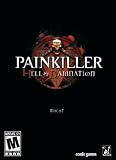
- A modern remake of the Classic shooters, Painkiller and Battle Out Of Hell
- 14 adrenaline filled levels, including 4 Boss levels
- Over 30 of the nastiest, darkest creatures from Hell
- Devastating and unique arsenal of weapons
- Single player and Co-operative Campaigns spread across 4 Chapters
Rank #2

- A modern remake of the Classic shooters, Painkiller and Battle Out Of Hell
- 14 adrenaline filled levels, including 4 Boss levels
- Over 30 of the nastiest, darkest creatures from Hell
- Devastating and unique arsenal of weapons
- Single player and Co-operative Campaigns spread across 4 Chapters
Product prices and availability are accurate as of the date/time indicated and are subject to change. Any price and availability information displayed on Amazon at the time of purchase will apply.



