Quick wins for a faster PC:
Fix the driver behind crashes, sound loss and screen glitchesFind Drivers →Repair Windows errors before they cause bigger problemsFix Now →Scan for outdated or missing drivers - takes under a minuteDriver Scan →THEC64 is a full-size, modern recreation of the Commodore 64, designed to bring its keyboard-style form and retro games to a modern display. It connects over HDMI, includes a joystick and 64 built-in games, and has USB ports for compatible peripherals and user software. It recreates the experience; it is not the original computer or a guarantee that every C64 game and accessory will work.
What THEC64 is—and what it is not
Retro Games Ltd. describes THEC64 as a modern, 1:1-scale version of the classic computer introduced in 1982. Its full-size keyboard form distinguishes it from a compact mini console: it is intended both for playing games and for a more computer-like experience through its Classic mode. The product page and quick guide describe a modern recreation, not identical original hardware. Retro Games Ltd.’s THEC64 product page and quick guide explain the product and its modes.
| # | Preview | Product | Price | |
|---|---|---|---|---|
| 1 |

|
Commodore 64 Exposed (Retro Reproductions) | $13.99 | Buy on Amazon |
| 2 |
|
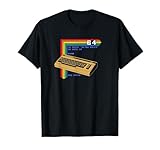
Retro Computer C64 T-Shirt | $18.00 | Buy on Amazon |
| 3 |

|
40 Best Machine Code Routines for the Commodore 64 (Retro Reproductions) | $12.99 | Buy on Amazon |
| 4 |

|
Mastering Machine Code On Your Commodore 64 (Retro Reproductions) | $14.99 | Buy on Amazon |
That distinction matters if you are choosing it for a particular original game, peripheral, or old setup. The official materials document USB expansion and loading compatible software, but do not promise universal compatibility with original C64 titles or hardware.
What comes with THEC64?
Retro Games Ltd.’s undated product page, accessed in 2026, lists 64 built-in games and an included classic-style joystick. Named examples include Uridium, Paradroid, California Games, Jumpman, and Speedball 2. The complete collection is a defined starting library; check the official product information for the full list and consider whether the titles you most want are included.
The Tool Desk
Outbyte Driver Updater FREEScan for outdated or missing drivers - takes under a minuteDriver Scan →Outbyte PC Repair FREERepair Windows errors before they cause bigger problemsFix Now →#1 Best Overall
Many games are selected through the Carousel interface and played with the joystick. Controls can differ by game, so use the on-screen prompts or title-specific instructions rather than assuming the joystick is mapped identically across the library. The THEC64 user manual describes the interface and controls.
How it connects to a modern TV
THEC64 has HDMI output, so it is designed to connect to a modern display with an HDMI input. Check the regional model and your display’s available connections before buying; the product materials establish HDMI output but do not settle every model or display-specific setup question.
Rank #2
- Bring the 80's computing back with this vintage-styled design paying homage to one of the greatest computers ever built.
- Represent the simpler times when the computer game revolution began. Design features lines of BASIC code and a fun easter egg at the end. Can you remember what that command did?
- Lightweight, Classic fit, Double-needle sleeve and bottom hem
Can you add games and use other peripherals?
Yes, the manual documents loading compatible user software from USB storage. Retro Games Ltd. also describes USB support for peripherals such as joysticks, gamepads, mice, and keyboards. These are supported categories, not a guarantee that every USB device, drive, download, or original peripheral will work without configuration. Follow the current manual’s file and setup instructions, and check support information if a device or program is not recognized.
For help with setup and model-specific changes or fixes, use the official manual index and firmware upgrade page. Firmware information can change, so consult those pages for the applicable instructions rather than relying on an older version description.
Quick Recap
Who should consider THEC64?
- Good fit: players who want a full-size keyboard-style recreation, HDMI connection, an included joystick, and a built-in collection of C64-era games.
- Check carefully first: buyers seeking a specific game, original accessory, or exact behavior of original C64 hardware. Confirm the title or peripheral is supported instead of assuming it will be.
- Compare before choosing: if you prefer a compact device or software emulation, weigh form factor and setup against THEC64’s keyboard-oriented design. For any purchase, verify the regional version, current stock, price, and warranty with the seller; these conditions are not established by the official product materials cited here.
Product prices and availability are accurate as of the date/time indicated and are subject to change. Any price and availability information displayed on Amazon at the time of purchase will apply.



