The Tool Desk
Outbyte PC Repair FREEClear out junk files and repair common Windows errorsFree Scan →Outbyte Driver Updater FREEFix the driver behind crashes, sound loss and screen glitchesFind Drivers →To install an NRaas mod in The Sims 3, set up the game’s package framework in your Documents user-data folder, then put the extracted mod’s .package file in Mods/Packages. The framework—not the game’s Program Files folder—is where the game looks for these files. Confirm the framework works before adding more mods, and check the specific mod’s instructions for compatibility with your patch and installed expansions.
Where does the NRaas package file go?
Place the extracted .package file in Documents/Electronic Arts/The Sims 3/Mods/Packages. The Resource.cfg file belongs directly in Mods, one level above Packages. The package framework is part of the Sims 3 user-data folder, not the game’s installation directory. Mod The Sims’ package setup guide describes the folder structure and platform paths.
| # | Preview | Product | Price | |
|---|---|---|---|---|
| 1 |

|
The Sims 3 - PC | $24.27 | Buy on Amazon |
| 2 |
|
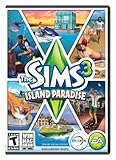
The Sims 3 Island Paradise - PC/Mac | $12.95 | Buy on Amazon |
| 3 |
|
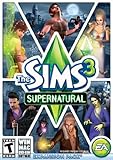
The Sims 3 Supernatural | $7.95 | Buy on Amazon |
| 4 |
|
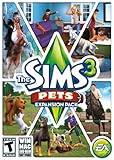
The Sims 3: Pets Expansion Pack | $8.95 | Buy on Amazon |
| 5 |
|
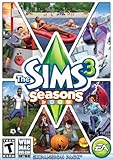
The Sims 3 Seasons | $32.26 | Buy on Amazon |
How to install an NRaas mod
- Close the game. Do not move package files while The Sims 3 is running.
- Open the user-data folder. On Windows, open
Documents/Electronic Arts/The Sims 3inside your user account; the full path commonly starts withC:Users<username>Documents. On macOS, the guide gives/Users/<username>/Documents/Electronic Arts/The Sims 3/. If Documents is redirected or synced, use the Documents location the game is actually using. Do not install the framework under Program Files. - Set up the package framework. In the Sims 3 user-data folder, create or install a
Modsfolder containingPackages,Overrides, andResource.cfg. The configuration file must sit directly insideMods. Follow the framework guide’s setup directions rather than creating an empty configuration file. - Download and extract the desired NRaas mod. Start from the official NRaas site, read the instructions for that specific mod, and extract the downloaded archive. Copy the actual
.packagefile—not the ZIP or other compressed archive. Do not assume every NRaas module has the same requirements. - Copy the package into
Mods/Packages. The resulting location should look likeDocuments/Electronic Arts/The Sims 3/Mods/Packages/ModName.package. KeepResource.cfgdirectly inMods. - Check compatibility, then launch the game. Compare the mod creator’s notes with your game’s patch level and installed expansion or stuff packs. Then start The Sims 3 and check for the mod’s expected menu or feature, using that mod’s own instructions to know what to look for.
How to confirm the package framework is working
Before installing a large collection, test whether the game is loading package files at all. Mod The Sims’ framework guide describes two temporary test packages: a no-intro package that changes the startup sequence and a build-mode test item. These test files check the framework; they are not NRaas features. Follow that guide’s instructions to install and identify the tests, and remove the test packages after confirming they work.
The Sims Resource explains that Resource.cfg tells the game to search folders under Mods; its guide says its configuration supports downloads organized up to five nested folders deep. The Sims Resource’s resource.cfg guide covers the file’s location and role. For a first test, placing the NRaas package directly in Packages avoids adding extra folder layers.
What’s actually slowing this PC down?
Pick the symptom - the matching free tool is one click away.
#1 Best Overall
- New Seamless, Open Neighborhood—Explore the neighborhood freely
- New Create A Sim—Create any Sim you can imagine
- New Realistic Personalities—Every Sim is a unique person, with a distinct personality
- New Unlimited Customization—Everyone can customize everything
- The freedom of The Sims 3 will inspire you with endless possibilities and amuse you with unexpected moments of surprise and mischief
Why aren’t my NRaas mods showing up?
Check the basic loading path before changing other settings:
- Wrong folder: Confirm that the file is in the active user-data folder at
Documents/Electronic Arts/The Sims 3/Mods/Packages, not in Program Files or another Sims 3 folder. - Wrong file: Make sure you extracted the archive and copied a file ending in
.package, rather than leaving the compressed download in place. - Misplaced configuration: Verify that
Resource.cfgis directly insideMods, not insidePackages. - Framework not tested: Use the framework guide’s temporary test files to distinguish a general package-loading problem from an issue with one particular mod.
- Compatibility mismatch: Recheck the instructions for the exact NRaas module against your patch and installed expansions. The available evidence does not establish a current compatibility status for every NRaas mod or game setup.
- Community cache suggestion: An older EA Forums reply mentions deleting
scriptCache.packageas a troubleshooting suggestion. Treat it as an unverified community tip, not a universal or current NRaas requirement; check the mod’s own instructions before relying on it.
The NRaas installation and module pages could not be independently checked for current details, so use the official NRaas site for the selected mod’s instructions and do not infer compatibility from a different module or an older forum post. The EA Forums thread is a community discussion, not a current compatibility reference: “mods wont work :(” on EA Forums.
Quick Recap
Best Value
- Assemble your company of customized soldiers, weapons, and vehicles - then take them on an epic journey through the tides of War.
- Experience the most intense, immersive battlefield yet. You will never be the same.
- Play firestorm battle royal, reimagined for battlefield V. Scavenge, fight, and survive to become the last squad standing.
Rank #4
- Be the pet - Wield control of your pets to chase, dig, tackle, and more
- Determine the personalities of your Sims' pets, from intelligent, friendly, and proud to playful, adventurous, and aggressive
- Pets can learn skills - Cats and dogs can learn to hunt, dogs can learn to locate collectibles and fetch your Sims a date
- Sims can take their pets outside - Take Spike to the park, bring Whiskers to the library, or ride Star to the new Equestrian Center
- Requires The Sims 3 to install & play
Rank #3
- Play as supernatural Sims: Create witches, wizards, werewolves, more intriguing vampires, and fairies, each with their own magical abilities, traits, and interactions.
- Explore the town of Moonlight Falls: Discover what mysteries and abilities are revealed by the light of the full moon. Will your Sims freak out or become more powerful?
- Hone your magical crafts and share the enchantment: Learn to cast spells and find rare ingredients to brew elixirs, so you can charm or hex your Sims’ lives.
- Discover supernatural items: Race around the arena on your broomstick, visit the gypsy caravan, or preen in front of your magic mirror.
- Zombification: Mix a special elixir to create shuffling, brain-hungry monsters of your very own. Chomp on other Sims to spread the love and wreak havoc. Don’t fret, you can always concoct an elixir to change your Sims back
Rank #2
- Be it by paddleboat or speedboat, your Sims can now leave port to discover new lands and explore like never before, from inter-island travel to discovering their own uncharted island
- Create a family-friendly resort of waterslides and buffet tables, a romantic retreat dotted with minimalist cottages, or a singles resort featuring multiple pool bars where Sims can mingle and flirt. Choose and fine-tune your amenities, set your price
- See what surprises await under the sea as your Sims build their skills in snorkeling/scuba diving. Your Sims may find them on the shore of a new island or discover sunken or buried treasure
- New stilted foundations give your Sims the best of both worlds, a home that's partially on the water and partially on land. Build a resort, create travelling houseboats, and customize your very own island paradise for your Sims
- Requires The Sims 3 to play
Product prices and availability are accurate as of the date/time indicated and are subject to change. Any price and availability information displayed on Amazon at the time of purchase will apply.



