PC Slower Than It Used to Be?
A free scan shows the junk files, broken settings and background clutter dragging Windows down - then fixes them in one click.Free scan · Windows 10 & 11Crashes, No Sound, or Screen Glitches?
Random freezes, missing sound and display glitches usually trace back to one bad driver. Find and replace yours safely.Free scan · under a minuteNothing kills the Black Ops hype faster than staring at a loading screen that never resolves. Before you start reinstalling, clearing caches, or blaming your GPU drivers, the first question needs to be brutally simple: is the Black Ops 7 Beta even live for you right now? A shocking number of “crashes” and “login errors” are actually timing, access, or server-side problems that no amount of local troubleshooting will fix.
This beta is running on live-service infrastructure, limited windows, and region-based rollouts. If any one of those variables is off, the game will fail to connect, kick you back to the menu, or loop you through error codes that look like client issues but aren’t.
Check the Official Server Status First
The fastest way to separate a real problem from a wasted effort is to confirm the servers are actually online. Activision regularly takes beta servers offline for backend updates, hotfix deployments, or emergency stability patches, especially during peak launch hours. When this happens, the game often boots but fails at the “Fetching Online Profile” or matchmaking stage.
Your best sources are the Activision Support site, the official Call of Duty Twitter/X account, and Treyarch’s social feeds. If servers are degraded or down, no platform-specific fix will help, and continuing to relaunch the game can even trigger temporary login locks.
Free tools Windows power users keep installed
One-click scans. No signup required.
#1 Best Overall
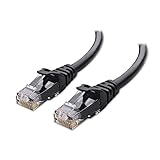
- High-Performance Connectivity: This Cat 6 ethernet cable is designed for superior performance, with a 24 AWG copper wire core. It provides universal connectivity as an ethernet cord for LAN network components such as PCs, servers, printers, routers, and more, ensuring reliable and fast network connections
- Advanced Cat6 Technology: Experience Cat6 performance with higher bandwidth at a Cat5e price. This network cable is future-proof, ready for 10-Gigabit Ethernet and backwards compatible with any existing Cat 5 cable network. It meets or exceeds Category 6 performance according to the TIA/EIA 568-C.2 standard
- Reliable Wired Network Solution: Known variously as a Cat6 network cable, ethernet cable Cat 6, or Cat 6 data/LAN cable, this RJ45 cable offers a more secure and reliable connection than wireless networks. It's ideal for internet connections that demand consistency and security
- Durable and Secure Design: The connectors of this ethernet cable feature gold-plated contacts and strain-relief boots for enhanced durability. Bare copper conductors not only improve cable performance but also comply with communication cable specifications
- High-Speed Data Transfer: With up to 550 MHz bandwidth, this ethernet cord is ideal for server applications, cloud computing, video surveillance, and streaming high-definition video. It also supports Power over Ethernet (PoE, PoE+, PoE++) for powering devices like IP cameras, VoIP phones, and wireless access points, ensuring fast and reliable network performance.
Confirm You’re Inside the Active Beta Window
Black Ops betas are notoriously strict about timing. Early Access, Open Beta, and platform-exclusive periods are often separated by hours or full days. If you launch outside your eligible window, the game may still install and boot, but online features will silently fail.
Pay close attention to time zones. Beta start times are typically listed in PT, and players in other regions can accidentally jump in too early. If the beta hasn’t officially opened for your region or platform, the servers will reject your connection every time.
Early Access vs Open Beta Eligibility
Not everyone gets access at the same time. If you didn’t pre-order Black Ops 7 or receive a beta code through a promotion, your account may not be authorized yet. This often results in vague errors like “Unable to connect to data center” or endless matchmaking searches.
On console, make sure you’re logged into the same PlayStation or Xbox account that redeemed the beta entitlement. On PC, double-check that you’re launching from the correct Battle.net or Steam account, as beta access is locked at the account level, not the device.
Platform-Specific Rollouts and Regional Locks
Sony, Microsoft, and PC storefronts do not always go live simultaneously. It’s common for PlayStation betas to open first, followed by Xbox and PC hours later. If you’re seeing streamers play while your game won’t connect, it doesn’t automatically mean something is broken.
Regional restrictions can also apply. Some regions receive delayed access due to rating approvals or server provisioning. In those cases, VPNs are risky and can flag your account, so waiting is safer than forcing a workaround.
When the Problem Is Not on Your End
If servers are up, your beta window is active, and your account is eligible, only then does it make sense to dig into crashes, error codes, or performance tuning. Until those boxes are checked, reinstalling or tweaking settings is just burning time between failed connections.
Understanding whether the issue is server-side or user-fixable saves hours of frustration and keeps you focused on the fixes that actually matter once the beta is truly live for you.
Do these 3 things before closing this tab:
1Clear out junk files and repair common Windows errors2Fix the driver behind crashes, sound loss and screen glitches3Repair Windows errors before they cause bigger problemsCommon Black Ops 7 Beta Errors Explained (Login Failures, Queue Locks, Error Codes, and What They Mean)
Once you’ve confirmed the beta is actually live for your platform and region, the next wall most players hit is a screen full of vague errors. Black Ops betas are notorious for giving you just enough information to be confusing, especially when the problem could be account-based, server-side, or a client issue on your end.
The key is understanding what each failure state actually represents behind the scenes. Some errors are hard stops controlled by Activision’s servers, while others are soft failures you can fix in minutes if you know where to look.
Login Failures and Account Authentication Errors
Login errors usually happen before you ever reach the main menu, often looping on “Connecting to Online Services” or kicking you back with a generic failure message. In most cases, this is not a password issue but an authentication handshake failing between your platform account and your Activision ID.
This commonly occurs when your Activision account isn’t properly linked to your PlayStation Network, Xbox Live, Steam, or Battle.net profile. Even if you’ve played previous CoD titles, beta environments sometimes require a fresh entitlement check, and mismatched accounts will fail silently.
If the error appears instantly, it’s often a server rejection due to access timing or regional rollout. If it hangs for 30 to 60 seconds before failing, that usually indicates your account is recognized but can’t complete verification, which is something you can often fix by relinking accounts or restarting the platform’s online services.
Queue Locks and “Server Queue Full” Messages
Queue locks are a classic beta problem and one of the least user-fixable issues. When Black Ops 7 beta servers hit capacity, players are placed into a rolling queue that may not visibly update or may appear frozen.
If you’re stuck in a queue that never moves, it doesn’t mean your game is broken. It means your session token is valid, but the matchmaking gateway has no open slots to assign you. Restarting the game repeatedly can actually make this worse by resetting your place in line.
The only time a queue lock becomes a local problem is if it persists for hours while others on the same platform and region are getting in. At that point, restarting the game once, power cycling your console, or restarting Steam or Battle.net can refresh your session without wiping your queue priority.
Quick wins for a faster PC:
Repair Windows errors before they cause bigger problemsFix Now →Fix the driver behind crashes, sound loss and screen glitchesFind Drivers →Clear out junk files and repair common Windows errorsFree Scan →Common Black Ops 7 Beta Error Codes and What They Indicate
Error codes in the Black Ops 7 beta tend to fall into a few broad categories rather than pointing to specific bugs. Codes referencing “Data Center,” “Relay,” or “Server Disconnected” almost always indicate backend instability or regional server overload.
Errors that mention “Profile,” “Stats,” or “Fetch Failed” usually mean your player data couldn’t be pulled from Activision’s servers. This often happens during peak hours and is rarely fixed by reinstalling or clearing cache.
Client-side error codes, often paired with crash-to-desktop or dashboard kicks, are more likely tied to corrupted installs, outdated system software, or incompatible drivers. On PC, these frequently show up after shader compilation or during the first matchmaking attempt.
Endless Matchmaking Searches and Lobby Failures
An endless matchmaking search is different from a queue lock, even though they feel similar. In this case, you’re already authenticated and past the queue, but the game can’t assemble a valid lobby.
The Tool Desk
Outbyte PC Repair FREERepair Windows errors before they cause bigger problemsFix Now →Outbyte Driver Updater FREEScan for outdated or missing drivers - takes under a minuteDriver Scan →This usually means one of three things: playlist servers are down, cross-play communication is failing, or your NAT type is blocking peer connections. On console, strict NAT settings are a frequent culprit, especially during betas when server-side fallback options are limited.
If matchmaking spins forever without throwing an error, it’s often safer to back out to the main menu and re-enter the playlist rather than restarting the entire game. Full restarts should be a last resort unless the beta client becomes unresponsive.
Knowing What You Can Fix Versus What You Can’t
The most important skill during any CoD beta is recognizing when an error is informational rather than actionable. Server queues, entitlement rejections, and data fetch failures are almost always on Activision’s side and resolve only when server load stabilizes.
Authentication loops, platform account mismatches, corrupted installs, and strict network settings are where player-side fixes actually matter. Targeting the right category saves you from wasting time reinstalling a beta that was never going to let you in anyway.
Once you can correctly identify the type of error you’re facing, troubleshooting becomes faster, more precise, and far less frustrating, especially during the high-traffic opening days of the Black Ops 7 beta.
Black Ops 7 Beta Won’t Launch or Crashes on Startup (PC, PlayStation, Xbox Fixes)
Once you’ve ruled out server queues and entitlement issues, a beta that won’t even reach the main menu is almost always a local problem. Startup crashes and launch failures happen before matchmaking, which means the game is choking on files, drivers, or system-level conflicts.
These issues feel catastrophic, but the upside is they’re usually fixable without waiting on Activision. The key is matching the fix to your platform instead of brute-forcing reinstalls.
PC: Instant Crash-to-Desktop, Black Screen, or Stuck on Loading Shader Screen
On PC, the most common Black Ops 7 beta crash happens during initial shader compilation. This is almost always tied to GPU drivers or corrupted shader caches rather than raw performance limits.
Start by updating your GPU drivers directly from NVIDIA or AMD, not Windows Update. If you already updated recently, try a clean install or roll back one version, as beta builds often break on brand-new drivers.
Next, clear the game’s shader cache. In Steam or Battle.net, fully close the launcher, then delete the shader cache folder in the Call of Duty directory. The next launch will recompile shaders, which can take several minutes but often resolves launch crashes entirely.
Rank #2

- Cat 6 performance at a Cat5e price but with higher bandwidth
- High Performance Cat6, 30 AWG, RJ45 Ethernet Patch Cable provides universal connectivity for LAN network components such as PCs,computer servers,printers,routers,switch boxes,network media players,NAS,VoIP phones
- Jadaol cat6 standard cable support Cat8 and Cat7 network and provides performance of up to 250 MHz 10Gbps and is suitable for 10BASE-T, 100BASE-TX (Fast Ethernet), 1000BASE-T/1000BASE-TX (Gigabit Ethernet) and 10GBASE-T (10-Gigabit Ethernet)
- UTP(Unshielded Twisted Pair) patch cable with RJ45 gold-plated Connectors and are made of 100% bare copper wire, ensure minimal noise and interference
- The unique flat cable shape allows for a cleaner and safer installation. You can easily and seamlessly make the cable run along walls, follow edges & corners or even make it completely invisible by sliding it under a carpet.
If the game crashes before shaders even begin, disable overlays. Discord, GeForce Experience, MSI Afterburner, and RivaTuner are frequent offenders during CoD betas. Close them completely, not just minimize them.
PC: Won’t Launch at All or Fails After Anti-Cheat Splash Screen
If Black Ops 7 beta won’t launch past the anti-cheat or closes instantly, file verification is mandatory. Betas are patched rapidly, and partial downloads are common.
What’s actually slowing this PC down?
Pick the symptom - the matching free tool is one click away.
Verify game files through Steam or Battle.net and let the launcher reacquire anything missing. Reinstalling without verification often reintroduces the same corrupted files.
Also check background security software. Some antivirus programs sandbox beta executables, especially during early access windows. Temporarily disabling real-time protection or whitelisting the CoD install folder can make the difference between a dead launch and a stable boot.
PlayStation: Crashes Back to Dashboard or Stuck on Title Screen
On PlayStation, startup crashes are rarely performance-related and almost always tied to system software or a bad beta install. First, confirm your PS5 or PS4 system software is fully up to date, even if auto-updates are enabled.
If the game reaches the title screen but freezes or crashes, rebuild the console’s database. This doesn’t delete games or saves, but it clears indexing issues that commonly break large betas.
For repeat crashes, delete the beta entirely and reinstall it fresh from your library, not the store page. Beta entitlements sometimes update silently, and pulling the wrong package can cause launch failures.
Xbox: Startup Freezes, Black Screen, or Immediate Home Screen Kick
Xbox startup crashes are frequently tied to quick resume conflicts. If Black Ops 7 beta was suspended, force close it from the dashboard before relaunching.
Power cycling the console is the next step. Fully shut down the Xbox, unplug it for at least 30 seconds, then restart. This clears cached system memory that soft reboots don’t touch.
If crashes persist, check that the beta content pack is fully installed. Xbox betas sometimes split multiplayer, base game, and data packs, and missing one can cause silent startup failures.
Recommended Free Tools
When Crashes Are Actually Server-Side
Not every startup crash is your fault. During peak beta hours, backend outages can cause the game to crash while attempting to authenticate, especially right after pressing Start at the title screen.
If the crash happens consistently at the same login moment and coincides with widespread reports online, it’s likely a server-side failure masquerading as a local crash. In those cases, reinstalling or clearing cache won’t help, and waiting is the only real fix.
Understanding where the crash occurs in the startup flow is the difference between fixing the problem in five minutes and wasting an entire evening reinstalling a beta that was never going to boot.
Fixing Install, Download, and Update Problems Across Battle.net, Steam, PlayStation Store, and Xbox Store
Once startup crashes and login failures are ruled out, the next major roadblock is the install itself. Black Ops 7’s beta is a massive, modular download, and a single missing or corrupted file can break matchmaking, trigger error codes, or stop the game from launching entirely.
Free tools Windows power users keep installed
One-click scans. No signup required.
Install issues feel mundane, but during a beta they’re one of the most common failure points. Entitlements change, content packs update quietly, and storefronts don’t always communicate that something went wrong.
Battle.net: Stuck Downloads, Missing Beta License, or “Play” Button Greyed Out
On Battle.net, the most common issue is the beta license failing to attach properly. If the Play button is greyed out or the beta doesn’t appear in your library, log out of Battle.net completely, then log back in to force an entitlement refresh.
If the download stalls or errors out, open Battle.net settings and clear the cache, then restart the launcher as administrator. This fixes download loops caused by corrupted temporary files, especially after preload windows open early.
Always use Scan and Repair after any beta update. Black Ops betas are notorious for patching individual archives, and a single bad file can cause crashes or endless matchmaking searches.
Steam: Infinite “Installing,” Disk Write Errors, or Update Pauses
Steam install issues usually come down to file allocation or library permissions. If the game is stuck on “Installing” with no progress, restart Steam and let it fully revalidate the download.
For disk write errors, check that your Steam library drive has at least 20 percent free space. The beta uses temporary decompression space during updates, and low headroom can silently kill installs.
If problems persist, verify game files manually. Steam will reacquire missing beta depots that don’t always trigger an automatic repair, especially after hotfixes.
PlayStation Store: Beta Not Appearing, Partial Downloads, or Corrupted Data
On PlayStation, beta entitlements can lag behind storefront updates. If the beta doesn’t appear in your library, restore licenses from account settings to force a refresh.
Outdated Drivers Are Slowing You Down
One free scan finds every outdated or missing driver and matches the right update for your exact hardware.Free scan · exact hardware matchPC Slower Than It Used to Be?
A free scan shows the junk files, broken settings and background clutter dragging Windows down - then fixes them in one click.Free scan · Windows 10 & 11If the download completes but the game crashes or won’t start, delete the beta and redownload it directly from your game library, not the store page. This ensures you pull the latest beta package rather than an outdated preload.
Corrupted data errors almost always mean the install was interrupted. Reinstalling cleanly is faster than troubleshooting, especially with large PlayStation beta builds.
Xbox Store: Missing Content Packs or “Needs Update” Loops
Xbox installs often fail because not all required content packs are installed. Open Manage Game and confirm that the base game, multiplayer pack, and any beta data packs are checked and fully downloaded.
If the game insists it needs an update that never starts, cancel the install entirely, reboot the console, and reinstall fresh. This clears stuck update manifests that quick resume doesn’t touch.
Quick wins for a faster PC:
Repair Windows errors before they cause bigger problemsFix Now →Scan for outdated or missing drivers - takes under a minuteDriver Scan →Clear out junk files and repair common Windows errorsFree Scan →Avoid installing the beta while other games are updating. Xbox bandwidth prioritization can stall large beta patches without throwing an error.
Common Beta Install Pitfalls Across All Platforms
Running out of storage is the silent killer. Even if the beta fits, updates need extra space to unpack, and failing that can corrupt the install without warning.
Region mismatches can also break downloads. Make sure your store region matches the account that granted beta access, especially if you redeemed a code from a different territory.
If installs fail repeatedly during peak hours, it may not be you. Beta CDN servers get hammered, and failed downloads during heavy traffic often succeed immediately during off-hours without changing anything.
Do these 3 things before closing this tab:
1Clear out junk files and repair common Windows errors2Scan for outdated or missing drivers - takes under a minute3Repair Windows errors before they cause bigger problemsRank #3

- 40 Gbps 2000 Mhz High Speed: The Cat 8 ethernet cable support max. 40 Gbps data transfer and 2000 MHz Brandwith, ideal for gaming and streaming, greatly improving upload and download speed, sound, image and resolution quality
- Excellent Anti-interference: The ethernet cable comes with 4 shielded foiled twisted pairs (F/FTP), pure copper core and gold-plated RJ45 connector, reducing interference, noise and crosstalk, making network speed faster and more stable
- Marvelous Durability: Internet cable wrapped with quality cotton braided cord, which makes the LAN cable stronger and more durable. The test proves that this internet cable can be bent at least 10000 times without broken, very suitable for long-term use
- PoE Supported: All lengths of ethernet cord can support the PoE power supply function except 65ft. You don't need additional power supply when installing a PoE camera, which is very convenient and safe
- Wide Compatibility: With the RJ45 Connector, network cable can be perfectly compatible with computers, laptops, modems, routers, PS5, X-Box and other networking devices. It can also be fully backward compatible with Cat7, Cat6e, Cat6, Cat5e, Cat5
Knowing When an Install Problem Isn’t Fixable Yet
When installs fail across multiple platforms at the same time, that’s a backend issue. Social media and server status trackers will usually light up within minutes when this happens.
In those cases, reinstalling or switching platforms won’t help. The smartest move is to pause downloads, wait for Activision to stabilize distribution servers, and resume later.
Understanding whether you’re fighting your system or the beta infrastructure saves time, bandwidth, and a lot of unnecessary frustration.
Matchmaking Not Working: Stuck Searching for Players, Lobbies Dropping, or High Ping Issues
Once you’re past install errors, matchmaking is the next major wall most players hit during the Black Ops 7 Beta. Getting stuck on “Searching for Players,” watching lobbies collapse before the countdown hits zero, or loading into games with triple-digit ping are all classic signs of a stressed beta backend.
The key is figuring out whether matchmaking is failing because of your setup or because the beta servers are buckling under load. Some issues are fixable in minutes, while others simply aren’t in your control.
Stuck Searching for Players Indefinitely
If matchmaking never progresses past searching, the beta likely isn’t assigning you to a shard correctly. This happens most often right after server-side hotfixes or playlist updates.
First, back out to the main menu and fully restart the game. On consoles, close the app entirely rather than suspending it, since Quick Resume and Rest Mode can cache outdated matchmaking data.
If that doesn’t work, switch playlists. Moving from Core to Hardcore, or from standard modes to a featured beta playlist, forces a fresh matchmaking request and often bypasses the stuck loop.
What’s actually slowing this PC down?
Pick the symptom - the matching free tool is one click away.
Lobbies Dropping Before the Match Starts
Lobby drops during pre-game loading usually point to server instability rather than your connection. In betas, lobbies are frequently spun up on-demand, and if the host instance fails, everyone gets kicked without an error.
Avoid rapidly backing out and re-queuing. Spamming matchmaking can flag your session as unstable and make the problem worse. Wait 30 to 60 seconds between attempts to let the backend reset your session.
If lobbies consistently drop at the same point, restart the game and your platform. This clears partial lobby assignments that don’t time out correctly during beta traffic spikes.
High Ping, Lag Spikes, or Being Placed in Distant Regions
High ping in the Black Ops 7 Beta is rarely a pure ISP issue. During peak hours, the matchmaking system prioritizes filling games quickly over strict regional filtering, which can throw you onto distant servers.
Recommended Free Tools
Check your NAT type first. Moderate or Strict NAT can drastically limit available lobbies, forcing the system to place you in higher-latency matches. On consoles, enable UPnP on your router or forward the recommended CoD ports manually.
Wired connections matter more than ever in beta builds. Wi-Fi packet loss doesn’t always show as disconnections but will spike ping and cause rubber-banding, missed hit registration, and delayed killcams.
Crossplay and Party Matchmaking Conflicts
Mixed-platform parties are a major stress point in early betas. Crossplay lobbies require additional handshake checks, and if one player fails authentication, the entire party can get stuck searching.
If you’re playing solo, temporarily disable crossplay and queue again. Console players will often find matches faster this way during beta congestion.
For parties, have everyone restart the game and rejoin the party from scratch. Avoid inviting players while matchmaking is already active, as this frequently breaks the lobby state in beta builds.
When Matchmaking Issues Are Completely Server-Side
If matchmaking fails across multiple modes, times out repeatedly, and social features like friends lists or party chat also lag, that’s a backend problem. No amount of port forwarding or router resets will fix it.
This is especially common during the first hours of beta weekends or immediately after a playlist update. Server capacity gets rebalanced, and matchmaking stability usually improves within an hour.
In these cases, the smartest move is to step away briefly. Forcing queues during server instability can lead to longer lockouts and worse matchmaking once things stabilize.
Performance Problems in the Beta: FPS Drops, Stuttering, Freezes, and Overheating Solutions
Once you finally get into matches, performance is the next wall most players hit. Black Ops 7’s beta build is far less optimized than the final release, and server-side instability can amplify client-side issues like frame drops, stutter, and hard freezes.
The key distinction here is separating what’s fixable on your end from what’s simply beta jank. Tweaking the wrong settings can actually make performance worse, especially when servers are already under load.
PC FPS Drops and Stuttering: Settings That Actually Matter
On PC, inconsistent FPS in the beta is usually tied to CPU spikes rather than raw GPU power. Black Ops 7 leans heavily on CPU threads for streaming maps, player data, and hit registration, which causes sudden frame dips mid-fight.
Start by lowering Shadows, Volumetric Lighting, and Screen Space Reflections. These settings hammer the CPU and GPU simultaneously and offer minimal competitive benefit during fast-paced engagements.
Disable On-Demand Texture Streaming entirely. While it improves visual clarity, it aggressively pulls data during matches, causing stutter, hitching, and even packet burst warnings during gunfights.
Shader Compilation and Cache Issues on PC
If your game stutters heavily during the first few matches, shader compilation is likely still running or partially corrupted. This is common after updates or driver changes during a beta.
From the graphics menu, restart shader compilation and let it finish completely at the main menu. Do not alt-tab or start matchmaking until it’s done, or the process can stall in the background.
Updating GPU drivers helps, but bleeding-edge drivers can introduce instability. If a new driver dropped the same week as the beta, rolling back one version often results in smoother performance.
The Tool Desk
Outbyte Driver Updater FREEFix the driver behind crashes, sound loss and screen glitchesFind Drivers →Outbyte PC Repair FREEClear out junk files and repair common Windows errorsFree Scan →Freezes and Crashes During Matches
Mid-match freezes that last several seconds are often memory-related. On PC, background apps like browsers, overlays, RGB software, or capture tools can push RAM usage over the edge.
Close everything that isn’t essential. Disable third-party overlays entirely, including Discord and GPU monitoring tools, as they frequently conflict with beta builds.
Rank #4
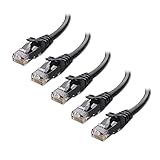
- High-Performance Connectivity: This Cat 6 ethernet cable is designed for superior performance, with a 24 AWG copper wire core. It provides universal connectivity as an ethernet cord for LAN network components such as PCs, servers, printers, routers, and more, ensuring reliable and fast network connections
- Advanced Cat6 Technology: Experience Cat6 performance with higher bandwidth at a Cat5e price. This network cable is future-proof, ready for 10-Gigabit Ethernet and backwards compatible with any existing Cat 5 cable network. It meets or exceeds Category 6 performance according to the TIA/EIA 568-C.2 standard
- Reliable Wired Network Solution: Known variously as a Cat6 network cable, ethernet cable Cat 6, or Cat 6 data/LAN cable, this RJ45 cable offers a more secure and reliable connection than wireless networks. It's ideal for internet connections that demand consistency and security
- Durable and Secure Design: The connectors of this ethernet cable feature gold-plated contacts and strain-relief boots for enhanced durability. Bare copper conductors not only improve cable performance but also comply with communication cable specifications
- High-Speed Data Transfer: With up to 550 MHz bandwidth, this ethernet cord is ideal for server applications, cloud computing, video surveillance, and streaming high-definition video. It also supports Power over Ethernet (PoE, PoE+, PoE++) for powering devices like IP cameras, VoIP phones, and wireless access points, ensuring fast and reliable network performance.
If the game hard crashes to desktop with no error code, that’s usually a beta-side memory leak. Relaunching clears it temporarily, but long sessions will reintroduce the problem.
Console Performance Issues on PlayStation and Xbox
On consoles, performance problems usually show up as frame pacing issues rather than pure FPS drops. This feels like micro-stutter when turning or aiming, especially in larger maps.
Fully close the game after long play sessions. Rest mode suspensions can cause memory fragmentation in beta builds, leading to degraded performance over time.
Make sure the game is installed on internal storage. External drives, especially older HDDs, struggle with the beta’s aggressive asset streaming and can cause freezes during respawns.
Overheating, Loud Fans, and Thermal Throttling
Black Ops 7’s beta pushes hardware harder than previous entries, particularly during prolonged sessions. If your FPS steadily declines over time, thermal throttling is likely kicking in.
On PC, check CPU and GPU temperatures while playing. Anything consistently above safe thresholds will cause automatic downclocking, leading to sudden performance drops mid-match.
Do these 3 things before closing this tab:
1Clear out junk files and repair common Windows errors2Scan for outdated or missing drivers - takes under a minute3Repair Windows errors before they cause bigger problemsConsole players should ensure proper ventilation. Avoid enclosed entertainment centers, and don’t stack consoles on other heat-producing devices during extended beta sessions.
When Performance Problems Are Server-Side
Not all stutter is hardware-related. During peak beta hours, server desync can masquerade as FPS drops, with delayed hit markers, rubber-banding, and uneven animations.
If performance tanks only during high-traffic windows and improves late at night or early morning, that’s backend load, not your system. Lowering settings won’t fix server-side frame pacing issues.
In these cases, the only real solution is patience. Once server load stabilizes, most of these “performance” issues disappear without any changes on your end.
Outdated Drivers Are Slowing You Down
One free scan finds every outdated or missing driver and matches the right update for your exact hardware.Free scan · exact hardware matchWindows Errors? Fix Them Before They Spread
Repair common Windows errors and clear accumulated junk for a smoother, more stable PC - no reinstall needed.Free scan · no reinstallPlatform-Specific Fixes (PC Optimization, PS5/PS4 System Settings, Xbox Series X|S Tweaks)
Once you’ve ruled out server-side instability, the next step is dialing in fixes tailored to your platform. The Black Ops 7 beta behaves very differently on PC versus consoles, and applying the wrong fix can waste hours with zero improvement.
Below are targeted adjustments that address the most common beta-specific crashes, login loops, and performance breakdowns on each system.
PC Optimization Fixes (Steam and Battle.net)
On PC, most Black Ops 7 beta issues stem from shader compilation, driver conflicts, or overly aggressive graphics presets. Start by letting the shader cache fully compile at the main menu. Interrupting this process almost guarantees stutter, hitching, and mid-match freezes.
Lower VRAM usage manually instead of relying on presets. Set Texture Resolution one step below your GPU’s VRAM limit, disable On-Demand Texture Streaming, and cap the frame rate slightly below your monitor’s refresh rate to stabilize frame pacing.
If the beta crashes during matchmaking or after matches, disable any CPU or GPU overclocks. Beta builds are notoriously sensitive to even stable overclocks, especially on newer Ryzen and Intel hybrid CPUs.
For PC players stuck on a “Connecting to Online Services” loop, run the game launcher as administrator and verify the game files. This fixes permission-related failures that prevent the beta from properly writing cache and config data.
PlayStation 5 and PlayStation 4 System Settings
On PlayStation, crashes and failed logins are often tied to corrupted cache data rather than the game install itself. Fully power down the console, unplug it for 30 seconds, then reboot to clear temporary system memory.
Disable Rest Mode suspension for the beta. Resuming from Rest Mode frequently causes matchmaking errors, invisible loadouts, or crashes when entering multiplayer menus.
The Tool Desk
Outbyte PC Repair FREEClear out junk files and repair common Windows errorsFree Scan →Outbyte Driver Updater FREEFix the driver behind crashes, sound loss and screen glitchesFind Drivers →On PS5 specifically, turn off 120Hz output if you’re experiencing inconsistent frame pacing. While the beta technically supports it, some displays and HDMI chains introduce instability that manifests as stutter or delayed input.
If downloads stall or the beta refuses to launch, restore licenses through Account Settings. This resolves entitlement mismatches that can block beta access even when the install is complete.
Xbox Series X|S and Xbox One Tweaks
Xbox players most commonly run into authentication errors or infinite matchmaking searches. A full power cycle fixes more issues here than any in-game setting. Hold the power button until the console shuts down, unplug it for 30 seconds, then restart.
Make sure the beta is installed on internal storage, especially on Series S. External drives can cause long load times, failed map loads, or crashes when the match transitions.
Recommended Free Tools
Disable Quick Resume for Black Ops 7 if it’s enabled. Quick Resume frequently conflicts with beta networking, leading to desync, missing player data, or being stuck offline until a reboot.
If the beta crashes immediately after launching, check for system updates. Xbox OS patches often roll out silently and are required for newer beta builds to function correctly.
Each platform has its own pressure points, but the pattern is consistent. Most beta issues come from cached data, background system features, or settings designed for full releases rather than unfinished builds. Knowing which levers to pull saves you from endlessly reinstalling a game that isn’t fully stable yet.
Activision Account, Crossplay, and Beta Access Issues (Linking, Entitlements, and Region Conflicts)
Once system-level problems are ruled out, the next major choke point is your Activision account. Black Ops 7’s beta leans heavily on account-side verification, and when something goes wrong here, the game can fail to launch, lock you out of matchmaking, or claim you don’t own access even when you clearly do.
These issues often look random on the surface, but they’re usually caused by broken account links, missing beta entitlements, or region data that doesn’t line up across platforms.
Activision Account Linking Problems
Black Ops 7 requires a properly linked Activision account, regardless of platform. If your PlayStation, Xbox, or Battle.net/Steam account isn’t synced correctly, the beta may hang on “Connecting to Online Services” or loop back to the login screen.
Log into your Activision account through a browser and manually verify that the correct platform account is linked. If you see duplicates, old console IDs, or a platform you no longer use, unlink everything and relink only the account you’re actively playing on.
After relinking, fully close the game and reboot your system. The beta does not refresh account credentials in real time, and cached login data will keep throwing errors until the game restarts clean.
Best Value

- High Performance Cat6 Cable - The Cat6 ethernet cables 100ft supports frequencies of up to 500 MHz and high-speed 10GB internet connection for LAN network applications such as PCs,computer servers,printers,routers,switch boxes,network media players,NAS,VoIP phones and more, while remaining fully backward compatible with your existing network.
- Outdoor&Indoor Ethernet Cable - The cat 6 ethernet patch cable features 8 solid copper conductors 24 AWG. Each of the 4 unshielded twisted pairs (UTP) are separated by a PE cross insulation to isolates pairs and prevent crosstalk and covered by a 5.8mm PVC jacket with RJ45 connectors and gold-plated contacts. The molded strain relief boots help avoid snags that will damage your cables. They are molded for flexibility and resist common wear and tear.
- Lan Cable with RJ45 - UTP(Unshielded Twisted Pair) patch cable with RJ45 gold-plated Connectors, this cat6 cable support Cat8 and Cat7 network and provides performance of up to 500 MHz 10Gbps and is suitable for 10BASE-T, 100BASE-TX (Fast Ethernet), 1000BASE-T/1000BASE-TX (Gigabit Ethernet) and 10GBASE-T (10-Gigabit Ethernet)
- High Quality Control - are designed with extremely well-matched components for outstanding uniform impedance and very low return loss, providing lower crosstalk, and a higher signal-to-noise ratio. Each Cat 6 internet cable 6 ft goes through rigorous testing to ensure a secure wired internet connection with exceptional speed and reliability.
- Support – Cat6 Ethernet cable with CM grade PVC jacket complies with TIA/EIA 568-C.2, is ETL verified and RoHS compliant. If an item is defective or breaks within a year, we will issue a replacement. For questions or concerns please contact our friendly, USA-based customer Support team.
Beta Entitlement and “You Do Not Own This” Errors
One of the most common beta blockers is a missing or delayed entitlement. This usually shows up as the beta being installed but refusing to launch, redirecting you to a store page, or throwing vague ownership errors.
On console, restoring licenses (PlayStation) or refreshing game ownership (Xbox) forces the system to recheck Activision’s servers. On PC, log out of Battle.net or Steam completely, restart the launcher, and sign back in to force an entitlement sync.
If you redeemed a beta code, double-check that it was applied to the correct Activision account. Codes are account-locked, not platform-locked, and redeeming on the wrong login is an easy mistake that completely blocks access.
Crossplay Desync and Matchmaking Failures
Crossplay is enabled by default in the beta, and while it expands the player pool, it’s also a major source of matchmaking bugs. If you’re stuck in infinite searches, lobbies that never fill, or constant “Fetching Online Profile” loops, crossplay is often the culprit.
Try disabling crossplay in the game’s account or privacy settings, then restart the beta. This forces the matchmaking service to rebuild your session data and often clears stuck queues.
If you’re partying up across platforms, make sure everyone has crossplay enabled or disabled consistently. Mixed settings can cause silent lobby failures where no error appears, but matchmaking never completes.
Region and Storefront Conflicts
Region mismatches are a hidden but brutal beta issue. If your console region, store region, and Activision account country don’t align, the beta may connect to the wrong server cluster or fail entitlement checks entirely.
This is especially common for players using imported discs, alternate storefronts, or VPNs on PC. Disable any VPN, confirm your system region matches your Activision account, and make sure the beta was downloaded from the same regional store tied to your account.
Free tools Windows power users keep installed
One-click scans. No signup required.
Changing regions mid-beta is risky. If you’ve already installed the beta under one region, switching storefronts can invalidate the install and require a full redownload.
When It’s Not You: Server-Side Account Issues
Some account errors simply aren’t fixable on your end. Messages like failed to fetch online profile, service failed, or stuck at logging into Activision account often indicate backend overload during peak beta hours.
If fixes aren’t sticking, check Activision’s server status and social channels before tearing your setup apart. During early beta windows, account services are often the first systems to buckle under player load.
Knowing when to stop troubleshooting is just as important as knowing what to tweak. If everything is linked correctly and entitlements are confirmed, the smartest move may be waiting out the server wave rather than fighting an issue no setting can fix.
Quick wins for a faster PC:
Clear out junk files and repair common Windows errorsFree Scan →Fix the driver behind crashes, sound loss and screen glitchesFind Drivers →What You Cannot Fix: Known Beta Limitations, Server-Side Bugs, and When to Wait for a Patch
At a certain point, troubleshooting stops being skill and starts being patience. Betas are live stress tests, and Black Ops 7 is no exception. Some failures are baked into the experience, and no amount of cache clearing or router resets will brute-force past them.
Knowing what’s unfixable saves you time, sanity, and a whole lot of unnecessary reinstalls.
Global Server Outages and Queue Throttling
When the beta flips live or a new playlist drops, Activision’s backend takes the hit first. Login queues, failed matchmaking, and “connecting to online services” loops often mean servers are rate-limiting connections to prevent total collapse.
If you’re seeing widespread reports on social media or the server status page lights up red, stop troubleshooting. These are global bottlenecks, not local failures, and they usually resolve in waves over a few hours.
What’s actually slowing this PC down?
Pick the symptom - the matching free tool is one click away.
Progression Rollbacks and Missing Unlocks
Lost XP, locked weapons, missing operators, or challenges not tracking are classic beta-side database sync issues. Your stats may appear to reset between sessions, especially after hotfixes or playlist updates.
There’s nothing you can do here. Progression in betas is often provisional, and backend corrections are applied silently once the data stabilizes. Forcing profile refreshes or reinstalling won’t bring lost unlocks back faster.
Unstable Performance During Peak Load
Random FPS drops, stutters in menus, or sudden packet burst warnings can happen even on high-end PCs and current-gen consoles. This usually correlates with server strain, not your GPU or CPU suddenly underperforming.
If performance tanks only during peak hours but feels fine late at night, that’s your answer. Optimization patches come later, after the devs gather real-world performance telemetry from millions of matches.
Do these 3 things before closing this tab:
1Clear out junk files and repair common Windows errors2Fix the driver behind crashes, sound loss and screen glitches3Repair Windows errors before they cause bigger problemsMatchmaking Imbalances and Skill Bucket Chaos
Early betas have messy matchmaking. You might get thrown into lobbies with wildly different skill levels, high latency opponents, or uneven team compositions that feel unfair.
That’s not a hidden setting you missed. Skill buckets, ping prioritization, and playlist population are all in flux during beta windows, and tuning happens server-side as data rolls in.
Platform Certification Delays
Sometimes one platform lags behind the others after a patch. PC might receive a hotfix while PlayStation or Xbox waits on certification, leading to version mismatches or temporary lockouts.
If your friends on another platform can play while you’re stuck waiting, it’s not your install. These delays resolve once the update clears platform approval, usually within a day.
The Tool Desk
Outbyte PC Repair FREEClear out junk files and repair common Windows errorsFree Scan →Outbyte Driver Updater FREEFix the driver behind crashes, sound loss and screen glitchesFind Drivers →Known Crash Bugs and Memory Leaks
Some crashes are already logged by the devs and tied to specific maps, modes, or UI actions. Repeated crashes in the same scenario, especially after a patch, often indicate a known bug rather than corrupted files.
You can avoid the trigger if possible, but you can’t fix the root cause. These issues require code-level patches and are part of why betas exist in the first place.
Anti-Cheat and False Positives
Occasional shadow bans or limited matchmaking can occur during beta anti-cheat tuning. Clean players can get flagged temporarily as detection systems learn new behavior patterns.
If you’re suddenly stuck in high-ping lobbies with long queue times and no errors, waiting is often the only option. Support tickets help, but most beta-related flags clear automatically once reviewed.
Free tools Windows power users keep installed
One-click scans. No signup required.
In short, not every problem is a puzzle to solve. If you’ve verified your install, checked your account, matched regions, and ruled out local issues, the smartest play is stepping back and letting the patch cycle do its job.
Black Ops 7’s beta is rough around the edges, but that’s the cost of getting early access. Sometimes the most optimal move isn’t tweaking settings or chasing fixes—it’s logging off, letting the servers breathe, and jumping back in once the next update lands.
Quick Recap
Product prices and availability are accurate as of the date/time indicated and are subject to change. Any price and availability information displayed on Amazon at the time of purchase will apply.



