Brotato looks like chaos even in solo, so it’s only natural to assume co-op turns it into a full-on bullet-hell party. That’s mostly true, but the game’s version of multiplayer comes with specific rules, limits, and design choices you absolutely need to understand before handing a controller to a friend. Brotato co-op isn’t a separate mode bolted on after the fact; it’s the same brutal survival loop, shared in real time, with all the RNG highs and DPS-check lows intact.
Local Co-Op Only, No Online Play
Brotato co-op is strictly local. There is no online matchmaking, no invites, and no cross-play shenanigans. You and your co-op partner need to be in the same room, playing on the same screen, just like old-school couch co-op.
This applies across PC and console versions, but it’s especially important on PC: Steam Remote Play technically works, but latency and input delay can make dodging elites feel unfair. For the cleanest experience, local hardware is the expectation, not an optional extra.
Supported Versions and Player Count
Co-op is available in the full release versions of Brotato on PC and consoles. Early access builds didn’t support it consistently, so if someone’s missing the option, check the game version first.
The game supports exactly two players. No modifiers, no four-player chaos, no drop-in for a third friend mid-run. Brotato is balanced around duos, and the enemy scaling reflects that from wave one.
How Co-Op Is Actually Enabled
There’s no separate “Co-Op Mode” button buried in menus. You start a normal run, then activate co-op by connecting a second controller and pressing the confirm button when prompted. Player two spawns in immediately and chooses their own character.
Both players must use controllers. Keyboard plus controller is not supported for co-op, which catches a lot of PC players off guard. If you only have one controller, co-op simply won’t activate.
Shared Screen, Shared Chaos
Brotato co-op uses a single shared screen with no splits. Both players must stay within the camera bounds, which turns positioning into a constant negotiation. Chasing drops too far from your partner can pull aggro in awkward ways or force someone into off-screen damage.
Enemies, projectiles, and hazards are shared, but each player has their own hitbox, stats, weapons, and items. Friendly fire doesn’t exist, but poor movement can absolutely body-block a dodge path and get someone killed.
Economy, Shops, and Scaling Expectations
This is where expectations need to be reset. You do not share materials. Each player earns their own currency, rolls their own shop, and builds independently. There’s no trading items, no pooling resources, and no reviving a dead partner mid-wave.
Enemy density and health scale up to account for two players, which means sloppy builds get punished harder than in solo. Co-op doesn’t make Brotato easier by default; it makes it more forgiving only if both players understand their roles, whether that’s crowd control, elite bursting, or survivability.
What Co-Op Is Designed For
Brotato co-op is designed for synchronized play, not casual carry jobs. Both players need to understand movement, invulnerability frames during dodges, and how wave pacing works. A glass-cannon build paired with a tanky crowd clearer can dominate, but two greedy DPS builds will crumble fast when elites spawn early.
If you’re expecting a relaxed party mode, co-op will surprise you. If you’re expecting tight teamwork, shared tension, and some of the funniest deaths in the genre, this is exactly where Brotato shines.
Co-Op Requirements: Platforms, Controllers, and Player Limits
Before you start theorycrafting duo builds or arguing over who gets the ranged carry, you need to make sure your setup actually supports co-op. Brotato’s multiplayer is simple on the surface, but it has some hard rules that aren’t negotiable. If any one of these isn’t met, the game won’t even give you the option.
Supported Platforms for Local Co-Op
Brotato’s co-op is strictly local and platform-dependent. Local co-op is supported on PC, Xbox, PlayStation, and Nintendo Switch, but only in offline couch co-op form. There’s no online matchmaking, no invites, and no Steam Remote Play workaround built into the game.
On PC, this means both players must be physically connected to the same machine. Consoles are the most frictionless option, since multiple controllers are already expected, but PC players can absolutely run co-op as long as the controller requirement is met.
Controller Requirements and Input Rules
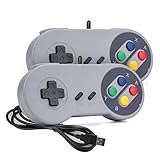
This is the most common failure point for first-time co-op players. Brotato requires two controllers for co-op, even on PC. Keyboard plus controller is not supported, and the game will not let a second player join unless it detects another controller input.
Any standard controller works, including Xbox, PlayStation, and most generic USB gamepads. Both controllers must be active before entering a run, and player two joins by pressing a confirm button during character select. If the game doesn’t register that input, co-op simply won’t start.
Player Limits and Screen Constraints
Brotato co-op is strictly two-player. There’s no three-player chaos mode, no mods for extra slots, and no hidden settings to push beyond that limit. The game is balanced around exactly two players sharing one screen, and everything from enemy spawns to elite timing is tuned with that in mind.
Because the screen is shared, spatial awareness becomes a core mechanic. Drifting too far apart doesn’t just mess with camera framing, it actively creates danger by pulling enemies across the screen and compressing dodge space. Staying loosely grouped while still covering angles is a skill you’ll develop quickly.
Performance Expectations and Stability Tips
On most platforms, co-op runs smoothly, but performance matters more with two players. More enemies, more projectiles, and more on-screen effects can push older PCs or handheld setups. If you’re on PC and experiencing frame drops, lowering effects or running in fullscreen can help stabilize dodge timing and hitbox clarity.
Input lag is deadly in Brotato. Make sure both controllers are properly calibrated and wired if possible, especially during elite-heavy waves. Clean inputs and stable performance matter more in co-op than solo, because one missed dodge can cascade into a shared wipe fast.
How to Enable Local Co-Op Step-by-Step
Once your controllers are connected and recognized, actually turning on co-op in Brotato is refreshingly simple. The game doesn’t hide the option behind menus or toggles, but it also doesn’t explain it very clearly. If you miss one input timing, co-op just won’t activate.
Step 1: Connect Both Controllers Before Launching a Run
Before you even hit Play, make sure both controllers are plugged in and actively detected by your system. Brotato checks for available inputs at key moments, not continuously, so hot-plugging a controller mid-menu can fail silently.
If you’re on PC, confirm both controllers can move a cursor or navigate menus at the system level. If only one controller works outside the game, co-op will not initialize no matter what you press in Brotato.
Step 2: Enter the Main Menu Using Player One’s Controller
Start the game and navigate the main menu with the controller you want assigned to Player One. This matters because Brotato hard-locks the first detected input as the host player for the entire run.
Do not press anything on the second controller yet. Early inputs can confuse detection and prevent Player Two from being recognized during character select.
Step 3: Select Start and Move to Character Selection
From the main menu, select Start Game like you normally would. Co-op is not enabled from the options menu and there is no separate co-op toggle anywhere in the UI.
The character selection screen is where Brotato listens for Player Two. This is the only moment where co-op can be activated.
Step 4: Have Player Two Press Confirm on Their Controller
Once Player One is on the character select screen, Player Two needs to press a confirm button on their controller. On Xbox-style pads this is usually A, and on PlayStation-style pads it’s typically X.
If done correctly, a second character slot instantly appears. There’s no pop-up, no sound cue, and no confirmation message, so watch the screen closely.
Step 5: Choose Characters and Lock In Together
With both character slots visible, each player selects their Brotato independently. Loadouts, traits, and difficulty modifiers apply to both players equally, so discuss synergy now instead of mid-wave.
Once both players lock in, the run begins immediately in full co-op. From this point forward, the session is locked as a two-player run and cannot revert to solo.
Common Co-Op Activation Mistakes to Avoid
The most common failure is trying to use keyboard plus controller. Brotato simply does not support it, and no workaround exists without mods. Another frequent issue is pressing buttons on Player Two’s controller too early, which can cause the game to ignore that input later.
If Player Two’s slot doesn’t appear, back out to the main menu, reconnect both controllers, and try again. Restarting the game fixes most detection bugs faster than troubleshooting mid-menu.
Shared Screens, Shared Chaos: How Co-Op Gameplay Mechanics Work
Once the run starts, Brotato immediately shifts from solo survival to a tightly packed, shared-screen brawler. Both players are locked to the same camera, the same waves, and the same escalating enemy RNG. There’s no screen splitting and no zooming out to save you, which means positioning and awareness matter more than raw DPS.
This is where co-op stops being “two solo builds at once” and starts becoming a real teamwork check.
One Screen, One Camera, Zero Mercy
The camera centers dynamically between both players, stretching just enough to keep you on-screen. Stray too far and the game rubber-bands you back, which can yank you into hits if you’re not paying attention. Kiting enemies in opposite directions is a fast way to wipe, especially on later waves with faster elites.
The smartest teams move as a unit, rotating around the arena together and managing aggro as a pair instead of splitting lanes.
Player Limits and Input Rules
Brotato’s local co-op is strictly two players. No four-player chaos, no drop-in mid-run, and no online play without mods. Both players must use controllers, and once the run begins, those controller assignments are locked until the run ends.
If one controller disconnects mid-wave, the game does not pause or compensate. Keep batteries charged or stay plugged in.
Shared Resources, Separate Builds
Both players pull from a shared materials pool. Every enemy kill, crate, and wave reward feeds the same currency stash, so reckless spending hurts the whole team. That said, each player has their own inventory, stats, HP, and weapons, letting you build distinct roles like melee tank plus ranged DPS.
The shop phase reflects this balance. You shop independently, but every reroll and purchase drains the same shared materials, making communication during shopping just as important as movement during combat.
Combat Rules: No Friendly Fire, Real Consequences
There’s no friendly fire, so spray builds and explosive weapons are safe to use around your partner. Damage, lifesteal, crits, and on-hit effects are calculated per player, meaning one player popping off won’t automatically carry the other.
When a player goes down, they don’t instantly end the run. The surviving player can revive them by staying close and filling the revive meter, but doing so mid-wave often means tanking hits with limited I-frames. Timing revives between enemy spawns is a skill you’ll learn the hard way.
Difficulty Scaling and Enemy Pressure
Enemy counts and HP scale up to account for two players, but not linearly. Early waves feel manageable, but later stages spike hard if your builds don’t complement each other. Two greedy glass cannons usually collapse faster than a balanced duo with sustain and crowd control.
Bosses become especially punishing, filling the screen with overlapping hitboxes that punish poor spacing. If one player tunnels on DPS while the other manages movement and revive windows, runs last significantly longer.
Practical Co-Op Tips That Save Runs
Decide roles before Wave 1. Who’s clearing mobs, who’s bursting elites, and who can safely revive if things go bad. Avoid competing for the same weapon types in the shop, since RNG already limits your options without internal competition.
Most importantly, talk constantly. Call out low HP, incoming elites, and when you’re about to reroll the shop. Brotato co-op rewards communication just as much as mechanical skill, and silence is usually what kills promising runs.
Character Selection and Build Synergy in Co-Op
Once you understand how shared materials and scaled enemy pressure work, character selection becomes the real make-or-break decision in co-op. Brotato isn’t balanced around two players running identical builds, and the game quietly punishes overlap through shop RNG and stat scaling. Picking complementary characters from the start reduces friction in the shop and creates natural roles once waves start to snowball.
The goal isn’t perfect optimization, but clear identity. Each player should know what their potato is supposed to do by Wave 5, whether that’s soaking aggro, deleting elites, or stabilizing messy fights with sustain.
Avoid Role Overlap Early
Two players locking in similar archetypes sounds safe, but it usually backfires. Running double ranged DPS or double melee bruiser means you’re fighting each other for the same weapons, items, and stat upgrades. Since rerolls drain shared materials, overlap turns the shop into a silent tug-of-war.
Instead, pair contrasting roles. A melee tank or lifesteal brawler thrives when a ranged character clears mobs from a distance. One player benefits from HP, armor, and regen while the other stacks damage and attack speed, letting both scale efficiently without wasting gold.
Strong Co-Op Character Pairings
Some characters naturally shine in co-op because their strengths cover another’s weaknesses. A tanky character like Knight or Masochist pairs well with fragile DPS picks such as Ranger or Hunter, creating clear frontline and backline dynamics. The tank controls enemy flow and absorbs hits while the DPS melts elites and bosses.
Support-style characters also gain value in co-op. Characters that scale with luck, healing, or economy indirectly help the entire run by stabilizing waves and keeping revives safer. Even though stats aren’t shared, the breathing room they create absolutely is.
Build Synergy Matters More Than Raw DPS
Co-op rewards builds that influence space and tempo, not just damage numbers. One player investing in crowd control, knockback, or attack range makes the screen manageable for both players. This is especially important during elite waves where overlapping hitboxes can overwhelm two glass cannons instantly.
Sustain builds are equally valuable. A player stacking lifesteal, HP regen, or armor can safely hold position during revives, buying critical seconds when things go wrong. That safety net often matters more than squeezing out extra DPS.
Plan Shop Behavior Around Your Builds
Once roles are locked, shopping becomes smoother and faster. Call out what you’re hunting for before rerolling so materials aren’t wasted chasing incompatible upgrades. If one player needs weapons while the other is fishing for stats, coordinate rerolls to avoid burning resources too early.
Don’t be afraid to pass on good items if they’re better for your partner’s build. Co-op Brotato isn’t about individual power spikes, it’s about keeping both builds online through the late game. A balanced duo with clean synergy will always outperform one stacked potato dragging a struggling partner through Wave 15.
Economy, Items, and Shop Strategy for Two Players
Once both players understand their roles, the economy becomes the real co-op skill check. Brotato’s local co-op doesn’t merge gold pools, but the shop is fully shared, which means every reroll and purchase affects both builds. Playing well together here is the difference between cruising through Wave 20 and collapsing to an elite with half-finished setups.
How Gold and the Shared Shop Actually Work
Each player earns their own materials from kills and wave clears, but you’re shopping from the same vendor between rounds. If Player One rerolls, Player Two sees the same new inventory, and those rerolls cost gold individually. This creates a subtle tension where uncoordinated rerolling can quietly drain both economies.
The fix is simple: talk before touching the shop. Decide who is actively shopping first and who is saving, especially in early waves when materials are tight. One focused buyer and one saver will almost always scale better than two players panic-rerolling for upgrades.
Weapon Distribution and Power Spikes
Early weapon purchases should prioritize stabilizing both players, not min-maxing one. A player sitting on a weak starting weapon is a liability, no matter how strong their partner is. Getting both potatoes to a functional DPS baseline should come before chasing perfect weapon synergies.
Mid-game is where specialization kicks in. If one player is already capped on weapons or fishing for tier upgrades, let the other take priority on rolls. Co-op runs die fast when one player spikes early and the other falls behind the enemy curve.
Item Priority: Who Should Buy What
Stat items are where co-op awareness really pays off. Defensive stats like armor, dodge, and HP are far more valuable on the player expected to hold aggro or tank elites. Damage multipliers, crit, and attack speed belong on the DPS-focused partner who can actually leverage them.
Economy items and luck deserve special callouts. If one player is leaning into luck-heavy builds, feeding them luck items early can indirectly benefit both players through better shop offerings and higher-tier drops. You’re not sharing stats, but you are sharing the consequences of smarter item allocation.
Reroll Discipline Wins Runs
Rerolling is the fastest way to bleed a co-op run dry. Set informal rules like “one reroll per player” in early waves or saving rerolls entirely until Wave 5 or 6. This keeps materials available for must-buy items instead of gambling on marginal upgrades.
Later waves reward selective aggression. If one player is nearly finished with their build, they should stop rerolling altogether and let the other fish for missing pieces. Two-player Brotato is about keeping both builds functional, not perfecting one while the other limps into bosses undergeared.
Consumables, Healing, and Revive Safety
Healing items and consumables should be bought with revives in mind. A tankier player holding extra regen or lifesteal can safely stand in danger zones long enough to revive their partner. This makes sustain items feel dramatically more valuable in co-op than in solo runs.
Don’t underestimate temporary buys like consumable damage or healing boosts before elites and bosses. Spending a bit of gold to secure a clean fight is often smarter than hoarding materials you’ll never get to use if both players go down.
Controller Setup and Smooth Co-Op Sessions
Local co-op requires two controllers connected before starting a run, with each player controlling their own potato independently. Brotato supports two players locally, and both players can mix keyboard and controller inputs depending on platform, but consistency helps avoid input hiccups mid-wave.
For the smoothest experience, pause between waves and coordinate shopping rather than rushing the timer. Co-op is mechanically forgiving during combat, but the shop is where most runs are won or lost. Treat it like a planning phase, not downtime, and your two-player sessions will feel cleaner, fairer, and far more successful.
Difficulty Scaling, Enemies, and Survival Tips in Multiplayer
Once both players are locked in and the shop habits are under control, the real test of co-op Brotato begins. Multiplayer doesn’t just double the firepower, it reshapes how waves scale, how enemies pressure the screen, and how small positioning mistakes can spiral into wipes. Understanding what changes under the hood is the difference between surviving Wave 20 and watching both potatoes get boxed in by a bad spawn.
How Difficulty Scales With Two Players
In co-op, enemy counts scale up significantly, even in early waves. You’re facing more bodies, more projectiles, and tighter screen space, not tankier enemies. That means AoE damage, piercing, and crowd control stats gain value faster than they do in solo.
Bosses and elites don’t gain new mechanics, but their pressure spikes because aggro is split. One player kiting while the other tunnels DPS sounds good on paper, but random target swaps can punish greedy positioning. Both players need baseline survivability or the run collapses the moment one goes down.
Enemy Behavior and Screen Control
More enemies means less safe space. Melee swarms fill lanes faster, and ranged units stack overlapping projectile patterns that are harder to read when two players are moving independently. This makes map awareness and spatial discipline far more important than raw damage output.
Avoid mirroring movement. If both players drift in the same direction, enemies naturally compress toward the opposite side, creating lethal choke points. Split the screen intentionally, even if it means one player takes slightly more heat to keep escape routes open.
Shared Revives Change Risk Calculations
The revive system is the biggest mechanical shift in co-op. Downed players can be revived mid-wave, but doing so locks the reviver in place and exposes them to damage. This turns revives into tactical commitments, not panic buttons.
Clear space before attempting a revive. Knockback, slows, and lifesteal all shine here because they buy the seconds needed to safely get a teammate back up. If both players drop in the same area, the run is effectively over, so staggering risk is critical.
Positioning Beats Raw DPS in Multiplayer
High DPS builds still matter, but co-op punishes glass cannons harder than solo. One player exploding creates a snowball effect, pulling aggro onto the survivor and shrinking their movement options instantly. Balanced stat lines win more consistently than hyper-optimized damage builds.
Designate soft roles without hard locking them. One player naturally leaning tankier can body-block enemies or draw elites away, while the other clears space. The key is flexibility, not strict MMO-style roles that break when RNG doesn’t cooperate.
Survival Tips That Actually Save Runs
Prioritize movement speed earlier than you think. With two hitboxes on screen, dodging becomes more about repositioning than reaction time, and slow builds get trapped faster. Even one or two extra speed points can prevent chain hits.
Respect bad waves. If enemy RNG stacks chargers, snipers, or elites together, play defensively and let the timer work for you. In co-op, surviving the wave is always more valuable than padding DPS stats, because a living duo scales harder than any risky damage spike.
Most importantly, communicate constantly. Call out elite spawns, low HP, and revive attempts. Brotato co-op rewards players who treat every wave like a shared problem to solve, not two solo runs happening on the same screen.
Common Co-Op Issues, Fixes, and Best Practices for Smooth Sessions
Even with strong fundamentals, co-op runs can fall apart for reasons that have nothing to do with skill. Most issues come from setup mistakes, mismatched expectations, or small mechanical misunderstandings that snowball under pressure. Cleaning these up before or during a session massively improves consistency and keeps runs fun instead of frustrating.
Controller Detection and Local Co-Op Setup Problems
Brotato’s co-op is strictly local, and it expects controllers to be connected before entering a run. If Player Two isn’t showing up, back out to the main menu and reconnect the controller rather than trying to hot-join mid-wave. The game is picky about input detection once a session starts.
Make sure each player is using a separate controller. Keyboard plus controller works, but two players cannot share a single input device. If inputs feel laggy or unresponsive, disable background overlays or controller-mapping software, as Brotato reads raw inputs and doesn’t always play nice with third-party tools.
Screen Clutter and Visual Overload
Two builds firing at once can turn the screen into a particle soup, especially with elemental or explosive setups. This makes enemy telegraphs harder to read and increases the chance of eating avoidable hits. Lowering screen shake and damage numbers in the options menu dramatically improves readability without affecting gameplay.
Coordinate weapon archetypes when possible. If both players run high-knockback or explosive builds, enemies get scattered unpredictably, breaking spacing and revive windows. Mixing sustained DPS with control or lifesteal creates cleaner waves and fewer panic moments.
Uncoordinated Shopping and Economy Mistakes
The shop phase is where most co-op runs quietly die. Players reroll independently, chasing perfect builds, and end up underpowered when scaling ramps. Agree early on whether you’re playing conservatively or pushing rerolls, and stick to that plan.
Pay attention to shared needs. If one player is struggling with survivability, passing on a greedy damage pickup to stabilize the team is often the correct call. Co-op rewards balanced power curves more than individual high-rolls.
Revive Greed and Risk Mismanagement
Failed revives are one of the fastest ways to lose a good run. The revive animation locks you in place, and attempting it without space control almost always leads to a double down. If enemies are stacked or elites are active, kite first and revive second.
Call out revive attempts clearly. The active player should focus entirely on clearing aggro, not dealing damage. Treat revives like boss mechanics, not quick taps, and your success rate jumps immediately.
Best Practices for Consistently Smooth Sessions
Talk through builds before Wave 1. You don’t need rigid roles, but knowing who’s leaning tanky, who’s scaling DPS, and who needs early movement prevents overlap and wasted stats. This also helps with positioning once elite density spikes.
Prioritize clarity over greed. Clean positioning, readable screens, and stable HP bars win more co-op runs than maxed damage numbers. Brotato’s co-op shines when both players survive to scale, not when one player pops off while the other barely hangs on.
If there’s one final takeaway, it’s this: co-op Brotato isn’t about playing faster or flashier, it’s about playing smarter together. Respect the shared mechanics, communicate constantly, and the game transforms from chaotic survival into one of the most satisfying couch co-op roguelike experiences out there.