SnowRunner is available on Windows through Steam, Epic Games Store, and the Microsoft Store. Choose the storefront where you want to keep the base game and DLC, use an updated 64-bit Windows installation, and reserve at least 50 GB of free space. The larger recommendation accounts for a discrepancy between current storefront and support-page listings.
Where to install SnowRunner on Windows
SnowRunner is available for Windows through Steam, the Epic Games Store, and the Microsoft Store. Buy and install the edition from the storefront where you want to keep the base game and downloadable content (DLC). Do not assume that a purchase, save, or DLC entitlement automatically carries between storefronts.
For a new Windows installation, use an up-to-date 64-bit version of Windows, reserve at least 50 GB of free storage if possible, update Windows and your graphics driver, install the game from your chosen launcher, and complete one clean launch before adding mods or troubleshooting peripherals.
What SnowRunner is
SnowRunner is an off-road driving and logistics simulation developed by Saber Interactive and published by Focus Entertainment. It is not primarily a racing game: progress comes from reaching difficult work sites, hauling cargo, recovering vehicles, repairing infrastructure, and choosing the right truck and equipment for each route.
Free tools Windows power users keep installed
One-click scans. No signup required.
#1 Best Overall

- Feel physically responsive feedback to your in-game actions through haptic feedback
- Experience varying levels of force and tension at your fingertips with adaptive triggers
- Chat online through the built-in microphone and connect a headset directly through the 3.5mm jack
- Switch voice capture on and off using the dedicated mute button
- Play on more devices using the USB Type-C cable or Bluetooth to connect easily to Windows PC and Mac computers, Android and iOS mobile phones as well as your PlayStation 5
Mud, deep water, snow, frozen lakes, vehicle weight, speed, and momentum all affect how a truck moves. You may need to change tires, engage all-wheel drive or differential-lock features, use a snorkel, attach a different trailer, winch to a tree, or bring a support vehicle rather than simply driving faster.
Steam vs. Epic Games Store vs. Microsoft Store
| Storefront | Installation path | Important considerations |
|---|---|---|
| Steam | Open Steam, find SnowRunner in the Store, purchase or redeem it, then open Library, select SnowRunner, and choose Install. | The listing includes single-player, online co-op, Steam Cloud, achievements, Family Sharing, and Remote Play. Steam’s current client policy supports Windows 10 and later, even though the legacy game requirements still list Windows 7. |
| Epic Games Store | Open Epic Games Launcher, search the Store for SnowRunner, purchase or claim the edition, then open Library and select Install. | Epic lists Windows requirements and DirectX 11 support. Install and launch through the Epic account that owns the game. |
| Microsoft Store | Open the Microsoft Store app, search for SnowRunner, obtain the edition, and install it from the product page or your library. | Windows updates and Gaming Services are especially relevant if the game or DLC does not appear correctly. Microsoft’s general guidance is to update or restart Windows when Store installation is unavailable. |
Saber’s official SnowRunner FAQ lists all three Windows storefronts, as well as PlayStation, Xbox, and Nintendo Switch platforms. Pick one storefront before buying DLC. A Steam DLC purchase should not be treated as interchangeable with a Microsoft Store or Epic entitlement.
SnowRunner Windows system requirements
| Component | Minimum | Recommended |
|---|---|---|
| Operating system | 64-bit Windows 7 | 64-bit Windows 10 |
| Processor | Intel Core i3-4130 3.4 GHz or AMD Ryzen 3 2200U 3.4 GHz | Intel Core i7-8700 3.2 GHz or AMD Ryzen 7 2700 3.2 GHz |
| Memory | 8 GB RAM | 16 GB RAM |
| Graphics | 2 GB GeForce GTX 660 or Radeon R9 270 | 4 GB GeForce GTX 970 or Radeon RX 580 |
| DirectX | Version 11 | Version 11 |
| Storage | 20 GB according to Saber’s support page | 20 GB according to Saber’s support page |
| Internet | Broadband internet connection | |
There is a storage discrepancy worth addressing: Saber’s requirements page and the Epic listing show 20 GB, while Steam’s current Windows listing shows 50 GB. Reserve at least 50 GB where possible, with extra room for updates and DLC, rather than planning around the smaller figure.
The listed minimum operating system is a legacy requirement. Steam states that its current client supports Windows 10 and later as of January 1, 2024. In practice, a new Steam installation should use an updated supported Windows version, not an obsolete Windows 7 or Windows 8 setup. Systems below the game’s minimum requirements may run it, but Saber does not provide technical support for problems caused by falling below those requirements.
Recommended Free Tools
Step-by-step Windows installation
- Update Windows. Install pending Windows updates and restart if requested.
- Update the graphics driver. Use the current driver supplied for your NVIDIA, AMD, or Intel graphics hardware. Saber recommends Windows and graphics-driver updates before deeper crash troubleshooting.
- Choose the account and storefront. Sign in to Steam, Epic Games Launcher, or the Microsoft account that owns SnowRunner. This is also the account you will use to verify the game and DLC entitlement.
- Check free space. Reserve 50 GB or more, plus additional space for downloadable content and updates.
- Install the base game. Select SnowRunner in the launcher library and choose Install. Let the launcher finish downloading and verifying the files.
- Launch without mods first. Start the base installation once before subscribing to or enabling mods. This creates the initial configuration and confirms that the unmodified game opens.
- Sign in to related services when prompted. Multiplayer, cloud saves, mod services, and store entitlements can require the relevant platform account.
- Install DLC separately when needed. If an expansion or vehicle pack is missing, check the storefront library and install or reinstall the individual DLC. Saber specifically advises against relying only on a Season Pass bundle download when DLC is not appearing.
First launch, controls, and optional accessories
SnowRunner can be played with a keyboard and mouse; a controller is optional. Analog steering and trigger control can feel more natural for a driving simulation, but compatibility can vary by device and storefront. Do not buy a specific peripheral solely on the assumption that it has been tested with every Windows edition.
Rank #2

- Ultra Customizable Controls
- Mappable Back Buttons
- DualSense Wireless Controller Features Built In
- Replaceable Stick Modules and Caps
Optional: a PC controller
A PC game controller is a sensible choice for players who prefer analog steering and throttle control over keyboard input. It is not required to install or play SnowRunner. If the game suddenly fails to start after connecting a gamepad, steering wheel, headset, or keyboard, disconnect the peripheral temporarily and test a clean launch; Saber lists peripherals among possible startup-conflict variables.
Advanced simulation players can consider a PC steering wheel and pedal set, but check compatibility with your exact SnowRunner storefront and Windows setup before purchasing. A wheel is an optional immersion upgrade, not a system requirement, and the supplied support information does not verify specific models.
SnowRunner features on Windows
Terrain-aware driving
The terrain is the central challenge. Mud can swallow tires, water can threaten the engine, snow can reduce traction, and ice can change the safest route. Weight, speed, and momentum matter, so a heavy truck that succeeds on a firm road may struggle badly in soft ground. Equipment choices—including chain tires for snow and snorkels for deep water—change which routes are practical.
Contracts, missions, and infrastructure work
The game’s open environments contain missions and contracts that gradually expand your operation. Typical work includes transporting cargo, reaching remote locations, repairing roads and bridges, recovering stuck trucks, scouting routes, and improving a fleet with new vehicles and upgrades.
A specialized vehicle fleet
The base experience is commonly listed as containing 40 vehicles, while DLC increases the total available to players who own additional content. Different trucks serve different jobs: scouting, hauling, heavy transport, repair, fuel support, crane work, and vehicle recovery. The best vehicle is determined by the route and load, not simply by its top speed.
Solo and four-player co-op
SnowRunner supports single-player and synchronous online co-op for up to four players total: one host plus up to three other participants. Co-op is useful when a job benefits from a scout, recovery truck, cargo hauler, and support vehicle working together.
Crossplay
According to Saber’s FAQ, players on Steam and Epic Games Store can play with Xbox and PlayStation players when the game versions match. Platform groupings are more limited for Mac and Nintendo Switch. If a cross-platform session fails, update every participant’s game before changing router settings or reinstalling anything.
Rank #3
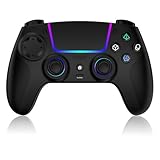
- Seamless Compatibility:This game controller is compatible with PS5, Pro, Slim, PC, and Steam Deck. Enjoy seamlesg integration with your console and all your PS5 games without any complicated setup
- Adjustable RGB Lighting: Personalize your setup with vibrant, 7-color adjustable RGB lighting. Choose from 4 distinct lighting modes (Steady, Breathing, Color Cycle, and Reactive) to match your mood, game, or gaming environment
- 3-Speed Turbo: Gain a competitive edge with the 3-speed adjustable TURBO function. Simply map any action button to turbo for rapid, continuous firing—perfect for shooting games or actions requiring high-speed input
- Programmable Back Buttons: Take command with fully programmable rear buttons M1 & M2. Map complex in-game commands or macros to these buttons, saving your configurations for instant access to advanced maneuvers and shortcuts
- Ergonomic Design: Its form-fitting shape, balanced weight, and soft-touch materials offer superior comfort. This non-slip design ensures stable control and prevents slippage, even with sweaty hands
Mods
SnowRunner supports community mods through mod.io. Mods can add vehicles, maps, modes, and other content. PC players can access mods through the game’s supported mod service, but availability and eligibility can differ between PC and console. Use a legitimate copy of the game and test the unmodified installation first.
DLC, storefront entitlements, and save transfer
DLC is tied to the storefront purchase
Keep the base game and DLC on the same storefront whenever possible. A Season Pass or bundle may not install every component correctly, so check the individual DLC entries in the launcher library. If content is missing, reinstall the specific pack rather than repeatedly reinstalling only the bundle.
Cross-save is manual, not automatic
Saber’s PROS save-transfer instructions describe a manual process: upload a save, choose the source and destination platforms, then download the save on the receiving platform. It is not continuous synchronization.
- Back up or otherwise protect the destination save before transferring.
- A transfer can replace the save on the destination platform.
- There is a cooldown between transfers.
- Paid DLC is not transferred between platforms; the destination platform must have the relevant entitlement if you want to use that content.
Troubleshooting SnowRunner on Windows
If SnowRunner will not launch or crashes
- Restart Windows and apply pending Windows updates.
- Update the graphics driver.
- Verify the game files in Steam or Epic Games Launcher.
- Temporarily disconnect controllers, steering wheels, headphones, and other USB peripherals, then test again.
- Try launching the game as administrator as a diagnostic step.
- Check for conflicts from other software, overlays, security tools, or background utilities.
- If the failure appears DirectX-related, try the launch options
-dx11or-d3d11where supported. Saber documents these as troubleshooting options, not guaranteed fixes.
For Epic installations, follow Saber’s crash guidance for adding a DirectX 11 command through the Epic manifest method rather than inventing a different launch argument. If these steps do not help, record the error message and consult the official SnowRunner crash guidance.
Do these 3 things before closing this tab:
1Clear out junk files and repair common Windows errors2Scan for outdated or missing drivers - takes under a minute3Repair Windows errors before they cause bigger problemsOptional PC maintenance software
Disclosure: This is an optional commercial suggestion, not an official SnowRunner fix. If the computer has broader driver, startup, or Windows-maintenance problems affecting several games, you could investigate optional PC troubleshooting software after completing the official steps above. Do not use a third-party utility as a substitute for updating Windows, updating the graphics driver, verifying files, or checking the game’s support documentation.
For broader Windows repair or maintenance problems affecting several games, Outbyte PC Repair is an optional tool to investigate after the official steps, not a required SnowRunner fix.
If DLC is missing
First confirm that you are signed into the account that purchased the DLC and that the base game and add-on are installed from the same storefront. Then check the launcher library and install the DLC separately.
Rank #4

- Aim and move with precision by swapping in fresh stick modules* so you’re always playing with equipment that’s in great shape. Plus, three types of changeable stick caps help you stay comfortable in-game without sacrificing grip or stability.
- Mappable back buttons The DualSense Edge wireless controller’s two swappable sets of back buttons can be configured to any other button input, so you’ve always got game-changing actions and essential controls at your fingertips.
- Adjustable trigger lengths Manually set the travel distance of your left and right triggers for an optimal experience with whatever you’re playing. Fast-paced FPS? Set a shorter travel distance to shoot faster on the field. Competitive racer? Set a longer travel distance for precise throttle control on the track.
- Remappable buttons Remap or even deactivate specific button inputs, so you can create a completely personalized control setup that’s ideal for the game at hand.
- Quick-swap control profiles Once you’ve found your ideal control settings, you can save them to unique profiles and swap between them on-the-fly, so your favourite configurations are always ready when you are.
For Microsoft Store installations, Saber recommends updating Windows, repairing Gaming Services through Windows Settings, unlinking unused devices, and resetting the Store with WSReset.exe. Microsoft also recommends restarting Windows after updates when Store installation is unavailable. See Saber’s DLC troubleshooting guidance.
The Tool Desk
Outbyte Driver Updater FREEFix the driver behind crashes, sound loss and screen glitchesFind Drivers →Outbyte PC Repair FREEClear out junk files and repair common Windows errorsFree Scan →If co-op will not connect
SnowRunner uses a peer-to-peer connection, so the host’s firewall, router, ISP, antivirus, and other network settings can affect the session. Begin with the low-risk checks:
- Update the game for every participant.
- Restart the game, launcher, and router.
- Confirm that everyone is using compatible game versions and the intended platform accounts.
- Temporarily test without mods if the session fails after mod changes.
Only if ordinary checks fail should you investigate firewall or router configuration. Saber lists TCP ports 11700–11710 and UDP ports 48800–48810 for connection configuration. Open ports carefully and only on networks you administer; consult the official connection-issues article for the relevant setup.
Is SnowRunner worth installing on Windows?
SnowRunner is a strong fit if you enjoy methodical driving, route planning, vehicle setup, logistics, and solving terrain problems. It is a poor fit if you want constant high-speed racing or instant progress. The Windows version supports solo play, four-player co-op, crossplay with compatible versions, and mod support, but the best experience depends on choosing a supported Windows environment, leaving enough disk space, and keeping storefront entitlements organized.
Quick pre-install checklist
- Use an updated 64-bit Windows installation; for Steam, plan on Windows 10 or later because of the current Steam Client requirement.
- Meet at least the 8 GB RAM, DirectX 11, and minimum CPU/GPU requirements.
- Reserve 50 GB or more rather than relying only on the 20 GB support-page figure.
- Choose Steam, Epic, or Microsoft Store before buying DLC.
- Update Windows and graphics drivers.
- Launch the clean base game once before installing mods.
- Remember that cross-save is manual, can overwrite the destination save, has a cooldown, and does not transfer paid DLC.
Frequently Asked Questions
Where can I install SnowRunner on Windows?
SnowRunner is available on Windows through Steam, the Epic Games Store, and the Microsoft Store. Install it from the storefront where you intend to keep the base game and DLC.
Quick wins for a faster PC:
Fix the driver behind crashes, sound loss and screen glitchesFind Drivers →Repair Windows errors before they cause bigger problemsFix Now →Best Value

- 【Connection & Wake-up】When using the gamepad for the first time, it needs to be connected to the PS5 console via a USB-C cable(It must be the data cable included in the package or the original data cable), and then press the Home button to activate it. After completing the first connection, you only need to press the HOME button to turn on the PS5 console. The gamepad is compatible with PS5 series consoles and Windows PCs, and it is not compatible with PS4.
- 【Controller with Sound】The controller is capable of producing sound, providing an immersive gaming experience. Please note that the controller is only equipped with a speaker and has no microphone. If you want to use the microphone function, please use an external headset. It is equipped with a 3.5mm TRRS headphone jack(not compatible with Apple headphones.)
- 【Customizable Colors】Press the Lighting button to switch colors and light effect modes with one click. It features a color memory function, ensuring that the next time you use it, it will still be the color you prefer.
- 【High - Precision Joysticks】Equipped with upgraded joysticks, these effectively reduce the joystick dead zone and extend the controller's service life.
- 【Multiple Functions】10 times/second Turbo function can be set, supporting up to 16 keys programming, making your gaming experience even better.
How much storage does SnowRunner need on PC?
Saber lists 20 GB, but Steam’s current Windows listing shows 50 GB. Reserve at least 50 GB, with additional room for updates and DLC, to avoid running out of space.
Does SnowRunner support multiplayer on Windows?
Yes. SnowRunner supports online co-op for up to four players total: one host and up to three other participants.
Does SnowRunner support crossplay?
Yes, when versions match. Steam and Epic PC players can play with Xbox and PlayStation players according to Saber’s FAQ. Update all copies before troubleshooting a failed session.
Is SnowRunner cross-save automatic?
No. Saber’s PROS process is manual: upload a save, choose source and destination platforms, and download it on the receiving platform. The destination save can be replaced, transfers have a cooldown, and paid DLC does not transfer.
The Bottom Line
Bottom line: Install SnowRunner through Steam, Epic Games Store, or Microsoft Store on an updated 64-bit Windows PC, and reserve at least 50 GB of free space to cover the discrepancy between current listings. The game’s appeal is deliberate off-road logistics—not racing speed—with terrain, vehicle equipment, contracts, recovery work, co-op, crossplay, and mods all built around careful planning.
Quick Recap
Product prices and availability are accurate as of the date/time indicated and are subject to change. Any price and availability information displayed on Amazon at the time of purchase will apply.



