What’s actually slowing this PC down?
Pick the symptom - the matching free tool is one click away.
The correct way to redeem a Steam code depends on the code type. Wallet codes are redeemed in a browser, game product keys are activated in the Steam client, and Steam gifts are accepted from a notification or email. Codes for Xbox, PlayStation, Epic Games, or another service cannot be redeemed on Steam.
The correct way to redeem a Steam code depends on what kind of code you have. A Steam Wallet or gift-card code is redeemed in a web browser, a Steam game product key is activated in the Steam client, and a Steam gift is accepted from a Steam notification or email. A PlayStation, Xbox, Epic Games, or other non-Steam code cannot be redeemed on Steam.
| What you have | What it does | Where to redeem it |
|---|---|---|
| Steam Wallet code or physical gift-card code | Adds prepaid money to your Steam Wallet | Steam’s Wallet-code page |
| Steam game product key, CD key, or retail key | Adds a specific game or product to your library | Steam desktop client, under Activate a Product on Steam… |
| Steam gift | Delivers a game or digital gift card to your Steam account | Steam notification or gift email |
| Xbox, PlayStation, Epic, Ubisoft, or other platform code | Activates on that platform or publisher’s launcher | That platform’s redemption page, not Steam |
Redeem a Steam Wallet code or gift card
Use this method for a Steam Wallet code, a physical Steam gift-card code, or another code specifically labeled for adding funds to a Steam Wallet. You must be signed in to the Steam account that should receive the balance.
- Open the official Redeem a Steam Gift Card or Wallet Code page.
- Sign in if Steam asks you to.
- Enter the code in the Steam Wallet Code field. Type the characters carefully; do not include spaces unless they are shown as part of the code.
- Select Continue.
- Review the confirmation and check that the new balance appears in the correct account.
Steam converts the code into the currency configured for the receiving account’s Steam Wallet. The conversion is based on the receiving account, not necessarily the country where the card was purchased. If Steam asks for an address on an account that has never had a Wallet balance, enter the account holder’s current address so Steam can determine the applicable currency.
#1 Best Overall

- SLIM & COMPACT DESIGN: Holds 15–25 business cards (depending on card thickness) or a small number of standard-sized cards. Lightweight and slim profile fits easily in your pocket, briefcase, or bag—ideal for everyday business carry.
- PREMIUM PU LEATHER & STAINLESS STEEL: Crafted with a high-quality PU leather exterior and a durable stainless steel interior, offering a professional appearance with enhanced protection and long-lasting use.
- SECURE MAGNETIC CLOSURE: Built-in magnetic flip closure keeps your cards securely stored while allowing quick and easy access during meetings, presentations, or networking events.
- RFID BLOCKING PROTECTION: Integrated RFID blocking technology helps reduce the risk of unwanted wireless scanning for RFID-enabled cards, providing added peace of mind during daily professional use.
- IDEAL GIFT FOR PROFESSIONALS: A practical and stylish choice for business owners, entrepreneurs, sales professionals, and corporate staff—perfect for work, networking, or professional gifting.
If the Wallet balance does not appear
First confirm that the redemption or purchase completed and that you were signed in to the intended account. Check the receipt and restart the Steam client. If a completed purchase still has the wrong balance after more than two hours, contact Steam Support.
Activate a Steam game key or CD key
A game product key is different from a Wallet code. It normally comes with a boxed PC game, a digital purchase, or an authorized retailer’s delivery email. The packaging or email should explicitly say that the key is for Steam. A key for another launcher or console will not become a Steam key simply because the game is also available on PC.
- Open and sign in to the Steam desktop client.
- Select + Add a Game in the lower-left corner.
- Choose Activate a Product on Steam…. You can also open the Games menu and select the same option.
- Follow the on-screen instructions and enter the product key.
- Confirm the product details, then finish the activation.
After successful activation, the game is permanently associated with that Steam account and appears in Library. You can install it from there. Steam also supports registering a CD key through a browser in some situations, but the desktop-client route is the clearest option for most users: select Games > Activate a Product on Steam….
Accept a Steam gift
A Steam gift is not a code that you paste into the Wallet-code page or the product-key window. It arrives through Steam or as an email notification.
- Open the Steam gift notification or the gift link in the email.
- Sign in to the Steam account that should receive the gift.
- Review the game or digital gift card and choose the option to accept it.
- For a game, check Library. For a digital gift card, check the Steam Wallet balance.
A gifted game becomes part of the recipient account’s collection after acceptance. Steam says a delivered gift remains available for acceptance for 30 days; if it is not accepted during that period, Steam automatically cancels it and refunds the purchaser.
Rank #2
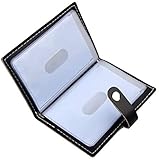
- Credit card holder with soft luxury leather
- 20 debit / credit cards can be spaced.
- Business Cards and ID card can be held as well
- Measures: 100 x 75 mm
- One Month Money Back Without Return The Defective Or Broken Item.Three Months Money Back With No reason(Need To Return The Item).
A Steam Digital Gift Card is an alternative when you want to send Steam funds rather than a particular game. The recipient accepts it through Steam, and Steam converts the value into the recipient’s currency. The funds can be used for games and eligible in-game purchases.
What if the code is for another platform?
Do not enter a PlayStation, Xbox, Nintendo, Epic Games, Ubisoft Connect, EA app, Battle.net, or publisher-specific code into Steam. Each code is tied to the service named by the seller or packaging. Look for wording such as Redeem on Steam, Steam activation, or Steam product key before attempting activation.
A “PC key” is not automatically a Steam key. Some PC games use a publisher launcher, Microsoft Store, Epic Games Store, GOG, or another service. If the code was purchased from a third party, keep the order confirmation and verify the platform and region before revealing or entering the key.
Free tools Windows power users keep installed
One-click scans. No signup required.
Steam code errors and fixes
“Invalid product code”
Check these points in order:
- Confirm that the code is intended for Steam registration rather than another platform.
- Make sure you are using the product-key activation screen, not the Wallet-code page—or vice versa.
- Re-enter the characters carefully. Printed codes can make 0/O/Q/D, 1/I/L, B/8, and G/6 difficult to distinguish.
- Check for hidden spaces, missing characters, or a scratched-off character that is unreadable.
- Review the purchase email or packaging for region, edition, and platform restrictions.
Steam’s guidance indicates that an invalid-product-code message can mean the key was never intended for Steam. It can also occur when a key has already been registered or is otherwise unusable.
“Duplicate product code” or “This product key has already been activated”
This normally means the key has already been registered to a Steam account. Repeated attempts will not free it or move it to your account. Contact the retailer or distributor that supplied the key and provide the order information. Steam generally cannot replace a key bought from a third-party seller, particularly when the seller cannot establish that it was legitimately issued.
Rank #3

- 【High-quality materials】The color business card box is made of high quality PU leather with multiple curing printing, the pattern is clear and does not lose color, the leather is soft and comfortable to touch, the structure is stable and can be used for a long time.
- 【Unique Design】Stylish and unique printing pattern leather business card case, with a variety of marble, floral, bohemian, ripple pattern options, adding a different color to your office, life.
- 【Suitable capacity】Card holder wallet size: 4.3 x 2.5 x 0.8 inches, suitable for business cards, credit cards, business cards, ID cards, id cards and other cards, depending on the thickness of different cards, can hold about 10-25.
- 【Easy and convenient】Card holder with a hidden built-in magnet, magnetic switch allows you to quickly and easily use, Small business card holder size is also convenient to carry around in your pocket.
- 【Best Gift】The exquisite and beautiful color printing business card box is the best choice for Christmas, Thanksgiving, Valentine's Day, anniversary, birthday and other holidays for family, colleagues and friends.
A recently purchased Wallet code does not work
Some retailers take several hours to activate a Wallet code after payment. Wait several hours, then try again. If it still fails, contact Steam Support with:
- a clear photo or scan of the entire back of the physical card, including the code and identifying details; and
- the matching retail receipt.
Steam says it cannot help with codes printed directly on a receipt; those codes must be investigated by the retailer that issued the receipt.
“Game not available in your territory”
Retail-key region restrictions vary by publisher and product. There is no universal rule that makes every Steam key work in every country. Steam Support cannot remove a publisher’s region restriction or refund a key bought from a third-party retailer. Ask the seller for a refund or replacement instead.
Do not use a VPN or proxy to disguise your location and bypass a region restriction. Steam prohibits disguising your place of residence to circumvent geographical restrictions, and doing so can expose the account to restrictions.
The gift or code uses a different currency
Steam Wallet codes and gift cards are converted into the currency of the receiving Wallet. That does not eliminate every regional restriction: the seller, product, gift, or publisher may still limit where it can be activated. Before buying for someone else, check the recipient’s country and the product’s stated restrictions.
Rank #4

- RFID Blocking Technology: This credit card holder is made of aluminum shells and ABS plastic, designed with RFID-blocking technology to help protect your credit, ID, debit, and driver's license cards from unauthorized scanning
- Slim Compact: Slim and compact design measures 4.3 x 3 x 0.86 inches, ideal for front pockets or purses
- Card Organizer: With 7 accordion-style slots, this wallet can hold up to 10 standard credit cards or over 20 business cards
- Artistic Expression: Features a variety of artistic designs on the aluminum shell, inspired by famous paintings, flowers, and animals, to complement your personal style
- Thoughtful Gift Idea: Makes a thoughtful gift for any occasion, combining functionality and style
Can you transfer a redeemed Steam code or Wallet balance?
Usually, no. Once a Wallet code is redeemed, the funds belong to the receiving Steam account. Steam Wallet funds generally cannot be transferred to another user, gifted to another account, withdrawn as cash, or exchanged outside Steam. They are prepaid value for eligible Steam content and hardware, subject to Steam’s applicable rules and refund policies.
Recommended Free Tools
A game product key is similarly tied to the account where it was activated. Steam’s Subscriber Agreement says subscriptions are not transferable, and an activation key already registered to one account cannot normally be registered to another. Check the account carefully before redeeming a valuable code.
How to redeem Steam codes safely
- Use only the official Steam website or the Steam client.
- Never send a Wallet code, gift-card code, or product key to someone who contacts you through Steam Chat, Discord, email, or a marketplace.
- Do not accept claims that a code is needed to verify your account, release a payment, complete a trade, or unlock a prize.
- Remember that money or gift-card value cannot be placed into a normal Steam trade offer.
- Keep the receipt, order confirmation, packaging, and photographs of physical cards until activation is confirmed.
- Do not trust someone who claims to be a Valve employee and asks for a code through Steam Chat or Discord. Valve employees do not contact users about their accounts through those chat systems.
Are physical Steam gift cards still available?
Availability is changing. Steam’s Wallet FAQ currently says Valve is ending the retail Steam Gift Card program because of persistent gift-card scams. Existing physical cards remain redeemable, subject to local law, but retailers are not expected to restock them and Steam expects retail locations to be out of stock by the end of 2026. This status is date-sensitive and may vary by country.
If you need to give someone Steam funds, a digital Steam Gift Card sent through Steam is the more dependable official option. If you are considering a physical card from a marketplace or retailer, verify current stock, the intended country, and whether the seller is authorized. Do not assume that a listing described as a “Steam card” is official or safe.
Quick decision checklist
- Want to add money? Redeem the Wallet or gift-card code in a browser.
- Want to add a particular game? Activate the Steam product key in the client.
- Received a Steam gift? Open the notification or email and accept it.
- Code says Xbox, PlayStation, Epic, or another service? Use that service’s redemption system.
- Got an error? Check the platform, account, characters, activation delay, region, and retailer receipt before contacting support.
Frequently Asked Questions
Can I redeem a Steam code without a Steam account?
No. You need to be signed in to a Steam account before redeeming a Steam Wallet code, gift-card code, or game product key. Choose the account carefully because redeemed Wallet funds and activated games normally cannot be transferred.
Windows Errors? Fix Them Before They Spread
Repair common Windows errors and clear accumulated junk for a smoother, more stable PC - no reinstall needed.Free scan · no reinstallCrashes, No Sound, or Screen Glitches?
Random freezes, missing sound and display glitches usually trace back to one bad driver. Find and replace yours safely.Free scan · under a minuteBest Value

- 【Protected Credit Card Wallet】This Credit Card Holder with high quality aluminum materials and Environmentally friendly plastic ABS clasp closure, metal card cases can perfectly block unwanted RFID scanners, which protects your valuable information stored on RFID chips from unauthorised scans while you are on the go.
- 【Compact Credit Card Holder】The aluminum card wallet measures 4.3 x 2.7 x 0.8 inch, slides easily in your front pocket and purses. Smooth surface and rounded corner design touch nicely, easy to grip or slip into pocket.
- 【Small Card Organizer】The pocket Credit card holder with 6 RFID blocking card slots, you can put 1-2 cards into each card slot, so it can hold up to 12 cards totally. Fits various types of cards,such as credit card,business card, ID card,etc.
- 【Fashionable Design】Brilliant illustration, simple but fashionable, it matches with your youth and vitality & individuality. Available in multiple style, boho, floral, marble, leopard. Bright colors that varies pink, blue, black, red, orange, purple.
- 【Ideal Gift】Cute wallet card holder for women is the perfect accessory for clothes and bags. It is a perfect gift for women, lady, girls or anyone who loves it; Suitable for Valentine's day, birthday, graduation,Mother's day and other holiday gifts.
Can I redeem a PlayStation or Xbox code on Steam?
No. A PlayStation, Xbox, Epic Games, or other non-Steam code must be redeemed through the platform or launcher named on the code. A game being available on PC does not make every PC key a Steam key.
What should I do if my Steam key has already been used?
Usually, no. A duplicate-key message generally means the key was already registered. Contact the retailer or distributor that supplied it, rather than repeatedly trying to activate it.
Can I transfer Steam Wallet funds or an activated game?
Steam Wallet funds generally cannot be transferred, gifted to another account, withdrawn as cash, or exchanged outside Steam. A game activated to one account also normally cannot be moved to another account.
The Bottom Line
Bottom line: Wallet codes are redeemed in the browser, Steam game keys are activated through Games > Activate a Product on Steam…, and Steam gifts are accepted from their notification or email. Confirm the platform and region before redeeming, because an activated key or Wallet balance normally cannot be moved to another account.
Do these 3 things before closing this tab:
1Clear out junk files and repair common Windows errors2Scan for outdated or missing drivers - takes under a minute3Repair Windows errors before they cause bigger problemsQuick Recap
Product prices and availability are accurate as of the date/time indicated and are subject to change. Any price and availability information displayed on Amazon at the time of purchase will apply.



