drawdeviced3dz.dll is not a Windows system file and is not a standalone DirectX file. It is a game-local rendering plugin associated with NEKOPARA installations, normally found inside the affected game’s plugin folder.
Do not download this DLL from a random website or copy it into C:WindowsSystem32. Repair the NEKOPARA installation first. If the file is present but cannot load, install Microsoft’s legacy DirectX side-by-side runtime.
What drawdeviced3dz.dll is
The filename is commonly displayed as drawdeviceD3DZ.dll; Windows treats uppercase and lowercase letters in filenames as equivalent. Reports place it in the plugin directory of NEKOPARA titles, including Vol. 1, Vol. 2, Vol. 4, Extra and newer releases.
Its exact publisher, official version, verified architecture and cryptographic hash are not established by an official developer file manifest. It should therefore be treated as an application component supplied with the game, not as a file that belongs in a Windows folder.
#1 Best Overall
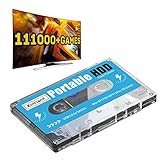
- 【Plug and Play】: No need for any drivers, just a data cable connection, the computer will instantly turn into a game console, you can enjoy the joy of games anytime, anywhere.
- 【111000+ Games】: 84 game collections and simulators are pre-installed, 111000+ games including 5000+ 3D games are built-in. You can also add games yourself, which is very convenient.
- 【Batocera 33 System】: The latest Batocera 33 system is pre-installed, which can be directly read in the Windows system, which is convenient for adding and deleting games.
- 【Wide Compatibility】: The 500G HDD is compatible with Windows XP, Windows Vista, Win7-10/Mac OS 10.2, suitable for PC, Laptop, etc.
- 【USB 3.0 High-speed Transmission】: USB 3.0 interface, fast transmission, save more time, backward compatible with earlier versions such as USB2.0, this HDD hard drive supports 26 languages, English, French, German, etc.
| Question | Safe answer |
|---|---|
| Is it part of Windows | No |
| Is it DirectX itself | No |
| Where should it be | In the affected game’s own plugin folder |
| Should it be registered | No, not as a normal game-rendering plugin |
| Safest replacement source | Steam file verification or the game’s official installer |
| Common related games | NEKOPARA titles, although binaries may differ between releases |
A typical error may say:
DirectX initialization failed, requires the latest version of DirectX. Cannot load plugin drawdeviceD3DZ.dll.
That wording can be confusing. The game is reporting that its rendering plugin could not initialize, possibly because the plugin is missing a legacy DirectX dependency. It does not prove that drawdeviced3dz.dll is a Microsoft file.
Start by checking the game folder
Before changing Windows components, determine whether the file exists.
- Open Steam.
- Select Library.
- Right-click the affected NEKOPARA title.
- Select Manage.
- Choose Browse local files.
- Open the
pluginfolder. - Look for
drawdeviced3dz.dllordrawdeviceD3DZ.dll.
If the file is absent, the installation is missing or damaged. If the file is present but the game says it cannot load the plugin, continue with the DirectX repair below.
Do these 3 things before closing this tab:
1Clear out junk files and repair common Windows errors2Fix the driver behind crashes, sound loss and screen glitches3Repair Windows errors before they cause bigger problemsDo not move the file while testing. A game usually searches its own installation folders, and placing the DLL elsewhere can create a different loader error.
Fix 1: Verify the Steam installation
This is the correct first fix for a missing or corrupted game plugin.
- Open Steam.
- Open Library.
- Right-click the NEKOPARA game.
- Select Properties.
- Select Installed Files.
- Click Verify integrity of game files.
- Wait for Steam to complete the scan.
- Restart Steam, then launch the game.
Steam compares the installed files with the copy associated with the game. If drawdeviced3dz.dll is missing or damaged, Steam may download a replacement.
How to tell whether verification worked
Check the game’s plugin folder again. The file should be restored by the game installation, not downloaded separately. Launch the game before reinstalling any translation, adult-content or graphics patch.
The Tool Desk
Outbyte PC Repair FREERepair Windows errors before they cause bigger problemsFix Now →Outbyte Driver Updater FREEFix the driver behind crashes, sound loss and screen glitchesFind Drivers →If Steam reports that files were repaired but the same error remains, proceed to the DirectX runtime step. If the file is still absent, uninstall and reinstall the affected title.
Rank #2

- Plug & Play. Easy to use, powered by USB port. No external driver or power adapter needed. Simply plug it into your USB port for automatic detection. For optimal performance on desktop computers, connect directly to a high-power USB port on the back of the motherboard. This hassle-free solution requires no technical setup, and if the drive isn't immediately recognized, trying a different USB port typically resolves most connection issues
- High Speed & Reliable Performance. Compatible with USB 3.0 (backwards compatible with USB 2.0), this drive delivers fast data transfer speeds up to 5Gbps. Engineered with strong fault tolerance, it minimizes freezing, skipping, and errors during disc playback or burning. The stable performance ensures smooth, reliable operation and reduces the risk of defective performance
- Intelligent Tech & Stable Connection. Features a physical eject button that safely releases discs even when your computer fails to recognize the drive—eliminating the common frustration of stuck media. Enhanced with copper mesh technology, this external component ensures consistently stable data transmission during all your reading and writing tasks
- Trendy & Practical Design. Features a brushed texture shell for modern visual and tactile appeal. The innovative embedded cable design keeps your USB cable securely stored and always accessible, eliminating worries about misplacement. This compact, all-in-one solution is perfectly suited for easy transport and organized storage
- Wide Compatibility. This external USB CD/DVD drive works with Windows 11/10/8.1/7/Vista/XP, Linux, and macOS 10.16+ (MacBook Pro/Air, iMac, Mac mini). Compatible with most laptops/desktops (HP, Dell, Lenovo, ASUS, Samsung). For optimal performance on desktops, connect to rear USB ports. Supported formats include CD-ROM/R/RW, DVD-ROM/R±RW/R±DL, and VCD. IMPORTANT: Not compatible with ChromeOS, smartphones, tablets, TVs, projectors, vehicles, or Blu-ray/4K discs. Please verify your device type before purchasing
Fix 2: Reinstall the legacy DirectX components
Current Windows versions include the modern DirectX components needed by newer applications, but older games can also require side-by-side libraries from earlier DirectX releases. Installing the latest DirectX through Windows Update does not necessarily install these optional legacy components.
Microsoft’s DirectX End-User Runtimes (June 2010) package is the appropriate choice for this type of compatibility problem. The publisher’s NEKOPARA troubleshooting guidance also points users toward the DirectX End-User Runtimes for DrawDevice and DirectX errors.
To install the offline package:
- Close NEKOPARA.
- Exit Steam completely.
- Download the Microsoft June 2010 package.
- Run
directx_Jun2010_redist.exe. - Choose a temporary extraction folder when prompted.
- Open that folder in File Explorer.
- Run
DXSETUP.exe. - Follow the installer prompts.
- Restart Windows.
- Open Steam and launch the game.
The package installs legacy side-by-side components, including older D3DX, HLSL Compiler, XInput and XAudio components. It does not replace the core Direct3D runtime built into Windows, and it does not recreate a missing game plugin.
Microsoft also provides a DirectX End-User Runtime Web Installer. The June 2010 redistributable is generally more convenient when you want the complete offline installer.
If the installer says DirectX is already installed
That message does not necessarily mean every legacy component required by the game is available. Restart Windows, verify the game files again, and test the unmodified installation. Do not delete existing DirectX files from Windows folders.
Fix 3: Remove incompatible patches and modifications
Unofficial translation, adult-content, graphics and engine patches can replace executables or plugin files. A patch made for one NEKOPARA release may not work with another release or storefront build.
Use this repair order:
- Disable or remove the unofficial patch according to its own instructions.
- Open Steam and run Properties > Installed Files > Verify integrity of game files.
- Launch the original game without modifications.
- If it works, check that the patch explicitly supports your exact title and game version.
- Reinstall the patch only after creating a backup of your saves and confirming compatibility.
If the error began immediately after a patch, treat the modified files as the leading suspect. Verification restores the official files, but it may also remove the patch.
Fix 4: Check antivirus quarantine
Security software may quarantine a game plugin, particularly after a definition update or a change to the game’s files.
In Windows Security:
- Open the Start menu.
- Search for Windows Security and open it.
- Select Virus & threat protection.
- Select Protection history.
- Review recent entries for the NEKOPARA installation.
- Expand an entry to see its path and action.
- Restore or allow the file only if you have confirmed that it came from the legitimate game installation.
Microsoft warns that allowing a genuine threat can put the device at risk. If you are unsure why the file was quarantined, do not restore it manually. Remove the game installation, scan the computer, and reinstall the title through its official storefront.
Rank #3
![Electronic Arts Battlefield 1 - PC [NO DISC]](https://m.media-amazon.com/images/I/51451lEjvSL._SL160_.jpg)
- Epic 64-Player Multiplayer Battles - Squad up with your friends and join in the most epic multiplayer battles in FPS history with up to 64 players. Fight as infantry, lead horse charges or take control of amazing vehicles on land, air and sea, from tanks and biplanes to the gigantic Behemoths
- Experience the Dawn of All-out War - Be a part of the greatest battles ever known to man. From the heavily defended Alps to the scorching deserts of Arabia, war is raging on an epic scale on land, air and sea as you witness the birth of modern warfare
- No Battle is Ever the Same - Dynamic weather and intuitive destruction create an ever-changing landscape. Make your mark on the world with earth-shattering destruction, whether you're blasting craters in the ground with artillery strikes or ripping apart walls with gunfire
- Push the Frontline in Operations - Take part in a series of inter-connected multiplayer battles spread across multiple maps in the new Operations. Attackers must break through the lines of defenders, and push the conflict onto the next map
- Massive Behemoths - Pilot some of the largest vehicles in Battlefield history. Rain fire from the sky in a gargantuan Airship, tear through the world in the Armored Train, or bombard the land from the sea in the Dreadnought
After restoring a legitimate file, run Steam’s file verification so the installed copy is checked again.
Fix 5: Understand the missing-file and unloadable-file difference
These two errors need different remedies.
The DLL is missing or was not found
If drawdeviced3dz.dll is not in the game’s plugin folder, repair the game files or reinstall the game. A DirectX installer cannot supply this game-specific plugin.
Also check whether antivirus software removed it. Do not solve this symptom by copying a similarly named file from another game or from a DLL download site.
The DLL is present but cannot load
If the file exists and the game reports “Cannot load plugin,” the problem may be a missing legacy DirectX dependency, a damaged plugin, mismatched game files or an incompatible patch.
Install the June 2010 DirectX runtime, verify the game files, remove modifications and test again. A file can be present but still fail when Windows cannot load one of its dependencies.
Fix 6: Repair Windows components only when other programs also fail
Windows repair commands are not the normal solution for a missing NEKOPARA plugin. Use them when multiple applications show system-component errors, Windows files appear damaged, or the DirectX installer and other programs fail unexpectedly.
What’s actually slowing this PC down?
Pick the symptom - the matching free tool is one click away.
First, open an elevated Command Prompt:
- Open Start.
- Type
Command Prompt. - Right-click Command Prompt.
- Select Run as administrator.
- Approve the User Account Control prompt.
Run DISM first:
DISM /Online /Cleanup-Image /RestoreHealth
Wait for it to finish. Then run System File Checker:
sfc /scannow
Restart Windows after both commands complete, then test NEKOPARA again.
DISM and SFC repair protected Windows components. They will not recreate drawdeviced3dz.dll in the game’s plugin folder, so verify or reinstall the game if that file is absent.
Rank #4

- Plug & Play Function with Simple Operation for All Users: No extra drivers or complicated installation steps are required for this external cd drive and external dvd drive. Just connect the cd burner for laptop to your computer’s USB 3.0 or Type-C port, and the device will be automatically recognized instantly. Designed with user-friendliness in mind, this dvd player for laptop and cd reader for laptop is suitable for both tech beginners and professional users. To ensure stable operation and sufficient power supply, we recommend direct connection to the computer’s original USB port instead of USB hubs or extension cables, bringing you a hassle-free using experience.
- Wide System & Device Compatibility for Universal Use: This external cd drive for laptop and cd burner for laptop delivers broad compatibility with multiple operating systems including Windows XP, Vista, 2000, ME, 7, 8.1, 10, 11, Linux and all macOS versions. It works perfectly with mainstream computer brands such as Apple, Dell, HP, Lenovo, ASUS, Samsung and more. This external cd/dvd drive for laptop is only compatible with laptops, desktop computers, all-in-one PCs and mini PCs. For better reading stability, desktop users are suggested to plug it into the rear USB port of the computer case. Please note that it is not compatible with TVs, tablets and in-car entertainment systems.
- High-Speed Transmission: Built with USB 3.0 and Type-C interfaces, high-performance external cd drive for laptop delivers fast data transfer speeds up to 5Gbps for quick disc reading and writing. This versatile external cd/dvd drive for laptop works with mainstream disc formats like DVD+R, DVD-R, CD-R, and CD-RW, boasting 8X max DVD read speed and 24X max CD read/write speed. It doubles as a functional cd burner for laptop to meet your daily disc operation needs. and an extra USB power cable is included to fix insufficient power issues for stable reading (power cable only for power supply, no data transfer). Note: It does not support DVD-RAM, Blu-ray discs and proprietary formats.
- Multifunctional & Stable Performance with Anti-Shock Technology: Equipped with intelligent error correction and anti-shock protection technology, this multifunctional external cd/dvd drive for laptop supports professional disc reading, writing and burning functions, serving as a practical cd burner, cd reader for laptop and dvd player for laptop. It effectively reduces reading errors and ensures smooth and stable disc operation during use. If the device fails to recognize discs or cannot read files, you can restart the computer or replace with standard CD-R/DVD-R discs for a retry. The thoughtful pop-up button and hidden built-in cable design greatly improve daily usability and portability.
- Slim Portable & Integrated Cable Design for Easy Carry: The lightweight external CD/DVD drive for laptop features a ultra-slim body and premium matte finish, paired with a practical built-in cable design for plug-and-go convenience. As a portable external cd drive and external dvd drive, it boasts durable construction and a compact size that fits effortlessly into laptop bags, taking up minimal space. This versatile cd reader for laptop and dvd player for laptop is an ideal daily companion for home entertainment, data backup, movie viewing, software installation, office work and business travel, allowing you to access and enjoy your CD and DVD collections anytime and anywhere.
Repeating SFC and DISM without knowing what changed can make troubleshooting slow. Outbyte PC Repair can perform a free scan that shows reported issues, while repair is handled by the full version; reinstalling the affected NEKOPARA title remains the definitive fix for a missing game plugin.
Free tools Windows power users keep installed
One-click scans. No signup required.
Fix 7: Update or reinstall the graphics driver
A graphics driver problem is less likely than a missing game file or legacy runtime, but it becomes more plausible if other games also fail to initialize graphics.
To check for driver updates through Device Manager:
- Right-click the Start button.
- Select Device Manager.
- Expand Display adapters.
- Right-click your graphics adapter.
- Select Update driver.
- Choose Search automatically for drivers.
- Install an offered update and restart Windows.
If the error began after a driver update:
- Return to Device Manager.
- Expand Display adapters.
- Right-click the graphics adapter.
- Select Properties.
- Open the Driver tab.
- Select Roll Back Driver if the option is available.
- Restart Windows and test the game.
Microsoft provides further driver guidance. Avoid driver packages from unofficial download pages.
Manually identifying which of many installed drivers is stale can take time. Outbyte Driver Updater offers a free scan showing reported driver issues, while driver installation is handled by the full version; it is optional, and it cannot replace repairing the NEKOPARA installation.
Crashes, No Sound, or Screen Glitches?
Random freezes, missing sound and display glitches usually trace back to one bad driver. Find and replace yours safely.Free scan · under a minuteWindows Errors? Fix Them Before They Spread
Repair common Windows errors and clear accumulated junk for a smoother, more stable PC - no reinstall needed.Free scan · no reinstall32-bit and 64-bit Windows
A 64-bit Windows installation can run a 32-bit game. That does not mean a game-local plugin belongs in SysWOW64, and it does not mean the file should be copied into System32.
On 64-bit Windows:
System32contains 64-bit system binaries.SysWOW64contains 32-bit system binaries.- Neither folder is the proper default location for
drawdeviced3dz.dll.
The file’s official architecture has not been verified from a developer manifest. Follow the game’s folder structure rather than guessing from the Windows architecture.
What not to do
Do not download the DLL separately
Random DLL sites may provide malware, the wrong build, the wrong architecture or a file with incompatible dependencies. Even a genuine-looking replacement may not match the game’s version.
Use Steam verification, the official game installer and Microsoft’s DirectX packages instead.
Recommended Free Tools
Do not copy it into System32 or SysWOW64
The game expects its plugin in its own installation directory. Copying it into a Windows folder does not repair the original installation and can make future troubleshooting harder.
Do not use regsvr32
regsvr32 is for DLLs that expose registration entry points such as DllRegisterServer. A game-rendering plugin is normally loaded directly by the game and is not registered as a Windows component.
Best Value

- FlightGear Flight Simulator is a highly sophisticated, detailed and ultra-realistic flight simulation which includes 20,000 real airports worldwide! You have the freedom to fly anywhere, anytime, night or day, and experience the ultimate flight simulation! IMPORTANT - THIS IS A PROFESSIONAL SIMULATOR, NOT AN ARCADE GAME. You will be required to read the PDF manuals included to learn how to use the simulator and fly. Multilingual - English, Spanish (Español) and more languages supported.
- With over 600 aircraft included, this flight simulator gives you more aircraft than you could possibly learn to fly in a lifetime! Fly from lightweight aircraft to huge commercial jumbo jets, military planes, helicopters and even airships! Hundreds of aircraft are included with new aircraft added regularly which you can download for free! 1000+ aircraft liveries are also available as free downloads along with all future updates of the simulator!
- Multi-platform edition disc compatible with Microsoft Windows 11, 10 and macOS from 11 to latest. IMPORTANT: RECOMMEND SYSTEM SPEC - CPU: Quad-core / RAM: 6GB / GPU: 2048MB VRAM / HDD: 5GB minimum / Internet required. Regardless of operating system compatibility, if the rest of your computer does not meet required spec then it may not be compatible, so please check your computer specs before purchase.
- PixelClassics disc content includes 500 aircraft (600+ total with downloads), access to 1000+ liveries, FULL worldwide scenery, easy-to-use PixelClassics installation menu (PC only), installation guide, first flight guide, 200+ page user manual, email support and more! To ensure you receive exactly as advertised including all extras, please choose PixelClassics. All our discs are checked and scanned 100% virus-free, and backed up by our dedicated email support.
- PLEASE NOTE: This is NOT ‘MS’ flight simulator, this is FLIGHTGEAR flight simulator exactly as advertised and described. It includes all the excellent features as listed, including 600 aircraft which is at least 570 more than you get with any other flight simulator by default! This is a professional simulator and will require reading of the manual included on disc to learn how to fly.
Do not run commands such as:
regsvr32 drawdeviced3dz.dll
This will not install the plugin’s missing dependencies and may produce an unrelated registration error.
Do not install Visual C++ as a substitute for the game DLL
The Microsoft Visual C++ 2010 x86 redistributable may be relevant to separate MSVC runtime errors, but there is no evidence that it supplies drawdeviced3dz.dll.
Quick wins for a faster PC:
Fix the driver behind crashes, sound loss and screen glitchesFind Drivers →Clear out junk files and repair common Windows errorsFree Scan →If the error still remains
Use a clean troubleshooting state:
- Verify the game files.
- Install the June 2010 DirectX runtime.
- Check antivirus Protection history.
- Remove unofficial patches.
- Restart Windows.
- Test the original game again.
If the file exists but still will not load, inspect Event Viewer for an application error:
- Right-click Start.
- Select Event Viewer.
- Open Windows Logs.
- Select Application.
- Find the entry created at the time of the failed launch.
If the problem began after a driver, Windows update or software installation, System Restore may help. Press Win + R, type rstrui.exe, press Enter, and follow the restore-point instructions. System Restore rolls back system settings and installed programs without normally removing personal files.
For further support, provide:
- The exact NEKOPARA title
- The storefront used
- The complete error text
- Whether the DLL exists in the game’s
pluginfolder - Any recent translation, adult-content or graphics patch
- Relevant antivirus history
- Your Windows version
- Whether other games have graphics or DirectX errors
That information distinguishes a missing game file from a dependency, patch, security or Windows problem without resorting to unsafe DLL downloads.
FAQ
Is drawdeviced3dz.dll a Microsoft DirectX file?
No. It is a game-bundled plugin associated with NEKOPARA. The game may need legacy DirectX components to load it, but the DLL itself is not a standalone Microsoft DirectX download.
Which games use it?
Reports associate the filename with NEKOPARA Vol. 1, Vol. 2, Vol. 4, Extra and newer releases. Do not assume every release uses an identical binary.
Can I reinstall DirectX?
You can install Microsoft’s legacy side-by-side DirectX runtime. This supplements Windows rather than replacing the modern Direct3D components. It will not restore a missing game plugin.
Should I register the file with regsvr32?
No. A normal game-rendering plugin is loaded by the game, not registered in the Windows registry.
What is the safest fix when the file is missing?
Verify the affected game’s files through Steam. If verification does not restore it, reinstall the game and test it before adding unofficial patches.
What’s actually slowing this PC down?
Pick the symptom - the matching free tool is one click away.
Quick Recap
Product prices and availability are accurate as of the date/time indicated and are subject to change. Any price and availability information displayed on Amazon at the time of purchase will apply.



