Free tools Windows power users keep installed
One-click scans. No signup required.
Some links on this page are affiliate links: if you buy through them we may earn a commission, at no extra cost to you.
The Statial.b is a real, functioning mouse—but it is not a gaming peripheral you can simply order and plug in. Created by Charlie Pyott of PyottDesign, it is an open-source, self-built prototype whose hand-contact surfaces can be repositioned and locked to explore different grips, including palm, claw, fingertip and vertical-style configurations.
That makes it less a guaranteed competitive advantage than an unusually ambitious ergonomic experiment. Building one requires resin 3D printing, custom PCBs, soldering, Arduino firmware, mechanical adjustment and patience. The reward is a mouse shape that can be tuned around your hand rather than a fixed shell you must adapt to.
What is the Statial.b?
The Statial.b is the follow-up to PyottDesign’s original Statial concept. It was designed from scratch as an adjustable DIY mouse rather than as a conventional commercial mouse shell built around a donor product. The project files and documentation are available through the Statial.b GitHub repository and the creator’s project page.
What’s actually slowing this PC down?
Pick the symptom - the matching free tool is one click away.
Its central idea is simple: instead of choosing one standardized mouse shape, you reposition the surfaces supporting your palm, fingers and thumb until the geometry suits your hand. The project is open-source and buildable, but it remains a prototype. It is not a mass-produced product with a warranty, factory calibration or commercial support.
#1 Best Overall

- Please note: The set does not include a 3d printing model, only provides all the basic hardware to build a custom mouse model and tools. To complete the entire assembly, please visit Makerrworld to download the model file and print the remaining components, search keywords: Mouse 002
- Package Include: 1* Mainboard,1* Mouse scroll wheel, 1* Optical lens , 1* Receiver ,2 * power supply holder with leads(You will need your own power-supply) , 1* Toggle switch ,6*screw ,4 * Mouse skate and 1* Screwdriver
- Easy to install and use, plug the receiver into the USB-port of your device after installing the motherboard. No need for complex softwaree or drivers
- Wide Compatibility: Suitable for Winddows,Linuxx and Macc-OS,fits desktoops,laptoops,macboooks or daily use of office
- If you need another spare accessory: 184×184mm print bed 257×257mm smooth pei h1h build plate - upgrade cleaning nozzle wiper brush - 2510 or hot end motor cooling fan and control board fan - extruder motor - x y z axis belt - gear assembly - AMS heated board - Hall switch board - ceramic heater or thermistor - 0.4mm nozzle - LED backlight board or LED DIY multi color light- screw kit etc, please welcome
How the adjustment system works
The mouse’s hand-contact surfaces sit on articulated mechanisms. They can be repositioned across multiple directions, including height, pitch, roll and lateral position, then locked using set screws. A small hex wrench is included in or stored with the design for making those adjustments.
“Completely adjustable” should not be read as literally unlimited. The usable range is constrained by the printed parts, fasteners, electronics, cable routing and the dimensions of your hand. Extreme positions can also affect button access, stability and comfort.
The sensible tuning method is to begin close to the shape of a normal mouse, then change one surface at a time in very small increments. Coverage of the project describes adjustments on the order of roughly 1 mm or 1 degree being noticeable. That makes the Statial.b powerful as an ergonomic experiment, but also means it is unlikely to feel perfect immediately after assembly.
Grip configurations you can explore
The project documents several starting points rather than a short list of permanent presets:
- Variable palm: A relatively compact setup that can be expanded for larger hands.
- Stubnose claw: The buttons can be pitched forward to better follow claw-grip finger movement.
- Backless finger: Removing the rear surface creates a more fingertip-oriented configuration.
- Ergo vertical: Surfaces can be arranged at approximately a 40-degree angle to approximate a vertical mouse.
These are starting configurations. The more interesting possibilities are the intermediate shapes between them: a palm grip with less rear contact, a claw setup with a different thumb angle, or a vertical arrangement that is less extreme than a conventional vertical mouse.
Hardware inside
The documented design uses a gaming-oriented component set:
Rank #2

- 『SENSITIVE DPI MMO MOUSE』Focus on MMO gamers: this professional MMO gaming mouse built-in up to 16400 DPI, 12000 FPS, 1000 Hz polling rate, 30G acceleration, 100-150in/s cursor speed, and a high precision Avago sensor. It has an adjustable sensitivity level (range from 200 - 16400) built right into the gaming mouse. You can easily adjust the mouse sensitivity using buttons on the mouse. Great micro switches provide crisp, firm clicks.
- 『FULLY CUSTOMIZABLE MOUSE & RGB BACKLIT』Venus MMO wired gaming mouse with multiple programmable buttons (included 12 side buttons), 5 custom profiles each with 5 LED RGB colors backlit modes for quick identification of profiles and additional options for over 16 million LED RGB colors. The LED breathing light can be disabled according to your preference. Special Setting Switch Button on the bottom of the wired gaming mouse allows you to execute the switch profile command with maximum efficiency.
- 『PROGRAMMABLE MOUSE BUTTONS』All the macro buttons allow you to customize the functions to your specific needs and can be easily mapped to any of the usual keyboard keys, combos. Venus MMO gaming mouse with side buttons can be mapped to what will best fit your style of play are placed within easy reach of your thumb. “Auto Fire button" is a convenient key for most games that can optimize your preferences. It makes gaming so much easier and even has the ability to increase your level of gameplay.
- 『PRECISE CONTROL IN YOUR HAND』Venus MMO mouse is also an adjustable weighted mouse that comes pre-assembled with (2. 4g) x 8 weights inside. 12 buttons on the side are angled and can be positioned faster by touch alone. The Venus gaming mouse has a nice rest place on the left where your thumb can rest when not active. Comes with two durable smooth TEFLON feet pads for the bottom of the mouse to make the mouse slide better and bring the ultimate gaming experience for you.
- 『COMFORTABLE SHAPE & TEXTURED GRIP』 Ergonomic Right-Handed design with the frosted painting surface avoids hand sweat and slippery. The shape and texture on the mouse are extremely comfortable in the hand and the size is suited for most. That can keep your grip firm during gameplay. 6ft braided-fiber cable with gold-plated USB connector ensures greater durability. 18-Month Manufacturer's Promise.
- PixArt PMW3389 optical sensor, described by the project as a 16,000 DPI sensor.
- Arduino-compatible 5 V / 16 MHz Pro Micro controller.
- TTC rotary encoder for scrolling.
- Five mouse switches.
- NeoPixel RGB LED.
- Custom bridge and middle-routing PCBs.
- USB connection using a micro-USB-related cable or connector arrangement.
The PMW3389 gives the project credible gaming hardware, but a sensor’s maximum DPI is not a measurement of overall mouse performance. Tracking also depends on firmware, implementation, surface compatibility, lift-off behavior, polling behavior, cable management and assembly quality. The available project material does not establish click latency, polling rate, sensor smoothing, long-term durability or competitive-game performance.
Recommended Free Tools
Nor should the Statial.b be confused with a modern premium wireless mouse. The documented design is wired, manually assembled and substantially more experimental than a factory-built product.
What you need to build one
The printed parts require a resin 3D printer. PyottDesign recommends Tough or ABS-like resin and cautions that the design probably will not work correctly with an FDM printer. The bill of materials lists approximately 170 mL of resin.
Material choice matters because the adjustable arms, joints, screw interfaces and thin structural sections must survive repeated movement and tightening. Brittle standard resin can crack around holes or joints, while poor printer calibration can cause parts to bind or develop excessive play. Washing, curing, support removal, sanding and fit checking are functional steps, not merely cosmetic finishing.
The electronics and mechanical parts include a PMW3389 sensor, Pro Micro, custom PCBs, switches, encoder, RGB LED, M2 button-head screws, M2.5 set screws and nuts, 1/8-inch aluminum tube stock, Logitech G Pro-style mouse glides, PH connectors, right-angle board connectors, 2.54 mm headers, six-conductor 28-gauge silicone ribbon wire and USB components. The current repository and BOM should be treated as the source of truth because component links and availability can change.
Tools and skills
- Accurate resin printing and post-processing.
- Soldering and basic electronics troubleshooting.
- A multimeter.
- A PH crimping tool.
- Arduino board and firmware setup.
- Mechanical fitting and problem-solving.
The firmware is an Arduino sketch derived from the Ben Makes Everything PMW3389 mouse project, which incorporates work from Dkao’s trackball project and MrJohnk’s PMW3389 code. The broad workflow is to obtain the current files, assemble the electronics, connect the Pro Micro by USB, configure the compatible Arduino board, compile and upload the sketch, then test movement, buttons, scrolling and lighting.
Rank #3

- Pentakill, 5 DPI Levels - Geared with 5 redefinable DPI levels (default as: 800/1200/1600/2400/10000), easy to switch between different game needs. Dedicated demand of DPI options between 100-10000 is also available to be processed by software.
- Any Button is Reassignable - 6 programmable buttons are all editable with customizable tactical keybinds in whatever game or work you are engaging. 2 side macro buttons offer you a better gaming and working experience.
- Comfort Grip with Details - The skin-friendly frosted coating is the main comfort grip of the mouse surface, which offers you the most enjoyable fingerprint-free tactility. The left side equipped with rubber texture strengthened the friction and made the mouse easier to control.
- 8 Decent Backlit Modes - Turn the backlit on and make some kills in your gaming battlefield. The hyped dynamic RGB backlit vibe will never let you down when decorating your gaming space, it would be better with other Redragon accessories with lights on.
- Fatigue Killer with Ergonomic Design - Solid frame with a streamlined and general claw-grip design offers each gamer a satisfying and comfortable gaming experience with less fatigue even though after hours of use.
Exact board-package versions, pin assignments and Arduino menu labels can change. Follow the current repository instructions rather than treating an older guide as authoritative.
How difficult is the build?
This is considerably more involved than printing a shell and installing a donor mouse PCB. The project combines precision resin mechanisms, custom boards, hand wiring, soldering and firmware.
- New to 3D printing: A poor fit without an experienced mentor.
- Experienced printer user with no electronics background: Possible, but the PCB, wiring and firmware create a major learning curve.
- Electronics or mouse hobbyist: A plausible project if you can produce accurate resin parts and source compatible components.
- Competitive player seeking an immediate upgrade: A poor fit, because the construction and tuning process are the point of the project.
Cost: approximately $200, but not as a current fixed price
The creator gave an estimate of approximately $200 in 2024 U.S. dollars for build materials, excluding tools. That is not a guaranteed August 2026 total. Recalculate from the current BOM before starting.
Do these 3 things before closing this tab:
1Scan for outdated or missing drivers - takes under a minute2Clear out junk files and repair common Windows errors3Fix the driver behind crashes, sound loss and screen glitchesThe final cost can rise through failed prints, resin and wash supplies, PCB minimum order quantities and shipping, replacement fasteners, spare electronics, soldering and crimping tools, and component substitutions. If you need to buy a resin printer and wash-and-cure equipment, the project can cost substantially more than the materials estimate.
Independent reader supportYour contribution helps us test, update, and keep practical guides available for everyone.The biggest compromises
It is heavy
The completed design can weigh up to approximately 130 grams, depending on the components used. That is a meaningful disadvantage for players accustomed to lightweight esports mice. The Statial.b prioritizes adjustable geometry over minimal mass.
It is more fragile than a commercial mouse
Printed joints, screw interfaces and manually fitted mechanisms do not offer the same durability confidence as a factory-produced shell. Incorrectly cured resin can crack, over-tightened set screws can damage parts, and repeated adjustments can wear interfaces. Two builds may also differ because of printer calibration, resin choice and assembly quality.
Rank #4
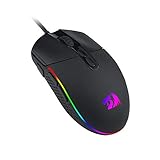
- 5 Adjustable DPI Levels and 4 Polling Rate - M719 mouse is designed with 5 DPI levels available: DPI 400/800/1600/2400/4000. easy to switch between different game needs. DPI can be adjusted freely by ±100 from 100 to 10000 via software to meet all your needs. 4 polling rate is adjustable: 125Hz/250Hz/500Hz/1000Hz, high polling rate ensures a smooth and fast movement.
- Any Button is Reassignable - 8 programmable buttons are all editable with customizable tactical keybinds in whatever game or work you are engaging. 1 rapid fire + 2 side macro buttons offer you a better gaming and working experience.
- 8 Decent RGB Backlit Modes - Turn the backlit on and make some kills in your gaming battlefield. The hyped dynamic RGB backlit vibe will never let you down when decorating your gaming space, it would be better with other Redragon accessories with lights on.
- Comfort Grip - The ergonomic bumps on both sides makes gaming mice fit in any hands. It provides long-lasting comfort for players, without fatigue even during long hours of intense gameplay. It won’t slip when lifting the gaming mouse, or making fast and precise swipes.
- The Choice Of Die-hard Gamers - Whether you are targeting, aiming, slashing or attacking, a professional gaming mouse is your best weapon! The mouse will be your ideal partner. Perfectly compatible with Windows XP/Vista/Win7/Win8/Win10/ME/2000/Mac, etc.
It remains wired and experimental
Cable routing can restrict movement or create drag, especially in unusual configurations. A configuration that feels comfortable at a desk may not remain stable during rapid gaming. You may also need to troubleshoot intermittent switches, sensor wiring, connector orientation, USB recognition or firmware uploads.
Common failure points
- Mechanical: Parts bind when tolerances are wrong, or develop play when printed inaccurately.
- Resin: Brittle or poorly cured material cracks around screw holes and joints.
- Electronics: Bad solder joints or incorrect connector orientation cause intermittent buttons, sensor faults or dead lighting.
- Firmware: A Pro Micro clone may use a different bootloader or require different board settings. A USB cable may provide power without reliable data.
- Ergonomics: Changing several surfaces at once makes it difficult to identify what improved or worsened the fit.
If you build one, record each configuration, change one surface at a time and test both ordinary desktop use and gaming. Keep spare parts or be prepared to reprint components. Comfort should be judged after the novelty wears off, not after a few minutes of handling an unusual shape.
Is it suitable for hardcore gaming?
It is gaming-capable in the basic sense: it has an optical mouse sensor, conventional buttons, a scroll encoder and a USB connection. Its adjustable geometry may also help a player who has never found a comfortable fixed mouse shape.
But there is no evidence here of a universal aiming advantage, tournament use or superior competitive performance. The weight, cable, potential mechanical flex, unfamiliar configurations and prototype fragility may be disadvantages. A vertical-style setup could change wrist posture while making aiming and button access feel less familiar.
The strongest value proposition is experimentation. The Statial.b lets you investigate hand positions and shapes that commercial mice do not normally offer. It does not prove that a particular configuration will improve accuracy, comfort or endurance for every player.
Who should build the Statial.b?
Choose it if you:
- Have access to a capable resin printer.
- Enjoy iterative mechanical projects.
- Want to explore unusual grips or solve a persistent fit problem.
- Can solder, flash Arduino firmware and debug hardware.
- Accept a heavy, wired, prototype-like mouse.
- Value customization more than immediate convenience.
Avoid it if you:
- Want a finished mouse that works immediately.
- Need a lightweight esports mouse.
- Do not have access to resin printing.
- Dislike soldering, firmware setup and mechanical troubleshooting.
- Need commercial durability, warranty service or replacement support.
- Want measured competitive gains rather than an ergonomic research project.
How it compares with the alternatives
| Alternative | What you gain | What you give up |
|---|---|---|
| Commercial ergonomic gaming mouse | Immediate usability, support and predictable construction | Fixed geometry and limited experimentation |
| Adjustable commercial mouse | Some customization without fabrication | A narrower adjustment range |
| Custom donor-mouse shell | Less electronics work and potentially lower complexity | Less freedom than the Statial.b’s purpose-built mechanisms |
| Vertical mouse or trackball | A different wrist posture or movement model | Less conventional for fast aiming and no multi-surface tuning |
Verdict
The Statial.b is best understood as an open-source ergonomic platform, not a plug-and-play gaming mouse. Its adjustable surfaces make it genuinely unusual and potentially valuable for makers or players who cannot find a comfortable conventional shape. Its PMW3389 sensor and standard mouse controls make the concept credible as an input device.
However, the project demands a resin printer, electronics work, firmware setup and repeated tuning. It can weigh up to about 130 grams, may be fragile, and has no documented proof of superior competitive performance. Build it because you want to explore mouse ergonomics and make something unique—not because “16,000 DPI” or adjustability guarantees faster aim.
Quick Recap
Product prices and availability are accurate as of the date/time indicated and are subject to change. Any price and availability information displayed on Amazon at the time of purchase will apply.

