The Tool Desk
Outbyte PC Repair FREEClear out junk files and repair common Windows errorsFree Scan →Outbyte Driver Updater FREEFix the driver behind crashes, sound loss and screen glitchesFind Drivers →Some links on this page are affiliate links: if you buy through them we may earn a commission, at no extra cost to you.
Steam Error Code 105 (sometimes shown as -105) usually means the client could not load a Store, Community, profile, or other web page. It points to a connection problem—not proof that your games or Steam library are corrupted. Check whether the issue is widespread, then work through these five low-risk fixes before considering more disruptive steps.
Quick diagnosis: where does Steam Error 105 occur?
| What you see | Likely area to investigate | Start here |
|---|---|---|
| Only the Store or Community page fails in Steam | Steam’s embedded web data, client settings, or a blocked Steam domain | Clear Steam web data, then flush DNS |
| Steam and ordinary websites both fail | Your connection, router, ISP, or DNS service | Test another device and restart the router |
| Steam pages work in a browser but not in the client | Steam web data, proxy, firewall, or security filtering | Clear web data and check proxy/security settings |
| Several devices on the same network have the problem | A network, DNS-provider, ISP, or Steam-side issue | Try a different network before changing individual PCs |
| The issue began after installing or changing a VPN or security app | VPN routing, proxy configuration, or web filtering | Disconnect or pause it briefly as a diagnostic test |
Error 105 is a connectivity symptom, not a precise diagnosis. DNS problems are one possibility, but proxy settings, security software, Steam’s web data, a modified hosts file, or service trouble can produce similar failures. Steam’s own guidance lists local network configuration, conflicting software, ISP problems, and maintenance as possible factors (Steam network and sign-in troubleshooting).
1. Check Steam and your connection first
- Open store.steampowered.com and steamcommunity.com in a normal browser.
- If possible, test another device on the same Wi-Fi. You can also try a phone hotspot to see whether Steam works on a different network.
- Ask whether other people are seeing the same problem. A third-party status page or user reports can be a clue, but they do not by themselves prove Steam is down.
If websites fail on several devices on your home network, restart the router and modem: unplug them for about 30 seconds, reconnect them, and wait for the connection to return. If Steam and other sites still fail, contact your ISP or wait if there are signs of a wider service incident. If Steam works on a hotspot but not your usual network, focus on the router, ISP, DNS, or network filtering rather than reinstalling Steam.
To restart the client, choose Steam > Exit. If it remains open, check Task Manager and wait until Steam and its WebHelper processes have closed. Restart your PC, then reopen Steam. This simple reset can clear a temporary client or connection problem, but it is not a guaranteed fix.
#1 Best Overall
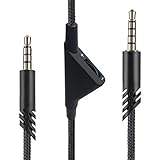
- [Inline Function] - Scroll a wheel button to control the in-line Volume. This cable has no mute mic control and no mic output function.
- [Compatibility] - Inline volume control cable is compatible with Astro A10 gaming headset and work with A40 headset.
- [Easy to Use] - 2 Meter(6.5ft) length cable compatible with PS4/PC via a 3.5mm jack.5 pole audio jack connect headset and 4 pole audio jack connect audio devices.5 pole audio jack connect headset and 4 pole audio jack connect audio devices.
- [Durable ] - The volume control cord is made of high-quality, durable, and wear-resistant nylon braided rope.
- [What You’ll Get] - 1.[1 Pack] Volume Control Cable. 2. 30 Days Worry-free Replacement or refund. 3. If there is any question, please feel free to contact us.
2. Clear Steam’s embedded browser data
Steam loads Store and Community content inside the client. Stale or corrupted web data can stop those pages from loading even when regular browser access works.
- Open Steam > Settings.
- Look under In Game or Web Browser for Delete Web Browser Data, Clear Web Browser Data, or a similarly named option.
- Confirm the deletion, close Steam completely, and start it again.
The menu location and wording can differ between Steam builds. Older instructions put the control under Settings > Web Browser; some newer client builds place it under Settings > In Game. Steam community discussions describe both paths (webpage and connection troubleshooting guide; recent discussion of the changed settings location). If you cannot find the option, update and restart the client, or move on to the next fix instead of deleting random folders.
Steam may reload the page or ask you to sign in again. Clearing this web data does not target installed games or save files.
Recommended Free Tools
3. Flush DNS and renew your Windows connection
Windows caches DNS lookups, including unsuccessful ones. Clearing that cache can help if a Steam address has a stale or failed local lookup. It does not change your DNS provider.
Rank #2

- Compatibility: The replacement 2.0M Astro A10 A40 Headset cable cord will allow you to connect your Astro A40TR or A40 gaming headset to your Xbox One controller, PlayStation 4 PS4 or PCs and Macs with a combined mic/headphone 3.5mm jack
- High Quality Materials: 3.5mm Golden Plated Audio Jack, Oxygen-free copper and gold plated connectors, nylon braided thread can prevent knotting and is more durable.100% copper wire core provides high-speed and stable clear sound signal transmission when gaming
- Volume Control Function: This headset cable can control the headphone volume through the built-in volume control wheel, creating a convenient environment for you whether you are playing games or learning. Note: This Cable is No Mute Button
- Easy to Use: Plug and play, The cable have two pole; 3.5mm 4 pole and 3.5mm 5 pole. The 4 pole connect Xbox One, Mp Player, Playstation 4, Mixamp, Smartphone, PC Splitter.; The 5 pole connect with the headset
- Nylon Braided and 6.5 FT Length: Nylon braided style not only let it look upscale and attractive but also provids maximum's durability; 2 Meter in length can be used for most scenes, games, listening to music, movies. It can also be widely used in other audio devices
- Search Windows for Command Prompt, right-click it, and select Run as administrator.
- Run these commands one at a time, pressing Enter after each:
ipconfig /flushdns
ipconfig /release
ipconfig /renew
ipconfig /flushdnsclears the local DNS resolver cache.ipconfig /releasereleases the current DHCP-assigned address.ipconfig /renewrequests updated network configuration.
The release and renew steps can briefly disconnect you, particularly on Wi-Fi. When the connection returns, restart Steam and test the Store or Community page. Microsoft documents the commands and their behavior in its ipconfig reference.
If this changes nothing, do not keep repeating the commands. An optional next diagnostic is to test a different reputable DNS provider, but first record your existing settings. Restore automatic DNS if the test does not help. Changing DNS may help when your current resolver cannot resolve a Steam domain; it will not fix a proxy, firewall block, hosts-file override, corrupted Steam web data, or a Steam-side outage.
4. Check proxy, VPN, firewall, and security filtering
Review the Windows proxy setting
- Open Settings > Network & internet > Proxy.
- Check for a proxy server, automatic configuration, or setup script you do not recognize or intend to use. Turn off an unwanted setting and restart Steam.
You can also inspect the WinHTTP proxy from an elevated Command Prompt:
Do these 3 things before closing this tab:
1Repair Windows errors before they cause bigger problems2Fix the driver behind crashes, sound loss and screen glitches3Clear out junk files and repair common Windows errorsnetsh winhttp show proxyIf it shows an unwanted proxy, this command returns WinHTTP to direct access:
Rank #3

- This audio wire is compatible with Logitech G433 / G233 / G Pro / G Pro X gaming headsets
- Gold plated 3.5mm plugs - Enhanced voice clarity and background noise reduction
- 6.5ft (2 meters) long nylon braided cable - strong and durable
- Replacement for Astro aux cable with volume control, and mute switch, same as the original cable
- Nylon braided
netsh winhttp reset proxyDo not reset proxy settings on a work, school, or otherwise managed network without permission; the proxy may be required by its administrator. Microsoft documents netsh winhttp and the effect of resetting the setting to direct access.
Test a VPN or security app safely
Temporarily disconnect your VPN and test Steam. If the client works without it, try a different VPN server or protocol, or use the VPN’s split-tunneling controls if available. If disconnecting makes no difference, reconnect it rather than leaving your usual setup changed.
Check that Steam is allowed through the firewall on the network you use. If your antivirus or security product has a web shield, you can pause that feature briefly to test, if the product allows it. Restore protection immediately afterward. If the test identifies a conflict, create a narrow Steam exception using the security vendor’s documented process instead of leaving protection disabled.
Quick wins for a faster PC:
Clear out junk files and repair common Windows errorsFree Scan →Scan for outdated or missing drivers - takes under a minuteDriver Scan →Repair Windows errors before they cause bigger problemsFix Now →Ad blockers, parental controls, custom DNS filters, and services such as Pi-hole can also block Steam domains. Check their logs or allowlists before disabling protection broadly. Unexpected redirects or ads inside Steam may indicate malware or unwanted software; use trusted security tools and follow Steam’s guidance on malware and software interference. Steam’s network troubleshooting guidance also recommends considering local configuration and conflicting programs.
Rank #4
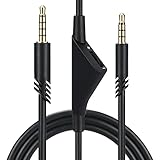
- Compatible With: Replacement aux cable for Astro A10 A40 A40 TR A50 A30 gaming Headphones, Works to Xbox-One, Car stereo, PS4, PC, tablets, laptops ,PC, smartphones and more . Length 2 Meters/ 6.5 FT
- Volume Control : Can make volume control through the volume roller wheel built-in very conveniently, Which can gain a more comfortable gaming experience
- Ultra Quality material: 3.5 mm Golden Plated Aux plug, No-Oxygen copper cord. Works perfectly and sturdy, provide a clear and stable sound transmission with high speed during your gaming and live time
- Easy to operation: There are two different size connectors , 3.5 mm 4 pole and 3.5 mm 5pole.Just plug the 5 pole into the headset and 4 pole to devices, then to play and enjoy
- Just Plug and Play : Enjoy your music time anytime, please don’t hesitate to contact us on Amazon for service if you need help or any questions
5. Reset Steam configuration and inspect the hosts file
Flush Steam’s configuration
Close Steam, press Windows + R, enter this address, and press Enter:
steam://flushconfigConfirm if prompted, reopen Steam, and sign in again if required. This is a commonly used community troubleshooting step—not a guaranteed or universally official Valve remedy. It resets some Steam configuration, so be prepared to sign in and review settings afterward. The Steam Community troubleshooting guide includes it among webpage and connection fixes.
Check for Steam-blocking entries in the hosts file
The Windows hosts file can override ordinary DNS lookups. A line that maps a Steam Store or Community domain to 0.0.0.0, 127.0.0.1, or an unrelated address could prevent the client from reaching it. User reports describe this as one possible cause, but it is not the explanation for every Error 105 case.
- Close Steam and make a backup copy of the file at
C:WindowsSystem32driversetchosts. - Open Notepad as administrator. In Notepad, use File > Open, go to that path, and choose All Files if the file is not visible.
- Look for entries that clearly block or redirect Steam domains. Remove only lines you are sure are unwanted; do not replace the whole file blindly.
- Save the file, then run
ipconfig /flushdnsin Command Prompt and restart Steam.
A hosts file can contain legitimate work, school, development, privacy, or local-network entries. If you are unsure what an entry does, leave it in place and ask the person or administrator who configured the file. A Steam Community discussion describes a hosts-file block as one reported Error 105 cause; it is anecdotal, not proof that yours is responsible.
Best Value
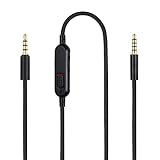
- Audio cable replacement for Logitech G Pro / G Pro X / G Pro X 2 / G433 / G233 gaming headphones
- 3.5mm(1/8") 5 poles (TRRRS) male plug to 3.5mm(1/8") 4 poles (TRRS) male plug; With inline mic mute switch and volume controller - free hands and conveniently using in gaming, listening to music and watching movies
- Premium black braided nylon and copper wire, durable and unbreakable; Gold-plated tips, make better connection, ensure pure and transparent sound quality, support sound-coloration cancellation
- Works with PS4, PS5, Switch, Xbox One, Xbox X/S, MP3 players, Laptops, PC, Cellphones, Tablets, Guitar, Amplifier and other devices with 3.5mm port interface
- Length: 2 meters( 6 feet ), wire diameter is 3.5mm
Optional test: launch Steam with -tcp
If the ordinary fixes do not help and you want to test whether the client’s usual connection path is involved, close Steam and right-click its shortcut. Choose Properties and add a space followed by -tcp at the end of the Target field. For example:
"C:Program Files (x86)SteamSteam.exe" -tcpApply the change and start Steam from that shortcut. This is a community-documented diagnostic workaround, not a claim that TCP is faster or more stable. If it makes no difference, remove -tcp from the shortcut (Steam Community troubleshooting guide).
What not to do
- Do not start with a reinstall. The first steps target connectivity and web content; reinstalling takes time and can complicate library management without addressing the cause.
- Do not delete the Steam folder or library. Deleting files can remove settings, userdata, shortcuts, or nonstandard library arrangements. It is not a routine Error 105 fix.
- Do not permanently disable your antivirus or firewall. Use only a brief test, restore protection, and add a targeted exception if appropriate.
- Do not replace the hosts file without a backup. Remove only clearly unwanted Steam-blocking entries.
- Avoid registry edits and disabling IPv6 as first-line fixes. They are not needed for ordinary troubleshooting of this symptom.
- Do not assume another DNS provider is a universal fix. It is a test for a possible resolver problem, not a repair for every cause.
When to contact Steam Support or your ISP
Stop changing local settings and escalate if the same failure persists after a restart and the relevant checks above. Use Steam Support for a client-specific issue, especially if Store or Community pages fail in both the client and a browser or the problem continues across different networks. Contact your ISP if multiple devices fail on your normal connection but work on a hotspot. On a managed network, ask its administrator about filtering or proxy policy rather than trying to bypass it.
Crashes, No Sound, or Screen Glitches?
Random freezes, missing sound and display glitches usually trace back to one bad driver. Find and replace yours safely.Free scan · under a minutePC Slower Than It Used to Be?
A free scan shows the junk files, broken settings and background clutter dragging Windows down - then fixes them in one click.Free scan · Windows 10 & 11When you report the issue, include whether the Store and Community fail in a browser, whether another device or network works, when the error began, and any recent VPN, proxy, firewall, or DNS changes. That information helps separate a Steam-side incident from a local PC or network problem. Steam’s connection troubleshooting page covers persistent sign-in and network failures.
Quick Recap
Product prices and availability are accurate as of the date/time indicated and are subject to change. Any price and availability information displayed on Amazon at the time of purchase will apply.

