A PlayStation 3 that changes from green to yellow, beeps three times, shuts down, and then flashes red has the classic Yellow Light of Death (YLOD) failure pattern. That pattern identifies a startup hardware error, not one specific bad part. Possible causes include the power supply, overheating and thermal contact, NEC/TOKIN power-delivery capacitors, voltage-regulator or board shorts, damaged solder connections, or a failing CELL/RSX processor package. A blinking red light without the brief yellow transition can instead indicate an overheating shutdown.
The safest approach is to document the exact sequence, identify the CECH model, preserve the hard drive and motherboard if data or backward compatibility matters, and obtain diagnosis before replacing parts or applying heat.

Identify the light sequence before calling it YLOD
Record what happens from standby, including beeps, fan movement, timing and the model printed on the rear or bottom label.
| Observed behavior | What it suggests | Best next step |
|---|---|---|
| Green → brief yellow → three beeps → flashing red | Classic YLOD failure pattern; the failed subsystem is still unknown. | Preserve data and arrange board-level diagnosis. |
| Red light after extended play or obvious heat, sometimes alternating red and green | Possible thermal shutdown rather than startup YLOD. | Unplug, allow it to cool, improve ventilation, then investigate fan, dust and thermal contact. |
| Immediate shutdown with little or no fan movement | Power-supply or motherboard fault is plausible, but fan behavior is only a clue. | Test the power supply and board rather than assuming thermal paste is responsible. |
| Fan starts briefly, then the console shuts down | Motherboard fault is possible. | Use diagnostic testing instead of repeated restarts. |
| Reaches the XMB but crashes or reports file-system errors | Storage or software trouble may be involved. | Back up data and consider Safe Mode. |
The original fat models are most associated with YLOD discussions, especially backward-compatible CECHA, CECHB, CECHC and CECHE systems, but later fat revisions can fail too. Slim and Super Slim consoles use different hardware. Check the model before buying a kit or donor board; the iFixit YLOD kit listing, for example, is for non-Slim systems and lists specific CECH families.
Free tools Windows power users keep installed
One-click scans. No signup required.
#1 Best Overall
What YLOD actually means
YLOD is a symptom code or failure pattern, not a component name. iFixit describes possible causes including dried thermal compound beneath the integrated heat spreader, poor cooling, bad NEC/TOKIN capacitors, shorts, power-supply faults and a defective RSX. A processor-package failure may require BGA-level chip replacement; a simple reflow cannot be assumed to cure it. See the iFixit Yellow Light of Death guide and its PS3 troubleshooting reference.
Do not equate every flashing red indicator with YLOD. Sony’s safety documentation says an overheated system can flash red, or alternate red and green; Sony’s advice is to switch it off, let it cool and move it to a well-ventilated location (CECH-4304C safety manual).
Safe checks before opening the console
- Shut the PS3 down completely and unplug the AC cable.
- Check the cable, wall outlet and power strip; reconnect directly to a known-good outlet.
- Remove unnecessary USB devices, adapters and accessories.
- If the unit was hot, let it cool fully. Put it in open air, not a closed cabinet.
- Reconnect directly to the display and power source.
- Test once while watching the indicator and listening for beeps and fan activity. Do not keep power-cycling a hot or failing console.
Stop using the system and disconnect it if it becomes abnormally hot, smells unusual, makes abnormal sounds or behaves erratically. These checks can separate an external or thermal problem from a startup failure, but they cannot repair a defective board.
Rank #2

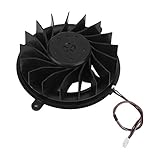
- It's a replacement Internal Cooling Fan Cooler Original version .
- The replacement Internal Cooling Fan Cooler is compatible with PS3 / Playstation3 Slim console 120G 160G 320G only.
- Professional repair skills requried.
- The Replacement Internal Cooling Fan Cooler is only for repairing your broken, damaged or defective fan of Playstation3.
- Package: 1pcs of Internal Cooling Fan Cooler
When Safe Mode helps—and when it cannot
Safe Mode is useful when the PS3 remains powered long enough to display its recovery menu and the problem involves a damaged file system, database, update or display startup. Sony lists file-system repair, database rebuilding, initialization and system-software updating in its PS3 Safe Mode documentation.
Quick wins for a faster PC:
Scan for outdated or missing drivers - takes under a minuteDriver Scan →Repair Windows errors before they cause bigger problemsFix Now →A console that immediately follows the green-yellow-red sequence and switches off generally cannot be repaired by rebuilding a database or reinstalling software. If saves matter, avoid initialization and hard-drive replacement until a repair professional has discussed data preservation.
A diagnostic path that avoids random part swapping
- Confirm the model and symptom. Photograph the CECH label and write down the exact light sequence.
- Rule out external causes. Check outlet, cable, ventilation and accessories as described above.
- Protect data. Tell any technician to keep the original motherboard and hard drive together. Do not initialize the drive merely because the console will not boot.
- Use available diagnostics. A technician may read the PS3 SYSCON error log and inspect startup voltages. iFixit’s repair hub links to SYSCON, power-supply, fan, heatsink and motherboard procedures.
- Inspect before replacing. Look for corrosion, prior amateur rework, damaged connectors, blocked cooling paths and missing thermal pads. Electrical testing is needed to assess capacitors, regulators and shorts; visual inspection alone cannot prove a NEC/TOKIN failure.
- Choose the least invasive repair that matches the evidence. Cleaning, a power-supply replacement, component repair, BGA work and board replacement are different interventions.
Repair options and their limits
Cleaning and thermal maintenance
Dust removal, fan inspection and replacement of degraded thermal compound can help when the console overheats during operation. Paste belongs only on clean mating surfaces; thermal pads must remain the correct thickness and are not interchangeable with paste. Too much compound, too little compound or poor heatsink contact can worsen cooling. Removing the integrated heat spreader is a high-risk procedure, not a beginner step, and repasting does not explain every immediate startup YLOD.
Power-supply replacement
A failed PSU can mimic a motherboard startup fault. The replacement must match the exact CECH revision and electrical specifications. A motherboard repair will not fix a defective PSU, so the supply should be tested rather than dismissed.
NEC/TOKIN capacitor work
iFixit’s potential-YLOD guide treats NEC/TOKIN capacitors as one possible power-delivery cause, not a universal explanation. Their condition cannot be established reliably by appearance alone. Board repair requires measurements and appropriate replacement parts matched for capacitance, voltage, polarity, package and current characteristics. Lifting pads or damaging multilayer traces is easy; a basic soldering iron and guesswork are not sufficient. Adding substitute capacitors in parallel is a design-specific repair, not a guaranteed upgrade.
What’s actually slowing this PC down?
Pick the symptom - the matching free tool is one click away.
Heat-gun reflow
A controlled reflow may temporarily restore a compromised connection, but it is not a dependable permanent repair. iFixit warns that a defective RSX or CELL flip-chip may need chip replacement with BGA equipment (PDF guide). A temporary boot after heating proves only that the symptom changed. Uncontrolled heating can warp the board, loosen components, damage connectors and shorten the remaining life of the console.
Rank #4
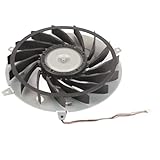
- Fit for PS3 Console: Designed with precision engineering to seamlessly replace your old internal cooling fan without modifications
- High Performance Cooling: 15 blades design generates powerful airflow to effectively dissipate heat and maintain optimal system temperature during extended gaming sessions
- Durable Metal Construction: Premium metal housing provides superior durable and ensures long-lasting reliability for consistent cooling performance
- Optimized Airflow Efficiency: 12 volt 2.65 amp motor delivers balanced airflow with minimal noise interference for uninterrupted gaming experiences
- Complete Replacement Package: Includes 1pcs 145 mm cooling fan specifically engineered for PS3 console internal heat dissipation requirements
Never use an oven, hair dryer, torch or household heater. Sony specifically warns against heating the system with kitchen or heating equipment because of fire, injury and malfunction risks (Sony safety documentation).
BGA repair, chip replacement and board swaps
Professional BGA work can involve reballing or replacing the RSX/CELL package, but “reball” is not a diagnosis and does not automatically correct a defective chip or damaged board. A board swap may restore operation while removing the original motherboard—and, in backward-compatible models, potentially the feature being preserved. Require a written description of the work and the fate of the original board.
Independent reader supportYour contribution helps us test, update, and keep practical guides available for everyone.Is DIY repair realistic?
The iFixit YLOD procedure is rated Difficult and estimated at roughly one to two hours for the guide’s procedure; that is an estimate, not a guarantee for every model or fault. A serious teardown requires model-specific instructions, security Torx drivers, a spudger, ESD precautions, organized screw storage and careful connector handling. Capacitor or BGA work additionally requires board-repair tools, controlled temperature equipment, microscope-level inspection and experience. If the console is valuable, data-bearing or already damaged by previous rework, professional diagnosis is usually the safer choice.
Best Value

- APPLICABLE MODEL: The internal cooling fan is suitable for PS3 game console, which can directly replace the old or damaged cooler.
- EXCELLENT CHIP: The cooling fan adopts excellent chipset, providing excellent performance and strong cooling capacity for the system.
- ALUMINUM ALLOY: The cooling fan chassis is made of aluminum alloy, etch and aging , and extends its service life.
- ACCURATE CUTTING: With fine workmanship, the internal cooling fan has cutting and interface to ensure great fitting of the equipment.
- 15 DESIGN: The cooling fan is designed with 15 blades, which can efficiently dissipate heat and ensure good of the machine.
How to choose a repair shop
- Do you read SYSCON or perform equivalent board-level testing?
- Will you distinguish PSU, thermal, NEC/TOKIN, regulator, RSX/CELL and short-circuit faults?
- Is the quoted work a reflow, reball, chip replacement, capacitor repair, PSU replacement or board swap?
- Is the result intended to be temporary or permanent, and what warranty applies?
- Will the original motherboard and hard drive remain together and be returned if unrepaired?
- How will you handle a trapped disc, user data and the exact CECH model?
- What happens if diagnosis shows that repair is uneconomical?
Sony warranty documentation warns that service can alter settings, remove stickers, replace the hard disk or system and cause data loss. Back up when possible and remove private content before service; see the U.S. PS3 warranty information. If a disc is trapped, use the model-specific manual-eject procedure rather than forcing the mechanism.
Repair or replace?
| Situation | Most sensible path |
|---|---|
| Rare backward-compatible fat model, sentimental value or important saves | Pay for model-specific board diagnosis and insist on original-board and data handling. |
| Common fat PS3 with multiple faults, corrosion or amateur rework | Compare a written repair quote with the price of a tested replacement; replacement often has lower risk. |
| Slim or Super Slim with a confirmed thermal or PSU issue | Repair the identified subsystem if parts and labor are reasonable. |
| Shop offers only an unsupported “permanent reflow” promise | Decline or request a precise method, warranty and failure-contingency terms. |
The iFixit YLOD Fix Kit listing showed $24.99 when crawled approximately four months before the research date and offers tool and no-tool options for non-Slim models. Verify the live price and fit; the listing says it is not a guaranteed fix and is sold as-is without refunds or returns. It supplies thermal materials, not a diagnosis or board-level repair.
Quick Recap
Practical decision tree
- Fails only after becoming hot: cool it, improve airflow and investigate fan, dust, pads and paste.
- Green-yellow-red with three beeps at startup: preserve the console and obtain PSU and motherboard diagnosis.
- Reaches Safe Mode: address file-system, database or update problems and back up before initialization.
- Data or backward compatibility is important: use a shop that documents SYSCON or equivalent testing and keeps the original board and drive together.
- No special value and repair quote is high: compare it with a tested, exact-model replacement rather than paying for an undefined reflow.
Product prices and availability are accurate as of the date/time indicated and are subject to change. Any price and availability information displayed on Amazon at the time of purchase will apply.




