Free tools Windows power users keep installed
One-click scans. No signup required.
NVIDIA released the GeForce RTX 3090 Ti on March 29, 2022, as the fastest GeForce card in its Ampere-based RTX 30 generation. It launched at a U.S. starting price of $1,999 with 10,752 CUDA cores, 24 GB of 21 Gbps GDDR6X memory and a 450 W graphics-card power rating. It is still interesting for memory-heavy work in 2026, but it is no longer NVIDIA’s flagship: the Blackwell-based RTX 5090 now occupies that position.
NVIDIA’s “all-powerful” language was launch-era marketing. The practical question today is whether a used 24 GB card, with its high power draw and aging feature set, fits your workload and budget.
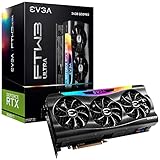

Release date, price and product position
NVIDIA announced availability on March 29, 2022. The RTX 3090 Ti sat above the RTX 3090 as the flagship enthusiast model in the GeForce RTX 30 family. NVIDIA and board partners including ASUS, EVGA, Gigabyte, MSI, PNY and Zotac sold versions with different coolers, clocks, dimensions and power limits. NVIDIA’s historical U.S. starting price was $1,999; that figure is not a current 2026 street price or proof of retail stock.
See NVIDIA’s launch announcement at NVIDIA’s RTX 3090 Ti release notice and its official specification page.
#1 Best Overall

- 900-1G136-2505-000
RTX 3090 Ti specifications
| Specification | RTX 3090 Ti |
|---|---|
| Architecture | Ampere |
| GPU family | GA102 |
| CUDA cores | 10,752 |
| Base / boost clock | 1.56 GHz / 1.86 GHz |
| Memory | 24 GB GDDR6X |
| Memory speed and interface | 21 Gbps, 384-bit |
| Ray-tracing / Tensor cores | Second-generation RT / third-generation Tensor |
| Bus | PCIe 4.0 |
| Maximum digital resolution | 7,680 × 4,320 |
| Founders Edition outputs | HDMI plus three DisplayPort outputs |
| Graphics-card power | 450 W |
| NVIDIA recommended system power | 850 W |
| Founders Edition dimensions | 313 mm long, 138 mm wide, three slots |
| Maximum listed GPU temperature | 92°C |
These are NVIDIA’s Founders Edition specifications. Factory-overclocked and custom-cooled cards can be longer, thicker, louder or subject to different power recommendations.
RTX 3090 Ti versus RTX 3090
| Specification | RTX 3090 Ti | RTX 3090 |
|---|---|---|
| CUDA cores | 10,752 | 10,496 |
| Boost clock | 1.86 GHz | 1.70 GHz |
| Memory speed | 21 Gbps | 19.5 Gbps |
| Memory capacity | 24 GB GDDR6X | 24 GB GDDR6X |
| Memory interface | 384-bit | 384-bit |
| Graphics-card power | 450 W | 350 W |
| Recommended system power | 850 W | 750 W |
| Launch price | $1,999 | $1,499 |
The Ti is an aggressively clocked, more fully enabled GA102 design rather than a new architecture. It keeps the same 24 GB capacity and 384-bit bus, while adding cores, faster memory and substantially higher power consumption.
Performance: launch claims versus independent testing
NVIDIA’s claims
NVIDIA called the RTX 3090 Ti its fastest GeForce GPU at launch and claimed up to 60% higher performance than the RTX 2080 Ti and up to 55% higher performance than TITAN RTX. Its launch material listed 78 RT-TFLOPs, 40 Shader-TFLOPs and 320 Tensor-TFLOPs. Those are manufacturer claims, not universal results; the comparison conditions and workloads matter. See NVIDIA’s launch figures.
Rank #2

- Item Package Dimension - 15.0L x 12.25W x 4.25H inches
- Item Package Weight - 6.0 Pounds
- Item Package Quantity - 1
- Product Type - VIDEO CARD
What the RTX 3090 comparison meant
Tom’s Hardware’s launch analysis found roughly a 9–10% gaming improvement over the RTX 3090. The exact gap changes with resolution, ray tracing, DLSS mode, game engine, CPU limits, cooling, power settings and whether a card is factory overclocked. For buyers, that direct comparison is more useful than NVIDIA’s larger gains over older generations: the Ti charged a major premium for a relatively modest gaming step.
At 4K, the card can still provide strong raster performance. Ray tracing remains usable with DLSS, but Ampere lacks later generations’ frame-generation and neural-rendering features. At 1440p, CPU limits and the lower need for 24 GB often make a cheaper or newer card more sensible.
Why 24 GB of VRAM matters
Memory capacity is the RTX 3090 Ti’s most durable advantage. It can accommodate large 3D scenes, high-resolution textures, GPU-rendering projects, video effects, local image-generation or inference workloads, and some multi-GPU datasets. NVIDIA explicitly marketed it for data science, AI, creative applications, CG animation and extreme-resolution gaming.
Capacity is not the same as speed. Extra VRAM prevents a workload from running out of memory; it does not automatically raise frame rates when a game already fits comfortably in a smaller framebuffer. For AI, a model fitting in 24 GB also does not guarantee fast inference or support for every precision format.
Power, case clearance and installation
The Founders Edition is a 450 W card, and NVIDIA recommends an 850 W system power supply. The recommendation is not a guarantee for every 850 W unit: PSU quality, transient response, CPU consumption, system age and cable configuration all matter. NVIDIA’s user guide is available as a PDF.
- Allow for a three-slot card approximately 313 × 138 mm, plus room for the power adapter and side-panel bend.
- Use the required separate PCIe 8-pin cables or a compatible 450 W-or-greater PCIe Gen 5 cable. Do not substitute one daisy-chained lead unless the PSU documentation explicitly permits it.
- Check the exact board-partner manual: connectors, dimensions, power limits and PSU recommendations vary.
- Expect heat and possible fan noise; adjacent cards can restrict intake and exhaust.
- Confirm case slot, length, width, airflow and PSU compatibility.
- Install the card in the primary PCIe x16 slot and secure its bracket.
- Connect every required power lead without sharply bending the adapter at the side panel.
- Install current NVIDIA drivers through NVIDIA’s official software channels.
- Check temperatures, clocks, fan operation and stability under sustained load.
Gaming features and software limits
The card supports second-generation hardware ray tracing, DLSS, NVIDIA Reflex, Resizable BAR, Game Ready and Studio drivers, Broadcast, CUDA, NVENC encoding, AV1 decoding, PCIe 4.0 and DirectX 12 Ultimate. NVIDIA also promoted 8K HDR and DLSS-assisted gaming, which should be understood as a supported scenario under particular settings—not a promise of native 8K high-refresh performance in every modern game.
Rank #4

- Item Package Quantity - 1
- Product Type - VIDEO CARD
- This pre-owned product has been professionally inspected, tested and cleaned by Amazon qualified vendors.
- Accessories may not be original, but will be compatible and fully functional. Product may come in generic box.
Ampere DLSS support does not provide feature parity with RTX 40- and RTX 50-series products. The RTX 3090 Ti does not offer the newer generation of frame-generation and neural-rendering capabilities associated with DLSS 3, DLSS 4 and DLSS 4.5.
Used-card risks in 2026
Because the card is generally a used-market purchase now, condition can matter more than its original ranking. Before buying, request:
- Exact model, part number, serial number and warranty status.
- Proof of sustained-load temperatures, stable core and memory clocks, and normal fan behavior.
- Evidence of connector discoloration, corrosion, cracked PCB, damaged fins or missing accessories.
- Disclosure of mining history, original adapter and a meaningful return period.
Mining use does not automatically make a card defective, but worn fans, degraded thermal pads and heavy prior operation increase uncertainty. Secondary guidance is available at UsedNvidia; treat it as buying advice, not an official price source.
Is the RTX 3090 Ti worth buying in 2026?
Consider it when
- You specifically need 24 GB of VRAM for AI, rendering, large textures or similar work.
- The used price is materially below newer 24 GB alternatives.
- The card passes testing and comes with a trustworthy return policy.
- Your case, airflow and high-quality PSU can handle 450 W.
Skip it when
- You want low power draw, quiet operation or a compact build.
- You need current frame-generation, neural-rendering or newer media features.
- The listing has no testing evidence, warranty or return protection.
- You are paying close to the cost of a faster, more efficient modern GPU.
For an existing RTX 3090 owner, the Ti’s roughly 9–10% gaming uplift usually does not justify replacing a healthy card. For ordinary gaming, compare complete system cost and measured game performance rather than VRAM or the former flagship label alone.
Alternatives
| GPU | Why consider it | Main trade-off |
|---|---|---|
| RTX 3090 | 24 GB memory, similar Ampere software support, lower 350 W card power | Slower than the Ti |
| RTX 4090 | 24 GB, substantially stronger Ada performance, better efficiency and newer features | Current price and availability require verification; NVIDIA’s documentation remains listed at its user-guide index |
| RTX 5080 | Modern Blackwell gaming features and a $999 announced launch price | 16 GB, so it is not a direct replacement for memory-heavy workloads |
| RTX 5090 | Blackwell, 32 GB GDDR7, DLSS 4.5, fifth-generation Tensor and fourth-generation RT cores | Premium cost; NVIDIA’s marketplace listing showed Founders Edition out of stock when captured |
NVIDIA identifies the RTX 5090 as its most powerful GeForce GPU on its official product page. Its announced launch price was $1,999, but 2026 retail pricing and availability can differ. NVIDIA’s Blackwell announcement is at NVIDIA News, and the marketplace listing is at NVIDIA Marketplace.
The Bottom Line
The RTX 3090 Ti remains a capable 24 GB Ampere card, but it is no longer an all-powerful or current flagship GPU. In 2026, buy one only when its used price, verified condition and 24 GB capacity outweigh its 450 W power demand, large form factor and missing newer-generation features.
Quick Recap
Product prices and availability are accurate as of the date/time indicated and are subject to change. Any price and availability information displayed on Amazon at the time of purchase will apply.
Do these 3 things before closing this tab:
1Fix the driver behind crashes, sound loss and screen glitches2Repair Windows errors before they cause bigger problems3Scan for outdated or missing drivers - takes under a minute



