Quick wins for a faster PC:
Scan for outdated or missing drivers - takes under a minuteDriver Scan →Repair Windows errors before they cause bigger problemsFix Now →Fix the driver behind crashes, sound loss and screen glitchesFind Drivers →There is no objectively best Marvel Rivals crosshair for every hero. These community presets are useful starting points: choose a compact dot or cross for a minimal aim point, a circle for tracking projectile-heavy attacks, or a wider ring as a close-range cue. Import one on PC, then verify its contrast and alignment in the practice range before using it in matches.
Recommended community crosshair codes
The strings below are presets printed by third-party guides, not official NetEase recommendations. Copy the complete string, including punctuation and the final semicolon. Community codes can change or be superseded, so compare the result with the source listing and the current in-game preview.
| Preset | Visual profile | Suggested starting use | Code |
|---|---|---|---|
| Dot Crosshair | Minimal cyan dot | A clean central aim point with little visual clutter | 3;1;10.0,10.0,10.0,10.0;100.0,100.0,100.0,100.0;50.0,50.0,50.0,50.0;100.0,100.0,100.0,100.0;0.0,0.0,0.0,0.0;33.0,33.0,33.0,33.0;30.0;100.0,100.0,100.0,100.0;0.0;5,5,5,5;0.0,1.0,1.0; |
| Small Crosshair | Short, compact cross | A little more directional structure than a dot without a large footprint | 2;0.0;0.0,20.0,0.0,0.0;100.0,100.0,100.0,0.0;55.0,70.0,55.0,55.0;100.0,100.0,100.0,100.0;0.0,0.0,0.0,0.0;9.0,9.0,9.0,9.0;12.0;100.0,100.0,100.0,0.0;0.0;4,4,4,4;1.0,1.0,1.0; |
| Small Green Circle | Restrained green circle | A visible outline that can help you follow projectile trajectories | 1;0;10.0,10.0,10.0,0.0;100.0,100.0,100.0,100.0;50.0,50.0,25.0,0.0;100.0,100.0,100.0,100.0;0.0,0.0,0.0,0.0;14.0,14.0,14.0,14.0;30.0;100.0,100.0,100.0,100.0;0.0;5.0,5.0,5.0,5.0;0.0,0.769,0.09; |
These use cases describe visual preferences and community labels, not measured improvements in accuracy, damage, win rate, or reaction time.
Other preset styles worth trying
Pink Flower
Catalogs list this as a decorative, higher-density option. It may appeal if you prefer a distinctive reticle, but extra elements can obscure small targets.
Recommended Free Tools
#1 Best Overall

- Package Include: Set of 120 static cling vinyl decals in various sizes and designs for FPS gaming, providing multiple aiming options for different games
- Various Designs: 15 designs of fast scope monitor decals for different gaming experience, ranging from 0.4" to 1.0", fit most scenes
- Reusable Design: Static cling material allows for easy application and removal without leaving marks, making these stickers perfect for assist with aiming and targeting in FPS games
- Performance Enhancement: The FPS aim sight assist stickers help improve aim accuracy and targeting performance in first-person shooter (FPS) games with precise sight alignment
- Versatile Use: The game scope monitor sticker are suitable for use on TV monitors, computer screens, mobile phones, and other gaming displays
Aimbot
This community label refers to a reticle design, not software assistance or an official feature. Treat the name as a description of the preset’s appearance rather than a performance claim.
Melee Crosshair
A large ring is presented as a rough close-range cue. It can make the center easier to see during close fights, while taking more screen space than a dot or small cross.
Rank #2
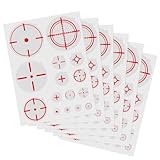
- Package Contents: Set of 90 transparent aim assist stickers in various crosshair designs, sizes ranging from 0.39" to 1" for versatile gaming applications
- Versatile Compatibility: Static cling stickers suitable for multiple surfaces including TV screens, mobile phones, and gaming monitors for FPS gaming enhancement
- Easy Application: Made from static cling vinyl material that adheres without adhesive, making them easily removable and reusable without leaving residue
- Various Designs: 15 designs of fast scope monitor decals for different gaming experience, ranging from 0.4" to 1.0", fit most scenes
- Performance Enhancement: Transparent FPS aim assist decals maintain screen visibility while providing precise aiming assistance for enhanced gaming performance
Wide Circle and Circle with Dot
These combine a larger tracking boundary with either an open center or a central point. They are alternatives when a small reticle disappears during effects-heavy fights.
How to import a Marvel Rivals crosshair code on PC
- Open Settings from the main menu or pause menu.
- Choose the Keyboard or Controller input tab that matches your setup.
- Open Combat, then scroll to HUD.
- Find Reticle Save and select the import control. Guides call it Import Save or Import Reticle; the current label may differ slightly.
- Paste the entire code and confirm. Check the preview before leaving the menu.
A truncated string, a missing final character, or a code pasted into the wrong save control can produce an unexpected reticle. If nothing changes, re-copy the full string and confirm that the preview updates.
What’s actually slowing this PC down?
Pick the symptom - the matching free tool is one click away.
Rank #3
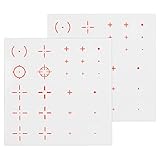
- 【FIT WELL WITH FPS】 Provide you accurate shots and better motion control experience. Clear and firm, can withstand the high temperature of the machine, helping more with your gun battles.
- 【CLEAR ATTRACTIVE TARGET】 The game scene is always be darker or strong brighter. Our front sight target sticker is clear enough to adapt different environments.
- 【OPTIMUM FOR ALL FPS GAMES】 Compatible with most FPS Games and mobile phone. If you are FPS lover, don’t miss it.
- 【CLEAN AND NO RESIDUE】 If you also want to watch videos on your screen, you can remove it easily. Its will not ruin your monitors and easy to apply and reusable.
- 【21 DESIGNS TO CHOOSE】 The different size decals to fit different size of monitors, 21 designs for different gaming experience, Ranging from 1cm to 2cm, fit all the scenes. (25 Pcs in Assorted Styles x 2 Sheets)
Set a global or hero-specific reticle
Use the All Heroes filter when you want one reticle across the roster. For a hero-specific setup, select that hero in the filter before importing. Importing while All Heroes is selected can change the global setting instead of the individual hero’s reticle.
You can repeat the process for different heroes: for example, keep a dot globally, then assign a circle to a projectile-focused hero or a larger ring to a close-range specialist. The game interface, rather than the code itself, determines which scope is active when you save.
Rank #4

- Enhanced FPS Performance: Our crosshair stickers are designed to significantly improve your FPS gaming experience. They provide precise aim assistance and superior motion control, ensuring accurate shots even in intense battles. The durable material can withstand high temperatures from your device, giving you a reliable edge in every match.
- Adaptable to All Environments: Whether your game environment is overly bright or excessively dark, our stickers maintain exceptional clarity. This adaptability ensures you can quickly identify and target enemies, regardless of the in-game lighting conditions, allowing you to stay focused and perform at your best.
- Easy Application and Removal: These stickers are user-friendly and can be easily applied to various screens like TV monitors, mobile phones, laptops, and gaming consoles. When you're done gaming and want to watch videos, simply remove them without any residue or damage to your screen. Their reusability adds to their convenience and practicality.
- Wide Compatibility and Versatility: Compatible with most FPS games and mobile applications, these stickers are a must-have for any FPS enthusiast. They enhance your gaming experience by effectively boosting your aiming and motion control skills, making them suitable for all your favorite FPS titles.
- Diverse Design Options: There are two colors, red and green, totaling 56 piecesfrom 1 cm to 2 cm, our stickers can fit various monitor sizes and gaming scenarios. Each package includes 25 pieces across 2 sheets, providing you with a wide selection to match your personal style and gaming needs.
Can you import crosshair codes on console?
The reviewed guides report that console players cannot paste these long PC-style strings through the documented import workflow. Recreate the design manually with the in-game sliders instead. Preset catalogs that expose a slider tree can help you match the listed values, but the exact menu labels and available controls may change with updates.
Customize the preset after importing
- Color: Change cyan, green, or another color if it blends into a map, ability effect, or enemy outline.
- Size and gap: Reduce a reticle that blocks targets; enlarge a dot or ring that disappears at combat distance.
- Opacity: Increase visibility in bright scenes and lower it if the reticle dominates the target.
- Centering: Confirm that the visual center sits where you expect rather than relying on the code’s name.
- Lines and outline: Enable or disable animation and surrounding elements according to how much motion you can read comfortably.
Practice-range checks before you keep a code
- Stand in front of a practice dummy and verify that the reticle is centered.
- Strafe in both directions and watch whether the reticle remains easy to locate against changing backgrounds.
- Fire a magazine with reticle animation enabled, then disabled, to see which state you can read more consistently.
- Repeat the check with an ability or weapon pattern that matches the hero for whom you plan to use the reticle.
- Adjust color, size, or opacity immediately if the reticle vanishes against a particular map or effect.
These checks tell you whether the design is readable for your display and settings. They do not establish that one code produces better aim or match results than another.
Best Value

- Package Include: Set of 60 transparent scope monitor vinyl decals in various sizes and designs for FPS gaming, providing multiple aiming options for different games
- Versatile Use: The game scope monitor sticker are suitable for use on TV monitors, computer screens, mobile phones, and other gaming displays
- Easy Application: The shooting target decals can be quickly applied and removed as needed to assist with aiming and targeting in shooting games
- Performance Enhancement: The FPS aim sight assist stickers help improve aim accuracy and target acquisition speed in first-person shooter (FPS) games with precise sight alignment
- Various Designs: 15 designs of fast scope monitor decals for different gaming experience, ranging from 0.4" to 1.0", fit most scenes
Which code should you start with?
| If you prefer… | Start with… | Trade-off |
|---|---|---|
| The least visual clutter | Dot Crosshair | It can be harder to see over bright effects or detailed backgrounds. |
| A small directional guide | Small Crosshair | Its lines occupy more space than a single point. |
| An outline for projectile tracking | Small Green Circle | The ring may cover more of the target area at close range. |
| A broad close-range reference | Melee Crosshair or Wide Circle | A larger shape can distract during precision shots. |
| A center point plus surrounding boundary | Circle with Dot | More elements mean more potential obstruction. |
Start with the smallest shape you can reliably see, then add size or structure only when the practice-range checks show a visibility problem. No published comparison establishes a universal winner, so your display, color contrast, hero, and comfort should determine the final choice.
Quick Recap
Product prices and availability are accurate as of the date/time indicated and are subject to change. Any price and availability information displayed on Amazon at the time of purchase will apply.




