Netflix announced TV party games on October 9, 2025, and rolled out the first titles in November. As of August 2026, the service is an active, expanding beta: compatible TVs show the games while each player uses a phone or tablet as a controller. The original five games are only the starting point; availability depends on your country, device, account and the individual game.
What Netflix launched
These are games displayed on a television through Netflix’s TV gaming service, not mobile games downloaded to a TV. The TV runs Netflix and presents the game; players scan an on-screen QR code with their phones or tablets to use them as controllers. Netflix describes the setup in its October 2025 announcement and launch explainer.
The original holiday slate became available during November 2025. Netflix still labels TV games a beta, and its catalog and supported regions can change. This is separate from Netflix’s mobile-games library: mobile games are not playable on TVs.
What was in the original launch lineup?
| Game | Format | What to expect |
|---|---|---|
| LEGO Party! | Competitive minigames | Themed challenges make it the broadest family-and-group option in the original slate. |
| Boggle Party | Timed word-finding | Netflix’s announcement says it supports solo play and parties of up to eight players. |
| Pictionary: Game Night | Drawing and guessing | The phone serves as an input device for drawing and other controls. |
| Tetris Time Warp | Competitive block-stacking | Familiar Tetris play with historical and retro variations and a multiplayer twist. |
| Party Crashers: Fool Your Friends | Social deduction | One player secretly lacks the shared context, and the group tries to identify them. |
These descriptions and the lineup come from Netflix’s launch announcement. Player limits are not established there for every title, so check the game’s own screen for its current rules.
Quick wins for a faster PC:
Scan for outdated or missing drivers - takes under a minuteDriver Scan →Repair Windows errors before they cause bigger problemsFix Now →Fix the driver behind crashes, sound loss and screen glitchesFind Drivers →#1 Best Overall
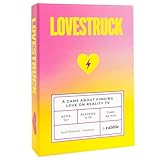
- 🌹REALITY TV BOARD GAME: Lovestruck is a hilarious & immersive party game for 5-10 players that recreates the jaw-dropping moments of reality dating shows (e.g. Love Island, Love is Blind, The Bachelor, etc.). You DO NOT need to watch reality TV shows to play!
- 🥳️ IMMERSIVE GAMEPLAY: Lovestruck recreates the reality TV experience. Step into a reality TV character and get ready for some ~drama~! It’s the perfect party game for game night, parties, adults, teens, large groups, and even bachelorette parties.
- 📺 PLAY AS A REALITY TV CONTESTANT: Choose from your favorite reality TV characters such as “The Party Animal,” “The Troublemaker,” “The One Over 30,” etc.
- 💔 KEEP YOUR INTENTIONS SECRET: Players are either here for the “RIGHT REASONS” and looking for love, or here for the “WRONG REASONS” and looking to get famous.
- 👫 COUPLE UP TO WIN (OR LOSE): To win contestants must couple up with someone here for the “right” reasons before the Season Finale. But people may not always be who they seem...
How the TV-games catalog has expanded
Netflix’s July 28, 2026 TV party-games guide reflects a broader program than the original five-game launch. Later additions and featured offerings include Jackbox Party Essentials, Overcooked!, and FIFA World Cup: Launch Edition, which arrived on Netflix Games on June 11, 2026, according to the release announcement and its Netflix game page. Netflix also published separate Jackbox Party Essentials coverage.
The TV-games program now covers more than the original party slate, but this does not mean every title is available to every account or device. Treat Netflix’s game screen as the practical check for what your setup can play.
Rank #2

- Celebrate 50 Years of Family Feud: For new & seasoned fans of Family Feud, bring the magic of the beloved show home with the Deluxe Buzzer Edition, featuring two dual-action buzzers, just like on TV
- Face Off Rounds: Two teams race to hit their buzzers, equipped with authentic lights & sounds from the show, to guess the most popular answers to survey questions & earn points for their team
- Survey Says…: With 150 Face Off & 50 Fast Money Cards, take your best guess at new modern & fan-favorite classic questions as you make unforgettable memories at the next family game night
- Fosters STEM Skills: Board games help enhance problem-solving, critical thinking, analytical, computational thinking, spatial reasoning, & pattern recognition skills through engaging gameplay
- Family Game Night: Keep the fun going with more Spin Master Games to add to your family’s board game shelf: Hedbanz, Beat the Parents, Family Feud, Jumanji, Wicked: The Game, Mind the Gap & more
How to start a game on your TV
- Open the Netflix app on a supported TV or TV streaming device and choose the profile you want to use.
- Select Games at the top of the interface, or open the Games or Party Games row if that is how your device presents it. Labels and placement can vary.
- Choose a TV-compatible title and select Play Game.
- When the QR code appears, each player scans it with their own phone or tablet and follows the prompt to connect as a controller.
- Start the game once everyone has joined.
Netflix’s step-by-step guidance is on its TV and computer games support page and controller help page. If Games or a Games row is absent, the TV may be unsupported, the software may need updating, or the beta may not be available in your country.
Compatibility: check these requirements first
- Membership and location: You need an active Netflix membership in a supported country. As of August 16, 2026, Netflix lists Australia, Austria, Belgium, Brazil, Canada, Finland, France, Germany, Ireland, Italy, Mexico, the Netherlands, New Zealand, Poland, South Africa, Spain, Sweden, Switzerland, the United Kingdom and the United States.
- TV or streaming device: Netflix says TV games work on many recent-model TVs and TV streaming devices, not every device that can stream Netflix. The Games option appearing in Netflix on the device is the clearest quick check. Netflix’s general device list is not a guarantee of games support.
- Internet: Netflix recommends download speeds of 10 Mbps or higher for games. Actual performance also depends on network stability and congestion.
- A controller for each player: Every TV player needs a phone or tablet. For iPhone and iPad controllers, Netflix specifies iOS or iPadOS 17 or later. Android players connect through the Netflix app after scanning the QR code. See the controller requirements.
- No physical gamepads: Netflix says gamepads and other physical controllers are not supported for TV games at this time. Phones and tablets are the intended controllers.
Netflix’s current support page lists the countries and requirements. Device support may vary by model, hardware generation, software, profile and title; Netflix warns that manufacture year or hardware capability can rule out a device (device compatibility guidance).
Windows Errors? Fix Them Before They Spread
Repair common Windows errors and clear accumulated junk for a smoother, more stable PC - no reinstall needed.Free scan · no reinstallCrashes, No Sound, or Screen Glitches?
Random freezes, missing sound and display glitches usually trace back to one bad driver. Find and replace yours safely.Free scan · under a minuteRank #3

- FAST-PACED FUN - Flip a card, think quickly, and race to grab the foam microphone to sing a lyric containing the revealed word. It's a fast-paced game that keeps everyone on their toes!
- HILARIOUS MOMENTS - Watch as your friends try to recall lyrics under pressure, resulting in hilarious renditions of popular songs. It's guaranteed to have everyone laughing and singing along!
- VERSATILE GAMEPLAY - Featuring a game board with multiple game modes, Grab The Mic offers various levels of challenge and keeps the fun fresh every time, Switch up the board for a new experience, creating endless musical battles that never get old!
- WHAT’S INSIDE - With 120 word cards, a foam microphone, game board, player tokens, and easy-to-follow instructions, everything you need for a memorable game night is included.
What Netflix TV games cost
Netflix says its mobile and TV games are included with an active membership, with no separate game fee, advertisements within the games or in-app purchases. That means access is bundled with Netflix, not that the games are independently free. Netflix’s membership information explains the subscription requirement. No current plan-price figure is needed to understand the game charge: the games carry no additional fee.
When this is a good fit—and when it is not
| Netflix TV games suit you if… | Look elsewhere if… |
|---|---|
| You already subscribe, have a supported TV, and want spontaneous same-room multiplayer without buying dedicated controllers. | Your TV does not show Games, or several guests do not have suitable phones or tablets. |
| Your group likes short, familiar formats such as drawing, wordplay, minigames or social deduction. | You need precise physical controls, deeper competitive play, online play between households or a permanent library independent of a subscription. |
| You value a shared big-screen display and accept a cloud-based beta experience. | Your internet is unstable, or you want the broader hardware and game-library choices of a console or PC. |
Compared with a standalone Jackbox purchase, Netflix offers bundled access but ties play to an active membership, supported devices and the titles Netflix makes available. Console or PC games can offer dedicated controllers and a wider library, at higher upfront hardware and software cost. For a casual group that already has Netflix and enough mobile devices, the TV beta is a convenient option; it is not a like-for-like replacement for a console or a separately owned library.
Rank #4

- The Office Adult Party Game: Now you can be the Assistant to the Regional Manager; Spread your influence throughout the office, and use your skills and sneaky smarts to best your opponents in this hilarious game
- Fun and Engaging: Complete challenges, play raffles, place tokens and get points by taking control of locations in the office; Pull pranks when your opponents least expect it, and use Schemes Cards to throw them off their strategy
- CONTROL OFFICE AREAS: Your goal in this board game is to have the most tokens in any given location. But you’ll have to choose whether to put a token in the mug or on the gameboard at the beginning of each turn.
- QUICK START, FUN AND ENGAGING: Take out the game components, read through the easy-to-follow instructions and you’re on your way to a promotion (just kidding)! For 3 or more players, ages 16 and up.
- FUN FOR THE WHOLE FAMILY: Next time you get together with family and friends, bring along a Spin Master game. The perfect activity for memorable game nights, birthdays, dinner parties, vacations, holiday & Christmas gifts, and any time you just want to have fun!
Fix common setup problems
- No Games tab or row: Confirm your country is listed, update Netflix and the TV’s software, and check the device’s compatibility. A TV that streams Netflix may still lack game support. Try a different supported device; where available, Netflix also supports computer play in Chrome or Edge, with a Games or Party Games row at the top of Netflix.com.
- QR code will not scan: Use the phone’s native camera, adjust its distance from the screen, tap to focus, and confirm camera access is enabled for Netflix or the controller app.
- A controller disconnects: Wake the phone screen; Netflix says a phone can disconnect when its display turns off. Turn off a VPN and, where possible, use Wi-Fi rather than cellular data.
- Only one player joins: Each player must scan the game’s QR code and connect their own device separately. Check the title’s player limit on its game screen.
- A title is missing or will not launch: Some Netflix games are mobile-only. Other possible causes include a profile maturity setting, a regional limit, maintenance or a temporary catalog change. Try another profile or title.
- “Too many people” or service errors: Netflix lists account-use limits, high game demand, maintenance and temporarily unavailable titles among possible issues. Stop other Netflix use on the account if necessary, then retry.
- Lag or unstable play: Improve Wi-Fi signal and reduce network congestion. Netflix’s documented network restart is to power down the relevant device, unplug the modem and router for at least 30 seconds, reconnect them, wait for the network to restart, then try again.
For current steps and error details, consult Netflix’s TV games troubleshooting page and controller troubleshooting page.
Quick Recap
Best Value

- ICONIC FRIENDS QUOTES: Test your knowledge of the hit TV show Friends by guessing which character said each memorable line.
- REAL OR FAKE CHALLENGE: Spot authentic quotes and identify cleverly crafted fakes for an extra layer of fun and difficulty.
- EARN BONUS POINTS: Go beyond basic trivia by naming the correct season and episode for even more competitive gameplay.
- FAST & SOCIAL PARTY GAME: Easy-to-learn rules and quick rounds make it perfect for game nights, parties, and Friends fan gatherings.
- PERFECT FOR FANS & GIFTING: A must-have for Friends enthusiasts, trivia lovers, and anyone looking for a fun, nostalgic group game.
Product prices and availability are accurate as of the date/time indicated and are subject to change. Any price and availability information displayed on Amazon at the time of purchase will apply.
Do these 3 things before closing this tab:
1Fix the driver behind crashes, sound loss and screen glitches2Clear out junk files and repair common Windows errors3Scan for outdated or missing drivers - takes under a minute



