Verdict: The Lenovo Legion Go 2 is a premium Windows gaming handheld built around an excellent 8.8-inch OLED screen, detachable controllers and a 74Wh battery. The flagship Ryzen Z2 Extreme/32GB/1TB model is compelling for display-first players, Windows power users and tabletop gaming, but its roughly 920g weight, Windows friction and short gaming endurance make it a poor value for buyers seeking a light, simple or long-lasting console.
This review covers the Windows configuration with Ryzen Z2 Extreme, 32GB memory and 1TB storage. Published review coverage lists that model at $1,349.99; a standard Ryzen Z2/16GB/1TB version has been listed around $1,099.99. Prices and stock are volatile, so verify the live Lenovo or retailer listing before buying. Price context was checked against coverage available through October 1, 2026.
Lenovo Legion Go 2: specifications at a glance
| Specification | Flagship Windows configuration |
|---|---|
| Processor | AMD Ryzen Z2 Extreme, 8 cores/16 threads |
| Graphics | Integrated Radeon graphics based on RDNA 3.5; up to 16 compute units in published specifications |
| Memory | 32GB soldered LPDDR5X-8000 |
| Storage | 1TB SSD in the reviewed configuration |
| Display | 8.8-inch 1920×1200 OLED touchscreen, 16:10, up to 144Hz, VRR |
| Battery | 74Wh |
| Ports | Two USB4 Type-C ports, microSD card reader and 3.5mm headphone jack |
| Wireless | Wi-Fi 6E and Bluetooth 5.3 |
| Dimensions and weight | Approximately 295.6 × 136.7 × 42.25mm and 920g/2.03lb with controllers |
| Operating systems | Windows 11 or separate SteamOS configurations |
Official specifications: Lenovo PSREF and Lenovo product page.
Price and configurations
The Go 2 is not one uniform product. The premium version combines the Ryzen Z2 Extreme with 32GB RAM and 1TB storage; the less expensive Windows version uses the standard Ryzen Z2 and 16GB RAM with 1TB storage. Those memory and processor differences matter in demanding games, so do not use a review of one SKU to predict the other.
#1 Best Overall
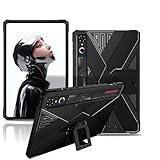
- Compatibility:For REDMAGIC Astra and REDMAGIC Tablet 3 Pro Gaming Tablet 9.06inch.Please confirm the model before purchasing
- Premium Material:Made of durable and flexible TPU material, the slim and lightweight design makes it easy to carry.
- Full Protection: Solid and drop-proof, protect your device from wear and tear, dust-proof, good touch, you don't have to worry about your device falling to the ground or other impacts in daily life.
- Functional Kickstand: brings you the best viewing experience,for easily enjoying movies and better working,free your hands
- Precise Cutouts:provide easy access to all buttons, ports, sensors, speakers and cameras,without removing the case
| Configuration | Published price signal | Who it suits |
|---|---|---|
| Ryzen Z2 Extreme/32GB/1TB Windows | $1,349.99 in review coverage | Maximum performance and multitasking |
| Ryzen Z2/16GB/1TB Windows | $1,099.99 in retailer coverage | Buyers prioritizing the screen and controls over peak performance |
| SteamOS edition | Reported from $1,199.99; confirm the exact SKU and current price | Steam-first users wanting a console-style interface |
See Lenovo’s configuration listings at 83N0000AUS and 83N10009US. Discounts can change the value calculation substantially.
Design, controls and portability
The Go 2 is a large handheld. Its broad body can make the grips feel more supported than a small device, but 920g remains a serious load for the wrists during long sessions. “Comfortable to hold” is not the same as comfortable indefinitely, especially with a large game installed in a seated commute or bed session.
Detachable controllers and kickstand
The controllers slide off for tabletop play, while the integrated kickstand supports the device without a separate case stand. A controller base enables the distinctive FPS mode, letting the right controller act more like a mouse for compatible games. These features are genuine advantages for desk, couch and travel setups, not merely specification-sheet novelties.
Controls
Hall-effect joysticks reduce the conventional potentiometer mechanism associated with stick drift, but they do not make the complete control system failure-proof. The unit also has rear buttons, triggers, bumpers and a D-pad suited to a mixture of genres. The small trackpad and Windows touch navigation are useful in desktop mode, though neither replaces a mouse for every launcher or settings screen. Smaller hands should try the shape before committing.
Crashes, No Sound, or Screen Glitches?
Random freezes, missing sound and display glitches usually trace back to one bad driver. Find and replace yours safely.Free scan · under a minuteWindows Errors? Fix Them Before They Spread
Repair common Windows errors and clear accumulated junk for a smoother, more stable PC - no reinstall needed.Free scan · no reinstallRank #2
![Silicone Case with Kickstand for Lenovo Legion Y700 Gen 4 / Gen 5 8.8' [TB323FU], Shockproof Protective Cover with Stand for Gaming Tablet (Black)](https://m.media-amazon.com/images/I/41WxSSBpC6L._SL160_.jpg)
- 【Wide Compatibility】Designed exclusively for Lenovo Legion Y700 Gen 4 / Gen 5 8.8 Inch Gaming Tablet (Model TB323FU). Perfect fit with precise cutouts for ports, speakers, cameras and buttons.
- 【Built-in Kickstand】Features an integrated foldable kickstand, offering a stable hands-free viewing angle for gaming, streaming videos, and video calls.
- 【Shockproof Silicone Protection】Made of high-quality soft silicone with reinforced four-corner bumpers to absorb shocks from drops, bumps, and daily impacts.
- 【Non-slip & Comfortable Grip】The matte silicone surface provides a secure non-slip grip, preventing accidental slips while gaming or holding the tablet for long hours.
- 【Lightweight & Easy Installation】Ultra-slim and lightweight design adds minimal bulk. Flexible silicone material allows easy installation and removal without scratching your tablet.
The 8.8-inch OLED display is the main reason to buy
The 1920×1200 panel uses a 16:10 aspect ratio, ten-point touch input, OLED pixels, a 144Hz maximum refresh rate and variable refresh rate. OLED delivers deep blacks, high perceived contrast and fast response, while VRR helps hide uneven frame delivery when a game moves between frame rates. Dark games, cinematic titles and pixel-art scenes benefit most; competitive players running low settings may value the size less.
Brightness and HDR, stated precisely
Lenovo rates the display at 500 nits and lists DCI-P3 coverage plus VESA DisplayHDR True Black 1000 certification. Windows Central’s specification summary cites an HDR peak of up to 1,100 nits, while Tom’s Hardware measured approximately 445 nits in its testing. These are different kinds of figures: sustained or standard brightness is not the same as a short HDR highlight. The numbers should not be collapsed into a single claim that the screen is always 1,100 nits. The glossy surface can also reflect bright rooms, so OLED contrast does not guarantee ideal outdoor visibility.
The panel’s 144Hz capability does not mean modern AAA games will produce 144 frames per second. At native 1200p, demanding titles often require reduced settings, upscaling or a lower internal resolution such as 1280×800. A 40fps/40Hz or 60fps/30fps cap, lower wattage and VRR can produce a steadier result than chasing an unattainable refresh rate.
Performance: powerful, but power-mode dependent
The reviewed flagship uses an eight-core, 16-thread Zen 5-based Ryzen Z2 Extreme with RDNA 3.5 graphics and 32GB of fast shared memory. Published coverage describes a configurable 15–35W cTDP range. Performance therefore depends heavily on whether the unit is plugged in, which wattage mode is selected, the game’s CPU/GPU balance and whether it renders at 1200p or 800p.
Rank #3
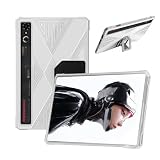
- 【Applicable Models】Case for REDMAGIC Astra Gaming Tablet / redmagic pad 3 pro Case. Please confirm your device model before purchasing.
- 【High-quality Material】The tablet case is made of waterproof and dustproof PC material. Simply wipe with a damp cloth to clean, so your device is always clean. Made of PC material, it has an ultra-light and ultra-thin leather, synthetic leather shell and a smooth back, providing strong protection for the tablet body.
- 【Precise Openings】The case cover dedicated case, speakers, charging ports, power buttons, volume buttons, etc. are all precisely opened, and are fully functional.
- 【Full Protection】Sturdy and drop-proof, prevents device wear, dustproof, and comfortable to touch. Provides 360° all-round protection, so you don't have to worry about scratches even if you put it in your bag.
- 【Perfect Design】This product is a dedicated case that fully protects your tablet device. After installing the case, you can use all functions such as the power button, volume button, photo taking and charging. It also has a stand function.
- Plugged in: higher power limits can sustain better frame rates and frame-time consistency.
- On battery: power limits typically fall, so the same game may deliver lower averages or 1% lows.
- At 1200p: the GPU is more likely to limit performance in modern AAA games.
- At 800p with upscaling: image quality drops, but a stable cap is easier to maintain.
Look beyond average FPS: shader-compilation stutter, 1% lows, fan behavior and sustained performance after 20–30 minutes are more revealing than a single peak number. The 32GB model gives demanding games and Windows multitasking more shared memory headroom, but it does not turn the integrated GPU into a discrete gaming-laptop GPU. Do not assume a universal percentage gain over the original Legion Go without matched testing.
Battery life: 74Wh helps, but does not make it an all-day gaming device
The 74Wh battery is substantially larger than the original Go’s, yet the Z2 Extreme, high-refresh OLED, fans, brightness and Windows background activity all consume power. Independent testing recorded 10 hours 45 minutes in a standardized web-browsing test at 150 nits. Tom’s Hardware reported roughly three hours in a lighter gaming scenario. Those results are not contradictory: browsing and gaming impose very different loads.
| Workload | Realistic interpretation |
|---|---|
| Web browsing | 10h 45m in Tom’s Guide’s test at 150 nits; useful for comparison, not a gaming estimate |
| Light gaming | About three hours in Tom’s Hardware’s reported scenario; game, wattage and settings matter |
| Modern AAA gaming | Potentially shorter; exact time varies with resolution, upscaling, brightness, frame cap and power mode |
| Sleep/standby | Measure separately because Windows and connected devices can continue draining the battery |
Lenovo notes that configuration, software, wireless use, power management and display settings change runtime. For travel, plan around an outlet or a high-output USB-C Power Delivery power bank rather than assuming five or more hours of AAA play.
Independent reader supportYour contribution helps us test, update, and keep practical guides available for everyone.Windows 11 versus SteamOS
Windows models
Windows gives the Go 2 broad compatibility with Game Pass, non-Steam launchers, mods, anti-cheat systems and desktop applications. The cost is desktop overhead: updates, driver management, multiple launchers, on-screen keyboard problems and settings that are awkward without a mouse. Sleep/resume, controller recognition, refresh-rate switching and external-display behavior can also depend on drivers and firmware.
Rank #4

- 【Stylish Appearance】Designed with a modern graphic finish and clean visual details, this REDMAGIC Astra 2/RedMagic Gaming Tablet 5 Pro 9.06" case enhances the look of your tablet while helping reduce the appearance of fingerprints and daily wear. Ideal for work, travel, gaming, or everyday use.
- 【Slim Yet Protective】Built with a durable hard-shell structure, this tablet protective case helps guard against everyday scratches, scuffs, and minor bumps. Ideal for carrying your device in a backpack or messenger bag without worrying about surface damage.
- 【Comfortable Everyday Grip】The textured surface and ergonomic design provide a more secure hold during extended gaming sessions, video streaming, or reading. This gaming tablet case helps reduce hand fatigue and improves handling when used on the go.
- 【Precision Fit & Easy Access】Designed specifically for the Lenovo Legion Y900, this back cover case features precise cutouts for ports, buttons, speakers, and cameras. Charge, game, and connect accessories without removing the case, saving time and hassle.
- 【Lightweight for Travel】The slim-profile construction adds minimal bulk while maintaining everyday protection. Whether you're working remotely, traveling, or attending classes, this portable tablet case makes it easier to carry your device throughout the day.
Lenovo Legion Space is available on Windows Legion Go devices; it is not provided on SteamOS configurations. Use it for performance profiles and device controls, but expect to spend more time maintaining the system than with a console-style handheld.
SteamOS models
SteamOS offers a more direct library interface and generally stronger suspend/resume experience for Steam games. Compatibility can be weaker for Windows-only launchers, some anti-cheat systems, mods, peripheral utilities and Game Pass workflows. The operating-system choice changes the product’s character, so confirm the exact edition before buying.
Ports, storage and desktop use
Two USB4 Type-C ports support charging and DisplayPort functions, while the microSD slot expands the library and the 3.5mm jack supports wired audio. A dock can turn the Go 2 into a small desktop with a monitor, keyboard, mouse and Ethernet. Storage capacity should be checked against the exact SKU; modern games can consume most of a 1TB drive quickly. A microSD card is sensible for older games, emulation and media, but do not assume it matches SSD loading performance without testing the specific card.
Thermals, noise and practical limitations
High-wattage handheld performance necessarily brings fan noise and heat. The most important checks are grip temperature, exhaust direction, sustained performance after the first 20–30 minutes and whether charging while gaming causes additional heat or power limits. Third-party USB-C chargers must provide an appropriate Power Delivery profile. Windows updates can alter drivers or power behavior, and shader compilation can cause stutter even when average performance looks adequate.
Quick wins for a faster PC:
Fix the driver behind crashes, sound loss and screen glitchesFind Drivers →Repair Windows errors before they cause bigger problemsFix Now →Scan for outdated or missing drivers - takes under a minuteDriver Scan →How it compares with alternatives
| Alternative | Why choose it | What you give up versus Go 2 |
|---|---|---|
| Steam Deck OLED | Lower price, SteamOS simplicity and reliable suspend/resume | Lower performance ceiling, smaller display, no detachable controllers or FPS mode, less Windows flexibility |
| ROG Xbox Ally X | Published comparison price of $999.99, lighter body and streamlined Xbox-oriented Windows interface | Smaller LCD display, no detachable controllers and no Go 2 OLED experience |
| Lenovo Legion Go S | Smaller, generally less expensive Lenovo design; Windows or SteamOS choices vary by SKU | Smaller screen and no equivalent detachable-controller feature set |
| Original Legion Go | Clearance or used-market savings with a similar large-screen, detachable design | Older processor, smaller battery, LCD panel and older memory configuration |
Comparison sources: Tom’s Guide, Windows Central and Tom’s Guide’s Go S comparison.
Who should buy the Legion Go 2?
- Buy it: if the largest vivid handheld display, detachable controls, kickstand, Windows compatibility or 32GB memory is central to your decision.
- Buy the standard Z2 model: if you want the same screen-and-controls concept but do not need maximum CPU/GPU performance.
- Choose SteamOS: if your library is primarily Steam and console-like navigation matters more than Game Pass or Windows utilities.
- Choose another handheld: if low weight, five-plus hours of demanding gaming, simple suspend/resume or the best price-to-performance ratio is your priority.
- Consider the original Go: only when a deep clearance or used discount outweighs the Go 2’s OLED, battery and newer hardware advantages.
Final verdict
The Legion Go 2 earns its premium through its screen and flexibility, not through value or unplugged endurance. At full flagship pricing, it makes sense mainly for enthusiasts who will use the 8.8-inch OLED, detachable controllers, kickstand and Windows ecosystem. A substantial discount improves the recommendation, while the standard Z2 version may be the more rational purchase for moderate workloads. If those signature features do not matter, a lighter Windows handheld or a Steam Deck OLED is likely the better buy.
Quick Recap
Product prices and availability are accurate as of the date/time indicated and are subject to change. Any price and availability information displayed on Amazon at the time of purchase will apply.




