To change your fence in Grow a Garden, return to your own plot, interact with the player nameplate or banner at the entrance, choose Edit Skins, and select an unlocked fence skin. On keyboard, press E when facing the banner. The new fence appears immediately and only changes your garden’s look.
Change your fence skin
- Go to your own garden plot.
- Find the nameplate or banner showing your player name and level near the entrance.
- Interact with it. Keyboard players should press E.
- Open Edit Skins. This is the fence-skin editor, not the general backpack menu.
- Choose an unlocked skin. The fence updates around your plot as soon as you select it.
Why a fence skin may be unavailable
The skin is locked
The editor can show skins you have not earned, but only unlocked skins can be equipped. Unlock requirements differ by skin and may involve progression, Garden Guide achievements, shops, codes, mini-achievements, events, crates, or merchants.
The source is no longer available
Some skins are tied to limited events or changing merchant and shop inventories. Availability and requirements can change in later updates, so a previously obtainable skin may not currently be offered.
The banner menu did not open correctly
Move close to the nameplate, reopen the interaction menu, and select Edit Skins again. Confirm that you are editing your own garden rather than another player’s plot.
What’s actually slowing this PC down?
Pick the symptom - the matching free tool is one click away.
Console selection problems
Community reports describe occasional difficulty selecting skins on consoles, but those reports are anecdotal and do not establish a confirmed game-wide bug. If a skin is visibly unlocked but will not select, reopen the banner menu and, if possible, try the procedure with a supported keyboard or other input device before assuming the skin is broken.
How fence skins are unlocked
Fence skins were introduced in Update 1.19.0 alongside the Beanstalk Event and Garden Guide; the launch update listed four new styles. The broader unlock categories documented for the feature are:
#1 Best Overall

- HOMESTYLE FUN ON THE FARM - This lifelike toy, crafted with precision, introduces children to animals and inspires imaginative play. The Goat, with its intricate details, is a key part of the Schleich collection.
- RURAL RECREATION FOR KIDS OF ALL AGES - The Goat from Schleich encourages safe, creative pretend play. It's an ideal addition to any toy collection, promoting healthy, imaginative play for children.
- THE PERFECT GIFT FOR KIDS OF ALL AGES - Expanding Play World - The Goat is a part of the growing Farm World collection from Schleich. Expand your child's play world with a perfect gift that can stand alone or fit into a larger, modular playset.
- GENERATIONS OF IMAGINATION FOR KIDS OF ALL AGES - Long-lasting, super durable and highly detailed toys from Schleich are the perfect way to ignite your child's imagination and fun. With a huge catalog of fairies, monsters, characters, dinosaurs and animals across a variety of playsets and figurines, you can be sure that your child will experience all the magic and wonder of childhood while making memories for years to come.
- WHERE STORIES BEGIN - Our characters come in a million gazillion shapes, sizes, and colors. Whether they have two legs, four legs, or no legs, they have one thing in common – every toy in our collection is authentic, detailed and high quality.
| Unlock source | What to know |
|---|---|
| Standard skins | Available through the game’s ordinary progression or baseline collection. |
| Garden Guide rewards | Earned by completing the relevant Garden Guide achievements. |
| Cosmetics shop | Shop inventory and any cost can change; check the in-game listing. |
| Ascension shop | Requires the applicable ascension progression; current requirements are shown in-game. |
| Codes | Requires a valid code, and codes can expire or be replaced. |
| Mini-achievements | Unlocked by completing the associated small achievement. |
| Events | May be limited to a particular event period. |
| Merchants | Depends on the merchant’s rotating or current stock. |
What changing a fence does
A fence skin is cosmetic. It changes the appearance of the fence around your garden but does not provide a gameplay boost, increase yields, or alter plot mechanics. The selected appearance applies immediately after you equip it.
Quick Recap
Best Value
- Used Book in Good Condition
Rank #4
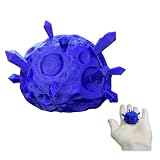
- 🌌 Mysterious Farm Discovery: Inspired by the rare overnight events in famous farming RPGs. This meteorite replica brings that "morning surprise" feeling from the digital screen straight to your desk!
- 🖤 Detailed & Unique Decor – Adds a mystical, spacey touch to your gaming shelf, desk, or display.
- ♻️ Eco-Friendly PLA Material – Lightweight, durable, and made with biodegradable PLA.
- 🎁 Ultimate Cozy Gamer Gift: The perfect "if you know, you know" present for fans of farm simulators, mining adventures, and indie RPGs. An ideal addition to any bookshelf or PC setup.
- 🖐️ Handcrafted Finish – Carefully 3D printed and polished for a high-quality, collectible appearance.
Rank #3

- 🎮 Gaming & Pixel Art Influence: A perfect tribute to the iconic farm birds found in popular farming RPGs, reimagined in a bold and unique color.
- 💖 Vibrant Pink Finish: Features a high-contrast magenta tone with a smooth matte texture that adds immediate personality to any room or workspace.
- 🏠 Versatile Home Decor: Complements gaming rooms, modern farmhouse kitchens, and creative studios alike, sitting securely on any flat surface.
- 🎁 Unique Gift for Gamers: A thoughtful and fun surprise for fans of cozy farming simulators, retro-style art, and colorful collectibles.
- ✨ Premium Durable Construction: Produced with high-quality materials to ensure a clean look with soft curves and a finish that stays vibrant over time.
Rank #2

- 1. Authentic Angus Bull Replication: Immerse yourself in the world of ranching with our 1:20 scale Angus Bull, meticulously crafted to capture the authenticity of this iconic breed.
- 2. Hand-Painted Precision: Each detail of the Angus Bull is hand-painted with precision, ensuring a lifelike representation that stands out in any farm toy or animal figurine collection.
- 3. Versatile Scale for Play or Display: Whether for imaginative play or as a display piece, this 1:20 scale Angus Bull offers versatility, making it a standout addition to farm toys or collector sets.
- 4. Durable Construction: Built to withstand playtime adventures, this Angus Bull is crafted with durability in mind, ensuring it remains a steadfast companion for young ranchers and collectors alike.
- 5. Perfect for Farm Enthusiasts: Whether you're a farm toy collector or a young enthusiast, the Angus Bull in 1:20 scale is a must-have addition, bringing the charm of ranch life into your play or display space.
Quick checklist
- You are standing at your own garden.
- You found the nameplate or banner at the entrance.
- You pressed E on keyboard, or used your platform’s interact control.
- You opened Edit Skins.
- The skin is actually unlocked.
- You re-opened the banner menu if the selection failed.
Product prices and availability are accurate as of the date/time indicated and are subject to change. Any price and availability information displayed on Amazon at the time of purchase will apply.
Recommended Free Tools




