Recommended Free Tools
The Logitech G502 HERO is still a capable wired gaming mouse, but it is a better buy for players who want a substantial right-handed shape and plenty of programmable controls than for anyone chasing speed or low weight. Its sensor remains strong; its 121 g starting weight, bulky shape and stiff cable are the bigger factors in whether it feels right. Buy it when it is meaningfully cheaper than the newer G502 X and its particular mix of buttons and scroll-wheel features suits you.
What the G502 HERO is—and is not
The G502 HERO is Logitech’s wired G502, using the company’s HERO optical sensor. It is not the wireless G502 LIGHTSPEED, and it is not the newer G502 X family. The HERO combines a sculpted, right-handed body with multiple programmable controls, adjustable weight inserts and a scroll wheel that switches between notched and free-spinning modes.


That combination makes it versatile, not universally comfortable. The large body, weight and cable are real trade-offs, particularly for low-sensitivity FPS play or smaller hands. Independent testing describes it as well-built and responsive while also identifying its bulk, weight and stiff cable as drawbacks (RTINGS’ G502 HERO review).
G502 HERO specifications
| Feature | Specification |
|---|---|
| Connection | Wired USB |
| Sensor | Logitech HERO optical |
| Documented DPI range | 100–25,600 DPI |
| Report rate | 1,000 Hz / 1 ms |
| Maximum tracking speed | More than 400 IPS, per Logitech |
| Maximum acceleration | More than 40 G, per Logitech |
| Weight | 121 g without optional inserts; five removable 3.6 g weights add up to 18 g |
| Cable | 2.1 m |
| Onboard memory | Up to five profiles; Logitech notes a firmware requirement |
| Lighting | One-zone LIGHTSYNC RGB |
| Included accessories | Five weights, a weight case and documentation |
These figures are from Logitech’s G502 HERO specifications. Logitech’s support table also lists a 290 × 75 × 40 mm dimensional entry, but its 290 mm figure appears inconsistent with the mouse’s physical length, so it is not useful as a reliable body-length measurement.
Free tools Windows power users keep installed
One-click scans. No signup required.
#1 Best Overall

- HERO Gaming Sensor: Next generation HERO mouse sensor delivers precision tracking up to 25600 DPI with zero smoothing, filtering or acceleration
- 11 programmable buttons and dual mode hyper-fast scroll wheel: The Logitech wired gaming mouse gives you fully customizable control over your gameplay
- Adjustable weights: Match your playing style. Arrange up to five 3.6 g weights for a personalized weight and balance configuration
- LIGHTSYNC technology: Logitech G LIGHTSYNC technology provides fully customizable RGB lighting that can also synchronize with your gaming (requires Logitech Gaming Software)
- Mechanical Switch Button Tensioning: A metal spring tensioning system and metal pivot hinges are built into left and right computer gaming mouse buttons for a crisp, clean click feel with rapid click feedback
Shape and comfort: best for a supported palm grip
The G502 HERO has a pronounced thumb rest, an angled right-handed shell and a cluster of buttons along the left side. It feels substantial and supportive to users who like a palm-filling mouse. That same sculpting limits it to right-handed use, and the forward controls can be a stretch depending on finger length and how the mouse sits in the hand.
- Large hands: Most likely to make full use of the palm support and reach the side controls comfortably.
- Medium hands: May find it comfortable, especially with a palm or relaxed claw grip; reach varies.
- Small hands: More likely to struggle with the forward side buttons and thumb-accessible DPI-shift button without changing grip.
- Palm grip: The most natural fit for the broad, contoured body.
- Relaxed claw: A plausible fit for medium-to-large hands.
- Aggressive claw or fingertip: The size and mass can make quick repositioning awkward.
- Left-handed use: The shape and control placement are designed for the right hand.
Independent reviewers describe the construction as very well-built (RTINGS). A solid-feeling shell, however, does not establish how long an individual unit’s switches will last.
Weight: adjustable, but never lightweight
At 121 g before the optional inserts, the G502 HERO is heavy by current gaming-mouse standards. The five 3.6 g weights let you add up to 18 g, but removing every insert only takes the mouse back to its 121 g base. The weight system fine-tunes the feel; it does not turn the mouse into a lightweight FPS model.
Some players like the planted feel, and the extra mass can feel stable during controlled movement. The trade-off is more effort for rapid turns and repeated lifting, with a greater chance of wrist or forearm fatigue over long sessions. This is especially relevant for low-sensitivity FPS players who make wide swipes. The mouse can still work for FPS—the sensor is capable—but its weight, cable and shape may matter more to your aim than its headline sensor specifications.
Quick wins for a faster PC:
Fix the driver behind crashes, sound loss and screen glitchesFind Drivers →Clear out junk files and repair common Windows errorsFree Scan →Scan for outdated or missing drivers - takes under a minuteDriver Scan →Rank #2
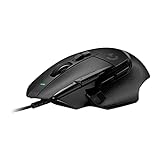
- Icon reinvented: From the legacy of Logitech's most popular G502 design, the G502 X wired gaming mouse is reimagined and redesigned with the latest innovations in gaming technology
- LIGHTFORCE switches: All-new hybrid optical-mechanical switch technology for incredible speed and reliability, as well as precise actuation with crisp response, for hours of performance gaming
- HERO 25K gaming sensor: Incredibly precise down to the sub-micron for high-precision accuracy with zero smoothing/filtering/acceleration for high gaming performance every time on the computer
- Redesigned DPI-shift button: This wired optical gaming mouse features a reversible and removable DPI-shift button for precise customization depending on your grip and preference
- Redesigned hyperfast scroll wheel: Switch between hyper-fast free spin and precise ratcheting mode, and tilt left and right for two additional personalizable controls
Buttons and scroll wheel: the strongest reason to choose it
The G502 HERO’s controls are useful when a game or application benefits from commands close at hand. Along with left and right click, the mouse has a clickable scroll wheel, left/right wheel tilts, a wheel-mode switch, multiple thumb-side buttons, DPI-cycle controls and a thumb-accessible DPI-shift button. Logitech G HUB lets you remap controls and configure advanced functions.
- MMOs, RPGs, strategy and simulation: Assign frequently used commands, shortcuts or abilities to the side controls.
- General productivity: Use buttons for browser navigation, push-to-talk, media controls or application shortcuts.
- Layered commands: Software features such as G-Shift can provide alternate bindings, but they do not replace a dedicated MMO mouse’s large, directly accessible thumb-button grid.
The side buttons may feel crowded at first, and some are easier to reach than others. Accidental presses can happen until their positions become familiar. If a control is awkward or unwanted, remap or disable it; software cannot move it to a different physical location.
Choose a wheel mode for the task
In notched mode, the wheel provides tactile steps that suit weapon selection, menus and controlled scrolling. Free-spin mode lets the wheel travel quickly through long documents, web pages, spreadsheets or large inventories. Left and right wheel tilts can provide horizontal scrolling or extra commands. Free-spin is a useful office feature, but many players prefer the more defined steps of notched mode for in-game selection.
Sensor and responsiveness: strong on paper, not the main buying decision
Logitech currently documents a 100–25,600 DPI range, tracking speed above 400 IPS and acceleration above 40 G, with a 1,000 Hz report rate (Logitech specifications). RTINGS reports accurate tracking across a wide CPI range and very low click latency under its testing methodology (RTINGS’ testing).
What’s actually slowing this PC down?
Pick the symptom - the matching free tool is one click away.
Rank #3

- The next-generation optical HERO sensor delivers incredible performance and up to 10x the power efficiency over previous generations, with 400 IPS precision and up to 12,000 DPI sensitivity
- Ultra-fast LIGHTSPEED wireless technology gives you a lag-free gaming experience, delivering incredible responsiveness and reliability with 1 ms report rate for competition-level performance
- G305 wireless mouse boasts an incredible 250 hours of continuous gameplay on just 1 AA battery; switch to Endurance mode via Logitech G HUB software and extend battery life up to 9 months
- Wireless does not have to mean heavy, G305 lightweight mouse provides high maneuverability coming in at only 3.4 oz thanks to efficient lightweight mechanical design and ultra-efficient battery usage
- The durable, compact design with built-in nano receiver storage makes G305 not just a great portable desktop mouse, but also a great laptop travel companion, use with a gaming laptop and play anywhere
Those results mean the sensor is unlikely to be the limiting factor at ordinary sensitivity settings. A maximum of 25,600 DPI is a specification ceiling, not a recommended setting or a compelling reason to buy the mouse. Shape, weight, cable drag and button layout are more consequential for many players. Older reviews may cite 16,000 DPI; the current Logitech support specification gives 25,600 DPI, so check the unit’s software and firmware context when comparing documentation from different dates.
Wired connection and cable handling
The HERO uses a 2.1 m USB cable and has no wireless mode. Wired operation means no battery to charge or receiver to keep track of, but the cable can catch or tug. RTINGS describes it as relatively stiff (RTINGS’ review).
- Route the cable behind or above the desk and leave enough slack for wide movements.
- A mouse bungee can keep the cable from dragging across the surface.
- Avoid sharp bends or letting the cable catch on a desk edge.
If a cable is a deal-breaker, consider the G502 LIGHTSPEED or another wireless mouse. The wired HERO cannot be made wireless with software or a generic adapter.
G HUB, profiles and onboard memory
Basic use does not require G HUB, but advanced remapping, lighting and profile configuration do. Logitech lists onboard memory for up to five profiles and notes a firmware requirement (PerformanceWindows Errors? Fix Them Before They SpreadDriversOutdated Drivers Are Slowing You Down



