Buy the Razer Mouse Bungee V3 if you’re buying new; choose a V2 only if it’s in good condition and substantially cheaper. Keep a working V1 rather than replacing it just for a newer model. V3’s main advantage is its clip-on, rubber-coated cable catch and explicitly documented support for rubber, braided, and paracord cables—not a measurable boost to aim or mouse performance. V3 Chroma adds lighting, not better cable control.
What a mouse bungee does—and who benefits
A mouse bungee holds a wired mouse cable above the desk so it is less likely to drag across the mousepad, catch on a desk edge, or snag on nearby equipment. Razer describes the V3 Chroma’s purpose as keeping the cable elevated to minimize drag and obstruction; Razer’s support page covers its design and setup.
That can make a wired mouse feel less tethered, particularly if you use low sensitivity, make wide swipes, or have a large mousepad. It removes a possible physical annoyance; it does not improve the mouse’s sensor accuracy, polling rate, input latency, DPI, or switches. Any aiming benefit depends on whether cable interference was bothering you in the first place.
- Most useful: wired mice whose cables drag or snag, especially during broad movements.
- Less useful: wireless mice used wirelessly, or wired mice whose cables already move freely without touching the pad.
- Potential drawback: a bungee takes up desk space, and a badly positioned one can add cable tension rather than remove it.
V1 vs V2 vs V3 at a glance
| Version | What’s documented | Cable retention and compatibility | Best fit | Main caveat |
|---|---|---|---|---|
| V1 | Razer announced it on July 12, 2011, at a launch price of US$19.99. Razer described a weighted base, anti-slip feet, cord grip, and rust-resistant spring arm. See Razer’s announcement. | Original cord-grip design. Compatibility with modern cable types is not established as broadly as it is for V3. | Existing owners or buyers who find a working unit very cheaply. | Age and condition matter; the holder and feet may have deteriorated. |
| V2 | Model family RC21-0121. A surviving manual listing reports approximately 8.6 oz and dimensions of 4.49 × 2.98 × 0.48 inches. These are listing figures, not a currently maintained Razer specification. Razer’s support reference identifies the model family. | A later cable-retention arrangement; exact official specifications are sparse. Broad compatibility with every cable type is not established. | A used-market bargain in good condition. | Condition and listing quality vary; there is no dependable current official buying page established here. |
| V3 | Current-generation design documented on Razer’s product and support pages. Razer lists a weighted, anti-slip base and rust-resistant spring arm. | Clip-on, rubber-coated catch; Razer says it fits most rubber, braided, and paracord mouse cables. See the regular V3 product page. | Most people buying new, particularly those using a modern flexible cable. | It is a refinement, not a dramatic change in how a bungee works; setup still matters. |
Razer’s current product and support pages document V3, but that does not establish availability in every country. V1’s listed US$19.99 was its 2011 launch price, not a current price. No reliable current price for the V3 variants or V1/V2 resale market is established here, so compare live regional listings rather than relying on old prices.
Recommended Free Tools
#1 Best Overall

- Wireless-Like Experience: An adjustable spring allows for the mouse cord to be threaded in the best angle to eliminate tangles during play
- Weighted Base: Additional drag-free cord control stability provided by an integrated weight - 240g (8.5oz)
- Zero-Movement Anti-Slip Grip: The solid, weighted base is reinforced with non-slip feet to always keep the bungee in place and never flip over while gaming
- Compact Size: The Razer Bungee V3's small frame ensures it takes up minimal desk space, saving room for any peripherals
- Designed for all cables: Fit different types of mouse cables (rubber, braided, paracord) from major brands.
What changed between the generations?
V1: the original cable-lifting design
Razer’s 2011 announcement describes the core idea: a weighted base with anti-slip feet, a spring arm, and a cord grip to keep the cable elevated. That remains the job of every generation. A V1 that still holds its cable and stays put can continue doing that job; age alone does not make it unusable.
The uncertainty is its present condition and how well its older holder suits a particular modern cable. The available documentation does not justify a blanket claim that every V1 will fail with a flexible cable, or that every cable will fit securely.
V2: a later revision, but not a fully documented spec upgrade
V2 is identified by the RC21-0121 model family. Surviving documentation and secondary listings describe a more substantial body and revised cable holder, but Razer’s presently indexed material does not provide a complete, comparable V2 specification sheet. The manual-listing weight and dimensions in the table should therefore be treated as approximate listing data, not equivalent to current official V3 specifications.
Rank #2

- FREE FROM DRAG - Eliminate tangles and eliminate drag of your cable. Feel wireless like experience.
- 360 Free Motion - Experience unrestricted movement, free from tangled cables and limited range.
- KEEP BIGGER SPACE - Enjoy bigger space using this micro bungee. Simply attach it to your monitor or anywhere and have more space for your mouse.
- KEEP YOUR CLEAN SET UP - You can make your set up super clean and neat using this micro bungee.
- QUALITY MATERIALS - Made with high grande Poly-carbonate, super flexible silicone and strong 3M VHB Adhesive. Extra 3M Adhesive in every pack for re-usage.
That makes condition and price more useful buying criteria than an assumed technical advantage. Inspect a used unit’s cable holder, spring arm, and feet; a worn V2 can be a worse choice than a clean older model.
Do these 3 things before closing this tab:
1Repair Windows errors before they cause bigger problems2Scan for outdated or missing drivers - takes under a minute3Clear out junk files and repair common Windows errorsV3: a more convenient documented catch
The clearest V3 refinement is the clip-on, rubber-coated cable catch. Razer explicitly says it is designed for most rubber, braided, and paracord cables. Razer also lists a weighted anti-slip base and rust-resistant spring arm. This broad compatibility statement is specific to V3; it should not be generalized to V1 or V2.
A catch that is easier to fit does not guarantee that the bungee will feel better on every desk. Cable thickness, cable stiffness, arm angle, free slack, and the friction of the feet still affect the result.
Rank #3
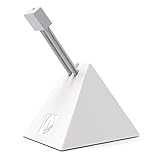
- PROFESSIONAL MOUSE BUNGEE - Works with almost corded mouse. Every component has been carefully designed to make it stylish, stable and space-saving. Embeded cable design prevents your mouse cable from being entangled and protects your mouse cable from friction and drag for full control.
- MAXIMUM FLEXIBILITY - This mouse bungee has a bendable construction and specially-designed rubber clip for easily and firmly holding all types of mouse cable and allows users to select a comfortable angle and height.
- STRONG STABILITY - It weights up to 220g! Anti-slip rubber feet provide stability and solid grip, it will not move easily. The gaming mouse wire holder will not slip nor will it slide no matter how extreme your mouse movements are.
- EASY TO CARRY - This mouse bungee is very small and compact, with a retractable spring design, convenient to bring it with you to travel for E-sport gaming, helpful and comfortable when you playing computer games.
- BETTER GAMING EXPERIENCE - Especially suitable for FPS games! Professional cord control design, the mouse cord fixer prevents tangles and drag for a smoother mouse experience and increasing competitive gaming performance. It can also be used in office and drawing design to make your desktop more tidy. Recommend to match with Hotline Games professional gaming mouse pad for better gaming experience!
V2 vs V3: when the older model is worth it
For a new purchase, V3 is the easier recommendation: its cable catch and cable-type support are clearly documented, and it is the current model shown on Razer’s product pages. The case for V2 is value. If a V2 costs substantially less than a new V3 and its cable holder, arm, and feet are in good condition, it can perform the same basic cable-lifting job.
- Prefer V3 if you want a straightforward new purchase, frequently change mice, or use a braided or paracord cable and want Razer’s stated compatibility.
- Consider V2 if the discount is meaningful, you can inspect its condition, and its holder fits your cable securely.
- Pass on the V2 listing if it is priced close to V3, has unclear photos, or shows worn rubber, missing feet, or a bent arm.
There is no standardized measurement here showing that V3 creates a specific aiming advantage over a healthy V2. A well-aligned V2 may feel much like a V3 for the basic purpose of keeping the cable off the pad; the more defensible difference is the V3’s catch design and documented cable compatibility.
Free tools Windows power users keep installed
One-click scans. No signup required.
V1 vs V2: is the older bungee still usable?
A working V1 can still hold a cable above the desk, so an owner does not need to upgrade simply because V2 exists. If buying used and the prices are close, V2 is generally the safer bet as a later revision—provided its retaining parts are sound. If a V1 is exceptionally cheap and its grip securely holds your cable, it can still be a practical basic solution.
Rank #4

- 【Flexible Silicone Bungee Arm】Different from the ordinary bayonet-type mouse bungee, our soft silicone mouse bungee can completely wrap your mouse cable, the mouse cable will not be separated from the mouse bungee during your use, and the soft adjustable mouse bungee helps eliminate cable drag and make your mouse feel wireless. The silicone mouse holder is detachable and the unit is easy to carry around.
- 【Non-slip Rubber Base】The mouse cord holder is shaped like a spider, the bottom is a certain distance from the desktop, the four corners of the bottom of the mouse cord bungee with silicone pads, non-slip, anti-wear, and easy to clean. The mouse cable holder has a built-in heavy metal block that greatly increases the stability of the mouse holder, which provides a super stable anchor point for your mouse cable during those intense mouse flicks.
- 【13 RGB LED Light Modes】RGB lights are designed with three light effects, dynamic magic lighting effect, breathing light effect (breathing light color change to green, cyan, blue, purple, rose red, and yellow) and static light effect (static light effect with 11 color effects are red, orange, yellow, green, cyan, blue, sky blue, purple, rose red, white and pink) to match your gaming aesthetic.
- 【2 Port USB Hub & 2 Type-C】The USB hub and Type-C ports are easy to connect and tight enough that they won't disconnect during use. There are two USB 2.0 ports a Type-C port on the front of the mouse bungee, and a Type-C port on the back. NOTE: The USB ports only work for USB device data transfer, and can not charge your device.
- 【Cable Organizer Holder】There is a cable holder on the side of the mouse bungee that can be used to collect the mouse cable and keep the desktop neat and tidy. A 1.5m long Type-C cable is included in the package, so you can easily power your mouse bungie at any time. If there is any question or you are not happy with your purchase, please do not hesitate to contact us.
For either used model, check for cracked plastic around the holder, missing or hardened rubber, a fatigued or bent spring arm, missing base feet, and sliding on the desk. V1 and V2 cable compatibility depends on the particular cable and holder condition; do not assume that the mouse brand alone determines fit.
Independent reader supportYour contribution helps us test, update, and keep practical guides available for everyone.V3 vs V3 Chroma: lighting or cable control?
The standard V3 is the simple choice if you want cable management without RGB. V3 Chroma adds RGB underglow and USB connectivity; Razer lists a 1.8 m braided USB cable, approximate weight of 240 g (8.5 oz), and Synapse 3 compatibility for that model. See Razer’s V3 Chroma product page and support details.
Razer says the lighting runs in Spectrum Cycling by default when connected, while Synapse 3 is required to customize colors, brightness, and effects. Choose Chroma for visible lighting and setup integration, not because it should improve cable control or mouse performance.
Best Value
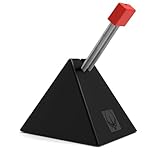
- PROFESSIONAL MOUSE BUNGEE - Works with almost corded mouse. Every component has been carefully designed to make it stylish, stable and space-saving. Embeded cable design prevents your mouse cable from being entangled and protects your mouse cable from friction and drag for full control.
- MAXIMUM FLEXIBILITY - This mouse bungee has a bendable construction and specially-designed rubber clip for easily and firmly holding all types of mouse cable and allows users to select a comfortable angle and height.
- STRONG STABILITY - It weights up to 220g! Anti-slip rubber feet provide stability and solid grip, it will not move easily. The gaming mouse wire holder will not slip nor will it slide no matter how extreme your mouse movements are.
- EASY TO CARRY - This mouse bungee is very small and compact, with a retractable spring design, convenient to bring it with you to travel for E-sport gaming, helpful and comfortable when you playing computer games.
- BETTER GAMING EXPERIENCE - Especially suitable for FPS games! Professional cord control design, the mouse cord fixer prevents tangles and drag for a smoother mouse experience and increasing competitive gaming performance. It can also be used in office and drawing design to make your desktop more tidy. Recommend to match with Hotline Games professional gaming mouse pad for better gaming experience!
How to position and set up the bungee
Razer’s documented V3 Chroma setup is to face the clip-on catch toward you, place the mouse cable in the catch and cable clip, and connect the bungee’s USB cable if you want Chroma lighting. For regular V3, the USB lighting connection does not apply. Use this practical sequence to get the cable path right:
- Place the bungee near the rear or upper edge of the mousepad. Keep it aligned with the direction your mouse cable naturally travels.
- Face the catch toward your playing position. On V3 Chroma, this matches Razer’s setup instructions.
- Seat the cable in the holder and leave a relaxed loop. Give the mouse enough reach for its full intended range; do not pull the cable taut.
- Test wide movements. The cable should stay off the pad without tugging the mouse, pulling sideways on the arm, or dislodging from the holder.
- Adjust position and slack. Move the bungee closer, shorten an oversized loop, or rotate it to follow the cable’s path if the cable still drags or feels tense.
- For V3 Chroma lighting, connect its USB cable to the PC. Use Synapse 3 if you want to customize lighting rather than use the default Spectrum Cycling effect.
Dust on rubber feet can reduce grip, so clean and dry them if the base slides. A heavy base is not automatically stable on every surface: sideways cable pull, worn feet, and a slick desk can still move it.
Which version suits your setup?
- Buying new: choose regular V3 for the current documented cable catch and broad cable-type compatibility.
- Using a braided or paracord cable: V3 is the best-documented choice. With V1 or V2, verify that the particular cable is retained securely.
- Playing low sensitivity with broad swipes: a bungee may help if cable drag interrupts movement; position and slack are as important as version.
- Wanting RGB: choose V3 Chroma if you value underglow and Synapse customization. It is an aesthetic/setup choice.
- Shopping used: choose a sound V2 at a substantial discount; consider V1 only at a very low price or if you already own it.
- Using a wireless mouse wirelessly: skip the bungee. It is only relevant when that mouse is connected and used by cable.
When to troubleshoot or replace it
The cable keeps slipping out
- Check that the cable is routed through the intended catch and clip, and that the bungee faces the mouse.
- Reduce excess slack and align the bungee with the mouse’s travel direction so the cable is not pulling sideways.
- Inspect and clean the catch. A very thin or thick cable may not seat securely; try another cable if available.
- If the rubber grip is permanently loose or damaged, replacement is more sensible than repeatedly repositioning it.
The base slides across the desk
- Clean and dry the feet and desk surface; replace the unit if its feet are missing or degraded.
- Reduce sideways cable tension and move the bungee closer to the mouse’s movement centerline.
- On a particularly slick surface, rubber feet may provide less grip than on a textured desk.
The cable still drags, or movement feels worse
- Move the bungee closer, shorten the free loop, and rotate the holder to match the cable’s route.
- Check that the cable is elevated along its path and is not catching on the pad edge before it reaches the bungee.
- If the cable feels like it is pulling against the mouse, add slack or reposition the arm. Too much tension can make any generation feel worse.
V3 Chroma lighting is not customizable
When connected by USB, Razer says V3 Chroma uses Spectrum Cycling by default. Install or use Synapse 3 to customize color, brightness, and effects; the default lighting does not require custom configuration.
Quick Recap
Product prices and availability are accurate as of the date/time indicated and are subject to change. Any price and availability information displayed on Amazon at the time of purchase will apply.
What’s actually slowing this PC down?
Pick the symptom - the matching free tool is one click away.



