Free tools Windows power users keep installed
One-click scans. No signup required.
What happens when you try to start Red Dead Redemption 2: do you see a padlock, a disc-reading message, an error code, a crash after launch, or no response? The right fix depends on whether you’re using a PS4 or PS5 and a disc or digital copy. Work through the matching checks below, starting with the least disruptive.
First, identify your console, copy, and symptom
Red Dead Redemption 2 is a PS4 game that also runs on PS5 through backward compatibility; it is not a native PS5 edition. PlayStation notes that system software may need updating and that some PS4 features may be absent on PS5. PlayStation’s RDR2 product page gives the compatibility details.
| # | Preview | Product | Price | |
|---|---|---|---|---|
| 1 |

|
Red Dead Redemption 2 PS4 Brand New Factory Sealed | $23.90 | Buy on Amazon |
| 2 |
|
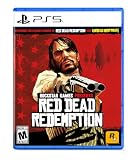
Red Dead Redemption - PlayStation 5 | $24.99 | Buy on Amazon |
| 3 |

|
Silent Hill 2 (PS5) | $29.50 | Buy on Amazon |
| 4 |
![Red Dead Redemption 2 - Playstation 4 (PS4) [video game]](https://m.media-amazon.com/images/I/51Nt8yEvQpL._SL160_.jpg)
|
Red Dead Redemption 2 - Playstation 4 (PS4) [video game] | $25.79 | Buy on Amazon |
| 5 |

|
Marvel's Wolverine PS5 | $69.00 | Buy on Amazon |
- Console: PS4 or PS5? If you are unsure of the model, check the console’s system information.
- Copy: Are you inserting a game disc, or launching a digital download?
- What happens: Does the game fail immediately, show a padlock or disc message, display an error code, crash while loading, or appear to do nothing?
- Scope: Do other games launch? For a disc copy, does the console read another supported disc?
These checks help separate an account or license problem from a disc-reading issue, an installation problem, or a broader console issue. PlayStation’s general guidance is titled “Game won’t start on your PS5 console” and “PS4 console: Can’t start game.”
If you see a padlock or an access message
A padlock can indicate that the console cannot verify your license. Check access before deleting the game or buying it again:
#1 Best Overall
- From the creators of Grand Theft Auto V and Red Dead Redemption
- The deepest and most complex world Rockstar Games has ever created
- Covers a huge range of 19th century American landscapes
- Play as Arthur Morgan, lead enforcer in the notorious Van der Linde gang
- Interact with every character in the world with more than just your gun;Engage in conversation with people you meet. Your actions influence Arthur's honour;Horses are a cowboy's best friend, both transport and personal companion;Bond with your horse as you ride together to unlock new abilities
- Sign in to the PlayStation account that purchased Red Dead Redemption 2, then check that the transaction completed successfully.
- If you access the game through PlayStation Plus, confirm that the subscription is active and that the game is still available to that account.
- If another account owns the game, check the relevant sharing setting: Console Sharing and Offline Play on PS5, or the primary PS4 arrangement on PS4.
- Restore licenses: on PS5, go to Settings > Users and Accounts > Other > Restore Licenses. On PS4, go to Settings > Account Management > Restore Licenses.
PlayStation’s game-start troubleshooting guide covers license checks for PS4 and PS5. Menu wording or availability may vary by system software version.
If you have the disc edition
First check that the disc is inserted correctly and look for dirt or fingerprints. If it needs cleaning, PlayStation recommends wiping it with a soft, clean cloth. Avoid abrasive materials and cleaning fluids not recommended by PlayStation; a clean cloth you already have is sufficient.
Rank #2
- When federal agents threaten his family, former outlaw John Marston is forced to hunt down the gang of criminals he once called friends.
- Experience Marston’s journey across the sprawling expanses of the American West and Mexico as he fights to bury his blood-stained past in the critically acclaimed predecessor to the 2018 blockbuster, Red Dead Redemption 2.
- Also included is Undead Nightmare, the iconic horror story that transforms the world of Red Dead Redemption into an apocalyptic fight for survival against a zombie horde.
- Remove the disc and inspect its readable surface under good light.
- Clean it gently with a soft, clean cloth, then reinsert it and try starting the game.
- Test another supported game disc or movie disc. If other discs also fail to read, that points to a disc-reading issue rather than proving the RDR2 disc itself is damaged.
For PS5-specific disc checks, see PlayStation’s guide to troubleshooting disc issues on PS5. If only the RDR2 disc fails while other supported discs work, the game disc may be the issue; contact PlayStation Support or the retailer for the appropriate next step rather than assuming the console drive is faulty.
If the game is digital or already installed
Try the reversible steps first. Restart the console, restore licenses using the path above, and install any available system software update. If the game still will not start, check that you have enough free console storage before reinstalling: deleting and downloading a large game can take time and use substantial bandwidth.
Rank #3
- Fully Remade to terrify modern audiences
- KONAMI's intense psychological horror masterpiece SILENT HILL 2 is made exclusively for PlayStation 5
- The main protagonist James Sunderland searches for clues in the namesake town, after receiving a mysterious letter from his wife Mary… who has long been dead
- Experience the eerie monsters and other manifestations of James' consciousness reworked after 20 years
- Made with state-of-the-art technology to play on modern entertainment systems in 4K
- Restart the PS4 or PS5, then try the game again.
- Restore licenses if you have not already done so.
- Check for and install a current system software update.
- On PS5, if the game is stored on USB extended storage, move it to the console’s internal storage and test again.
- If earlier steps fail, delete and reinstall the game. Redownload it from the account that owns it, and use a wired internet connection if feasible.
These steps follow PlayStation’s PS4 and PS5 game-start guidance. Reinstalling addresses a possible problem with the installed game data, but it does not resolve a missing license or a disc that the console cannot read.
If it shows an error code or crashes after launch
Write down the full code and message exactly as displayed before trying more disruptive fixes. Error-specific instructions matter: do not assume that an error documented for one situation is an RDR2-specific bug. For example, PlayStation’s page for PS4 error CE-41839-5 provides guidance for that code, but it does not establish that the code is unique to Red Dead Redemption 2.
Rank #4
- From the creators of Grand Theft Auto V and Red Dead Redemption
- The deepest and most complex world Rockstar Games has ever created
- Covers a huge range of 19th century American landscapes
- Play as Arthur Morgan, lead enforcer in the notorious Van der Linde gang
- Please note that although this game is Region Free or Region Unlocked and will work on all systems, this is the international version and may differ from the local version in age rating, labeling or instructions.
If the game crashes during loading, note when it happens and whether the behavior repeats. Restart, update system software, and, if relevant, reinstall the game before considering Safe Mode options. A crash alone does not establish that a save file or a specific hardware component is at fault.
Independent reader supportYour contribution helps us test, update, and keep practical guides available for everyone.Use Safe Mode only after basic checks
Safe Mode starts the console with basic functions and offers maintenance options. PlayStation describes Rebuild Database on PS4 as scanning the drive and creating a new content database. On PS5, Clear Cache and Rebuild Database contains separate cache-clearing and database-rebuilding actions.
Best Value
- Marvel’s Wolverine is a new action-packed adventure from Insomniac Games
- Play as Wolverine and Ravage enemies with explosive brutality and unleash razor-sharp adamantium claws to deploy fast, fluid attacks and overcome impossible odds
- An Original, Emotionally Charged Story. Beneath Wolverine’s gruff exterior and violent temperament is a man fighting for a cause greater than himself
- A Global, Adrenaline-Fueled Journey where you slice into enemies across detailed locales such as the frosted Canadian Wilderness, the narrow streets of Tokyo, and the high and low districts of the island nation of Madripoor
Follow PlayStation’s console-specific Safe Mode instructions for PS5 and PS4 to enter Safe Mode and choose the appropriate option. Do not select Reset, Initialize, or reinstall-system-software options casually: some Safe Mode choices erase data. Back up important data first and follow the exact official instructions for your console before proceeding.
When to contact PlayStation Support
If the game still will not start, gather details that help support distinguish an account, disc, software, or console problem:
- PS4 or PS5 model and current system software version.
- Whether the copy is on disc or digital, and which account owns or provides access to it.
- The exact error code or on-screen message, if there is one.
- What happens and the steps that reliably reproduce it.
- Whether other games launch or other discs read; a screenshot or short video may also help.
Use PlayStation Support’s game-start guidance or the official PlayStation hardware support and repairs route if troubleshooting does not resolve the problem. One symptom is not enough to conclude that the console needs repair.
Quick Recap
Product prices and availability are accurate as of the date/time indicated and are subject to change. Any price and availability information displayed on Amazon at the time of purchase will apply.
What’s actually slowing this PC down?
Pick the symptom - the matching free tool is one click away.



