For the most reliable update on an NHL player’s injury, check the player’s club announcements first, then NHL.com coverage and the official lineup close to game time. Treat every report as a dated snapshot: “day to day,” practicing, and a roster move each mean something different, and none alone confirms the player will appear in the next game.
Where to check for injury updates
- Start with the player’s NHL club. Check the club website and verified club channels for player-specific announcements. The club is the authority on its player’s status; NHL guidelines assign the decision about whether an injury warrants injured reserve (IR) to the club’s medical staff under club medical standards.
- Check NHL.com for league-wide coverage. The recurring NHL Status Report rounds up updates across the league. Its reports dated February 20 and 27 and March 6, 2026, illustrate a range of wording, including no timetable, day-to-day, projected returns, practice participation, activation, and return to the lineup.
- Use the NHL app as a notification channel. NHL advertises news notifications, live updates, scores, and player pages. Those features can help you spot news, but the app feature information does not promise a dedicated injury alert for every player. Verify substantive status claims against the club or NHL coverage.
- Check the latest practice or coach availability update, then check the official lineup. A player’s availability can change. Recheck close to the game, and distinguish the date an update was published from the date of the game it discusses.
What each update actually tells you
Read the wording as a report of a specific milestone, not as an automatic return date.


| Update or milestone | What it supports | What it does not confirm |
|---|---|---|
| “No timetable” | The club has not provided a return schedule in that update. | A projected date or a basis for inferring one. |
| “Day to day” or a projected return window | A status or expectation reported at that time. | Medical clearance or a guaranteed appearance in a particular game. |
| Skating or practicing | A progress signal: the player took part in a skating or practice activity described by the source. | That the player is cleared to play or will be in the lineup. |
| IR or LTIR placement | A roster designation with eligibility requirements and minimums. | A forecast that the player will return as soon as the minimum has elapsed. |
| Activation from IR | An administrative roster milestone. Under the CBA, IR activation requires club-physician medical clearance and notice and verification before the player plays. | By itself, confirmation that the player will appear in a particular game. |
| Listed in the official game lineup | Confirmation that the player is playing in that game. | Anything about the player’s longer-term health beyond what the club reports. |
Why IR and LTIR dates are not return predictions
Injured reserve (IR)
NHL Hockey Operations Guidelines say a player whose injury makes them physically unable to play for at least seven days after the injury date can be placed on IR. The player is ineligible to compete for at least seven days, and the club’s medical staff determines whether the injury warrants the designation under club medical standards.
The NHL/NHLPA Collective Bargaining Agreement says a player may be eligible for activation beginning on the eighth day after the injury, illness, or disability for which they were placed on IR, or later, if medically cleared by the club physician. The required notice and verification must also occur before the player plays. This is an eligibility rule, not a recovery schedule: it does not say the player will be ready on day eight.
#1 Best Overall

- This is a brand new factory sealed 2026 / 2027 Upper Deck MVP NHL Hockey Series Blaster Box that contains 11 packs (10 packs with 7 cards per pack plus 1 bonus pack with 3 Gold Script cards) for a total of 73 cards per box!
- Each box contains 3 Blaster EXCLUSIVE Gold Script cards that can ONLY be found in this product!!
- Try for your favorite stars including Sidney Crosby, Alex Ovechkin, Connor McDavid, Nathan MacKinnon, Nikita Kucherov, Cale Makar, Leon Draisaitl, Kirill Kaprizov, Matthew Schaefer, Ivan Demidov, Beckett Sennecke, Jimmy Snuggerud, Gabe Perreault, Auston Mathews, Jonathan Toews, Brad Marchand, Evgeni Malkin, Vladimir Tarasenko and others!
- Try for Rookie Cards including Porter Martone, Anton Frondell, Konsta Helenius, James Hagens, Cole Hutson, Carter Yakemchuk, Sacha Boisvert, David Reinbacher, 2026 NHL Draft #1 Pick SP Redemption cards and Rookie Redemptions cards and others!
- Your 2026-27 hockey card collection starts here with an impressive base set consisting of 200 regular cards and 50 SP's & Rookies cards! Collect an array of popular parallels, highlighted by the Silver Script and Blaster-Exclusive Gold Script!
Long-term injured reserve (LTIR)
In its October 3, 2026 report on Aleksander Barkov, NHL.com stated that a player on LTIR must miss at least 10 games and 24 days. Those are minimums attached to the designation, not a promise of an immediate return when they have elapsed. The same report described Barkov’s timeline as unknown.
How to compare conflicting updates
When reports differ, assess each one on its own rather than turning them into a single return date. Give the greatest weight to the club or NHL coverage for the player’s current status, note when each item was published, and separate confirmed facts from expectations. Also identify the milestone being reported: an injury or symptom description, practice participation, a roster transaction, medical clearance, or an actual lineup appearance.
- Record the source and publication date of the latest update.
- Preserve the source’s exact level of certainty: “expected” is not “confirmed,” and “no timetable” is not a date.
- Note any next review date the club gives, without treating it as a promised return.
- For fantasy coverage, label what is confirmed and what remains projected, and include the latest source date. Do not turn a practice report or outside estimate into a medical diagnosis.
A simple game-day checking routine
- Read the latest player-specific club update and note its publication date and wording.
- Check NHL.com’s Status Report for a league-wide update that may add context.
- After practice or coach media availability, look for a newer club report; an older projection may no longer reflect current availability.
- If a roster transaction is reported, distinguish placement or activation from a confirmed game appearance.
- Check the official lineup for the game in question. If the player is not listed or the lineup is not yet available, do not describe the appearance as confirmed.
What public updates may not tell you
A team’s public report may not include the underlying diagnosis or a precise forecast. The cited NHL examples show that teams sometimes provide no timetable, and the reviewed sources do not establish a universal obligation to publish a diagnosis or return estimate. When the club has not confirmed a date, say that clearly rather than deriving one from an IR minimum, practice appearance, or outside estimate.
Quick Recap
Best Value

- - 8 CARDS PER PACK
- - 9 PACKS PER BOX
Rank #4
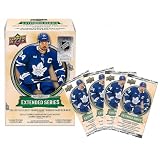
- Upper Deck X NHL: Celebrate the National Hockey League with this offifically licensed 2025/26 Upper Deck Extended Series trading card set.
- Includes: 4 packs per box, 12 cards per pack.
- Official NHL Collectible: Officially licensed National Hockey League trading card collectible.
- Great Gift Idea: Purchase this card set for yourself or gift it to the hockey fan in your life.
Rank #3
Product prices and availability are accurate as of the date/time indicated and are subject to change. Any price and availability information displayed on Amazon at the time of purchase will apply.



