Free tools Windows power users keep installed
One-click scans. No signup required.
For a practical Skyrim VR setup, start with the essentials your chosen mods require, then build around the experience you want. VRIK, HIGGS, and PLANCK are the standout VR interaction trio: they add a visible player body and gestures, improve hand-based object interaction, and bring physics-driven character interactions and revised melee behavior. The other picks below cover foundations, fixes, interface, audio, convenience, and visuals—not a universal checklist to install all at once.
“Must-have” here means worthwhile for a particular setup, not mandatory for every player. Choose selectively, check each mod’s current requirements and VR-specific files, and avoid assuming that a Skyrim Special Edition mod will work in VR unchanged.
| # | Preview | Product | Price | |
|---|---|---|---|---|
| 1 |

|
Skyrim VR - PlayStation 4 | $20.95 | Buy on Amazon |
| 2 |

|
Skyrim VR - PlayStation 4 (Renewed) | $15.79 | Buy on Amazon |
| 3 |

|
The Elder Scrolls V Skyrim VR - Playstation 4 (PS4) | $26.16 | Buy on Amazon |
| 4 |
|
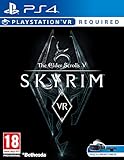
Skyrim VR - (PS4) | $24.99 | Buy on Amazon |
| 5 |
![PlayStation VR - Skyrim Bundle [Discontinued]](https://m.media-amazon.com/images/I/51X6qP43KfL._SL160_.jpg)
|
PlayStation VR - Skyrim Bundle [Discontinued] | $252.53 | Buy on Amazon |
How to choose a Skyrim VR mod setup
There are two sensible starting points: build a list yourself with a mod manager, or use a curated Wabbajack list such as FUS. A manual setup gives you more control but makes you responsible for resolving dependencies, patches, and file variants. FUS provides a documented, modular starting point with profiles and optional categories. Its maintainers describe its aim as including fixes, quality-of-life improvements, and VR-specific mods; they also tell users to choose rather than activate everything.
Whichever route you take, treat the entries below as a menu. Install foundations required by your selections, then add only the gameplay and presentation changes you actually want. A single load order cannot suit every combination of mods or system.
#1 Best Overall
- Skyrim reimagines the open-world fantasy epic, pushing the gameplay and technology of a virtual world to new heights
- Play any type of character you can imagine, and do whatever you want; the legendary freedom of choice, storytelling, and adventure of the elder scrolls is realized like never before
- Skyrim’s game engine brings to life a complete virtual world with rolling clouds, rugged mountains, bustling cities, lush fields, and ancient dungeons
- Choose from hundreds of weapons, spells, and abilities. The character system allows you to play any way you want and define yourself through your actions
- Battle ancient dragons like you've never seen. As Dragon born, learn their secrets and harness their power for yourself
- Check the file variant: Prefer a VR-specific file when one is provided. Some setup instructions require installing a non-VR base file and then overwriting it with VR-specific files or a patch.
- Check dependencies and versions: Read the individual mod page before installing; requirements can change.
- Start with a working baseline: If using FUS, boot the unmodified delivered setup before adding optional shaders, upscalers, or OpenComposite.
- Launch through SKSE: When using a mod manager with SKSEVR-based mods, follow the setup guide and launch through the SKSE launcher.
The maintained setup guide’s revision notes identify version 2.2.0 on May 22, 2026. FUS release notes also show ongoing changes, including VR Address Library, PLANCK, and SpellWheel VR. Check the current guide, list, and mod pages when installing; recommendations and requirements are not fixed.
Foundations and interface
These eight picks provide the framework for many setups. Some are dependencies or fixes; the two interface options are not both universal requirements.
1. Skyrim Script Extender for VR (SKSEVR) — foundation
Many behavior-changing Skyrim VR mods depend on SKSEVR. Install the VR edition according to its instructions and, when using a mod manager, start the game through the SKSE launcher. It is a prerequisite for several interaction mods below, but is not itself a gameplay overhaul.
2. SkyUI-VR — foundation
SkyUI-VR is an interface foundation and a stated requirement for VRIK’s configuration menu. Install the VR version and check its current instructions rather than substituting an unverified Special Edition file.
Crashes, No Sound, or Screen Glitches?
Random freezes, missing sound and display glitches usually trace back to one bad driver. Find and replace yours safely.Free scan · under a minutePC Slower Than It Used to Be?
A free scan shows the junk files, broken settings and background clutter dragging Windows down - then fixes them in one click.Free scan · Windows 10 & 113. USSEP with the Skyrim VR-specific patch — recommended foundation
The community setup guide recommends the Unofficial Skyrim Special Edition Patch together with a Skyrim VR-specific patch. Follow that guide’s instructions for the required base file and patch-generation or installation steps; the patch is part of the pairing, not an optional detail.
4. SSE VR Engine Fixes — fix layer
The community setup guide lists this as a fix layer for Skyrim VR. Treat it as a setup-guide recommendation, and check the guide and mod page for current files and installation details.
5. VR Address Library — optional utility
VR Address Library appears in current FUS release notes. It is relevant when a selected mod requires it; its presence in a modlist does not mean every player needs to add it independently.
6. Skyrim VR Tools — likely foundation
The community guide identifies Skyrim VR Tools as a likely foundational utility. Check the requirements of the mods you plan to use and follow the tool’s current VR instructions before installing it.
7. PapyrusUtil VR — likely dependency
The same guide names PapyrusUtil VR as a likely dependency. Verify the required files and version for your chosen mods; do not assume that a similarly named non-VR file is interchangeable.
Rank #2
- Skyrim reimagines the open-world fantasy epic, pushing the gameplay and technology of a virtual world to new heights
- Play any type of character you can imagine, and do whatever you want; the legendary freedom of choice, storytelling, and adventure of The Elder Scrolls is realized like never before
- Skyrim's game engine brings to life a complete virtual world with rolling clouds, rugged mountains, bustling cities, lush fields, and ancient dungeons
- Choose from hundreds of weapons, spells, and abilities. The character system allows you to play any way you want and define yourself through your actions
- Battle ancient dragons like you've never seen. As Dragon born, learn their secrets and harness their power for yourself
8. Dear Diary VR UI — personal interface choice
The community guide author recommends Dear Diary VR UI as a personal interface pairing. It is a preference rather than a universal requirement, so choose it only if you want that interface and have confirmed its current compatibility with your setup.
VR body, hands, combat, and movement
These fourteen mods change how Skyrim VR feels to play. VRIK, HIGGS, and PLANCK form the clearest core interaction sequence; the remaining entries are optional ways to tune equipment, combat, navigation, or physical play.
9. VRIK Player Avatar — core VR
VRIK displays an animated player body that follows your movements, supports up to 14 visible weapon holsters, and adds hand gestures that can trigger actions without opening menus. Its configuration menu exposes settings for these features. The mod page lists SKSEVR and SkyUI-VR as requirements. VRIK’s page identifies version 0.8.7 and a September 18, 2026 update; confirm the current file and requirements before installing.
Quick wins for a faster PC:
Repair Windows errors before they cause bigger problemsFix Now →Fix the driver behind crashes, sound loss and screen glitchesFind Drivers →Clear out junk files and repair common Windows errorsFree Scan →10. HIGGS – Enhanced VR Interaction — core VR
HIGGS adds hand and weapon collision, weapon two-handing, more natural object grabbing, and gravity-glove-style interactions. Its listed requirement is SKSEVR 2.0.12 or newer. Check the live mod page for the current file and instructions.
11. PLANCK – Physical Animation and Character Kinetics — core VR
PLANCK adds physical character interactions and revises melee hit detection; its page also describes physical impulses and an API for other mods. It requires HIGGS 1.6.0 or newer and SKSEVR 2.0.12 or newer. Install those dependencies first and verify their versions against PLANCK’s current requirements.
12. Spell Wheel VR — strongly recommended
Spell Wheel VR gives you a quick way to select spells and equipment. FUS also notes configurable wrist status bars. It suits players who prefer a selection wheel to gesture-based shortcuts; check its current configuration options and requirements.
13. Swap Drop and Hold — optional interaction aid
FUS lists this as an optional aid for equipping, dropping, and swapping weapons held in your hands. It is a convenience choice, not a replacement for the core interaction framework.
The Tool Desk
Outbyte PC Repair FREEClear out junk files and repair common Windows errorsFree Scan →Outbyte Driver Updater FREEFix the driver behind crashes, sound loss and screen glitchesFind Drivers →14. Weapon Throw VR — optional combat change
FUS describes Weapon Throw VR as allowing thrown weapons to return. Its maintainers advise adjusting the throw strength in the mod configuration, so tune it to your preference rather than assuming the default is right for you.
15. Pseudo Physical Weapon Collision and Parry — optional combat change
FUS lists configurable physical blocking, slow motion, and stamina costs. These settings change combat behavior; decide whether you want those mechanics before adding them.
Rank #3
- Skyrim VR is coming to PlayStation 4's virtual reality platform a true, full-length open-world game for VR has arrived from award-winning developers, Bethesda Game Studios.
- Skyrim VR reimagines the complete epic fantasy masterpiece with an unparalleled sense of scale, depth, and immersion.
- From battling ancient dragons to exploring rugged mountains and more, Skyrim VR brings to life A complete open world for you to experience any way you choose.
- Skyrim VR includes the critically-acclaimed core game and official add-ons - Dawnguard, Hearthfire, and Dragonborn
16. Magic Improvements for Skyrim VR — optional magic change
FUS lists dual-casting and VR spell-aim options. Consider it if you want to adjust how magic works in VR, and check the current instructions for any dependencies or settings.
17. Simple Realistic Archery — optional archery change
FUS describes drawing arrows from a back quiver and choosing arrows. It is a targeted choice for players who want a more physical archery routine.
What’s actually slowing this PC down?
Pick the symptom - the matching free tool is one click away.
18. Locational Damage VR — optional difficulty change
FUS lists extra headshot damage. Because this can make combat easier or otherwise change difficulty, add it only if that effect fits your preferred challenge.
19. No Stagger Mod — optional combat preference
FUS lists this as an optional way to disable stagger. It changes how combat responds to hits, so consider it a preference adjustment rather than a general fix.
20. Navigate VR — optional navigation change
Navigate VR offers immersive navigation options, including a compass and equipable maps. It is for players who want navigation tools represented more directly in VR.
21. Physical Dodge VR — optional movement change
FUS lists physical movement dodge behavior as an option. Choose it if you want dodging tied to physical movement, and confirm its current settings and compatibility.
Do these 3 things before closing this tab:
1Fix the driver behind crashes, sound loss and screen glitches2Repair Windows errors before they cause bigger problems3Scan for outdated or missing drivers - takes under a minute22. Be Seated — optional interaction change
Be Seated adds sitting and interactions such as eating, drinking, and using beds. It is an immersion option rather than a requirement for ordinary movement or combat.
Audio, alternate start, and movement convenience
These three community-guide recommendations address different preferences. The audio choice is an author recommendation, while the alternate start and movement option change how you begin or move through the game.
23. Binaural 3D Surround Sound — recommended audio option
The community guide author recommends this for positional audio. That is an individual recommendation, not a measured guarantee of improvement for every setup.
Rank #4
- Skyrim VR is coming to PlayStation 4’s virtual reality platform
- A true, full-length open-world game for VR has arrived from award-winning developers, Bethesda Game Studios.
- Skyrim VR reimagines the complete epic fantasy masterpiece with an unparalleled sense of scale, depth, and immersion.
- From battling ancient dragons to exploring rugged mountains and more, Skyrim VR brings to life a complete open world for you to experience any way you choose.
- Skyrim VR includes the critically-acclaimed core game and official add-ons – Dawnguard, Hearthfire, and Dragonborn.
24. Realm of Lorkhan — alternate start
The community guide author recommends Realm of Lorkhan as an alternate start that lets players bypass the opening cart sequence. Choose it if you want a different beginning; it is not needed to play the standard opening.
25. Natural Locomotion — optional movement approach
The guide names Natural Locomotion as an optional movement approach. It involves additional hardware or software setup, so check its current requirements and decide whether its approach suits you before adding it.
Independent reader supportYour contribution helps us test, update, and keep practical guides available for everyone.Bug fixes and quality-of-life choices
The current setup guide includes these eleven candidates among its fix and quality-of-life recommendations. Their usefulness depends on your setup and preferences; confirm current file variants, requirements, and VR compatibility rather than treating the list as a guaranteed bundle.
26. Favorite Misc Items — convenience
A setup-guide candidate for making miscellaneous items easier to manage. Check the guide’s current installation advice and whether its feature matches the way you use favorites.
27. Essential Favorites VR — VR-specific convenience
This VR-named favorites option appears in the setup guide. Confirm its current file and requirements before adding it, especially if you are already using another favorites tool.
28. Whose Quest Is It Anyway VR — quest information
The guide includes this as a VR quality-of-life candidate. Check the current mod page for the information it displays and its dependencies before deciding whether it fills a gap in your setup.
29. Simple Offence Suppression VR — behavior fix
This VR-specific candidate is listed in the setup guide’s fix recommendations. Verify the current file and instructions, and install it only if it is appropriate for your chosen setup.
30. Moons and Stars SKSEVR — visual utility
The guide lists this SKSEVR-named option. Check its present requirements and file details on the mod page before including it.
31. Controller Fix VR — controller fix
The setup guide includes Controller Fix VR among its candidates. Use the current guide’s directions and verify that the file applies to your controller and game setup.
Recommended Free Tools
Best Value
- Bundle Includes PlayStation VR headset, PlayStation Camera, two PlayStation Move controllers, and Skyrim VR game.
- A true, full-length open-world game for PS VR, The Elder Scrolls V: Skyrim VR reimagines the complete epic fantasy masterpiece with an unparalleled sense of scale, depth, and immersion.
- Simply plug your PlayStation VR and PlayStation Camera into your PS4 system and transport yourself to new gaming worlds like never before.
- Power Source: AC Adapter
32. Dual Casting Fix VR — magic fix
This VR fix is listed by the setup guide. Check the required file and compatibility before pairing it with other magic changes.
33. Stagger Effect Fix — gameplay fix
The guide names Stagger Effect Fix as a candidate. Keep its role distinct from No Stagger Mod: the latter is an optional choice to disable stagger, while this entry is listed as a fix. Check the current descriptions to determine whether either belongs in your setup.
34. World Encounter Hostility Fix — encounter fix
This candidate appears in the setup guide’s fix list. Read its current description and requirements to confirm the behavior it addresses in your installation.
35. NPC Stuck in Bleedout Fix — NPC fix
The guide lists this as a targeted fix for NPCs stuck in bleedout. Confirm the current VR file and instructions before installing it.
36. Quest Journal Limit Bug Fixer — quest fix
This candidate addresses a quest-journal limit bug according to its name and the setup guide’s listing. Check the current mod page for the supported file and installation details.
Visual choices and performance trade-offs
These four entries are options, not a required visual stack. Choose a rendering route and preset that fit your preferred look, weather setup, and tolerance for added configuration or performance cost.
37. ENB — visual overhaul route
The setup guide describes ENB as a long-standing visual overhaul with a performance cost. It lists multiple VR presets matched to weather mods; treat those presets as alternatives, not layers to pile together. Check which weather mod a chosen preset expects.
38. Community Shaders — distinct visual route
The setup guide includes Community Shaders as a separate visual path, with tonemapping presets tied to weather mods. Compare its style and setup requirements with the ENB route, and choose a compatible preset for your weather setup.
Quick wins for a faster PC:
Scan for outdated or missing drivers - takes under a minuteDriver Scan →Clear out junk files and repair common Windows errorsFree Scan →39. ReShade — additional preset route
The guide lists ReShade as another route, including presets built around Community Shaders. Check the requirements of the specific preset and do not assume it is interchangeable with an ENB preset.
40. DynDOLOD-generated distant LOD — optional distance improvement
FUS notes that optional DynDOLOD-generated distant LOD can improve visual distance at a performance cost. Treat it as an optional generated addition and follow the list’s own build and installation instructions.
A practical order for building the setup
- Choose a starting route: Decide between a manual mod-manager setup and a modular FUS/Wabbajack installation. If choosing FUS, select a profile and options rather than enabling every listed mod.
- Get a clean baseline running: Follow the chosen route’s installation instructions. With FUS, first boot the delivered baseline unchanged; do not add optional shaders, upscalers, or OpenComposite before confirming that baseline starts.
- Add required foundations: Install SKSEVR and other dependencies required by your chosen mods. Apply the USSEP and Skyrim VR-specific patch only as directed by the current setup guide.
- Build the VR interaction core if wanted: Install VRIK with its SKSEVR and SkyUI-VR requirements, HIGGS with SKSEVR 2.0.12 or newer, and PLANCK only with HIGGS 1.6.0 or newer and SKSEVR 2.0.12 or newer.
- Add one set of preferences at a time: Choose your interface, combat, audio, start, and movement options. Then select a visual route and a weather-compatible preset if you want one.
- Launch and check after changes: Use the SKSE launcher when your setup calls for it. If a new addition prevents a working baseline, remove or disable the recent change and consult its current requirements and installation instructions.
There is no evidence here for a universal performance gain, frame-rate target, or system tier that fits every combination. In particular, ENB and distant LOD have documented performance costs, while the actual effect of a broader mod selection depends on the chosen files and setup.
Quick Recap
Product prices and availability are accurate as of the date/time indicated and are subject to change. Any price and availability information displayed on Amazon at the time of purchase will apply.
Do these 3 things before closing this tab:
1Scan for outdated or missing drivers - takes under a minute2Repair Windows errors before they cause bigger problems3Fix the driver behind crashes, sound loss and screen glitches



