The “A Required Network Service Has Failed” message means MW2 could not complete an online connection, but it does not identify the cause. Check Activision and your platform’s network status first; if both are online, work through these low-risk checks in order. None is a guaranteed fix, and a widespread service problem may require waiting for a remote fix.
1. Check Activision and platform service status
Before changing settings, check Activision Online Services and the network-status page for your platform. Activision advises checking the relevant platform’s network when its own services appear online.

If either service reports an outage, local troubleshooting is unlikely to restore access. Wait for service to return and check status again before retrying.
2. Retry the connection once
A temporary service or update hiccup may clear on another attempt. Return to MW2 and try connecting again. A launch-era report from GameRevolution described a retry working when an update seemed stuck, but that was one reported instance—not a reliable or universal fix.
#1 Best Overall

- - Adaptateur Réseau Sans fil Occasion [ Xbox 360 ]- Vendu sans boite
3. Make sure MW2 is up to date
Check the game’s update status in your platform’s game library or update interface, then install any available MW2 update and try again. An outdated client may not work with a newer patch. This MW2-specific recommendation appeared in a 2023 guide, so the exact menu labels can differ by platform and may have changed.
4. Fully close and relaunch the game
Exit MW2 rather than leaving it suspended or running in the background, then launch it again and retry. This is a simple way to clear a temporary game-session problem; if the error remains, continue to the next step.
Rank #2

- This Certified Refurbished product is tested and certified to look and work like new. The refurbishing process includes functionality testing, basic cleaning, inspection, and repackaging. The product ships with all relevant accessories, a minimum 90-day warranty, and may arrive in a generic box. Only select sellers who maintain a high performance bar may offer Certified Refurbished products on Amazon.com
- Compact, high-performance design
- Ideal for larger homes, multiple rooms, and congested wireless environments
- Works with 802.11a, 802.11b, and 802.11g wireless routers and access points.
- Dual band 5 GHz and 2.4 GHz Wireless A/B/G home network compatible
5. Restart your system and router
Restart the device running MW2. If the service-status checks are clear and the problem persists, restart your router as well. Activision includes router restarts in its general connection advice. After both devices are back online, launch the game and test the connection.
6. Test your local connection, then wait and retry
If the error continues while services appear online, check whether your home connection is contributing to the problem:
Rank #3

- Compact, high-performance design
- Ideal for larger homes, multiple rooms, and congested wireless environments
- Works with 802.11a, 802.11b, and 802.11g wireless routers and access points
- Dual band 5 GHz and 2.4 GHz Wireless A/B/G home network compatible
- Try a wired connection. If practical, connect the system to the router with Ethernet. This can help distinguish a Wi-Fi issue from a service problem, but it will not fix an Activision or platform outage.
- Check connection speed. Activision recommends checking your connection speed as part of general troubleshooting.
- Reduce competing network use. Pause or limit other bandwidth-heavy activity on your network, then try MW2 again.
If the issue appears widespread or status information is unclear, wait briefly before another attempt. Prima Games suggested waiting 15–20 minutes in its 2023 MW2 guide; treat that as editorial advice, not an official countdown or guarantee. Keep an eye on Activision’s status page in case the cause is remote.
How to tell whether MW2 is down or it is your internet
Use the status checks and local tests to narrow the possibilities; the error message alone cannot distinguish them.
Rank #4
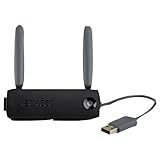
- Connect to Xbox LIVE wirelessly with ease.
- Highest Wireless N technology standard and dual band for maximum speed, coverage and reliability
- The best solution for streaming and downloading HD movies
| What may be causing the error | What to check | What to do next |
|---|---|---|
| Activision service availability | Activision Online Services | If an outage is shown, wait for restoration and recheck status. |
| Console or PC platform network | Your platform’s network-status page | If the platform reports a problem, wait for that service to recover. |
| Local Wi-Fi, router, or internet connection | Try Ethernet, check connection speed, reduce competing bandwidth use, and restart the router. | Retry after the connection is stable. |
| MW2 update or client state | Check for a game update; fully close and relaunch MW2. | Install available updates, restart the game, and retry. |
When to stop changing settings
If Activision or your platform reports an outage—or many players appear to be affected—repeated local changes are unlikely to help. Wait and monitor the relevant status page. The available MW2-specific recommendations do not establish reinstalling the game, changing DNS, using a VPN, or port forwarding as reliable first-line fixes for this error.
Quick Recap
Product prices and availability are accurate as of the date/time indicated and are subject to change. Any price and availability information displayed on Amazon at the time of purchase will apply.
Do these 3 things before closing this tab:
1Repair Windows errors before they cause bigger problems2Fix the driver behind crashes, sound loss and screen glitches3Clear out junk files and repair common Windows errors



