If you mean importing your Nemesis into Middle-earth: Shadow of War, you can’t do so through the supported Nemesis Forge feature: WB Games says it is no longer available, and Xbox confirms Nemesis transfers to the sequel have ended. If you mean moving a complete local save file, the official notices cited here do not provide a procedure or a universal answer; the steps would depend on your platform and what kind of move you mean.
Can you transfer a Nemesis from Shadow of Mordor?
No. Nemesis Forge, the feature for carrying an in-game Nemesis from Shadow of Mordor into Shadow of War, is no longer available. WB Games lists the feature as unavailable in its service status notice. Xbox states explicitly that players can no longer transfer their in-game Nemeses from the first game to the sequel in its November 1, 2021 Shadow Bundle article.
| # | Preview | Product | Price | |
|---|---|---|---|---|
| 1 |

|
Middle-Earth: Shadow Of War - Xbox One | $10.99 | Buy on Amazon |
| 2 |

|
Middle Earth: Shadow of War Definitive Edition (PS4) | $11.99 | Buy on Amazon |
| 3 |
|
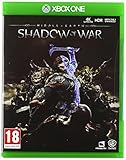
Middle-earth: Shadow of War (Xbox One) | $7.75 | Buy on Amazon |
Why does Nemesis Forge no longer work?
WB Games attributed the loss of certain Shadow of Mordor features to network changes. Its notice says those features would no longer be available beginning December 31, 2020, on PlayStation 4, Xbox One, and Steam; Nemesis Forge is among the features it names. A new installation or a copy of the game does not restore that discontinued network feature.
Does this mean a complete save file cannot be moved?
Not necessarily. The WB Games and Xbox notices address Nemesis transfer through Nemesis Forge; they do not give instructions or a definitive ruling on moving a complete local save between devices or platforms. Do not treat the Nemesis Forge shutdown as proof that every form of save backup or migration is impossible. Nor is there enough information in these notices to give safe, platform-specific steps.
Crashes, No Sound, or Screen Glitches?
Random freezes, missing sound and display glitches usually trace back to one bad driver. Find and replace yours safely.Free scan · under a minutePC Slower Than It Used to Be?
A free scan shows the junk files, broken settings and background clutter dragging Windows down - then fixes them in one click.Free scan · Windows 10 & 11#1 Best Overall
- Immerse yourself in the epic scale of Middle-Earth as you forge a new ring and siege epic fortresses to face the dark lord and Nazgul.
- Experience a richer and more personal world full of new enemy types, stronger personalities and deeper stories - anyone you face can now evolve from a lowly soldier to a mighty overlord.
- Go behind enemy lines and use strategy, cunning or brute force to conquer Sauron' s fortresses and turn them against him.
If you mean a full save rather than a Nemesis, identify the platform you play on and whether you are moving between devices on the same platform and account or between different platforms. Those distinctions matter, and the official information cited here does not establish a procedure for any of those local-save cases.
What other Shadow of Mordor features were affected?
WB Games’ status notice also says Vendetta missions are no longer available, although the “Repaid in Blood” achievement or trophy can still be unlocked. Leaderboards are no longer connected to other users and show only your score; “The Hunt is My Mistress” and “Lord of the Ring” achievements or trophies remain unlockable. WBPlay is unavailable, but the “Orc Hunter” and “Gravewalker” Epic Runes are automatically awarded to all players.
Rank #2
- PLAY THE DEFINITIVE EDITION OF MIDDLE-EARTH: SHADOW OF WAR FROM THE AWARD-WINNING MONOLITH STUDIOS
- Winner of over 60 awards and nominations, conquer Mordor for the Bright Lord and enjoy 50+ hours of story content, 3 playable characters and the expansive Nemesis System.
- The Definitive Edition includes all DLC Slaughter Tribe Nemesis Expansion Outlaw Tribe Nemesis Expansion Blade of Galadriel Story Expansion Desolation of Mordor Story Expansion
Will buying a bundle restore the transfer?
No. The Xbox Shadow Bundle listing includes Shadow of Mordor: Game of the Year Edition and Shadow of War for Xbox One and Xbox Series X|S, but owning both games does not reactivate Nemesis Forge or enable Nemesis transfer.
Quick Recap
Rank #3
- A MONUMENTAL STORY: Immerse yourself in the epic scale of Middle-earth as you forge a new ring and siege epic fortresses to face the Dark Lord and Nazgul.
- NEMESIS SYSTEM EVOLVED: Experience a richer and more personal world full of new enemy types, stronger personalities and deeper stories – anyone you face can now evolve from a lowly Soldier to a mighty Overlord. Personal Nemesis or Ally.
- TURN MORDOR AGAINST SAURON: Go behind enemy lines and use strategy, cunning or brute force to conquer Sauron’s fortresses and turn them against him.
- IN MIDDLE-EARTH: SHADOW OF WAR, NOTHING WILL BE FORGOTTEN.
Product prices and availability are accurate as of the date/time indicated and are subject to change. Any price and availability information displayed on Amazon at the time of purchase will apply.
Free tools Windows power users keep installed
One-click scans. No signup required.




