Blade Ball is a Roblox action game by Wiggity built around a homing ball that targets players and speeds up. Watch its path, use the block input to deflect it toward another player, and activate an ability when its effect fits the moment. The exact controls depend on whether you play on keyboard, controller, or touchscreen.
What is Blade Ball?
Roblox describes Blade Ball as a game of focus, timing, and strategy in which “a deflectable homing ball hunts players with increasing speed.” Players block or deflect the ball as it moves between targets. The official Roblox experience listing also mentions unlockable abilities, weapon skins, and finisher effects; it does not provide a full rules manual or a current competitive guide.
Roblox categorizes the experience as Action / Battlegrounds & Fighting and presents both leaderboard competition and casual play as ways to approach it. The game’s central loop is straightforward to understand: follow the ball, block to send it away, and make use of your available ability.
What are the Blade Ball controls?
The official listing gives these inputs. Touchscreen controls appear as on-screen UI buttons, so their positions may depend on the device and interface.
The Tool Desk
Outbyte PC Repair FREEClear out junk files and repair common Windows errorsFree Scan →Outbyte Driver Updater FREEScan for outdated or missing drivers - takes under a minuteDriver Scan →#1 Best Overall

- Supported Multi-Platform: Switch/Switch 2 (NO support wake-up function)/iOS/Android/Windows PC (Notice:Not compatible with Xbox, PlayStation or GeForce Now, For game platforms not mentioned, please consult customer service before buying)
- Connection Modes: Wired/Bluetooth/Wireless Dongle(Connect to PC via Bluetooth : Select iOS mode, but it's not recommended; Dongle is more stable)
- 【Innovative Intelligent Interactive Screen】Manba One V2 wireless game controllers create a new era of controller screens; Equipped with a 2-inch display, no App & software needed, you can set the pc controller directly through the screen visualization, More convenient operation
- 【Micro Switch Button】Manba One wireless controller has Micro Switch Button and ALPS Bumper; The 6-axis gyroscope function makes switch games more immersive
- 【Customize Your Own Controller】The intelligent interactive screen allows you to easily set vibrations, buttons, joysticks,lights, etc., without the need for complex key combinations; 4 configurations can be saved to unlock your own gameplay for different games; The 4 back keys support macro definition settings, and you can activate the set character's ultimate move with one click
| Action | Keyboard / mouse | Controller | Touchscreen |
|---|---|---|---|
| Block | F or left click | R1 | UI button |
| Ability | Q or right click | Button X | UI button |
| Shiftlock | Shift | Button-Y | UI button |
| Emote | R | L1 | UI button |
These mappings are from the official Roblox listing. Roblox tags Blade Ball for PC, mobile, console, and Xbox; the specific controls available can vary by platform and input device.
How do you block the ball in Blade Ball?
Use the Block input—F or left click on keyboard and mouse, R1 on controller, or the on-screen button on touchscreen—to deflect the homing ball. The official description establishes blocking as the way to send the ball away, but does not publish a detailed timing tutorial or explain precise timing windows. Follow the ball’s movement and use the listed block control when you want to deflect it; avoid relying on an unverified timing formula or a supposed universally best ability.
Rank #2

- Advanced Gaming Buttons – Get an edge over the competition with two mappable buttons you can program on-the-fly, mid-game—no system settings to configure
- 3-Way Trigger Locks – Set the travel distance of the triggers with three different positions to pull off quicker actions in your favorite FPS games or go full throttle in a high-end race car
- Dual Rumble Motors – Take your gaming experience to the next level, providing tactile feedback and sensations that bring your virtual worlds to life
- Immersive Impulse Triggers – Provides reactive rumble sensations using built-in motors so you can feel the action of the game*
- Extra Long USB-C Cable – Provides you with 10ft of distance for more comfort and flexibility than shorter cables
Is Blade Ball on Xbox, mobile, and PC?
Roblox’s experience listing includes mobile, console, Xbox, and PC among its platform tags. Inputs differ across those devices: keyboard and mouse, controller buttons, and touchscreen UI are not interchangeable. Check the in-game prompts for the device you are using if a control is unclear.
Does Blade Ball have abilities, skins, or updates?
The official listing says players can unlock abilities and collect weapon skins and finisher effects. It does not substantiate a current ability tier list, “best” build, or competitive meta, so those claims should not be treated as established by the listing.
Do these 3 things before closing this tab:
1Repair Windows errors before they cause bigger problems2Scan for outdated or missing drivers - takes under a minute3Clear out junk files and repair common Windows errorsRank #3

- Multi-Platform Support - Our gaming controller is compatible with a range of platforms, including Nintendo Switch, Steam Deck, Windows 7 8 10 11 PC, and iOS, Android mobile phones. Enjoy seamless wired or wireless connection across multiple platforms without any errors.
- Immersive Gaming Sensation - With four-speed dual-motor vibration and 6-axis sensors , the controller delivers immersive gameplay, giving you a more realistic and engaging gaming experience. The fast response wake-up function allows you to start playing your game right away.
- Customizable Gaming Experience - The controller comes with 8 RGB LED breathing lighting, the two remapping back keys allow you to complete multiple actions with just one key, providing a visually stunning and customizable gaming experience. You can also customize the turbo function with three-speed options to adjust the controller's response to suit your preferences.
- Stylish and Comfortable Design - Designed with both comfort and style in mind, our controller features an ergonomic design that fits comfortably in your hands. The removable magnetic cover with a cool cracked pattern adds a touch of style to your gaming experience, making it stand out from the rest.
- Programmable Functionality - Our app provides easy upgrade and management of the controller, allowing you to remap buttons, adjust joystick sensitivity, vibration, button combos, and speed, as well as providing a visual programming interface. With an 850mAh battery, you can enjoy long hours of gaming without worrying about running out of power.
A Blade Ball Wiki page reports that updates typically arrive on Saturdays and directs readers to the official Discord for update logs. That is a reported pattern, not a guaranteed schedule. For current patch details, check the live Roblox listing or the game’s official community channels rather than assuming a particular feature or code is still current.
Independent reader supportYour contribution helps us test, update, and keep practical guides available for everyone.Is Blade Ball appropriate for younger players?
Roblox labels the experience MildViolence (Repeated/Mild). This is Roblox’s classification for the experience, not an independent rating.
Rank #4
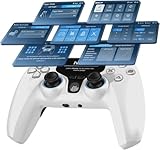
- Interactive Screen for Seamless Customization: With the 2-inch interactive display, easily adjust button mapping, sensitivity, vibration intensity, and Turbo functions on the fly. No app needed, just intuitive control at your fingertips, allowing you to save up to 4 profiles for instant mode switching, optimizing your gameplay experience for different game genres.
- 1000Hz Polling Rate for Ultra-Fast Response: Featuring a 1000Hz polling rate, this controller delivers zero input lag, ensuring immediate response for precision gaming. Ideal for competitive gamers, this ultra-fast response rate guarantees flawless performance in fast-paced action games like FPS or racing, where every millisecond counts.
- Hall Effect Joysticks & Triggers + 2 Programmable Buttons: Equipped with Hall Effect joysticks and dual-stage triggers for smooth, drift-free control, built to last over 5 million cycles. The 2 programmable back buttons enable you to assign macros or game-specific functions for rapid execution, making this controller perfect for advanced gamers seeking customizable, high-performance gaming gear.
- Gyroscope Calibration & Drift Repair Function for Precision: The integrated gyroscope calibration and drift repair function ensure consistent precision over time by fixing joystick drift and gyro inaccuracies. Perfect for FPS and action games, this function allows you to maintain control accuracy throughout your sessions, ensuring smooth motion control with no interruptions during critical moments.
- Motion Control & Immersive Gameplay Experience: 6-axis motion sensing provides precise control in action-packed or racing games, bringing your games to life. Experience accurate motion aiming and enhanced immersion as you control your character or vehicle with dynamic movements, taking your gameplay to the next level.
Does Blade Ball merchandise include in-game rewards?
The Blade Ball Official Linktree shop lists branded hoodies, T-shirts, and two gaming mousepads, and explicitly says the merchandise provides “no in-game rewards.” A mousepad is a general PC accessory for players who use a mouse; the shop’s listings do not establish that these items are sold on Amazon or that any mousepad improves game performance. See the Blade Ball Official Linktree for its current merchandise listings.
Quick Recap
Product prices and availability are accurate as of the date/time indicated and are subject to change. Any price and availability information displayed on Amazon at the time of purchase will apply.



