Free tools Windows power users keep installed
One-click scans. No signup required.
Yes. To remove an entire base, use Delete Base at its Base Computer and confirm the action. If you only want to change the layout, edit or pick up selected parts instead; compatible parts can also be swapped without deleting the whole build.
Delete an entire base
-
Go to the base’s Base Computer and interact with it.
-
Choose Delete Base.
-
Read the warning and confirm if you want to proceed.

Hello Games documented a warning for Base Computer deletion in its Origins update notes and added a confirmation button in the Waypoint 4.04 patch notes. Treat deletion as consequential: the sources reviewed do not describe an undo procedure.
#1 Best Overall

- Embark on an epic voyage, find your own destiny in this epic space adventure
- Includes 6 years of updates
- An entire universe to explore on the go in the palm of your hands
- For the first time ever, PlayStation 5 physical edition as well as Nintendo Switch (physical & digital)
Change a build without deleting it
For a renovation, use edit mode to target individual existing parts and adjust or pick them up. Hello Games also documents swapping existing parts for compatible alternatives, which lets you change a build without removing and replacing the whole base.
The available scope is different:
| Option | What it affects | Material recovery |
|---|---|---|
| Delete Base | The whole base | A community-maintained reference reports that half of the construction materials can be retrieved from a Base Salvage Capsule; official sources reviewed do not confirm the percentage. |
| Edit or pick up parts | Selected parts | Not stated in the official sources cited here. |
For edit-mode controls and picking up existing pieces, see Hello Games’ Frontiers update notes. Compatible part replacement and freighter deletion safety fixes are covered in the Endurance update notes.
Rank #2
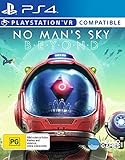
- Region Free Australia
- 100% Compatible With USA Playstation 4 Console
- Region 2 (AUS) or 4 (EUR) Required for DLC Redemption or Purchases
- Playstation VR Compatible (optional)
What happens to materials?
The community-maintained Base Salvage Capsule reference reports that deleting a base through its Base Computer makes half of the materials used in construction retrievable from the capsule. It also says the capsule does not need to be built before deletion. Hello Games’ official sources reviewed do not independently confirm either detail, so check the current in-game behavior before relying on that recovery.
Independent reader supportYour contribution helps us test, update, and keep practical guides available for everyone.Does deletion work the same for every base type?
That is not established by the official sources reviewed. Hello Games’ notes discuss planetary base deletion, and separately cover freighter construction and part-deletion safety. Its Cosmos Update 7.0 page documents orbital construction but does not explain how to delete an orbital base. Do not assume that deletion or salvage works identically for planetary, freighter, and orbital bases.
Windows Errors? Fix Them Before They Spread
Repair common Windows errors and clear accumulated junk for a smoother, more stable PC - no reinstall needed.Free scan · no reinstallOutdated Drivers Are Slowing You Down
One free scan finds every outdated or missing driver and matches the right update for your exact hardware.Free scan · exact hardware matchQuick Recap
Rank #4
![No Man's Sky Standard - PC Steam [Online Game Code]](https://m.media-amazon.com/images/I/619dfBaaLhL._SL160_.jpg)
- Play with all major updates since launch
- And now with added Cross-Save! No Man’s Sky now supports Cross-Play and Cross-Save between a huge number of platforms including PC, PlayStation 4, PlayStation 5, PlayStation 5 Pro, Xbox One and Series X/S, Game Pass, GOG, Nintendo Switch, Steam Deck, PlayStation VR 1 & 2 and PCVR.
Rank #3

- Embark on an epic voyage, find your own destiny in this epic space adventure
- Includes 6 years of updates*
- An entire universe to explore on the go in the palm of your hands
- For the first time ever, PlayStation 5 physical edition as well as Nintendo Switch (physical & digital)
- Please note that although this game is Region Free or Region Unlocked and will work on all systems, this is the international version and may differ from the local version in age rating, labeling or instructions.
Product prices and availability are accurate as of the date/time indicated and are subject to change. Any price and availability information displayed on Amazon at the time of purchase will apply.




