The Tool Desk
Outbyte Driver Updater FREEScan for outdated or missing drivers - takes under a minuteDriver Scan →Outbyte PC Repair FREEClear out junk files and repair common Windows errorsFree Scan →Usually, no: Dolphin does not ordinarily read an original Wii disc in a standard desktop DVD drive. To play a disc you own, use a Wii or a Wii U in vWii mode to make a game dump, then load that file in Dolphin.
Can Dolphin read Wii games from a disc?
Not from an original Wii disc in a typical PC optical drive. Wii discs use a modified DVD format that conventional desktop DVD drives cannot read, and Dolphin’s usual workflow is to load a game dump file instead. Dolphin’s explanation of the disc format and its FAQ describe this limitation.
How to play a Wii disc you own in Dolphin
- Make a dump using a Wii or Wii U in vWii mode. Dolphin’s official ripping guide describes these consoles as options for ripping Wii discs. The FAQ recommends installing the Homebrew Channel and running an application such as CleanRip.
- Choose SD card or external USB storage for the dump. CleanRip can write to either. Follow the app’s prompts and use storage with enough free space for the disc layer.
- Transfer the resulting file to the computer running Dolphin. Add or open the dump in Dolphin and launch it from the game list.
The official Dolphin ripping guide recommends more than 4.38 GiB of free space for a single-layer Wii disc and 7.93 GiB for a dual-layer disc. These are storage recommendations for the dump, not claims about a particular card or drive.
Which Wii game dump formats does Dolphin support?
Dolphin’s FAQ lists these supported formats:
- GCM/ISO
- GCZ
- CISO
- WBFS
- WIA
- NFS, for Wii games purchased from the Wii U eShop
- RVZ
The FAQ describes WBFS and CISO as formats that remove unused disc information, and recommends RVZ for compression. It gives 4.7 GB as the size of an uncompressed Wii GCM/ISO dump; actual file size can differ by format and disc. Check Dolphin’s supported-format guidance when choosing a format.
#1 Best Overall

- Compatible with all Nintendo Wii models (D4 D3-2 D2A D2B D2C D2E DMS).
- Great replacement for your broken or defective DVD drive
Is there an exception for PC optical drives?
Yes, but it is a specialized setup—not a typical desktop DVD-drive option. Dolphin’s ripping guide says certain Hitachi-LG PC Blu-ray drives based on the MediaTek MT1959 chipset can rip GameCube and Wii discs with OmniDrive custom firmware and redumper version b699 or newer. The guide does not establish a current list of compatible retail models, so do not assume a drive is supported based on its brand or Blu-ray capability alone.
Dolphin’s progress report also discusses reading from DVD backup discs and notes that slow optical media can cause stuttering. That is a separate situation from reading an original Wii disc in a standard PC drive; it does not remove the original-disc compatibility limitation.
Quick Recap
Best Value
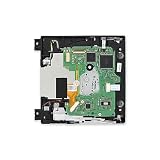
- Replace a broken or damaged optical drive.
- Plays 12 cm Wii Discs and 8 cm GameCube Discs.
- Compatible with Nintendo Wii 1st gen consoles (RVL-001).
Rank #4

- The Disc Drive replacement only suits for Nintendo Wii D4/D3-2/DMS/D2B/D2C/D2A/D2E Series.NOT for Nintendo Wii U, they are different model, please must make sure that have confirmed before place the order.
- Help to solve the problem that console meet with the problem of unable to read discs, making noise while reading discs, stuck on the reading screen, slow installation, or unable to autoplay, etc. Replace the new disc drive for Nintendo Wii will help to make the console normal to use.
- For Nintendo Wii U disc drive replacement was test before shipment,and made of good quality, ABS plastic material make it use more accurately and has longer working time,resistant to wear and tear.
- Comes with professional Repair tools. The repair tools will help to disassemble the console and install the disc drive for Nintendo Wii, easy and convenient to install the new one.
- If do not have any installation experience, we suggest to find the professional to replace for Nintendo Wii DVD drive. If you have any problem or need installation guide, please leave a message.
Rank #3

- Compatible with all Nintendo Wii models (D4 D3-2 D2A D2B D2C D2E DMS).
- Great replacement for your broken or defective DVD drive.
- Don't work with Gamecube games.
- 1 X DVD Drive for WII. 3 X Opening Tool for random colors
Rank #2

- Compatible with all Nintendo Wii models (D4 D3-2 D2A D2B D2C D2E DMS).
- Great replacement for your broken or defective DVD drive.
- 1 X DVD Drive for WII. 3 X Opening Tool for random colors
Product prices and availability are accurate as of the date/time indicated and are subject to change. Any price and availability information displayed on Amazon at the time of purchase will apply.
Independent reader supportYour contribution helps us test, update, and keep practical guides available for everyone.



