Quick wins for a faster PC:
Fix the driver behind crashes, sound loss and screen glitchesFind Drivers →Clear out junk files and repair common Windows errorsFree Scan →If you can’t buy Lattice in Marvel Rivals, first identify whether the Steam recharge page is failing to open or your payment went through without adding Lattice to the game. For a Steam checkout page that will not load, restart Steam and check that Steam Overlay works. If money was deducted, check your Steam Wallet and transaction status before trying the purchase again. These official steps are Steam-specific; they are not established fixes for console or other platform errors.
First, identify where the purchase failed
A checkout window that will not load is different from a payment that appears to have been taken but did not credit Lattice. Use the matching steps below rather than assuming every error means the same thing.
- Steam recharge page will not load: restart Steam and troubleshoot Steam Overlay.
- Payment deducted, but Lattice is missing: check your Steam Wallet and transaction status before retrying.
- Playing on console or another platform: use that platform’s purchase support and contact Marvel Rivals support if needed. The official guidance cited here does not give an equivalent console-specific troubleshooting sequence.
Fix a Steam recharge page that will not load
Marvel Rivals’ December 6, 2024 FAQ says to exit the game and restart Steam. Its December 11, 2024 FAQ adds checks for the Steam Overlay. If those steps do not resolve the problem, the December 6 FAQ recommends reinstalling Steam and restarting the game. Marvel Rivals’ official FAQ is the source of this Steam-specific guidance.
- Exit Marvel Rivals and restart Steam. Then reopen the game and try the recharge page again.
- Check the global overlay setting: in Steam, open Steam > Settings > In Game and make sure the Steam Overlay is enabled.
- Check the game-specific overlay setting: open Marvel Rivals in your Steam Library, open its properties, and confirm the overlay is enabled for the game.
- Test the overlay: while in-game, press Shift+Tab. If it does not open, the overlay is not working as expected; revisit the two settings above.
- If the page still will not load, follow the FAQ’s next step: reinstall Steam, then restart the game.
Steam menu labels and layouts can change. If a label differs in your current client, look in Steam’s settings and the game’s properties for the overlay option.
What’s actually slowing this PC down?
Pick the symptom - the matching free tool is one click away.
#1 Best Overall

- Now Including Hall Effect Modules – Say goodbye to stick drift with contract-free magnetic sensors in the thumbsticks giving you smoother control, enhanced precision, and increased longevity
- Advanced Gaming Buttons – Get an edge over the competition with two mappable buttons you can program on-the-fly, mid-game—no system settings to configure
- 3-Way Trigger Locks – Set the travel distance of the triggers with three different positions to pull off quicker actions in your favorite FPS games or go full throttle in a high-end race car
- Dual Rumble Motors – Take your gaming experience to the next level, providing tactile feedback and sensations that bring your virtual worlds to life
- Immersive Impulse Triggers – Provides reactive rumble sensations using built-in motors so you can feel the action of the game*
If payment was deducted but Lattice did not appear
Do not immediately assume the payment failed or make repeated purchases. The December 11, 2024 Marvel Rivals FAQ says to check your Steam Wallet. If the funds are in the wallet, it instructs players to attempt the purchase in-game again. The FAQ’s advice does not establish that every missing-credit case is resolved by retrying, so first confirm what happened to the transaction.
- Check your Steam Wallet balance and review the relevant transaction in Steam.
- If the payment reached your Steam Wallet but Lattice is still missing, try the in-game purchase again, as the FAQ directs.
- If the wallet or transaction status does not match what you expected, or a retry still does not credit Lattice, contact Marvel Rivals support rather than continuing to submit payments.
What to do on console or another platform
Steam Overlay instructions apply only to Steam checkout. Do not try to apply them to a PlayStation, Xbox, Epic, or other platform purchase. Check the relevant platform’s order or purchase history and use its purchase support for platform-side payment issues. For an unresolved Lattice or game-credit problem, contact Marvel Rivals support as well.
Rank #2

- Officially Licensed Marvel Rivals Accessories for ; Rivals T-Shirts; Avengers T-Shirts; Super Hero; Video Game; Disneyland; Disney World; Disney Plus; Disney+; Doctor Doom;
- 24MVRI00006B-001
- 16” x 16” bag with two 14” long and 1” wide black cotton webbing strap handles.
- Made of a lightweight, spun polyester canvas-like fabric.
- All seams and stress points are double-stitched for durability, and the reinforced bottom flattens to fit more items and hold larger objects.
Lattice is digital in-game currency used for Battle Passes and cosmetic items, according to the Marvel Rivals monetization post and the Xbox and PlayStation store listings. Those listings do not provide platform-specific troubleshooting steps for purchase errors.
Independent reader supportYour contribution helps us test, update, and keep practical guides available for everyone.Contact Marvel Rivals support
If the Steam restart, overlay checks, and wallet steps do not resolve the issue, the official FAQ directs players to Marvel Rivals support through its Discord channel or support bot. Steam’s Marvel Rivals support listing gives the email address [email protected].
Rank #3

- Now Including Hall Effect Modules – Say goodbye to stick drift with contact-free magnetic sensors in the thumbsticks giving you smoother control, enhanced precision, and increased longevity
- Code for Bonus Virtual Item Included – Moon Bounce Emote
- 2 Types of Glow – Bring the spirit of the arcade to your controller with a glow in the dark effect and a reaction when a UV light is applied giving off a fluorescent glow
- Advanced Gaming Buttons – Get an edge over the competition with two mappable buttons you can program on-the-fly, mid-game—no system settings to configure
- 3-Way Trigger Locks – Set the travel distance of the triggers with three different positions to pull off quicker actions in your favorite FPS games or go full throttle in a high-end race car
When you contact support, include your platform, a brief description of whether the page failed to load or the payment was deducted without Lattice credit, and the relevant transaction details. Do not send passwords or payment-card security codes.
Quick Recap
Best Value

- Support PC and Android
- Support for Wireless
- Dual Vibration Motors Inside
- Durable Switches with Excellent Feel
Rank #4
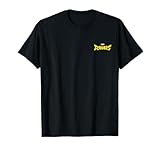
- Marvel video game merchandise design. Officially Licensed Marvel Rivals Apparel for Women - Men - Boys - Girls - Toddler; Rivals T-Shirts; Avengers T-Shirts; Super Hero; Video Game; Disneyland; Disney World; Disney Plus; Disney+; Doctor Doom;
- 24MVRI00006A-001 | 24MVRI00005A
- Lightweight, Classic fit, Double-needle sleeve and bottom hem
Product prices and availability are accurate as of the date/time indicated and are subject to change. Any price and availability information displayed on Amazon at the time of purchase will apply.



