Recommended Free Tools
You can build Rook’s appearance in the free Dragon Age: The Veilguard Character Creator, then import that character into the full game—but only on the same platform. Before you start, the key distinction is that lineage and appearance define how Rook looks, while class and faction affect how you play and experience the story. The full game must be purchased separately.
What can you choose when creating Rook?
EA’s creator lets you choose Rook’s lineage, appearance, class, and faction. It offers four lineages—Human, Qunari, Dwarf, and Elf—and appearance options and sliders for details such as hair, facial features, and tattoos. EA does not provide a complete public inventory of every customization control on its creator page, so treat those examples as a guide rather than an exhaustive list.

BioWare also describes choices including gender and overall appearance, but its overview does not establish additional identity options or explain specific mechanics for them.
Which class should you pick?
Rook can be a Warrior, Mage, or Rogue. BioWare says each class has advanced specializations; for a deeper look at combat roles and class choices, EA points players to its combat overview. Choose based on the style of fighting you want to explore, rather than expecting class to be an appearance-only decision.
Do these 3 things before closing this tab:
1Fix the driver behind crashes, sound loss and screen glitches2Clear out junk files and repair common Windows errors3Scan for outdated or missing drivers - takes under a minute#1 Best Overall

- This video game is an immersive action role-playing game (RPG). Play Dragon Age: The Veilguard and become the leader others believe in
- SAVE A BATTERED WORLD - Enter Thedas, a vibrant world of rugged wilderness, treacherous labyrinths and glittering cities. The world is teetering on a knife’s edge while corrupt gods unleash havoc across the continent. Nations war and factions splinter. Who will you trust? From the Arlathan Forest to the back alleys of Minrathous, this is a broken world. Your actions will affect the fate of Thedas forever.
- Unite THE VEILGUARD - Unite a team of seven companions, each with rich lives and deep backstories. These are characters to befriend, and even fall in love with. Among them, an assassin, a necromancer, a detective, each and all bringing their own expertise and unique abilities to the fight. You are never alone, decide who to take into battle and together face down demons, dragons and corrupt gods.
- BECOME THE LEADER OTHERS BELIEVE IN - Select from different races and combat classes, customize your appearance, choose your character’s backstory and begin your journey as Rook, Dragon Age’s newest hero. The choice is yours. Brace yourself, there are tough decisions to be made, allies to inspire, and a fight that needs every sword, staff and bow you can muster.
If you are unsure about your build, you have room to adjust it later. EA’s launch guide says you can swap abilities and respec individual nodes or the full skill tree while outside combat. That flexibility concerns abilities and the skill tree; the sources cited here do not say that you can change Rook’s selected class.
Why does Rook’s faction matter?
Faction is not just a cosmetic label. The Dragon Age Community Team wrote in its June 11, 2024 BioWare introduction: “Choosing which faction Rook is part of will unlock different narrative, dialogue, and gameplay interactions.”
Rank #2

- Dragon age the veilguard action rpg: Immersive action role-playing game where you become the leader others believe in as Rook
- Save a battered world: Explore Thedas, a vibrant realm of rugged wilderness, treacherous labyrinths and glittering cities teetering on the edge as corrupt gods unleash havoc
- Unite the veilguard: Recruit a team of seven companions with rich backstories, including an assassin, a necromancer and a detective, each bringing unique abilities to the fight
- Customize your hero: Select from different races and combat classes, customize your appearance and choose your character's backstory as Dragon Age's newest hero
- International region free version: Region free PS5 disc plays on all systems, imported international packaging may differ in age rating and labeling, DLC may require correct region
That establishes that faction can shape the experience, but the official material cited here does not map every faction’s specific bonuses, lines, or interactions. There is not enough substantiated information here to name a universally best faction; choose the one that appeals to you, and consult faction-specific information before deciding if you want to compare precise effects.
How to use the standalone creator and import Rook
-
Download the free Dragon Age™: The Veilguard Character Creator for PC, PlayStation, or Xbox.
Outdated Drivers Are Slowing You Down
One free scan finds every outdated or missing driver and matches the right update for your exact hardware.Free scan · exact hardware matchWindows Errors? Fix Them Before They Spread
Repair common Windows errors and clear accumulated junk for a smoother, more stable PC - no reinstall needed.Free scan · no reinstallSpecial offer. See more information about Outbyte and uninstall instructions. Please review EULA and Privacy policy.Rank #3
 Electronic Arts Dragon Age: Veilguard PS5
- This video game is an immersive single player role-playing game in which you become full of hope; unite the guardian of the veil and defy the gods in Dragon Age: The Veilguard
- Save the baggy world: Enter Thedas, a vivid world full of raw wildlife, betracherous mazes and sparkling cities; the world stands on the edge of a knife when the corrupt gods on the continent create chaos
- Collect the curtain cover: you can make friends with these characters and even fall in love, among them there is a killer, necromant, and detective who bring their knowledge and unique skills to the battle
- Get the trust of others: choose from different people and battle classes, customise your look, choose your character story and start your journey as a tower and perform heroic acts in Dragon Age
- SELECT YOUR GAMING WAYS : In your adventures, you will gain new skills and discover unique, powerful artifacts that will allow you to improve your own fighting style; get ready
-
Create and save Rook in the creator.
-
Start Dragon Age: The Veilguard on the same platform where you created Rook, then import the character into the full game.
EA says characters can only be imported into the full game on the same platform where they were created. The creator is a separate free download; it does not include the game, which must be purchased separately. EA lists the game for PC, PlayStation 5, and Xbox Series X|S. Check the current listing for your platform and region before purchasing.
Rank #4
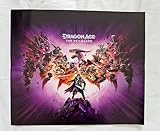
- Grading Scale: Mint, Near Mint, Very Good, Fair & Poor
- Original Promo Gaming Poster - Not a Reprint
- Posters come rolled in a plastic sleeve and shipped in a sturdy cardboard tube
- Posters are from Gaming Companies and sizes are approximate.
- Poster is in Near Mint Condition
Should you create Rook before buying the game?
The standalone creator is useful if you want to plan Rook’s look ahead of time. It is not a substitute for the game: you need a copy of The Veilguard to play, and the platform restriction means you should create Rook on the platform where you intend to play. If you are still choosing between platforms, make that decision first.
Quick Recap
Product prices and availability are accurate as of the date/time indicated and are subject to change. Any price and availability information displayed on Amazon at the time of purchase will apply.



