Do these 3 things before closing this tab:
1Repair Windows errors before they cause bigger problems2Fix the driver behind crashes, sound loss and screen glitches3Clear out junk files and repair common Windows errorsFor The Elder Scrolls IV: Oblivion, the right cheats depend on which edition and platform you’re playing. The console-command examples below are PC guidance, not instructions for Xbox or PlayStation, and commands reported to work in the 2006 original should not be assumed to work the same way in Oblivion Remastered. If you want to keep Remastered achievements, avoid cheats: PC Gamer reported that using them disables achievements.
Check your edition before using a cheat
Oblivion now refers to two distinct versions: the original 2006 game and The Elder Scrolls IV: Oblivion Remastered. Bethesda describes Remastered as a modernization of the original, but that does not make every original command compatible with it. The examples in the command table come from PC Gamer’s article, updated April 25, 2025 after the outlet retested original commands against Remastered. They are secondary-source reporting, not independently tested instructions.


| Version or platform | What to know |
|---|---|
| Original Oblivion on PC | PC console commands are available. PC Gamer reports that using commands in the original does not affect achievements. |
| Oblivion Remastered on PC | Some original commands work, some changed, and compatibility varies by command. PC Gamer reports that Remastered warns cheats disable achievements. |
| Xbox or PlayStation | The tilde-key console instructions below are for PC; do not apply them to console versions. |
Bethesda’s current Remastered page lists Xbox, Steam/PC, PlayStation 5, and Nintendo Switch 2 storefronts. A narrower Bethesda Support platform answer names Xbox Series X|S, Game Pass, PlayStation 5, and PC, but not Switch 2. For a complete current platform list, use the game page.
How to enter PC console commands
PC Gamer’s instructions for PC are to open the console with the tilde (~) key and enter a command. Command compatibility is edition-specific, so check the relevant entry in PC Gamer’s command guide before using it in Remastered. The table below is a selection of its examples, not a universal compatibility list.
#1 Best Overall
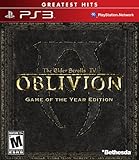
- Live another life in another world, create and play any character you can imagine
- An all-new combat and magic system brings first person role-playing to a new level of intensity
- Groundbreaking AI system gives characters full 24/7 schedules
- New lands to explore in the Shivering Isles expansion
- Challenging new foes, hideous insects, Flesh Atronachs, skeletal Shambles, amphibeous Grummites and more
| Command | Effect reported by PC Gamer | Edition note |
|---|---|---|
tgm |
Enables god mode. | Listed among commands retested for Remastered; check PC Gamer’s per-command marker for compatibility. |
unlock |
Unlocks a targeted lock. | Listed among commands retested for Remastered; check the article’s per-command marker. |
player.additem F [#] |
Adds the specified amount of gold. | Listed among commands retested for Remastered; check the article’s per-command marker. |
player.additem 0000000a [#] |
Adds the specified number of lockpicks. | Listed among commands retested for Remastered; check the article’s per-command marker. |
toggledebugcamera |
Toggles the free camera. | PC Gamer lists this in its Remastered command table. |
Ghost |
Enables flight and noclip. | PC Gamer lists this in its Remastered command table. |
Walk |
Restores collision after using Ghost. | PC Gamer lists this in its Remastered command table. |
The bracketed [#] in the item examples means the quantity to enter; it is not part of the literal command. PC Gamer warns commands may cause crashes or unexpected bugs. Before experimenting, make a separate save so you can return to an unaffected point if something goes wrong.
Find side quests and secrets without a command
Many of Oblivion’s best discoveries come from speaking with people and exploring away from the main objective. In Bethesda’s April 22, 2025 beginner guide, Design Director Al Nanes recommends taking your time, straying from the path, and talking to NPCs because an unexpected conversation can send your story in a new direction.
Studio Art Director Istvan Pely specifically suggests asking NPCs about rumors. He points players toward the Bloated Float, an inn in the Imperial City, where spending a night can lead to a side quest. The tip is a lead, not a plot summary; investigate the inn if you want to discover the event for yourself. Both developers’ advice appears in Bethesda’s beginner guide.
Practical ways through common obstacles
These general play tips come from Bethesda Support’s Remastered tips. They address common situations, but they do not establish that every interface detail is identical in the original game.
What’s actually slowing this PC down?
Pick the symptom - the matching free tool is one click away.
Rank #3

- The Elder Scrolls IV: Oblivion Remastered brings the game of the year 2006 up to date with all-new stunning graphics and enhanced gameplay.
- Explore the vast landscape of Cyrodiil like never before in one of the greatest RPGs of all time from award-winning Bethesda Game Studios, preventing the powers from the realm of forgetting from conquering the land.
- The Elder Scrolls IV: Oblivion Remastered - Physical Deluxe Edition includes the main game, unique digital Akatosh and Mehrunes Dagon armor, weapons and horse armor sets, Shivering Isles and Knights of the Nine story expansions, access to the digital artbook and soundtrack app, plus additional content to download. en: Fighter's Stronghold, Spell Tomes, Vile Lair, Mehrune's Razor, The Thieves Den, Wizard's Tower, Orrery and Horse Armor Pack.
- Travels through the magnificent world of Tamriel and struggles on the plains of the realm of oblivion. The hand-crafted details have been meticulously recreated so that your exploration becomes an unforgettable experience.
- Create your own way from the noble warrior to the sinister assassin to the wrinkled wizard or funny blacksmith and play in your way.
- Protect your progress: Bethesda recommends frequent saves in multiple files, especially before entering new areas or beginning quest objectives. Separate files give you more options if a later decision or problem makes you want to backtrack.
- Can’t fast travel? Check your carry weight. Bethesda says an over-encumbered character cannot fast travel. Carry weight is five times your Strength; Feather or Fortify Strength can temporarily raise your maximum encumbrance.
- Clairvoyance is not helping? Bethesda suggests returning to the last quest location. If the objective still seems unclear, consider whether the relevant NPC has moved: characters can be in different places at different times of day.
- Waiting to level up? Gaining experience alone is not the final step. Bethesda says you must sleep after gaining enough experience to level.
- Using HUD shortcuts? Add useful items to shortcuts for quicker access, but remember that opening the shortcuts does not pause the game. Get to safety before navigating them.
Use the original manual for original-game mechanics
The original PC manual is a useful reference for systems in the 2006 game, including the compass and quest targets, attributes and skills, skill mastery perks, alchemy, spellmaking, enchanting, sneaking, lockpicking, dialogue, and persuasion. It describes the original PC edition, so use it for those foundational mechanics rather than as evidence for Remastered interface changes. Bethesda’s Remastered guide says the newer edition includes Shivering Isles, Knights of the Nine, and additional downloadable content.
Independent reader supportYour contribution helps us test, update, and keep practical guides available for everyone.Mods and third-party cheat tools
Bethesda Support says mods are not officially supported in Oblivion Remastered. Treat third-party mods and cheat utilities as unsupported, and do not assume they are safe, compatible, or achievement-friendly. If you use built-in commands on PC, follow the separate-save advice rather than relying on a mod or utility to protect your progress.
Quick Recap
Rank #4

- Includes Shivering Isles and Knights of the Nine expansions
Product prices and availability are accurate as of the date/time indicated and are subject to change. Any price and availability information displayed on Amazon at the time of purchase will apply.



