PC Slower Than It Used to Be?
A free scan shows the junk files, broken settings and background clutter dragging Windows down - then fixes them in one click.Free scan · Windows 10 & 11Outdated Drivers Are Slowing You Down
One free scan finds every outdated or missing driver and matches the right update for your exact hardware.Free scan · exact hardware matchActivision does not publish a confirmed meaning or guaranteed fix for Warzone Error Code 38 in the available support guidance. Start by checking whether Activision or your platform is having a service problem; if services are online, try the low-disruption restart and connection checks below before considering file repair.
What Error Code 38 means in Warzone
There is no verified, official Activision explanation tying Error Code 38 in Warzone to a specific cause. It may be tempting to attribute it to an outage, an update, damaged files, DNS, NAT, or an account problem, but the available official guidance does not establish any of those as the meaning of this code.
Do not confuse this with Windows Device Manager’s separate Code 38. Microsoft uses that code for a hardware-driver problem in which Windows cannot load a device because a previous driver instance remains in memory; its recommended response is to restart the computer. That Windows error is not a diagnosis of the Warzone message: Microsoft’s explanation of Windows Code 38.
Try these fixes in order
1. Check Activision and platform service status
Visit Activision’s Online Services page and check the status for your platform. If Activision reports its services as online but you still cannot connect, check your console network status or the relevant platform service status as well. A service outage is not something a local reinstall or router change can fix.
Quick wins for a faster PC:
Clear out junk files and repair common Windows errorsFree Scan →Fix the driver behind crashes, sound loss and screen glitchesFind Drivers →#1 Best Overall

- Officially licensed Call of Duty Ghost figure: Heavy-duty PVC construction with sturdy black base holds gaming controllers, mobile phones, remotes, and more without tipping over during intense gaming sessions
2. Fully close and relaunch the game
Exit Warzone rather than leaving it suspended, then launch it again. If the error persists, restart the console or PC and retry. Restarting is a low-disruption general troubleshooting step; it is not an officially confirmed Error Code 38 remedy.
3. Check for a game or platform update
Use your platform’s normal update check and install any pending Warzone or system update before launching again. Update checks are practical general advice found in secondary guides, not an Activision-confirmed explanation or dedicated fix for Code 38. Historical guides published in 2022 associated the code with missing or outdated updates in the original Warzone, but that does not establish the cause in the later Warzone 2.0 context.
Rank #2

- CHARACTER DEVICE HOLDER: Call of Duty Ghost Warzone in Zombie skin! Great for techies and gamers.
- 8.5" COLLECTIBLE FIGURE: Heavy duty PVC statue and sturdy base that holds your stuff without tipping over. 8.5" tall Zombie Ghost figure.
- VERSATILE: Compatible with most types of smartphones and console controllers, including the next-gen PlayStation 5 DualSense, Xbox Series S/X and all iPhones.
- THE PERFECT COMBINATION OF FUNCTIONALITY & DESIGN: Upgrade your gaming experience today and enjoy a clutter-free setup with this innovative accessory.
- OFFICIALLY LICENSED COLLECTIBLE: Your favorite pop culture characters - With A Purpose! A pefect gift for all those Call of Duty fans.
4. Test your internet connection
Activision’s general connection guidance recommends restarting your router, trying a wired connection, checking connection speed, and limiting other bandwidth-heavy activity. Pause downloads or streaming on your network, restart the router, and test the game again. If convenient, connect your gaming device to the router with Ethernet; Activision says, “Try using a wired connection.” This is general connection advice, not a promised fix for Code 38. An Ethernet cable is optional if you want to run that test; buying one is not an established solution to this error.
5. Verify or repair game files where supported
If you play on a PC launcher that provides a supported verify or repair option, run it and then relaunch the game. This step appears in secondary troubleshooting advice, but Activision’s service guidance does not connect file repair to Error Code 38. Avoid reinstalling the entire game or changing advanced router settings as an early step: the available evidence does not show that either action addresses this particular code.
What’s actually slowing this PC down?
Pick the symptom - the matching free tool is one click away.
Rank #3
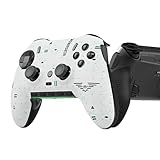
- Four rear, remappable paddles keep your thumbs on the sticks for faster reactions.
- Five fully remappable G-Keys for advanced macros and Corsair iCUE integration.
- Two unique side-mounted SAX buttons are designed to provide additional configurability and fit the natural placement of your fingers.
- OMRON mechanical button switches operate like a mouse click for instant activations.
- Corsair SlipStream ultra-fast wireless-connectivity.
If Error Code 38 continues
Contact Activision Support through its support options and include the platform you use, your region, when the error occurred, the exact message, and the steps you already tried. These details can help support assess the connection problem; there is no established special support flow for Error Code 38.
Quick Recap
Rank #4

- Controller Holder: A versatile gaming accessory with serious holding power. Holds Xbox, PlayStation and most standard gaming controllers securely while charging, or even your TV remote. Compatible with next-gen PS5 DualSense, Xbox Series X/S, Xbox One
- Phone Stand: Essential gaming room accessories built to hold your phone with style. Fits popular devices including iPhone, Samsung & Google Pixel, even with most phone cases. A must-have companion for any gaming setup, desk, or bedside battle station
- Call of Duty Fans: The ultimate gaming setup accessories for Call of Duty gamers. This collectible brings the hauntingly iconic Ghost Warzone to life while keeping your devices organized, on display and ready to roll out when duty calls
- Official Activision Merchandise: Officially licensed by Activision, this collectible figure is part of the popular Cable Guys range of gaming accessories. Ideal for Call of Duty gifts or as a display piece for true fans. Built to hold, made to show off
- Dimensions: At approximately 8.5 inches tall, these gamer desk accessories fit neatly into any setup, desk space or bedroom. The controller stand's stable circular base and secure arms keep your devices locked and loaded without taking over your space
Product prices and availability are accurate as of the date/time indicated and are subject to change. Any price and availability information displayed on Amazon at the time of purchase will apply.




