PC Slower Than It Used to Be?
A free scan shows the junk files, broken settings and background clutter dragging Windows down - then fixes them in one click.Free scan · Windows 10 & 11Outdated Drivers Are Slowing You Down
One free scan finds every outdated or missing driver and matches the right update for your exact hardware.Free scan · exact hardware matchHi-Fi RUSH’s service operation transferred from Bethesda Softworks to KRAFTON in November 2025, but the change was not supposed to erase saves or require a reinstall. A separate KRAFTON notice required PC players to install a patch by January 16, 2026; that deadline has passed. Update the game through your platform now, and use the troubleshooting steps below only if you have the specific Steam launch problem KRAFTON identified.
What changed with Hi-Fi RUSH?
KRAFTON said it began taking over Hi-Fi RUSH service operation from Bethesda Softworks on November 14, 2025. KRAFTON became responsible for publishing, support services, updates, maintenance, and future events. Its service-operator notice said the transition would not change gameplay content; an in-game patch reflecting the change was scheduled for December 4, 2025.


The transfer and the later PC patch requirement are separate matters. The transition itself was not announced as a cause of lost progress or a universal game failure. The later patch notice specifically warned PC players that the game would not run after its stated deadline without the latest patch.
Do you need to reinstall the game?
No. KRAFTON said players could keep using their existing installations and platform accounts; a game update might install automatically the first time the game launched after the transfer. Keep Hi-Fi RUSH updated through the platform where you own or access it rather than uninstalling and downloading it again. KRAFTON’s transfer FAQ covers Steam, Epic, PlayStation, Xbox, and Game Pass access.
What’s actually slowing this PC down?
Pick the symptom - the matching free tool is one click away.
#1 Best Overall

- Battle against over 50 players simultaneously in a massive multiplayer playground—over 20 players on Xbox One.
- Compete in an all-out mass start race—collide, grind, and fight your way to the finish
- Customize your character to show off your style to your friends or show up the competition.
- Bike, ski, snowboard, or wingsuit through a seamless open world in Career mode or multiplayer events.
- Go wild on the heights of iconic US national parks like Yosemite, Zion, and Bryce Canyon.
Will the publisher change affect saves, achievements, or purchases?
KRAFTON said existing save data, progress, achievements, purchases, DLC, additional content, and language and region settings would remain intact. The notice stated: “All save data, purchases, DLC, and achievements will remain intact.” That assurance concerns the service transfer; it does not replace ordinary precautions such as keeping backups when troubleshooting a separate launch problem.
Why might the Bethesda.net connection option show an error?
The Bethesda.net connection feature was disabled as part of the transition. An error that appears when selecting that feature is about the unavailable connection option, not by itself evidence that your game, save, or purchased content has been erased.
Rank #2
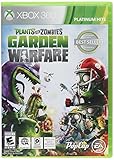
- 24-player multiplayer action: Choose your side, plants or zombies, in 24-player online battles
- Customization: Personalize your favorite plants and zombies with hundreds of unique items and customizations
- 4-player online co-op: Join forces with friends in online 4-player cooperative mode
- New plants and zombies: Powerful new plants and zombies with a huge variety of abilities
- Expansive world: Over 10 unique multiplayer and cooperative battlegrounds
What update do you need now?
KRAFTON’s December 2025 notice said Denuvo support for the PC version would end at 00:00 KST on January 16, 2026, and told PC players to install the latest patch by then. KRAFTON warned that the PC game would not run after that deadline without the patch. January 16 has passed, so install the latest update currently offered by your PC game platform. This historical deadline was specifically about the PC version; it should not be mistaken for the earlier service-transfer patch date or treated as a current future cutoff. See KRAFTON’s PC patch notice.
What to do if Hi-Fi RUSH will not launch on Steam after Update 9
KRAFTON published a remedy for a particular Steam launch failure after Update 9. Follow it only if your problem matches that issue. The save-folder rename creates a backup; do not delete the folder or treat these steps as a universal fix.
Recommended Free Tools
- In Steam, open Hi-Fi RUSH’s settings and turn off its Steam Cloud Sync setting.
- Open
C:Users<USERNAME>Saved GamesTangoGameworksHi-Fi RUSH, replacing<USERNAME>with your Windows account name. - Rename the Hi-Fi RUSH save folder so the existing data is preserved as a backup.
- Try launching the game again. For the full issue-specific guidance, see KRAFTON’s Steam Update 9 troubleshooting notice.
Where to get help or request a refund
For post-transfer game support, KRAFTON directs players to its customer support. Refund requests for purchases made through Steam, Epic, PlayStation, or Xbox should go to the customer service center for the platform where the purchase was made.
Quick Recap
Product prices and availability are accurate as of the date/time indicated and are subject to change. Any price and availability information displayed on Amazon at the time of purchase will apply.



