AMD’s 2022 release notes listed Radeon RX Vega Series Graphics alongside support for Call of Duty: Modern Warfare II—for the Open Beta in Adrenalin 22.9.1 and the Campaign in 22.10.2. That is historical evidence of game support, not proof that every Vega card can run the current game or that a particular driver fixes launch problems today. Activision’s troubleshooting page, dated April 26, 2023, names driver 22.9.1 as its recommendation; it does not offer a current Vega-specific fix.
What AMD’s release notes establish—and what they don’t
AMD’s Adrenalin 22.9.1 release notes list support for the Modern Warfare II Open Beta and include Radeon RX Vega Series Graphics. AMD’s Adrenalin 22.10.2 release notes list support for the Campaign and also include Radeon RX Vega Series Graphics.
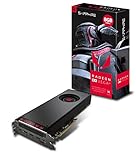
These 2022 notes show that AMD published game-support information alongside Vega graphics. They do not confirm compatibility with every individual Vega model, current driver availability, performance, or whether the game will work on a particular PC now. The evidence does not support saying that a new driver has finally fixed the game for all Vega owners.
Does your specific Vega card meet the requirements?
Activision’s PC system requirements list the Radeon RX 470 as the minimum GPU and the Radeon RX 580 as the recommended GPU. They do not name an RX Vega model. Don’t assume that a Vega card meets either tier based on its name alone; check your exact card and the rest of your PC against Activision’s requirements.
Crashes, No Sound, or Screen Glitches?
Random freezes, missing sound and display glitches usually trace back to one bad driver. Find and replace yours safely.Free scan · under a minuteWindows Errors? Fix Them Before They Spread
Repair common Windows errors and clear accumulated junk for a smoother, more stable PC - no reinstall needed.Free scan · no reinstall#1 Best Overall

- Axial-tech fans now feature a smaller fan hub that facilitates longer blades and a barrier ring that increases downward air pressure
- 2.5-slot design allows for greater build compatibility while maintaining cooling performance
- 0dB technology lets you enjoy light gaming in relative silence
- Dual BIOS switch lets you toggle between Quiet and Performance BIOS profiles
- Dual ball fan bearings last up to twice as long as sleeve bearing designs
What to try if Modern Warfare II won’t start or play properly
Activision’s PC troubleshooting page, dated April 26, 2023, supports these general steps. Its guidance is not a current Vega-specific prescription.
- Check the driver recommendation in context. Activision’s page says, “The recommended driver version for Call of Duty: Modern Warfare II is 22.9.1.” Treat that as the recommendation published on that dated page—not proof that 22.9.1 is the best or required driver in 2026. Check AMD’s product support information for your exact card before changing drivers.
- Let shader preloading finish. Activision says shader preloading is important during the first boot and advises allowing it to complete before playing.
- Verify the game files if you use Steam. Activision lists Steam file verification among its troubleshooting steps. Steam also provides a Modern Warfare II gameplay or technical issue support page.
- Reduce conflicting background applications when relevant. Activision suggests limiting background applications as part of troubleshooting. If the problem continues, use its PC troubleshooting page for steps that match your launcher and issue.
Is there an official Vega-specific fix?
The cited AMD and Activision materials establish historical support notes and general troubleshooting guidance, but not one current official fix for Radeon RX Vega. Community reports about rolling back drivers may describe individual experiences; they do not establish a guaranteed solution for other Vega models or PCs.
Quick Recap
Best Value

- Chipset: AMD RX 7600
- Memory: 8GB GDDR6
- XFX SWFT Dual Fan Cooling Solution
- Boost Clock: Up to 2655 MHz
Rank #4

- 2 x HDMI; 2 x DP
- GPU: 1373 MHz Engine Clock, 1580 MHz Boost Engine Clock
- Memory: 945 MHz, 1900 MHz Effective
Rank #3

- Hdmi; 3 x DP
- Gpu: 1208 MHz engine Clock, 1512 MHz Boost Engine Clock
- Memory: 800 MHz, 1600 MHz Effective
- Directx 12
- Made in Taiwan
Rank #2
Product prices and availability are accurate as of the date/time indicated and are subject to change. Any price and availability information displayed on Amazon at the time of purchase will apply.




