Connect two Nintendo DS systems using a game’s local wireless multiplayer feature: the system with the game card starts the multiplayer session, and the other system joins through DS Download Play. This is a nearby, wireless connection—not internet matchmaking—and whether one game card is enough depends on the title.
Connect the systems with DS Download Play
- Check the game. Confirm that it supports local wireless multiplayer and, if only one player has a copy, single-card Download Play. The game packaging or manual should identify supported modes and player count. Nintendo advises checking the software manual for title-specific instructions.
- Start the host system. Insert the game card, turn on the system, launch the game, and choose its multiplayer, single-card, or Download Play option. This system hosts the session.
- Join from the second system. Turn it on, open DS Download Play from the system menu, select the offered game, and start the download. On a 3DS-family system, choose the Nintendo DS software option for DS software.
- Keep the host running. Some games require the systems to remain connected and may stop working if the host is turned off.
Wireless communication must be enabled on both systems. Nintendo describes Download Play as a way for multiple systems to connect wirelessly for a multiplayer session; these steps do not require a router or internet connection. Nintendo: Download Play Overview.
Do both systems need a game card?
Not always. Certain DS games let multiple players use one game card: the other system downloads the necessary game information from the host through DS Download Play. Nintendo says this capability is indicated on the game’s packaging, but it is not universal. Nintendo: How to Play Multiplayer with One Game Card.
If the title does not support single-card multiplayer, each player may need a copy. Check the specific game’s packaging and manual rather than assuming Download Play is available.
What’s actually slowing this PC down?
Pick the symptom - the matching free tool is one click away.
#1 Best Overall
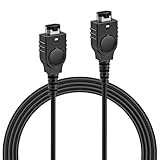
- PRODUCT COMPATIBILITY: This link cable is compatible with Nintendo Game Boy Advance and Game Boy Advance SP consoles only. Please note: Not compatible with Gameboy Color, Gameboy Pocket, or Gameboy Light models. Please confirm your model before placing an order to avoid any mismatch, ensuring you can dive into thrilling multiplayer gaming instantly with friends!
- UNLOCK 2-PLAYER ADVENTURE: With the 2 Player Link Cable feature, allowing you to connect two GBA or GBA SP consoles for an epic 2 player adventure. Whether you’re battling friends or teaming up with family, this cable transforms your solo gaming into a shared experience, letting you enjoy the fun of two-player gaming—no more missing out on the excitement of multiplayer!
- DURABLE CONSTRUCTION: Made with high quality flexible PVC outer shell and pure copper core, this cable is built to last. The robust 6-pin connectors ensure a secure, easy plug-and-play connection that resists loosening. Superior shielding guarantees stable signal transmission, effectively preventing disconnections or lag in critical gameplay moments—keeping your gaming sessions uninterrupted.
- 3.9FT LENGTH: Say goodbye to cramped gaming setups! At 3.9 ft, this cable provides the ideal distance for two players to sit comfortably side-by-side or face-to-face. It’s long enough to prevent tangling and avoid restriction, yet compact enough for easy portability—tuck it into your gaming bag, backpack, or even a pocket. Ideal for bringing multiplayer fun to trips, outings or parties.
- PLUG AND PLAY: No complicated software, drivers, or tedious setup required! Simply plug the cable firmly into the communication ports of two GBA consoles, power them on, and you're ready to go.
Can a DS, DS Lite, DSi, or 3DS connect?
Nintendo’s support guidance covers single-card DS Download Play among Nintendo DS, DS Lite, and DSi systems. Its 3DS documentation also describes DS software Download Play across DS, DS Lite, DSi, DSi XL, and 3DS-family systems. Compatibility still depends on the game and the exact mode. Nintendo’s Download Play overview and software manuals provide the relevant guidance.
Quick Recap
Best Value

- 【Fast Charging】: Cable Length: 3.9 ft. Our ds lite charger cable is thick 24 AWG copper for low resistance, yielding faster charge in a shorter time compared to most options.
- 【Product Compatibility】: ONLY Charger Compatible with Nintendo DS Lite NDSL. Not compatible with Nintendo 3DS/2DS/DSi/DS. When you can't find your charging cable, it's great for replacing broken cables.
- 【Charging and Gaming】: Play and charge at the same time. Standard USB interface can easily charge them from any USB port, such as laptop, power bank, wall charger and car charger.
- 【Safe and Secure】: Made of premium materials for performance, durability and safety. Withstand more than 10000 bending tests. Won't break even after being used for a long time. You can give it as a gift to your family, friends, classmates and anyone.
- 【What You Get】: 1 x USB Charger Cable for NDSL. We offer worry-free warranty and friendly customer service within 18 months. If there are any problems, please feel free to contact us and we will solve all the problems for you.
Rank #4

- 【Optimized Charging Efficiency】Engineered with low-resistance technology, this SP charger cable delivers faster power transfer than standard options. The 47-inch (3.9FT) USB charger cable offers extended reach for flexible use at home, work, or travel. Flame-retardant materials enhance safety during prolonged gameplay sessions
- 【Device-Specific Compatibility】Designed exclusively for SP and original DS systems. Important: Not compatible with DS Lite or non-models. A reliable link cable for authentic handheld gaming experiences
- 【Built to Last】Reinforced connectors and abrasion-resistant casing ensure long-term durability. Each link cable undergoes strict quality control, providing stable charging for your cherished retro consoles
- 【Dual-Cable Convenience】Package includes 2 USB DS charger cables – keep one as a backup or share with fellow gamers. Compact design stores easily with your gaming accessories, making it ideal for LAN parties or daily commutes
- 【Responsive Support】We stand behind our products with dedicated support. If you have any questions about your link cable, our team is ready to assist through messaging system. Package includes 2 charging cables for added value
Rank #3

- PRODUCT COMPATIBILITY: This link cable is compatible with Nintendo Game Boy Advance and Game Boy Advance SP consoles only. Please note: Not compatible with Gameboy Color, Gameboy Pocket, or Gameboy Light models. Please confirm your model before placing an order to avoid any mismatch, ensuring you can dive into thrilling multiplayer gaming instantly with friends!
- UNLOCK 2-PLAYER ADVENTURE: With the 2 Player Link Cable feature, allowing you to connect two GBA or GBA SP consoles for an epic 2 player adventure. Whether you’re battling friends or teaming up with family, this cable transforms your solo gaming into a shared experience, letting you enjoy the fun of two-player gaming—no more missing out on the excitement of multiplayer!
- DURABLE CONSTRUCTION: Made with high quality flexible PVC outer shell and pure copper core, this cable is built to last. The robust 6-pin connectors ensure a secure, easy plug-and-play connection that resists loosening. Superior shielding guarantees stable signal transmission, effectively preventing disconnections or lag in critical gameplay moments—keeping your gaming sessions uninterrupted.
- 3.9FT LENGTH: Say goodbye to cramped gaming setups! At 3.9 ft, this cable provides the ideal distance for two players to sit comfortably side-by-side or face-to-face. It’s long enough to prevent tangling and avoid restriction, yet compact enough for easy portability—tuck it into your gaming bag, backpack, or even a pocket. Ideal for bringing multiplayer fun to trips, outings or parties.
- PLUG AND PLAY: No complicated software, drivers, or tedious setup required! Simply plug the cable firmly into the communication ports of two GBA consoles, power them on, and you're ready to go.
Rank #2
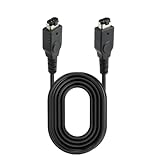
- Excellent Function: The GBA link cable comes with two different connectors plug. One side for Main console and the other for 2nd console. You can use it to play with your friend or family to get two-player gaming fun.Go head to head with your friends or family with the game link cable.
- Safe and Secure Link Cable: Made of premium materials for performance and includes 6 pins(3 on top and bottom 3), durability and safety. High quality joints are firm and not easy to break,have long service time.You can give it as a gift to your family, friends and anyone.
- Compatible devices: This game link cable compatible with GBA (Game Boy Advance) and GBA SP (Game Boy Advance SP) Only.Not compatible with Nintendo Gameboy Color and Gameboy consoles.Tip: Please pay attention to compatibility with your gaming device before placing an order.
- Two Player Game Design: Only one Game Cartridge is required for Multiplayer Mode, insert Game Cartridge into the Main Console.Then connect the two game consoles through a link cable, wait for a few minutes after turning on, and when the connection is successful, you can start your gaming journey with friends, family, and others. The operation is simple and convenient.(Please check instructions for game link cable compatibility.)
- Package Includes: 1 x 3.94Ft Game Link Cable. If you have any questions after receiving the package, you can contact us and we will provide a satisfactory solution within 24 hours.
- DS games on a 3DS-family system: Nintendo says DS and DSi games can run on 3DS-family systems with some exceptions. Some features and accessories may not work, and DS games have display and system-menu limitations on 3DS.
- 3DS software: Nintendo 3DS games are limited to the 3DS family; a DS or DS Lite cannot join a 3DS game session.
- DSi-specific software and DSiWare: These have separate compatibility limits, so do not infer compatibility from the systems’ ability to run ordinary DS software. Check Nintendo’s compatibility information and the game manual.
How to troubleshoot a connection
- The client cannot see the game: Make sure the host has entered the game’s multiplayer or Download Play mode, the client has opened DS Download Play, and wireless communication is enabled.
- Download Play is unavailable on a DSi: Check Parental Controls; Nintendo notes that they can prevent use of Download Play.
- The download finishes but the session stops: The game may require the host to stay on and both systems to remain wirelessly connected.
- Compatible-looking systems still will not connect: Check the manual for the supported console models, multiplayer mode, player count, and any session requirements.
- You are considering a cable: The setup described here is wireless. Nintendo says DS and DS Lite systems do not have a link-cable port, so a cable is not the answer.
Product prices and availability are accurate as of the date/time indicated and are subject to change. Any price and availability information displayed on Amazon at the time of purchase will apply.



