If Hogwarts Legacy looks unusually hazy or washed out on PC, first lower Fog Quality and check Settings > Display Options > Image Calibration for brightness and HDR. WB Games defines Fog Quality as the quality of volumetric fog; independent PC testing also observed a foggier, more washed-out Hogwarts image at Ultra than at lower settings. That does not prove every washed-out image is a bug: display calibration and the game’s intended atmosphere can also affect how it looks.
Why Hogwarts Legacy can look foggy or washed out
Fog Quality changes the rendering quality of volumetric fog, not a general color-clarity setting. WB Games says, “Fog Quality – Set the quality of volumetric fog. Higher quality improves the fog resolution.” Higher resolution does not necessarily mean less visible fog. In its PC settings analysis, Digital Trends observed a more foggy, washed-out Hogwarts presentation at Ultra than at lower Fog Quality settings, and recommended Medium. That is an independent visual observation, not an official bug diagnosis or a guarantee for every PC.
Brightness and HDR are separate variables. WB Games documents image-calibration controls for brightness and HDR, and notes that they can be adjusted for a player’s PC and monitor configuration. A hazy-looking scene may therefore involve the fog setting, display calibration, or the intended atmosphere; the available evidence does not identify one universal cause.
Try the reversible PC settings first
- Record the current setup. Note your graphics and display settings and take a screenshot of the affected scene. For a useful comparison, revisit the same scene under similar time and weather conditions.
- Lower Fog Quality one step. Open Settings > Graphics Options and change Fog Quality—for example, from Ultra to High or Medium. Compare the same view before changing anything else. The setting controls volumetric fog, and independent testing found less fog at lower quality settings. WB Games’ PC FAQ lists Fog Quality among the PC graphics options.
- Check brightness and HDR. Open Settings > Display Options > Image Calibration. Review brightness and HDR parameters, then confirm whether HDR is enabled in Windows, in the game, and on the display. Recalibrate for the display setup you are using rather than assuming HDR is the cause.
- Check rendering settings if the whole image still looks wrong. Confirm the game’s resolution, rendering resolution, and upscaling settings before using color filters or making further calibration changes. WB Games documents these controls and cautions that graphics-quality changes can affect GPU, CPU, or VRAM use.
Change one setting at a time. Without details such as platform, display, HDR state, game version, and scene, these comparisons can help narrow down the cause but cannot establish a confirmed root cause for an individual player.
Free tools Windows power users keep installed
One-click scans. No signup required.
#1 Best Overall

- EXPLORE AN OPEN WORLD. The wizarding world awaits you. Freely roam Hogwarts, Hogsmeade, the Forbidden Forest, and the surrounding Overland area.
- BE THE WITCH OR WIZARD YOU WANT TO BE. Learn spells, brew potions, grow plants, and tend to magical beasts along your journey. Get sorted into your house, forge relationships, and master skills to become the witch or wizard you want to be.
- EXPERIENCE A NEW WIZARDING WORLD ADVENTURE. Experience the wizarding world in an unexplored era to uncover a hidden truth from its past. Battle against trolls, Dark Wizards, goblins, and more as you face a dangerous villain threatening the fate of the wizarding world.
- Import Region Free PEGI Version
Optional advanced PC-only edit: change volumetric fog in Engine.ini
Steam community posts describe editing Engine.ini to alter fog. One player-contributed example adds these lines:
[/script/engine.renderersettings]
r.fog=1
r.VolumetricFog=0
This is an anecdotal, unsupported community workaround—not an instruction or verified fix from WB Games. It may remove atmospheric fog indoors and outdoors, and its behavior may vary across PC configurations or game updates. If you choose to experiment:
Rank #2

- EXPLORE AN OPEN WORLD. The wizarding world awaits you. Freely roam Hogwarts, Hogsmeade, the Forbidden Forest, and the surrounding Overland area.
- BE THE WITCH OR WIZARD YOU WANT TO BE. Learn spells, brew potions, grow plants, and tend to magical beasts along your journey. Get sorted into your house, forge relationships, and master skills to become the witch or wizard you want to be.
- EXPERIENCE A NEW WIZARDING WORLD ADVENTURE. Experience the wizarding world in an unexplored era to uncover a hidden truth from its past. Battle against trolls, Dark Wizards, goblins, and more as you face a dangerous villain threatening the fate of the wizarding world.
- The Hogwarts Legacy Deluxe Edition includes Thestral Mount, Dark Arts Battle Arena, Dark Arts Cosmetic Set, and 72 Hours Early Access.
- Preorder Hogwarts Legacy Deluxe Edition and receive the Onyx Hippogriff Mount. Content will be delivered as a packed in code with game.
- Back up
AppDataLocalHogwarts LegacySavedConfigWindowsNoEditorEngine.inibefore editing it. - Add the settings only after trying the in-game controls, then check whether the result is preferable in the scenes that bothered you.
- To undo the change, remove the added lines or restore the backup. If the edit causes problems, revert it rather than treating it as a guaranteed fix.
What console players can adjust
On console, use the game’s available brightness and display calibration, then check the console and TV’s own HDR calibration. WB Games’ console troubleshooting index links to troubleshooting and graphics-mode help for PS5 and Xbox Series X|S. The cited support material does not establish a console setting that disables volumetric fog or validate the PC Engine.ini edit for consoles, so do not assume that PC workaround applies.
Independent reader supportYour contribution helps us test, update, and keep practical guides available for everyone.Choosing between the settings and the file edit
| Option | Support and platform | What it changes | Trade-off |
|---|---|---|---|
| Lower Fog Quality in the game | Documented by WB Games for PC | Volumetric-fog quality | Easy to test and reverse; graphics-quality changes can affect GPU, CPU, or VRAM use. |
| Adjust Image Calibration | Documented by WB Games for PC; consoles should use available in-game and display calibration | Brightness and HDR calibration | Addresses display presentation rather than disabling fog; settings should suit the current display. |
| Edit Engine.ini | Anecdotal community instructions for PC; not official support guidance | Can alter or disable volumetric fog | Requires a backup and manual reversal; may remove intended atmosphere or behave differently after updates. |
Neither the official PC FAQ nor the console support index identifies excessive fog as a confirmed bug. Steam confirms that HDR is available for the game, but that alone does not establish HDR as the reason a particular image looks washed out. No cited source quantifies how many players experience the complaint.
Quick Recap
Best Value
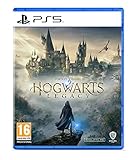
- EXPLORE AN OPEN WORLD. The wizarding world awaits you. Freely roam Hogwarts, Hogsmeade, the Forbidden Forest, and the surrounding Overland area.
- BE THE WITCH OR WIZARD YOU WANT TO BE. Learn spells, brew potions, grow plants, and tend to magical beasts along your journey. Get sorted into your house, forge relationships, and master skills to become the witch or wizard you want to be.
- EXPERIENCE A NEW WIZARDING WORLD ADVENTURE. Experience the wizarding world in an unexplored era to uncover a hidden truth from its past. Battle against trolls, Dark Wizards, goblins, and more as you face a dangerous villain threatening the fate of the wizarding world.
- Please note that although this game is Region Free or Region Unlocked and will work on all systems, this is the international version and may differ from the local version in age rating, labeling or instructions. DLC content may not work unless using an EU Playstation account as stated this is an EU Import Region Free Version
Rank #4

- Play as your favorite character to defend the wizarding world from evil forces: Harry Potter, Hermione Granger, Ron Weasley and Neville Longbottom
- Gain influence to master powerful spells, recruit allies, and uncover magical items
- Enhance your abilities with over 140 cards
- 7 successive game adventures offer increasing difficulty: as you advance through games 1-7 of Harry Potter Hogwarts Battle, you will reveal progressively more challenging adventures and unlock new secrets on your journey to save Hogwarts from the Dark Lord!
- Includes: 252 cards, 4 dice, 7 game boxes, 7 game rules, 4 player boards, 8 villain control tokens, and 70 chip pieces.Perfect for 2-4 players
Rank #3

- Fight to save your world. Save your sister. Save your soul.
- Fight for everything. Legends are born from trials.
- Epic weaponry, collect a diverse array of melee weapons and define your playstyle with stylish, effective combat.
- Stunning worlds to explore. Prepare to adventure far and wide across dangerous dimensions, majestic lands and strange new worlds.
Product prices and availability are accurate as of the date/time indicated and are subject to change. Any price and availability information displayed on Amazon at the time of purchase will apply.



