What’s actually slowing this PC down?
Pick the symptom - the matching free tool is one click away.
Grounded 2 includes Shared Worlds, but the official guidance currently explains the account and crossplay setup more clearly than the hosting and save-sync rules. To use the feature for cross-platform play, link a free Microsoft/Xbox account, enable Crossplay in Options, and meet your platform’s online-service subscription requirements. Co-op is online-only.
What Shared Worlds means in Grounded 2
Obsidian lists Shared Worlds as a Grounded 2 feature. Xbox’s launch announcement says players can continue their journey in a shared world, while Obsidian’s support page groups Shared Worlds with cross-platform multiplayer among the features that require a free Xbox Live account.
| # | Preview | Product | Price | |
|---|---|---|---|---|
| 1 |
|
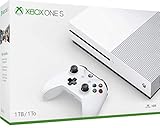
Xbox One S | $198.99 | Buy on Amazon |
| 2 |

|
Seagate Game Drive for Xbox Game Pass Special Edition 2TB - White (STEA2000417), Portable | $280.00 | Buy on Amazon |
Shared Worlds, cross-platform play, and cross-saves are related but distinct:
- Shared Worlds is the named world-sharing feature.
- Cross-platform play lets players on supported platforms play together.
- Cross-saves let progress carry between supported devices. Obsidian confirms progress saving between PC and Xbox console; Xbox Play Anywhere supports saving across Xbox console and PC.
Those cross-save confirmations do not explain who can host a Shared World or exactly how its world data synchronizes.
Do these 3 things before closing this tab:
1Scan for outdated or missing drivers - takes under a minute2Clear out junk files and repair common Windows errors3Fix the driver behind crashes, sound loss and screen glitches#1 Best Overall
- Fully customizable back triggers that allow the user to program the PS4 Controller and map any of the input Buttons to the two extra triggers
- Enjoy over 100 games right out of the box with a 1 month Xbox Game Pass trial
- Enjoy over 100 games right out of the box with a 1 month Xbox Game Pass trial
What you need to set it up
- Use a Microsoft/Xbox account. Obsidian says a free Xbox Live account is required for cross-platform multiplayer and Shared Worlds. For Steam players, Obsidian’s FAQ specifically says to link a Microsoft account. Obsidian cross-platform support
- Enable Crossplay. Open the game’s Options menu, turn on Crossplay, and accept the prompt.
- Complete account linking. Follow the in-game linking steps. Obsidian says only one Microsoft/Xbox account can be linked to a copy of the game.
- Check the main menu. Confirm your Xbox Gamertag appears in the top-right corner.
- Meet your platform’s online-service requirement. Obsidian says players need the subscription required by their platform’s online service for cross-platform play and Shared Worlds.
Can you play together offline or locally?
No. Grounded 2 supports online multiplayer and co-op, but Obsidian’s FAQ says it does not support local or offline multiplayer. Shared Worlds are therefore not a way to play together without an online connection.
Obsidian’s current guidance, last updated August 11, 2026, says: “To fully enjoy the cross-platform multiplayer, Shared Worlds, and the ability to upload and download Playgrounds, you’ll need a free Xbox Live account.” Read the support instructions.
What is not confirmed about hosting and saves
The Grounded 2-specific official material confirms the feature and that a journey can continue in a shared world, but it does not establish whether a friend can host when the world owner is offline, how many players can host at once, the precise cloud-save update behavior, or whether an owner can revert a shared save to a local copy. Do not assume a particular answer to those questions from the feature name alone.
Rank #2
- This refurbished product is tested and certified to look and work like new. The refurbishing process includes functionality testing, basic cleaning, inspection, and repackaging. The product ships with all relevant accessories, and may arrive in a generic box
This matters because Grounded’s original-game patch notes described cloud-stored Shared Worlds that friends could host while the owner was away, with one host at a time and progress persisting between hosts. Those are documented Grounded 1 rules, not confirmation of Grounded 2’s implementation. Original Grounded patch notes
Cross-platform saves are a separate feature
Obsidian’s FAQ confirms cross-platform play and saving progress between PC and Xbox console. Xbox Play Anywhere also supports cross-saves between Xbox console and PC. These details describe progress portability across supported devices; they do not answer Shared World host availability or the exact synchronization process. See Obsidian’s Grounded 2 FAQ and Xbox Wire’s launch announcement.
Quick Recap
Product prices and availability are accurate as of the date/time indicated and are subject to change. Any price and availability information displayed on Amazon at the time of purchase will apply.



