What’s actually slowing this PC down?
Pick the symptom - the matching free tool is one click away.
You generally can’t use a PS3 to run a game from a connected PSP or show the PSP’s gameplay on the PS3. If you want to play a PSP game on a television, connect the PSP’s video output to a compatible TV input with a cable made for your exact PSP model. The PS3’s Remote Play feature works in the opposite direction: it displays some PS3 content on the PSP.
Choose the connection for what you want to do
| Goal | Connection | Direction |
|---|---|---|
| Play a PSP game on a TV | PSP video output cable to a compatible TV input | PSP to TV |
| View PS3 content remotely | Remote Play, where currently available | PS3 to PSP |
| Move a compatible digital game to a PSP | USB transfer | PS3 to PSP |
These connections do different jobs. A USB cable does not make the PS3 run a PSP game, and connecting the PSP to the PS3 does not send PSP gameplay to the television through the PS3.
To play PSP games on a television, connect the PSP to the TV
Sony’s PSP-3000-series quick reference guide describes connecting the handheld to a television with a separately sold video output cable. This is a direct PSP-to-TV connection, not a PSP-to-PS3 connection.
- Check the model number on your PSP and confirm that the video cable is compatible with that model.
- Connect the cable to the PSP and to the television’s matching video input. Sony’s guide covers composite AV and component video inputs; the available inputs depend on your TV.
- Turn on the TV and select the input used for the cable.
- Turn on the PSP, then press and hold its display button for at least five seconds to enable video output. Press the display button again to clear the output.
Sony notes that image quality varies by television and that PSP video output uses NTSC. Its instructions do not recommend a converter for televisions without compatible legacy inputs, so check the TV’s connections before buying a cable.
#1 Best Overall

- Wide Compatibility with PlayStation Consoles--Compatible with Sony PlayStation 1, PS2, PS2 Slim and PS3 game consoles, this 6ft RCA composite AV cable connects your PlayStation console directly to any TV or monitor with RCA composite inputs. It is a perfect replacement or backup cord for your original lost or damaged PlayStation AV cable.
- Plug-and-Play Audio Video Transmission--This 1.8M/6ft audio video cable transmits both stereo audio and composite video via 3 color-coded RCA connectors (yellow for video, red/white for left/right audio). No extra drivers or adapters are needed — simply plug and play for instant classic gaming.
- Stable & Clear Retro Gaming Performance--Delivers stable composite video signal and crisp stereo sound for PS1/PS2/PS3 classic games, restoring the original retro gaming experience. Tinned copper conductors and durable shielding minimize signal loss and interference for consistent, lag-free performance.
- Durable Replacement for Original Cords--Ideal for replacing lost, broken or damaged original PlayStation AV cables. The flexible PVC jacket and reinforced connector joints withstand frequent plugging and long-term use, making it a reliable spare for home or travel use.
- Compatibility Reminder--This is a 3-connector RCA composite AV cable for PS1/PS2/PS3. Please ensure your display has red/yellow/white RCA composite ports before purchase; it is not compatible with 5-port component video inputs. If your device only has an HDMI port, you’ll need an RCA to HDMI converter (not included)!!!
Check model compatibility before buying
PSP video cables are not universally compatible. Sony’s PSP accessory compatibility table distinguishes support by PSP family. For example, it lists the PSP-S180 component AV cable as compatible with PSP-2000 and PSP-3000 models, but not PSP Go or PSP-1000. Verify both the cable model and your handheld’s model number before purchase.
What Remote Play does
Sony’s 2008 Remote Play setup pairs the PSP with the PS3 so that the PS3’s XMB and supported content appear on the PSP. It is PS3-to-PSP streaming, not a way to play a PSP game on a PS3 or send PSP gameplay to a TV through the console.
Rank #2

- Get the best analog video & audio out of your PS2 or PS3 using this high-quality fully shielded cable
- HD Retrovision cables are properly engineered and constructed; don't settle for cheap unshielded cables which result in poor video quality and audio interference issues
- Supports all available PS2 & PS3 YPbPr video resolutions up to and including 1080p (see product description below)
- Full coverage 360° shielding prevents audio and video crosstalk (click on photos for more details)
- Proper 75Ω (75 ohm) coaxial cable impedance for optimal video quality (click on photos for more details)
The setup instructions are historical. They document how the feature was configured at the time, but they do not establish that every network, account, or service needed for Remote Play remains available today.
What USB transfer does
Sony’s PSP Go manual describes downloading a game compatible with PSP through PS3 and copying it to the handheld over USB. The PSP is the destination: this transfers a game to the PSP for it to play; it does not install PSP-game support on the PS3. The cited instructions are for PSP Go, so menu labels and steps may differ for other PSP models.
Crashes, No Sound, or Screen Glitches?
Random freezes, missing sound and display glitches usually trace back to one bad driver. Find and replace yours safely.Free scan · under a minuteWindows Errors? Fix Them Before They Spread
Repair common Windows errors and clear accumulated junk for a smoother, more stable PC - no reinstall needed.Free scan · no reinstallRank #3

- This PS2/PS3 Component cable, we can use AV signal and Component signal output to ensure more stable signal transmission and clearer picture.
- For TV connection side, there are 6 outputs multi out ports, they are: Video, Component Y/Pr/Pb, Audio L channel, Audio R channel. The component multi-out AV cable is compatible with PlayStation PS2 & PS3 & PS3 Slim gaming console.
- Set your TV to "Component" or "AV" as the input signal. This PS2 PS3 Component AV cable should be connected to the Component / AV input port of your TV correspondingly. Component--Video: Blue-Green-Red;Aduio: Red & White. AV--Video: Yellow; Audio--Red & White.
- High Resolution: Supports high resolution of 480P, 720P, 1080P. This Component cable provides clearer video and sound for your PS2/PS3 console, greatly enhancing the gaming experience.
- Material: The PS2 PS3 Component AV Cable is made of full copper, plus PVC mesh sheath, durable and not easy to damage, 1.8m long cable is more convenient to use.
Can you still buy PSP games through a PlayStation Store?
Sony announced on April 19, 2021 that PSP commerce functionality would retire on July 2, 2021, while PS3 and PS Vita store operations would continue. Sony’s current US important notices say certain PSP content remains available to purchase and play through PS3 and PS Vita stores. Availability and store rules vary by region and can change, so check the current notice and your regional store before relying on a purchase or transfer route.
Quick Recap
Best Value

- Audio Video cable displays crystal clear picture on your TV for all of your video game needs
- Connect to your HDTV (High-Definition TV) or EDTV (Enhanced-Definition TV) and enjoy the most stunning graphics available from your PS3 via 480p / 1080i /720p resolution
- Analog AV Multi Out Port to component inputs on NTSC-compatible TVs
- Supports 2-channel stereo audio,Dock connector plugs directly into the game console.
- Good material: the cable is copper wire coated with ultra thick and flexible PVC jacket with colour coded connectors, can help you to install the cable much easier
Rank #4
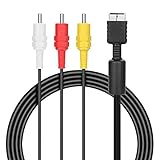
- ★Cable length★ 2.5 m / 8 ft, standard AV composite lead, Each Cable is equipped with standard AV composite lead, yellow, red & white connectors on one side and input connector for Playstation game console on the other side.
- ★Safe and Durable★High quality copper wire inside for optimal signal clarity to guarantee no lag during your gaming time. The copper pins connector heads slot in easily and steadily, and won't get loose or fall out of your devices. Premium PVC housing, flexible and tangle free.
- ★Product Compatibility★Compatible with PlayStation 1, PlayStation 2 and PlayStation 3.
- ★Easy to Use★Just plug this AV cable into the PlayStation and plug it into the appropriate input on your TV. Output at standard resolution.
- ★100% Satisfaction★:60 days no reason to return and exchange goods.Content:1 X Cable.You can give it as a gift to your family, friends, classmates and anyone, especially your children.
Product prices and availability are accurate as of the date/time indicated and are subject to change. Any price and availability information displayed on Amazon at the time of purchase will apply.



