On PC, start Halo: The Master Chief Collection (MCC) with Easy Anti-Cheat (EAC) disabled by choosing the anti-cheat-disabled launch option. The steps depend on whether you use Steam or the Xbox app/Microsoft Store. Public matchmaking is unavailable in this mode.
Start MCC with EAC disabled on Steam
- Open Steam and go to Library.
- Select Halo: The Master Chief Collection and click Play.
- In the launch-choice window, choose Play Halo: MCC Anti-Cheat Disabled (Mods and Limited Services).
- Click Play in the launch window.
These Steam steps are documented in Halo Support’s EAC launch instructions.
| # | Preview | Product | Price | |
|---|---|---|---|---|
| 1 |

|
Halo: The Master Chief Collection | $79.99 | Buy on Amazon |
| 2 |
|
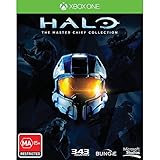
Halo The Master Chief Collection Xbox One Game | $64.99 | Buy on Amazon |
| 3 |
|
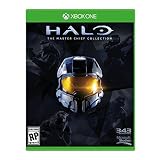
Microsoft Halo: The Master Chief Collection, Xbox One | $35.79 | Buy on Amazon |
| 4 |

|
Halo: The Master Chief Omnibus | $32.62 | Buy on Amazon |
| 5 |
![Third Party - Halo : Master Chief Collection Occasion [ Xbox One ] - 0885370863949](https://m.media-amazon.com/images/I/41o0m2P4tFL._SL160_.jpg)
|
Third Party - Halo : Master Chief Collection Occasion [ Xbox One ] - 0885370863949 | $64.99 | Buy on Amazon |
Start MCC with EAC disabled from the Xbox app or Microsoft Store
- Open Windows search and search for MCC.
- Select Halo: MCC Anti-Cheat Disabled (Mods and Limited Services).
Halo Support documents this method for the Xbox app on PC and Microsoft Store. It does not document a console procedure for launching MCC with EAC disabled.
What changes when EAC is off?
- Public matchmaking is unavailable. MCC may display an “Anti-Cheat Incident” notice if you select matchmaking menu items.
- Custom Games and campaign missions remain available. Halo Support says players can modify game files and content, then play online through Custom Games or play campaign missions.
- Mods require EAC to be disabled. Halo Support’s Steam Workshop mod instructions say mods will not work unless EAC is off.
Switch back to EAC-enabled play
Fully exit MCC before changing launch modes. On Steam, launch the game again and choose the standard Play Halo: The Master Chief Collection option. For the Xbox app or Microsoft Store version, fully exit the game and launch it normally from the Microsoft Store app.
What’s actually slowing this PC down?
Pick the symptom - the matching free tool is one click away.
#1 Best Overall
- System requirement your device must meet all minimum requirements to open this product OS Xbox One architecture x64
If mods cause problems after switching back
If EAC-enabled play has problems after you install mods, Halo Support says you may need to restore the game files to their original state. Changing core files can make MCC unplayable and may require a full reinstall, so avoid modifying core files unless you are prepared to restore or reinstall the game.
Quick Recap
Rank #4
Rank #3
- Please NOTE: This game is UK Import Game it may be Arabic and English print on the cover. it is Region Free PAL Game.
- It may say "promotional copy not for resale" on cover but it is legal to sell in worldwide. It was removed from Xbox One Console combo.
Rank #2
- Region Free Australia
- 100% Compatible With USA Xbox One Console
- 100% Compatible With USA XBOX Live Account
- Work Exactly the Same as LOCAL Copy
- For the first time ever, The Master Chief's entire story is on one console. Featuring a re-mastered Halo 2: Anniversary, along with Halo: Combat Evolved Anniversary, Halo 3, and Halo 4, new digital series, Halo: Nightfall.
Product prices and availability are accurate as of the date/time indicated and are subject to change. Any price and availability information displayed on Amazon at the time of purchase will apply.



