The Tool Desk
Outbyte Driver Updater FREEFix the driver behind crashes, sound loss and screen glitchesFind Drivers →Outbyte PC Repair FREEClear out junk files and repair common Windows errorsFree Scan →First identify what the code came with. For a Prodigy membership gift, sign in to the Prodigy parent account and follow Prodigy’s guide for applying a membership to a child’s account. Old Epic toy codes are a separate, discontinued case, and the official sources reviewed do not establish a general promotional-code entry process.
Redeem a Prodigy membership gift
Membership assignment is handled through a parent account. Prodigy’s gift certificate says: “Premium Memberships can be added to your child’s account at the time of purchase, or saved and assigned later.” If the membership was saved, sign in to the parent account and use Prodigy’s Customer Support Center guide, “How-to: Apply a Membership to a Child’s Account,” for the current instructions.


The official information establishes the parent-account route, but does not show a specific code-entry box or current button-by-button steps. Follow the support guide rather than looking for a universal “Redeem Code” field.
What kind of Prodigy code do you have?
| Code type | What to do | What Prodigy says |
|---|---|---|
| Membership gift or certificate | Use the parent account and the membership-assignment guide in the Customer Support Center. | A membership can be applied at purchase or saved for later assignment. |
| Code from a physical Epic toy | Do not treat it as a current membership or general promo code. Contact Prodigy support if you need help identifying an old code. | Prodigy says Epic toys and their digital codes were discontinued in 2019. See its parent FAQ. |
| General promotional or other code | Ask Prodigy support whether the code is valid and how it is intended to be used. Include what it came with. | The official sources reviewed do not document a general promotional-code page or redemption flow. |
Why the code’s origin matters
Prodigy membership is a digital service, not the same thing as an Epic toy code. Current Prodigy pages describe membership as optional and distinguish it from the free math learning content; see the membership page and Prodigy overview. A code supplied with a membership purchase should therefore be handled through the parent-account assignment route, while an old toy code belongs to a discontinued product.
Quick wins for a faster PC:
Scan for outdated or missing drivers - takes under a minuteDriver Scan →Repair Windows errors before they cause bigger problemsFix Now →Fix the driver behind crashes, sound loss and screen glitchesFind Drivers →Quick Recap
Best Value
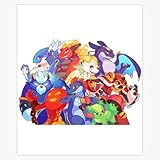
- Size: 5" - Engineered from premium, heavy-duty vinyl that is 100% waterproof and weatherproof—built to survive everything from coffee spills to the great outdoors.
- Perfectly sized for maximum visibility on PC cases, laptop lids, and tablets without crowding your hardware.
- Multi-Surface Compatibility: High-tack adhesive designed to stick to notebooks, water bottles, and any flat or slightly curved tech gear with zero peeling.
- Indoor & Outdoor Ready: UV-resistant ink ensures these stickers won’t fade, whether they’re on your rig in the office or the bumper of your car.
- American Craftsmanship: Proudly designed and manufactured in the USA, ensuring high-fidelity colors and precision-cut edges for a professional look. A must-have collection for gamers, coders, and science lovers looking to personalize their workspace with high-end decals.
Rank #4
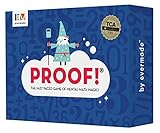
- Fast-Paced Math Card Game for Kids & Adults: Loved by teachers, families, and players of all ages! This engaging numbers game is perfect for family game night, classroom activities, or homeschool curriculum. A fun alternative to math workbooks and flash cards that makes learning exciting.
- Improve Mental Math Skills & Brain Training: Sharpen critical thinking with fast-action math challenges. Players race to find equations using addition, subtraction, multiplication, division, and square roots. Excellent STEM game for kids ages 9-12, teens, and adults.
- Award-Winning Educational Game: Proud winner of the Teacher's Choice Gold Award! Evaluated by educators and selected for exceptional quality and outstanding classroom performance. A trusted learning game for teachers and parents seeking proven educational toys.
- 100 High-Quality Number Cards Included: Carefully crafted deck with optimal mix of easy-to-use lower numbers for fast, exciting gameplay. Designed for maximum fun and replayability across all math skill levels.
- Perfect for 2-6 Players, Ages 9 to Adult: Quick to learn, plays in just 15 minutes! Adaptable rules for younger players, different skill levels, and solo play. Great as board games for kids, tween gifts, family party games, or adult brain teasers. So fun, everyone will want to play again!
If the code still will not work
- Check the wording on the certificate or message to determine whether it is for a membership, an old Epic toy, or a promotion.
- For a membership, sign in to the parent account associated with the child and consult Prodigy’s current membership-application guide.
- For an unfamiliar code, contact Prodigy through its Customer Support Center and state what the code came with. The reviewed official sources do not confirm a general promo-code entry method.
Product prices and availability are accurate as of the date/time indicated and are subject to change. Any price and availability information displayed on Amazon at the time of purchase will apply.



