Which Fallout game and platform are you playing? The controls differ, and “unequip” can mean removing a weapon from the equipped state or holstering the weapon so it is no longer visible. The confirmed direct method here is for Fallout: New Vegas on PC; official guidance for Fallout 4 and Fallout 76 does not establish a universal unequip shortcut.
Fallout: New Vegas on PC
Open the inventory, select the equipped weapon, and left-click it. The official PC manual lists the command as “Left Click – Equip, Unequip or Use the selected item.” Right-clicking drops the selected item instead, so use left-click when you want to unequip rather than discard it. Fallout: New Vegas PC manual
Fallout 4
Bethesda’s Xbox One guidance explains how to assign inventory items to favorites in the Pip-Boy, then select a favorite with the D-pad and equip or use it with the action button. That lets you switch to another item; it does not document a direct command to unequip a weapon into empty hands. Bethesda’s Fallout 4 favorites guidance
Fallout 76
Bethesda’s console control reference lists reload/draw as X on Xbox and Square on PlayStation, and says controls are consistent across Xbox One, Xbox Series X|S, PS4, and PS5 apart from platform-specific inputs. It does not say that reload/draw unequips or holsters a weapon. Bethesda’s Fallout 76 controls reference Bethesda’s Fallout 76 platform controls
Do these 3 things before closing this tab:
1Clear out junk files and repair common Windows errors2Scan for outdated or missing drivers - takes under a minute3Repair Windows errors before they cause bigger problems#1 Best Overall
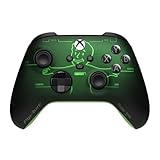
- FALLOUT PIP-BOY EDITION — Introducing the XBOX Wireless Controller – Fallout Pip-Boy. Display your survival prowess on console, PC, and cloud. Inspired by the arm accessory worn by Fallout's vault dwellers, this Vault-Tec approved gear radiates craftsmanship and heritage.*
- WASTELAND-READY DESIGN — The black top case features the outer casing of Pip-Boy with a bright green icon of the Vault Boy in the center, paired with Fallout's signature green tones and HUD iconography throughout.
- PRECISION PERFORMANCE — Stay on target with a hybrid D-pad and textured grip on the triggers, bumpers, and back case for enhanced handling — whether you're exploring the wasteland or battling raiders.
- UP TO 40 HOURS OF BATTERY LIFE — Get up to 40 hours of battery life so your sessions last as long as the wasteland demands. Crafted for enhanced comfort and effortless control during gameplay.*
- PLAY ACROSS EVERY SCREEN — Quickly pair with, play on, and switch between devices including console and PC. Stream games across mobile, gaming handhelds, Smart TVs, and supported VR headsets with XBOX Cloud Gaming.**
On PC, Bethesda’s gameplay and accessibility guide, published September 2, 2025, confirms that keyboard-and-mouse controls can be remapped in the Controls menu, but does not give a verified default unequip or holster key. Check the in-game Controls or Key Assignments menu for your configuration. Bethesda’s Fallout 76 gameplay and accessibility guide
Weapon swapping is not necessarily unequipping
Bethesda’s general support guidance says PC players can swap weapons with the default tilde key, or change that binding in Controls; console players can swap with the Left D-Pad. It also describes equipping a chosen weapon from Inventory. These instructions describe selecting or changing the active weapon, not removing the equipped weapon. Bethesda’s weapon-swapping guidance
Rank #2
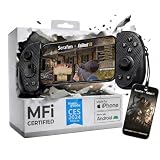
- FREE Fallout 76 Steam Key ($39.99 Value) Included: Get a limited-time Fallout 76 game bundle when you purchase the Serafim S3 USB-C mobile gaming controller. Officially MFi certified for iPhone 15/16/17 and compatible with Android, Windows PC, macOS, and PS Remote Play for seamless gaming anywhere
- Hall Effect Precision for Mobile & Cloud Gaming: Features Hall Effect joysticks and analog triggers designed to reduce stick drift, improve response accuracy, and enhance long-term durability. Ideal for shooters, RPGs, cloud gaming, and controller-supported mobile games
- Comfortable Ergonomic Design for Long Gaming Sessions: Includes interchangeable grip sizes for different hand sizes and a lightweight 143g portable design to reduce fatigue during extended Fallout 76 adventures, remote play, and cloud gaming sessions
- Record, Stream & Share Gameplay Instantly: Use the Serafim Console App to capture highlights, record gameplay, edit clips, and share directly to social platforms. Supports Twitch live streaming for creators and cloud gamers
- Supports Xbox Cloud Gaming, Steam Link & PS Remote Play: Compatible with Xbox Game Pass, Steam Link, GeForce NOW, Amazon Luna, App Store, and Google Play controller-supported games for cross-platform gaming flexibility
If you mean holstering the visible weapon
Holstering puts the weapon away visually; unequipping changes its equipped state. Do not assume a control documented for swapping, drawing, or reloading will holster or unequip it. Look for the relevant action in the controls or key-assignment menu for the exact game and platform. For Fallout 76, Bethesda confirms PC bindings can be remapped, and its key-assignment guidance places assignments under Options > Controls > Key Assignments. Bethesda’s Fallout 76 gameplay and accessibility guide Bethesda manuals and platform downloads
Quick Recap
Best Value

- FOR EVERY MODEL CITIZEN: Officially Licensed Product — Whether you're braving the wasteland or managing your personal Vault, this exclusive Vault Boy Mini Figure is here to keep morale high and thumbs pointed skyward. The perfect companion wherever your adventures take you.
- DETAIL THAT SPARKS MOTIVATION: Dressed in his signature Vault-Tec jumpsuit, this Vault Boy figure embodies everything a survivor needs: confidence, optimism, and a corporate-approved smile. He offers a delighted thumbs-up in a classic pose.
- THE FINEST VAULT-TEC QUALITY: Need a little extra Luck? This Vault Boy figure is always ready to reassure you that everything's going according to plan. Stands at approximately 3 inches tall of pure optimism, with a flat base for easy display.
- PERFECT DISPLAY FOR ANY DWELLER: This mini figure comes presented in a collector-friendly window box. Whether displayed proudly in its packaging or standing guard over your gaming setup, Vault Boy remains as sturdy as the ideals of Vault-Tec itself.
- OFFICIAL FALLOUT COLLECTIBLE: Dwellers of all experience levels will appreciate this officially licensed Vault Boy Mini Figure. Place him next to your Pip-Boy or with the rest of your Nuka-Cola stockpile. Intended for ages 14+ and up.
Rank #4

- Controller Stand: Gaming figures straight from the Wasteland to your workstation! Holds most standard controllers securely while charging and is compatible with Xbox and PlayStation controllers, including next-gen PS5 DualSense, Xbox Series X/S, Xbox One
- Gaming Phone Holder: Level up your game desk accessories with a relic straight from the Vault! Fits popular devices including iPhone, Samsung & Google Pixel, even with most phone cases. A must-have companion for any gaming station, desk or bedside outpost
- Fallout Fans: The ultimate gaming setup accessories for Fallout fans. This collectible brings the ever-grinning Vault Boy to life, while keeping your devices organized, on display and standing by for your next quest through the Wasteland
- Official Bethesda Merchandise: Officially licensed by Bethesda, these gaming collectibles are part of the popular Cable Guys range of gaming accessories. Ideal for Fallout figure gifts or as a display piece for true fans. Built to hold, styled to survive
- Dimensions: At approximately 8.5 inches tall, these game desk accessories fit neatly into any setup, desk space or bedroom. The controller holder's stable circular base and secure arms keep your devices propped & primed, ready for whatever's thrown at you
Rank #3

- Hall Effect Thumbsticks and Triggers – Contact-free magnetic sensors in the thumbsticks and triggers provide a more fluid pro-level feel to help with precision and longevity
- Low Latency Wireless – Play wirelessly on Xbox Series X|S, Xbox One, and Windows 10/11 using the included Wireless USB Adapter
- Advanced Gaming Buttons – Get an edge over the competition with 4 mappable buttons that you can program on the fly, mid-game—no system settings to configure
- 3-Way Trigger Locks – Set the travel distance of the triggers with three different positions to pull off quicker actions in your favorite FPS games or go full throttle in a high-end race car
- Officially Licensed - for Xbox Series X|S and works on Xbox One and Windows 10/11
Product prices and availability are accurate as of the date/time indicated and are subject to change. Any price and availability information displayed on Amazon at the time of purchase will apply.
Quick wins for a faster PC:
Repair Windows errors before they cause bigger problemsFix Now →Fix the driver behind crashes, sound loss and screen glitchesFind Drivers →



